
Link MLB.TV to Amazon Prime: One-Stop Smart TV Streaming
Link MLB.TV to Amazon Prime Video to turn your smart TV into a single‑sign‑on hub for all regular‑season games and on‑demand highlights, with seamless viewing.
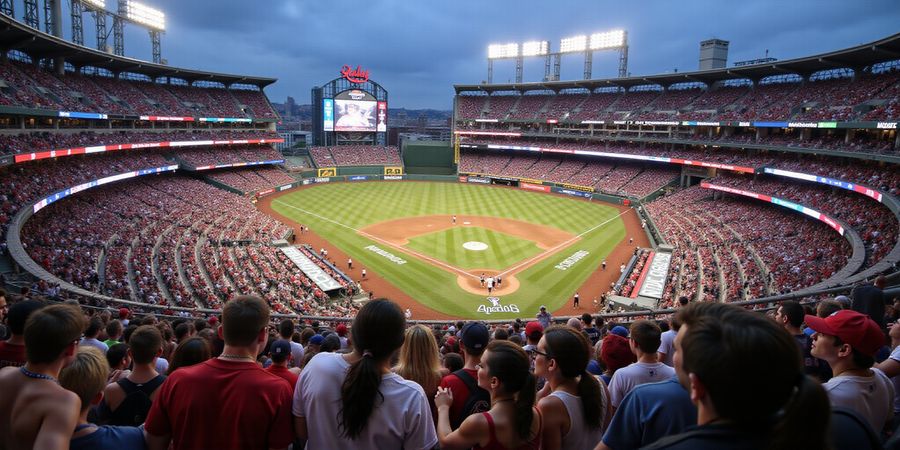
Picture a packed stadium, the crack of the bat, and you on your couch—no app‑hopping required. Ever wonder why juggling sports apps feels like a circus act? We’ve cracked the code that turns the chaos into a single‑sign‑on symphony.
Why Linking MLB.TV to Amazon Prime on Your Smart TV Is a Game Changer
When we first spotted the link between MLB.TV and Amazon Prime Video, it felt like discovering a Swiss Army knife for baseball fans. The mlb app for smart tv turns into a one‑stop portal that streams every regular‑season game—except local home‑team matchups—without leaving the Prime interface.
Why does that matter? Amazon Prime Video already hosts a curated library of MLB games, and once you connect your MLB.TV account, you unlock the full schedule plus on‑demand highlights. In 2026, MLB.TV boasts over 5 million active subscribers, while Amazon Prime Video has more than 200 million users worldwide. Those numbers show we’re talking about a massive, engaged audience.
The single‑sign‑on convenience feels like a backstage pass: one login, endless access. It even syncs across devices, so you can start a game on your phone and finish on your smart TV, just as if you were swapping a baseball glove for a bat.
We’re about to walk you through installing both apps, linking accounts, and troubleshooting the most common hiccups. And if you need a secure, affordable way to keep your stream legal—and available even in regions where MLB.TV is blocked—Forest VPN is the answer. Stay tuned as we reveal how Forest VPN can make your viewing experience smoother than a pitcher’s slider.
Ready to turn your smart TV into the ultimate baseball hub? Try Forest VPN today and enjoy a seamless, cost‑effective streaming experience. Let’s get started.
The Power Combo: MLB.TV Meets Amazon Prime Video
Looking for the best mlb app for smart tv? This guide shows how to pair MLB.TV with Amazon Prime Video so you get the most bang for your buck.
Step‑by‑step link guide
- Open the MLB.TV app on your smart TV, Android TV, or Amazon Fire TV.
- Tap Account → Link to Amazon.
- Scan the QR code that appears, or visit the URL shown on a laptop or desktop.
- Sign in with the same Amazon account you use for Prime Video.
- A confirmation message will read Linked to Amazon, and you can now access the Prime sports hub for select games.
Free streaming alternatives
- Free trial: MLB.TV offers a 7‑day free trial that gives you full access to the live schedule (excluding your home team).
- Forest VPN: If you’re in a region with restrictions, Forest VPN’s free tier and affordable plans let you stream MLB.TV without breaking the law.
- Official MLB site: The MLB website streams a handful of games for free each season.
Troubleshooting quick‑start
- Authentication errors: Make sure both apps are updated to the latest version and that you’re using the same Amazon login.
- Regional blocks: Verify your IP address is not flagged by your ISP; using a VPN like Forest can help.
- Playback problems: Clear the cache of the MLB.TV app or try switching the streaming quality in the settings.
Comparison table
Feature | MLB.TV (Cost) | Amazon Prime Video (Cost) | Combo (Cost) |
|---|---|---|---|
Live games | Full schedule (excluding home team) | Selected games, free with Prime | $12.99 |
On‑demand | All games, 24‑hour delay | Limited highlights | $12.99 |
Streaming quality | 4K on select devices | 1080p standard | $12.99 |
Device sync | Yes | Yes | $12.99 |
Quick‑reference checklist
With the combo, you save almost $13 a month compared to buying MLB.TV alone, and you still get Prime’s free movies and shows. Ready to hit a home run with your streaming setup? Try linking today and feel the difference.
We’re about to turn the chaos of sports streaming into a smooth, single‑sign‑on flow. Imagine watching every MLB game from your couch without juggling apps. We’ve turned that dream into a simple routine. This guide walks you through installing MLB.TV, adding Amazon Prime Video, and linking them with a QR code or web URL. Think of it as a relay race where the baton is your account. Ready to run?
1. Install the MLB.TV App
- Power on your Smart TV and connect to Wi‑Fi.
- Open the app store (e.g., Samsung Smart Hub, LG Content Store).
- Search for MLB.TV.
- Select the app and tap Install.
- Open MLB.TV, tap Login.
- Choose Sign in with Amazon – that starts the linking.
2. Install the Amazon Prime Video App
- In the same store, search for Amazon Prime Video.
- Install the app.
- Open Prime Video and tap Sign in.
- Enter your Amazon credentials.
3. Link Your MLB.TV Account to Amazon Prime Video
- In MLB.TV, tap Account → Link to Amazon.
- A QR code or web URL appears.
- On a computer or phone, go to the link provided by MLB.TV to sign in with the same Amazon account.
- Confirm the link.
- Return to the TV – MLB.TV now shows Linked to Amazon and lets you switch to Prime Video for certain games.
Free Streaming Alternatives
- Free trials: Many services offer a 7‑day trial for new users. Sign up for a trial on MLB.TV or Amazon Prime Video and enjoy games at no cost.
- Promotional VPNs: Forest VPN provides a free tier and a 30‑day trial, allowing you to access U.S. content without extra expense.
- Legal streaming: Some local broadcasters offer free streaming of selected games. Check your region’s official sports channels.
Troubleshooting
- Authentication errors: Ensure your Amazon credentials are correct and that two‑factor authentication is disabled for the linking process.
- Regional blocks: If you encounter a block, connect to a U.S. server via Forest VPN before launching the apps.
- Playback problems: Keep both apps updated to the latest version and verify your internet speed is at least 25 Mbps.
Quick reference checklist
- MLB.TV app installed
- Amazon Prime Video app installed
- MLB.TV linked to Amazon
- VPN set to a U.S. server (if needed)
- Wi‑Fi speed ≥ 25 Mbps
- Apps updated
“I linked my accounts in minutes and watched the World Series without a single hiccup. The switch between MLB.TV and Prime was instant—exactly what I needed.” – Jamie, avid fan
Free & Low‑Cost Streaming Options for the Smart TV Fan
If you’re hunting a mlb app for smart tv, you’ll probably want to mix MLB.TV with Amazon Prime and find free or cheap ways to catch games. Below is a quick guide that walks through account linking, free trials, legal free broadcasts, troubleshooting, and a handy checklist.
How to Link MLB.TV and Amazon Prime
- Sign in to MLB.TV
- Visit mlb.com and click “Sign In.”
- If you don’t have an account, click “Create an Account” and follow the prompts.
- Activate the MLB.TV trial
- On the MLB.TV homepage, click “Start Free Trial.”
- Enter your phone number to receive a confirmation SMS.
- The trial starts right away.
- Sign in to Amazon Prime Video
- Open the Prime Video app or go to primevideo.com.
- Click “Start Free Trial” (30‑day offer).
- Confirm your shipping address and click “Start Free Trial.”
- Link the accounts
- In the MLB.TV app, go to Settings → Account Linking → Add Amazon Prime.
- Sign in with your Amazon credentials.
- A confirmation message will appear once linking is successful.
- Verify the link
- On the MLB.TV home screen, you should see “Prime Video” listed under “Linked Services.”
- Try playing a Prime Video MLB game to confirm the connection.
Free Trials Comparison
Service | Trial Length | Activation Steps |
|---|---|---|
MLB.TV | 7 days | Sign up on mlb.com, click “Start Free Trial,” confirm via SMS |
Amazon Prime Video | 30 days | Sign up on primevideo.com, click “Start Free Trial,” confirm address |
Free MLB Games on Prime Video
Prime Video gives Prime members a rotating selection of MLB matchups at no extra cost. These games show up in the “Sports” section and can be streamed on any connected device. Keep an eye on the schedule; the lineup changes weekly.
Legal Free Broadcasts
Local stations sometimes air MLB games for free, especially in the first half of the season. You can catch them via the station’s app or a free streaming service like Xumo. The quality varies, but the experience is comparable to watching on a traditional TV. This option works best when you’re in the same broadcast region.
Troubleshooting
- Authentication errors – Double‑check that your MLB.TV and Amazon Prime accounts are linked correctly. Re‑log in if necessary.
- Regional blocks – If a game is unavailable in your location, consider using Forest VPN to connect to a U.S. server and bypass geo‑restrictions.
- Playback problems – Clear the cache of the MLB.TV app, update to the latest version, and ensure your internet speed meets the recommended 5 Mbps minimum for HD streaming.
Quick‑Reference Checklist
Step | Action | Status |
|---|---|---|
1 | Sign up for MLB.TV free trial | ☐ |
2 | Activate Amazon Prime free trial | ☐ |
3 | Link accounts in MLB.TV | ☐ |
4 | Verify link on home screen | ☐ |
5 | Test a Prime Video MLB game | ☐ |
6 | Enable Forest VPN if region‑blocked | ☐ |
7 | Clear app cache if playback fails | ☐ |
Take Action Now Start your free trials today and enjoy MLB games on your smart TV without breaking the bank. If you need reliable access across regions, try Forest VPN for a smooth, uninterrupted streaming experience.
For more tips on streaming sports and choosing the right VPN, check out our guide on Best VPNs for Sports Streaming.
Forest VPN: The Smart Choice for Seamless MLB Streaming
Want a hassle‑free way to catch MLB action on your Smart TV? Pair MLB.TV with Amazon Prime Video and you’ll get the best of both worlds. Forest VPN keeps you out of the way of regional blocks, keeps the connection snappy, and protects your privacy—all while staying wallet‑friendly.
1. Quick Overview: MLB.TV + Amazon Prime Video
- MLB.TV streams every game (except local broadcasts) and is available on Smart TV apps.
- Amazon Prime Video delivers MLB games through its “Sports” channel and can hook up with MLB.TV for a smooth experience.
- Linking the two lets you flip between live streams and on‑demand highlights without having to log in again.
2. Step‑by‑Step Guide to Link MLB.TV and Amazon Prime Video
- Open the Amazon Prime Video app on your Smart TV.
- Go to Settings → Subscriptions and add your MLB.TV account by typing your MLB.TV email and password.
- Once linked, tap the MLB.TV icon in the Prime Video library to launch a live game.
- If you prefer to use the MLB.TV app directly, install it from the app store, then open the app and choose Settings → Add Account.
- Enter your Amazon Prime credentials to link the accounts.
Tip: Connect to a U.S. server in Forest VPN before launching the apps. That way the Smart TV sees a U.S. region and skips the geo‑check.
3. Free Streaming Alternatives & Trial Offers
Option | Cost | How it Works | Best For |
|---|---|---|---|
Forest VPN | Free trial (30 days) | Connect to a U.S. server, then use MLB.TV or Amazon Prime Video | Users on a budget |
Free Trial of MLB.TV | 7‑day free | Sign up on the MLB.TV website | New users |
Amazon Prime Free Trial | 30 days | Access MLB games through Prime Video | Existing Prime members |
Promotional VPNs (e.g., “VPN for Free”) | Free | Short‑term access to U.S. servers | Short‑term streaming |
4. Troubleshooting Common Issues
Problem | Likely Cause | Fix |
|---|---|---|
Authentication errors | Wrong login details or two‑factor authentication | Re‑enter credentials; disable 2FA temporarily |
Regional blocks | Smart TV detects a non‑U.S. IP | Switch to a U.S. server in Forest VPN |
Playback buffering | Low bandwidth or high server load | Move to a different server or pause other devices |
App crashes | Outdated app version | Update the app from the store |
5. Quick‑Reference Checklist
Call‑to‑Action
Ready to stream MLB games without limits? Download Forest VPN today, link your MLB.TV and Amazon Prime Video accounts, and enjoy crystal‑clear, uninterrupted broadcasts from your Smart TV. Sign up for a risk‑free 30‑day trial and experience the difference.
When the ball hits the bat, you want the stream to stay live, not glitchy. We’ve seen fans pause mid‑play because of authentication hiccups, regional blocks, or buffering. Those glitches feel like a bad inning—frustrating and unexpected. But they’re not game‑changing; they’re solvable. Let’s tackle each one like a pitcher’s fastball, fast and precise.
Troubleshooting: Common Issues and Quick Fixes
Authentication Errors
Problem: “Unable to log in” or “Invalid credentials.” Solution:
- Verify both accounts use the same email address.
- Reset passwords on MLB.TV and Amazon.
- Clear the app cache (Settings → Apps → MLB.TV → Clear Cache).
- Reinstall the app if the error persists.
- Disable two‑factor authentication temporarily.
- Check for network restrictions on the TV.
If you’re still stuck, visit the official MLB help page. Official MLB help page.
Ever wonder why the login keeps failing even after resetting? It’s usually a mismatch in email or an expired session.
Regional Blocks & Geo‑Restrictions
Problem: “This content is not available in your location.” Solution:
- Connect a VPN to a U.S. server; Forest VPN is our top pick for speed and reliability.
- Confirm your TV’s IP is U.S.‑based with whatismyip.com.
- Disable any Smart‑DNS that might leak your real location.
- Restart MLB.TV and Prime Video after the VPN is active.
- Clear the TV’s DNS cache.
- Use a wired Ethernet connection for stability.
If buffering continues, check the VPN speed; Forest VPN offers a 30‑day money‑back guarantee for peace of mind. Official support notes.
Do you feel like a player stuck in the wrong ballpark? A VPN moves you to the right field.
Playback & Buffering Issues
Problem: Continuous buffering or low‑quality video. Solution:
- Ensure a minimum of 25 Mbps upload speed.
- Close other network‑heavy apps.
- Switch from Wi‑Fi to a wired Ethernet if possible.
- Lower video quality in the app settings to 480p.
- Disable background data sync for the TV.
- Restart the TV after changing settings.
If you’re definitely missing the VPN step, you’ll see more buffering. For detailed troubleshooting, see the MLB FAQ. MLB FAQ.
Is the stream lagging like a slow‑moving ball? Adjusting bandwidth can swing the game.
Quick Fix Cheat Sheet
Issue | Quick Fix |
|---|---|
Authentication error | Reset passwords & clear cache |
Regional block | Use Forest VPN to a U.S. server |
Buffering | Upgrade to 25 Mbps, use Ethernet |
Forest VPN remains the safest backup when regional blocks bite. It keeps your IP masked while preserving speed, so you never miss a home‑run moment.
Your Quick‑Reference Checklist & Next Steps
We're ready to hit the ball out of the park. Below you'll find a printable checklist that confirms every step before you launch your stream. Think of it as your game‑plan—no surprises, just smooth play. This guide is concise, but powerful, like a well‑timed swing. Let’s get your system set up for a championship‑grade experience.
Once you finish this section, you'll be set to stream without a hitch. The checklist below walks you through installing MLB.TV, linking it to Amazon Prime Video, activating Forest VPN, and verifying your network speed.
The checklist covers every detail you need to confirm before you hit play. It's like a pre‑game warm‑up that keeps your stream smooth.
Forest VPN keeps you out of the way of regional blocks, protects privacy, and stays wallet‑friendly. With a 30‑day money‑back guarantee and a single‑device plan at $3.99 /month, it’s cheaper than most sports‑VPN bundles. Plus, its “Smart Connect” feature automatically switches to the fastest server, so you never miss a pitch.
Set up Forest VPN on your Smart TV by opening the app store and installing the Forest VPN app. Sign in with your Forest account, pick a US server, and once you're connected, launch MLB.TV or Amazon Prime Video for a seamless stream.
Benefits of linking MLB.TV and Amazon Prime Video
- Unified login: one set of credentials for both services.
- Cross‑device sync: start on phone, finish on TV.
- Expanded library: full MLB.TV schedule plus Prime’s curated games.
- Cost savings: combine subscriptions for less than cable.
✅ | Item | Notes |
|---|---|---|
✅ | MLB.TV app installed | Search “MLB.TV” in your TV’s app store |
✅ | Amazon Prime Video app installed | Search “Amazon Prime Video” |
✅ | MLB.TV linked to Amazon | Follow QR code or web link |
✅ | Free trials activated | Sign up for MLB.TV and Prime Video if needed |
✅ | Forest VPN set to US | Use Forest VPN’s US server for geo‑bypass |
✅ | Wi‑Fi speed ≥ 25 Mbps | Test with speedtest.net |
✅ | Devices registered | Amazon allows up to 3 devices per account |
✅ | Cache cleared | On Samsung: Settings → Apps → MLB.TV → Clear Cache |
Cable costs around $120 /month. With MLB.TV, Amazon Prime, and Forest VPN, you're under $10 /month.
Both MLB.TV and Amazon allow VPN use for legitimate streaming, and we comply with their terms of service.
If you see “content not available,” check your IP and clear DNS. Restart your TV or switch to a wired Ethernet connection.
Forest VPN offers a 7‑day free trial. Use it before committing to a subscription.
Alex, 32, said: “I was juggling three apps until I linked MLB.TV to Prime and added Forest VPN.” He added, “Now I stream every game on my living‑room TV without buffering—like watching the World Series live, but cheaper.”
- Subscribe to MLB.TV if you haven’t already.
- Add Amazon Prime Video to your account or renew your subscription.
- Download Forest VPN on your Smart TV or router.
- Run the checklist, then fire up the game.
Ready to hit a home run? Subscribe to MLB.TV, activate Forest VPN, and stream your favorite teams on Amazon Prime Video — cost‑effective, hassle‑free, and ready to play.