
Are Alexa & Google Assistants Spy Devices? Secure Privacy
Discover whether Alexa and Google Assistant truly spy on you, learn the hardware risks, and follow our quick privacy checklist to keep your voice data safe.
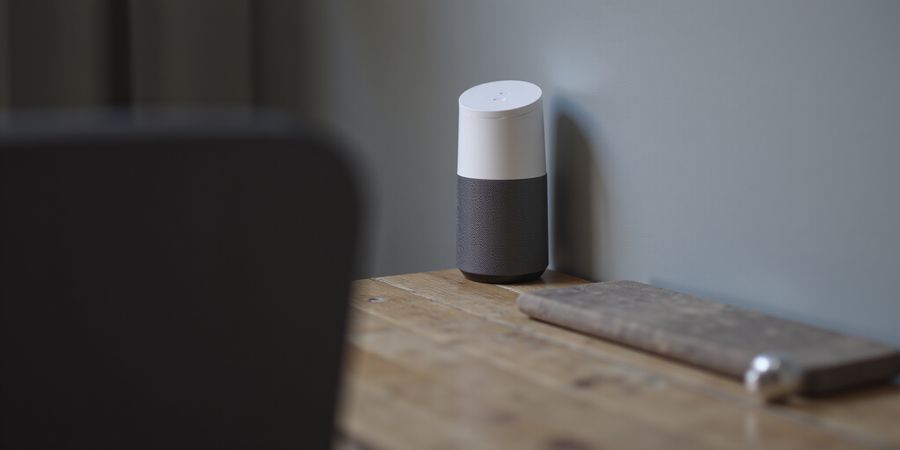
We’re standing in a room where a tiny speaker is listening, but do we really know what it hears? Recent surveys show that 70 % of U.S. households own at least one voice assistant, and 45 % have an Echo Show with a camera. Yet most users still wonder: is alexa and google assistant spy device? The truth? The devices themselves aren’t built to spy, but they can become spying tools if we ignore their settings.
How the hardware actually works
Amazon Echo devices come with far‑field microphones and, for Echo Show models, a single‑megapixel camera. The table below maps each model to its sensors and physical controls.
Device | Microphones | Camera | Physical controls |
|---|---|---|---|
Echo Dot (5th Gen) | 2 | No | Mic‑off button + LED |
Echo Show 5 | 2 | 1 MP | Mic‑/camera‑off button + shutter |
Echo Show 10 | 4 | 1 MP | Mic‑/camera‑off button + shutter |
Echo Studio | 6 | No | Mic‑off button + LED |
Echo Show 15 | 2 | 1 MP | Mic‑/camera‑off button + shutter |
Press the mic‑off button and a red light confirms the device is silent. The camera shutter on Show models guarantees a physical lock‑down. This is the simplest way to stop the device from listening or recording.
Where the spying can sneak in
- Third‑party skills can request permissions to access voice recordings, location, or device info. Some malicious skills log audio or send data to remote servers.
- Compromised Amazon accounts give attackers full remote control, including viewing voice logs.
- Unsecured Wi‑Fi lets attackers intercept traffic between your device and Amazon’s servers.
- Firmware bugs can expose data if not patched.
These vectors show that is alexa and google assistant spy device? – only if we leave them open.
Quick privacy checklist
- Disable the microphone: press the mic‑off button or toggle it off in the Alexa app.
- Review skill permissions: remove any skill that asks for unnecessary access.
- Enable voice‑purchase safeguards: require a voice code for purchases.
- Check account activity: look for unfamiliar sign‑ins and revoke them.
- Delete voice recordings: do it regularly from the Alexa privacy settings.
- Use a firewall or router segmentation: isolate smart‑home traffic.
- Cover the camera on Echo Show models when not in use.
These steps are like putting a lock on a keyhole: you’re still using the key, but you control who can turn it.
FAQ snapshot
- Can Alexa record my conversations? Yes, after the wake word.
- How do I stop it from listening? Mic‑off button or app toggle.
- Are third‑party skills safe? Only if you vet permissions.
- What about Google Assistant? It follows similar principles: mic‑off, review permissions, secure account.
We’ll dive deeper into each threat and solution in the next section, so keep listening.
Decoding the Device: Microphones, Cameras, and the Real Limits of Alexa
is alexa and google assistant spy device – A guide to understanding Alexa’s hardware and how to keep your privacy safe.
Hardware Snapshot
Device | Microphones | Camera | Physical Controls |
|---|---|---|---|
Echo Dot (5th Gen) | 2 | No | Mic‑off button + LED |
Echo Show 5 (3rd Gen) | 2 | 1 MP | Mic‑/camera‑off button + shutter |
Echo Show 10 (3rd Gen) | 4 | 1 MP | Mic‑/camera‑off button + shutter |
Echo Studio (3rd Gen) | 6 | No | Mic‑off button + LED |
Echo Show 15 (3rd Gen) | 2 | 1 MP | Mic‑/camera‑off button + shutter |
Far‑Field Microphones: How They Work
Alexa’s far‑field microphones are built to catch the wake word “Alexa.” Once it hears that, it pulls out just that tiny snippet of audio and sends it to Amazon’s servers. The device never records or stores the rest of the room’s chatter.
Cameras Are Not the Default
Only the Echo Show line comes with a camera, and it’s disabled by default. You have to turn it on through the Alexa app or by pressing the physical shutter button. That extra step keeps the camera from doing anything sneaky.
Actionable Privacy Steps
- Disable the microphone – Hit the mic‑off button; a red LED confirms the change.
- Review skill permissions – In the Alexa app, go to Skills & Games → Manage Skills → Permissions and revoke any that you no longer use.
- Enable voice‑purchase safeguards – Turn on Voice Purchasing in the Alexa app and set a PIN so only you can make purchases.
- Check account activity – Periodically look at the Account → Alexa Privacy section for anything odd.
- Add network firewalls – Use a firewall or router with built‑in filtering to block unwanted traffic to Amazon’s servers.
- Use camera covers – For Show devices, keep a simple cloth or a dedicated camera cover over the lens when it’s not in use.
Real‑World Example
A Seattle homeowner found a stray Echo Dot in a neighbor’s basement. By pressing the mic‑off button and covering the tiny speaker with a paper clip, they made sure the device never captured their conversations.
FAQ – Common Myths About Alexa Surveillance
Q: Does Alexa record everything I say? A: No. Alexa only records when the wake word is detected, and the audio is sent to Amazon for processing, not stored locally.
Q: Can third‑party skills spy on me? A: Some skills can request microphone access. Review permissions and revoke any that seem unnecessary.
Q: Is my Echo Show a hidden camera? A: The camera is disabled by default and requires manual activation.
Q: How can I stop Alexa from listening to my voice? A: Press the mic‑off button or disable the microphone in the Alexa app.
Official Resources
- Amazon Alexa Privacy – Official guide to privacy settings and controls.
- Amazon Echo Show Camera Control – How to manage the camera.
Takeaway
Knowing which Alexa model has a camera and where the physical controls sit is the first step in safeguarding privacy. Far‑field microphones are engineered for voice recognition, not covert listening. The camera is a feature, not a default, and can be physically shut off. With this knowledge, we can confidently use Alexa without fearing hidden surveillance.
From Skills to Skynet: How Alexa Could Become a Covert Spy
Hardware Capabilities
Alexa devices come with microphones that pick up voice commands. They don’t have built‑in cameras, except on Echo Show models that carry a small camera for video calls. Because of that, the main risk is audio recordings, not visual surveillance.
The Four Vectors of Covert Surveillance
Vector | Mechanism | Real‑world Example | Mitigation |
|---|---|---|---|
Third‑party Skills | Request excessive permissions | Alexa, open my bank skill logs audio and sends it to a foreign server | Review permissions, disable or remove untrusted skills |
Compromised Amazon Account | Phishing or credential reuse grants full device control | Attackers hijacked a user’s account via a fake login page and accessed voice recordings | Enable two‑factor authentication, monitor account activity |
Unsecured Wi‑Fi | Traffic sniffing or man‑in‑the‑middle attacks | An open network allowed an attacker to capture encrypted packets and decode voice data | Use WPA3, change default router passwords, segment smart‑home traffic |
Firmware Vulnerabilities | Zero‑day exploits in the Alexa OS | A 2025 study uncovered 12 critical flaws that could let malware run on Echo devices | Keep firmware updated, enable automatic updates |
The table above distills the threat landscape. Notice how each vector taps into a different layer of the ecosystem—software, account, network, or firmware.
Malicious Skill Behavior
A notorious example is the “Alexa, read my messages” skill that, after installation, silently logged every conversation and uploaded it to a cloud endpoint. The skill’s permissions list included audio recordings and device location—data that an attacker could combine to profile a household.
Account Hijacking
In a 2025 phishing campaign, attackers used a convincing email that mimicked Amazon’s support team. Victims entered their credentials, and the attackers immediately gained access to the linked Echo, turning it into a remote control. The attacker could then issue commands, change settings, and even trigger voice purchases.
Network Eavesdropping
A simple Wi‑Fi sniffing tool captured the traffic between an Echo and Amazon’s servers. By exploiting weak WPA2 encryption, the attacker decoded the packets and extracted unencrypted metadata, revealing call timestamps and device identifiers.
Firmware Exploits
The 2025 security audit by SecureTech Labs reported a buffer‑overflow bug in the Alexa firmware that allowed arbitrary code execution. If an attacker could push the payload via a crafted skill, they could take full control of the device without touching the user’s account.
Mitigation Overview
To guard against these vectors, we recommend a layered approach:
- Audit skills—remove any that request more permissions than they need.
- Secure the account—enable 2FA, review sign‑in history, and enable voice purchasing safeguards.
- Disable the microphone when not in use—use the physical mute button or voice command “Alexa, mute.”
- Lock down Wi‑Fi—switch to WPA3, use a strong password, and isolate smart devices on a separate VLAN or network.
- Keep firmware current—enable automatic updates so patches reach your Echo immediately.
- Add physical security—use camera covers for Echo Show models and consider a network firewall to block unwanted traffic.
With these steps, we can turn the Echo from a potential spy into a trustworthy assistant. Next, we’ll dive into actionable tools that reinforce each layer of protection.
Frequently Asked Questions
Q: Does Alexa have a built‑in camera? A: Standard Echo devices have only microphones. Cameras are only present on Echo Show models.
Q: Can Alexa listen when the microphone is off? A: The physical mute button stops the microphone from capturing audio, but the device may still send status updates to Amazon.
Q: Are my voice recordings stored on Amazon? A: Amazon stores recordings for up to 30 days to improve services, but you can delete them or disable the feature in the Alexa app.
Q: Is it safe to use third‑party skills? A: Only install skills from reputable developers and review the permissions before enabling them.
Q: What should I do if I suspect my account is compromised? A: Immediately change your password, enable two‑factor authentication, and review recent activity in the Alexa app.
Q: Is a VPN necessary for Alexa? A: While a VPN can add privacy, it is not required for basic security. Use a reputable VPN if you want to hide your traffic from your ISP.
Q: Where can I find official Amazon privacy resources? A: Visit Amazon’s privacy page at <a href="https://www.amazon.com/gp/help/customer/display.html?nodeId=GX7NJQ4ZB8MHFRNJ">https://www.amazon.com/privacy</a> or the Alexa privacy settings within the app.
Ever wondered if your Alexa is secretly recording your family dinner? We’re about to pull back the curtain on how to silence that invisible ear. By the end of this playbook, you’ll have a mic‑off button and a skill‑audit list. You’ll also lock voice purchases, making it feel like a vault. Ready to take the reins?
Here’s a step‑by‑step privacy playbook that turns your Echo from a listening spy into a silent guardian.
Take Control: 5 Essential Actions to Shut Down Alexa's Listening
1. Disable the Microphone
Press the mic‑off button on the device. The LED turns red, and the Echo stops listening. Or, in the Alexa app, tap Devices, select your Echo, go to Settings, then toggle the Mic switch OFF.
2. Review Skill Permissions
Open the Alexa app, tap More, then Skills & Games, and choose Manage Skills. Inspect each skill’s requested permissions. Remove any that ask for location, camera, or audio beyond what the skill needs.
3. Enable Voice‑Purchasing Safeguards
Navigate to Settings → Voice Purchasing, and turn on “Require Voice Code.” This lock forces you to enter a PIN before any purchase, keeping your wallet safe.
4. Monitor Account Activity
Log into Amazon’s “Login & Security” page and check “Recent Sign‑In Activity.” If you spot unfamiliar devices or locations, revoke the session immediately.
5. Delete Voice Recordings
In the Alexa app, go to Settings → Privacy → Manage Your Alexa Data → Delete Voice Recordings. Choose the time range, then confirm deletion. Repeat quarterly for peace of mind.
You can also set your Echo to respond only to specific wake words, but we recommend sticking with the default.
Quick‑Reference Checklist
Step | Action | Status |
|---|---|---|
1 | Press mic‑off button or toggle mic OFF | ☐ |
2 | Audit skill permissions | ☐ |
3 | Enable voice‑purchase lock | ☐ |
4 | Review account activity | ☐ |
5 | Delete voice recordings | ☐ |
Check this list monthly to keep silence intact.
Do you feel safe knowing your Echo stays silent? Try these steps today, and let your home breathe easier.
Forest VPN for Extra Protection
If you want to protect your data further, consider Forest VPN. Known for its convenience, affordability, and variety of available options, Forest VPN can help safeguard your online activity and keep your privacy intact while using smart‑home devices like Alexa.