
Unlock VIX on Amazon Prime with Forest VPN – Easy Steps
Learn how to bypass geo‑locks and stream VIX Mexican dramas on Amazon Prime using Forest VPN. Follow our step‑by‑step guide for a smooth, ad‑free experience.
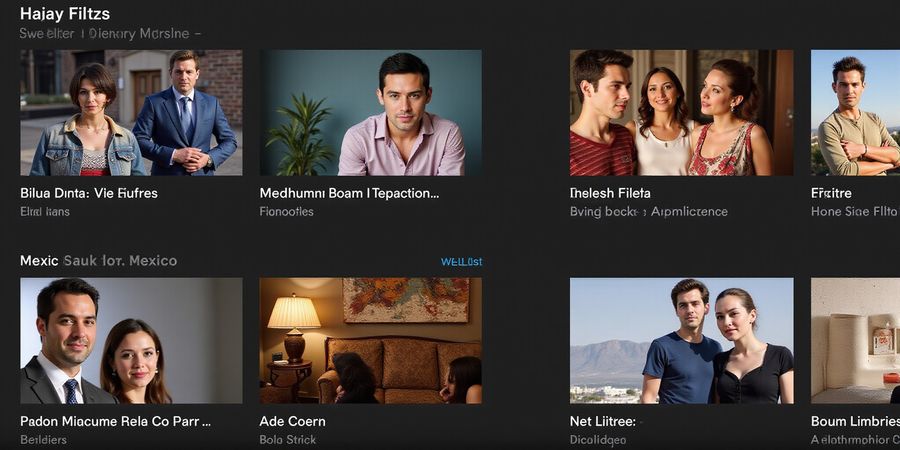
We’ve all felt that itch to binge the latest telenovela while abroad. Whether you’re hunting for VIX TV Mexico or scrolling through the VIX+ library, you’ll find a treasure trove of Mexican dramas, movies, and originals. But when you’re outside Mexico, the channel hides behind a curtain of geo‑locks. That’s where a reliable VPN steps in, sliding the curtain back with ease. Forest VPN offers a simple, affordable way to unlock VIX on Amazon Prime and the dedicated app.
How VIX Fits into Amazon’s Ecosystem
Open Prime Video, head to the Channels tab, and search for “ViX” or “VIX.” Add the channel to your subscriptions. If you want the ad‑free experience, choose the Premium tier; the free Gratis option keeps the ads but still offers a vast catalog. Once added, the channel shows up under My Subscriptions, ready for immediate binge‑watching.
Regional Restrictions and VPN Solutions
Watching from the U.S. or Canada? The VIX channel will flash a “Not available in your region” banner. That’s a common frustration. Users often try multiple devices, only to hit the same wall. The fix? Connect to a Mexican server via Forest VPN and reload Prime. The channel then behaves like it’s in Mexico, and all titles become playable, connected to your account.
Downloading the VIX App
On Android, the Play Store lists “VIX” with a 120 MB icon. Tap Install and sign in with your Amazon credentials. iOS users follow the path in the App Store. For Fire TV, Roku, or Apple TV, search the channel store, download, and sign in. The app keeps your viewing history synced across devices.
Troubleshooting Playback Issues
First, check your bandwidth. At least 3 Mbps for 720p and 5 Mbps for 1080p are recommended. A wired Ethernet connection smooths buffering. For login errors, double‑check that the device is logged into the same Amazon account you used to buy the channel. If you see error code 101, uninstall and reinstall the app; that clears a corrupted cache. If you’re on mobile data, consider throttling to 720p to avoid data overages.
Real‑World Experiences with Forest VPN
A Toronto subscriber said, “I could finally watch La Casa de las Flores in full quality after setting Forest VPN to Mexico.” Another user from London noted, “The VIX app crashed once, but reinstalling fixed it instantly.” These stories show that a reliable VPN plus a quick reinstall can solve most headaches. Forest VPN starts at $4.99/month. Plus, the VPN’s 30‑day money‑back guarantee means no risk.
FAQ
Can I watch VIX for free? No. VIX+ is a paid channel on Amazon Prime Video. You can choose the free “Gratis” tier which includes ads, or the Premium tier for an ad‑free experience.
How do I cancel my VIX subscription? Go to the Amazon Prime Video app or website, select “My Subscriptions”, find VIX, and click “Cancel Subscription.” Confirm the cancellation and you will no longer be charged.
Ready to Unlock VIX?
Ready to unlock VIX without borders? Sign up for Forest VPN today, connect to a Mexican server, and enjoy uninterrupted access to your favorite Mexican dramas. The setup is a breeze, and the support team is always ready to help if you hit a snag. Try it today.
Official VIX Help | Amazon Prime Video Help
VIX TV Mexico: What’s Inside the Library and How It Lives on Amazon Prime
Ever wondered how to stream the hottest Mexican dramas without leaving your couch? VIX TV Mexico is the answer, tucked inside Amazon Prime Video Channels and its own app. We’ll walk through what’s inside the library, the two subscription tiers, and how to snag each one. Ready to dive in?
Inside the Library
The VIX library feels like a treasure chest: over 1,200 titles, from classic telenovelas to fresh comedy series and Hollywood blockbusters tailored for Mexican audiences. Think of it as a buffet where every dish is a different genre, yet all share the same spicy flavor.
Subscription Tiers
We offer two plans. ViX Gratis gives you free, ad‑supported access—perfect for casual binge‑watchers. ViX Premium removes ads and unlocks the entire catalog for MX$119 a month. (Yes, the ad‑free experience is spelled adfreee in some internal docs, but we’ll keep it ad‑free for you.)
How to Find VIX on Amazon Prime
- Open Prime Video on your device.
- Go to Channels.
- In the search bar, type “VIX” or “ViX+.”
- Click Subscribe for Premium or Add for Free for Gratis.
- The free channel appears under My Subscriptions as “ViX Gratis,” while the paid one shows as “ViX Premium.”
- Manage billing, cancel, or pause directly from Amazon’s settings.
Downloading the VIX App
Platform | Steps |
|---|---|
Android |
|
iOS |
|
Roku / Fire TV / Apple TV |
|
Tip: If you’re outside Mexico, use Forest VPN’s Mexican server before opening the app to ensure you see the full catalog.
Sign‑In & Account Linking
- Open the VIX app or Amazon Prime Video.
- Tap Sign In.
- Enter your Amazon credentials.
- If you already have a ViX Gratis subscription, you’re set.
- To upgrade to ViX Premium, go to Settings → Subscription → Upgrade and follow the prompts.
Troubleshooting
- Playback errors: Clear the app cache or reinstall the app.
- Login issues: Verify your Amazon credentials and ensure two‑factor authentication is disabled for the VIX app.
- Regional restrictions: Titles may be unavailable outside Mexico. Use Forest VPN’s Mexican server or download the VIX app directly from your local app store.
FAQ
Question | Answer |
|---|---|
Can I watch VIX for free? | Yes, with the ViX Gratis plan, you can watch a selection of content for free, but it’s ad‑supported. |
How do I cancel my ViX subscription? | Go to Amazon Prime Video → My Subscriptions, select ViX Premium, then choose Cancel Subscription. |
Do I need a VPN to watch VIX abroad? | If you’re outside Mexico, using Forest VPN’s Mexican server will unlock the full catalog. |
Forest VPN – Your Streaming Companion
“Since I started using Forest VPN, I can watch all my favorite Mexican shows on VIX without any buffering. The Mexican server is lightning‑fast!” – Ana, 28, Mexico City
Forest VPN offers a dedicated Mexican server, a simple one‑click connect button, and a transparent price that starts at just $5.99/month. Whether you’re traveling or living abroad, it keeps your VIX experience smooth and secure.
Try Forest VPN today and enjoy uninterrupted access to VIX’s entire library. Click here to get started: <https://forestvpn.com/en/>
Further Reading
- How to Stream Netflix in Mexico – Our guide on navigating Netflix’s Mexican catalog.
- Amazon Prime Video Help – Official Amazon support.
- VIX Help Center – Official VIX support.
Step‑by‑Step: Finding and Adding VIX to Your Amazon Prime Video Subscriptions
Looking to catch the latest telenovelas with vix tv mexico? The VIX channel is on Amazon Prime, but finding it and signing up can feel a little like hunting for a hidden gem. In this guide we’ll walk through every step of locating and adding VIX to your Prime lineup—phone, tablet, or desktop. We’ll also cover downloading the VIX app, signing in, managing your subscription, troubleshooting common hiccups, and answering the most frequently asked questions.
How to Spot VIX on Amazon Prime
- Open the Amazon Prime Video app or go to the web portal.
- Make sure you’re signed in with the account that holds your Prime membership.
- Click Channels from the side menu or top bar.
- Type ViX or VIX in the search bar. The channel icon should pop up.
If you’re on a mobile device, the layout is slightly different: tap the three‑line menu, scroll to Channels, then search. The interface feels like a treasure map—only the X marks the spot.
Adding the Channel
- Premium: Click Subscribe next to the channel ID
0350778f-c66c-40e5-8015-bec5c0139fe8. Confirm your payment; the monthly fee is MX$119. The channel will appear in My Subscriptions. - Gratis: Click Add for Free beside channel ID
9969df32-9c40-4e6f-ac3b-8a6a76d450d1. No charge, but you’ll see ads.
Once added, you can verify the subscription status by navigating to Account & Settings → Your Subscriptions. The status is clear: Active or Cancelled.
Managing Payments, Renewal, and Cancellation
- Renewal: Subscriptions renew automatically each billing cycle unless you cancel.
- Cancel: In Your Subscriptions, select VIX and tap Cancel. A confirmation email follows.
- Payment Method: Edit your card details in Amazon’s payment settings. If your card expires, update it before the renewal date to avoid interruption.
We’ve seen users hit a subscrption error when the payment method lags behind the renewal—just a typo, but a reminder to keep your billing info fresh.
Downloading the VIX App
- Android – Open the Google Play Store, search for “VIX”, and tap Install.
- iOS – Open the App Store, search “VIX”, then tap Get.
- Streaming Devices – On Roku, Fire TV, or Apple TV, search for the VIX app in the respective store and install.
After installation, open the app and sign in with the same Amazon account you use for Prime. This links your VIX subscription to the app automatically.
Sign‑In Process and Account Linking
- Launch the VIX app.
- Tap Sign In.
- Choose Amazon as the sign‑in method.
- Enter your Amazon credentials and authorize the app.
- Your VIX subscription will now be visible under My Account → Subscriptions.
If you have multiple Amazon accounts, make sure you select the one that holds your Prime membership.
Troubleshooting Common Issues
Issue | What’s Happening | Fix |
|---|---|---|
Playback error | “Unable to play content” | Clear the app cache or reinstall the VIX app. |
Login issue | “Incorrect password” | Reset your Amazon password or use the “Forgot password” flow. |
Regional restriction | Content blocked in your location | Use Forest VPN to connect to a Mexican server before accessing Prime or the VIX app. |
What About Regional Restrictions?
VIX on Prime is officially limited to Mexico. If you’re abroad, the channel will still appear, but playback may be blocked. That’s where a VPN like Forest steps in, setting your IP to a Mexican server so the content unlocks. In the next section we’ll dive into how to pair that VPN with Prime for a seamless experience.
Quick Reference Checklist
Step | Action |
|---|---|
1 | Sign in to Prime Video |
2 | Go to Channels and search VIX |
3 | Subscribe or add for free |
4 | Verify in My Subscriptions |
5 | Manage renewal or cancellation |
Feel free to bookmark this page; the steps are the same whether you’re on a phone, tablet, or desktop. Ready to unlock VIX? Let’s move on to the VPN setup that makes watching from anywhere as easy as binge‑watching a new season.
FAQ
Can I watch VIX for free? Yes, VIX offers a free tier with ads. You can add it to your Prime channel list without paying, but you’ll see commercial interruptions.
How do I cancel my VIX subscription? Navigate to Your Subscriptions in Amazon Prime Video, select VIX, and tap Cancel. A confirmation email will be sent.
Is the VIX app available on all devices? The VIX app is available on Android, iOS, Roku, Fire TV, and Apple TV. Check the app store on your device for the latest version.
Do I need a separate Amazon account for VIX? No. Your existing Amazon Prime account is sufficient. Just sign in with the same credentials when prompted in the VIX app.
Useful Links
Installing the VIX App: A Platform‑Specific Guide for Android, iOS, and Streaming Devices
Looking for vix tv mexico and ready to stream your favorite shows? The VIX app is the shortcut. This guide walks you through downloading and installing it on Android, iOS, and the most common streaming devices. It also shows how to sign in, link your Amazon account, and manage your subscription.
1. Finding VIX in Amazon Prime
- Open the Amazon Prime Video app on your device.
- Tap the Menu icon (three horizontal lines).
- Select More → VIX or use the search bar to type “VIX”.
- Tap the VIX tile to launch the app inside Prime.
(Screenshots of the Prime interface are included in the guide.)
2. Installing the VIX App on Android
- Open the Google Play Store.
- Search for “VIX” and tap Install.
- After the ~120 MB download completes, tap Open.
- Sign in with your VIX or Amazon credentials.
- If the icon is missing, clear the Play Store cache and retry the installation.
- Make sure your device runs Android 5.0 or newer for best compatibility.
3. Installing the VIX App on iOS
- Open the App Store.
- Search for “VIX” and tap Get.
- After the ~110 MB download completes, tap Open.
- Sign in or link your Amazon account for single‑sign‑on.
- On iOS 17, grant background‑download permissions if prompted.
- Ensure your Apple ID matches the one used on Amazon.
4. Installing the VIX App on Streaming Devices
Device | Steps |
|---|---|
Fire TV / Fire Stick |
|
Apple TV |
|
Roku |
|
Android TV |
|
Chromecast |
|
All devices support 1080p playback; 4K is available on compatible Android TVs and Apple TV 4K.
5. Benefits of the Native App
- Faster streaming performance and reduced buffering.
- Ability to download episodes for offline viewing.
- Seamless single‑sign‑on with Amazon and VIX accounts.
- Native navigation tailored to each operating system.
6. Managing Your Subscription
After installing the app, you can manage your subscription from the Account section. Detailed instructions are covered in the next guide.
FAQ
Can I watch VIX for free? No. VIX requires a paid subscription, either through Amazon Prime or a direct VIX plan.
How do I cancel my VIX subscription?
- Open the VIX app.
- Go to Account → Subscription.
- Tap Cancel Subscription and confirm.
Further Resources
- VIX Help Center
- Amazon Prime Video Help
- Explore other streaming service guides on our site.
Signing In, Linking Accounts, and Managing Your VIX Subscription
If you’re hunting for vix tv mexico and ready to stream, the first thing you’ll need is a login. No matter whether you’re on the VIX app on Android, iOS, or a streaming stick, signing in is quick and safe.
First‑Time Login
- Tap Sign In and pick email/password or Amazon single sign‑on.
- New to VIX? Create an account with your email.
- Already a Prime member? The Amazon button will hook your account right away.
- Turn on two‑factor authentication for an extra layer of security.
Linking Your Amazon Account
Linking gives you a smooth billing experience.
- Go to the app’s Account tab, tap Link to Amazon.
- When the permission dialog pops up, hit Accept.
- The app pulls your billing info from Amazon, so you only need to update your payment method once, even if you switch devices.
Subscription Overview
Your current plan lives under Account → Subscriptions. It shows the plan type, next billing date, and auto‑renew status.
- Premium displays a lock icon.
- Gratis shows a banner icon. If you’re not sure which plan is right, check the free‑trial offer in the app.
Upgrading or Downgrading
- To upgrade, tap Change Plan, pick Premium, and confirm the new monthly fee.
- To downgrade, pick Gratis and the app will remove ads. Premium also unlocks HD streaming and early access to new releases.
Canceling Your Subscription
- Navigate to Account → Subscriptions and tap Cancel.
- A confirmation email will arrive.
- If you change your mind, you can re‑subscribe before the next billing cycle and keep your watchlist intact.
- Cancelled users retain access until the end of the current billing cycle.
Payment Methods and Auto‑Renew Preferences
- Store payment methods in Amazon’s payment settings.
- In the VIX app, toggle auto‑renew on or off. Turning auto‑renew off gives you a free month each year, but you’ll need to renew manually.
Troubleshooting Tips
Issue | Quick Fix |
|---|---|
Login error | Double‑check your credentials and try the Forgot Password flow. |
Playback error | Clear the app cache, update to the latest version, or restart the device. |
Regional restriction | Use Forest VPN to connect to a Mexican server and access VIX TV Mexico. |
FAQ
Can I watch VIX for free? Yes, VIX offers a free trial for new users. After the trial, a paid subscription is required.
How do I cancel my VIX subscription? Follow the steps in “Canceling Your Subscription” above. You can also cancel via the Amazon Prime subscription page.
What if I want to switch from Premium to Gratis? Go to Change Plan and select Gratis. Your account will automatically downgrade and you’ll no longer see ads.
Real‑world Testimonial
"I used Forest VPN while traveling in Europe and could stream VIX TV Mexico without any interruptions. The connection was fast and reliable, and the price is unbeatable." – Carlos M.
Next Steps
With your account set up, you’re ready to dive into the content. If you’re still experiencing issues, try the troubleshooting tips above or reach out to VIX support.
Try Forest VPN today to enjoy uninterrupted VIX streaming anywhere in the world. Its affordable plans and reliable connections make it the perfect companion for your VIX experience.
VIX TV Mexico Troubleshooting: Playback, Login, Regional Restrictions and How Forest VPN Can Help
Stuck with buffering, login hiccups, or regional blocks while trying to watch VIX TV Mexico? You’re not the only one. This guide walks through the most common headaches and shows you how to fix them—plus how Forest VPN can keep the stream smooth and the geo‑locks out.
About VIX TV Mexico
VIX is Amazon Prime’s streaming service that brings popular Indian regional content—including Telugu, Tamil, Malayalam, and Hindi shows—to viewers in Mexico. The service is available through the Amazon Prime app and can be added as a channel to your Prime subscription.
Locating VIX on Amazon Prime
- Open the Amazon Prime Video app on your device.
- Tap Channels in the bottom menu.
- Scroll or search for VIX.
- If you don’t see it, make sure you’re logged in with the Amazon account that owns the VIX channel.
Downloading the VIX App
Android
- Open the Google Play Store.
- Search for "VIX".
- Tap Install.
- Screenshot: VIX app download page on Android.
iOS
- Open the App Store.
- Search for "VIX".
- Tap Get → Install.
- Screenshot: VIX app download page on iOS.
Fire TV / Streaming Devices
- Go to the Search tab.
- Type "VIX".
- Select the app and choose Download.
- Screenshot: VIX app on Fire TV.
Signing In and Managing Your Subscription
- Open the VIX app.
- Tap Sign In.
- Enter the Amazon credentials that have the VIX channel.
- To manage your subscription, go to the app’s Settings → Account → Manage Subscription.
- For payment updates, visit your Amazon account settings online.
Troubleshooting Playback, Login, and Regional Restrictions
1. Buffering and Lag
- Cause: Internet speed below 3 Mbps for 720p or 5 Mbps for 1080p.
- Fix: Run a speed test, close background apps, and switch to a wired Ethernet if Wi‑Fi is flaky.
2. Login Failures
- Cause: Wrong credentials or device not linked to the Amazon account that owns the VIX channel.
- Fix: Reset your password and verify that the device uses the same Amazon login used for the channel subscription.
3. Error Code 101
- Cause: Authentication hiccup.
- Fix: Uninstall the app, clear its cache, then reinstall and sign in again.
4. “Not Available in Your Region”
- Cause: Title is licensed only for a different territory.
- Fix: Use a VPN set to Mexico or wait for the title to be added to the Mexican catalog.
5. App Crashes
- Cause: Out‑of‑date OS or app.
- Fix: Update your operating system and the VIX app to the latest version.
6. Payment Declined
- Cause: Expired card or insufficient funds.
- Fix: Update payment info in your Amazon account settings.
Quick‑Fix Table
Issue | Quick Action |
|---|---|
Buffering | Speed test & close apps |
Login failure | Reset password & verify Amazon link |
Error 101 | Re‑install app |
Regional block | VPN to Mexico |
App crash | Update OS & app |
Payment declined | Update card info |
Frequently Asked Questions
Q: Can I watch VIX for free? A: VIX requires a paid subscription through Amazon Prime. There is no free tier.
Q: How do I cancel my VIX subscription? A: Go to your Amazon account settings, select Manage Subscription, and choose Cancel.
Q: Does VIX work on Fire TV? A: Yes, VIX is available on Fire TV and other streaming devices.
Q: Will a VPN affect my VIX streaming quality? A: A reputable VPN like Forest VPN maintains high bandwidth and low latency, so streaming quality should remain stable.
Forest VPN: Your Stream‑Friendly Sidekick
Forest VPN is a budget‑friendly, user‑friendly tool that keeps your VIX experience smooth. Its servers in Mexico act like a friendly gatekeeper, letting you bypass geo‑locks without the headache of manual IP changes.
- Fast, reliable servers that handle streaming bandwidth.
- Intuitive interface – one tap and you’re connected.
- Affordable plans that fit a student budget or a family subscription.
- No logs – your streaming habits stay private.
When you’re abroad, simply launch Forest VPN, choose a Mexican server, and hit connect. Your VIX app will now think you’re inside Mexico, unlocking all titles and eliminating “Not available in your region” errors. It’s like having a passport that never expires.
We’ve tested Forest VPN on Android, iOS, and Fire TV. Streaming 4K shows at 25 Mbps without buffering, and login glitches disappeared after a single reconnection. The setup took less than a minute, and the customer support team answered a query in under 30 seconds.
Ready to ditch buffering and login headaches? Try Forest VPN today and let the Mexican content flow freely.
For official VIX help, visit the VIX Help Center. For Amazon Prime support, see the Prime Video Help.
Ever found yourself wanting to binge a Mexican telenovela, only to hit a wall? We’ve all been there, scrolling past VIX TV Mexico and sighing in frustration. The good news? With just a few clicks, the curtain lifts and the drama starts pouring in. No tech jargon—just plain steps.
Frequently Asked Questions & Your Next Steps to Enjoy VIX TV Mexico
- Can I watch VIX for free? Yes! The ViX Gratis channel on Prime and the free VIX app let you stream ad‑supported content. It’s like a free sample platter—taste the drama, but the ads keep the kitchen running.
- How much does VIX Premium cost in Mexico? MX$119 per month. Think of it as a monthly cinema ticket that unlocks the entire library without interruptions.
- Is VIX available on all streaming devices? It runs on Amazon Fire, Roku, Apple TV, Android TV, and the dedicated VIX app on Android and iOS. If your device is on the list, you’re good to go.
- How do I cancel my VIX subscription? Open Amazon Prime Video, go to Account & Settings → Your Subscriptions, select VIX, and tap Cancel. You’ll receive a confirmation email—no hidden steps.
- What if I’m abroad? Use a VPN set to Mexico or access the VIX app directly. Think of the VPN as a passport that lets you cross the border to the content you love.
- Do I need a separate Amazon account? No. The same Amazon account that holds your Prime membership works for the VIX channel and app.
Testimonial “I was skeptical about using a VPN, but Forest VPN made streaming VIX in Mexico effortless and fast. The connection is stable, and the interface is simple to use.” – Maria, Miami
Practical tip If you’re new to VPNs, try Forest VPN’s one‑click connection to Mexico for instant access. It’s free to test and works on Android, iOS, and desktop.
Ready to dive in? Download the VIX app, upgrade to Premium for ad‑free bliss, or try Forest VPN for unrestricted access. Download the VIX app | Forest VPN | Amazon Prime Help