
Download HBO Max on MacBook: Quick VPN & App Store Guide
Install HBO Max on MacBook with Forest VPN to bypass regional blocks. Follow our quick step-by-step guide to get the app from the App Store and stream instantly.
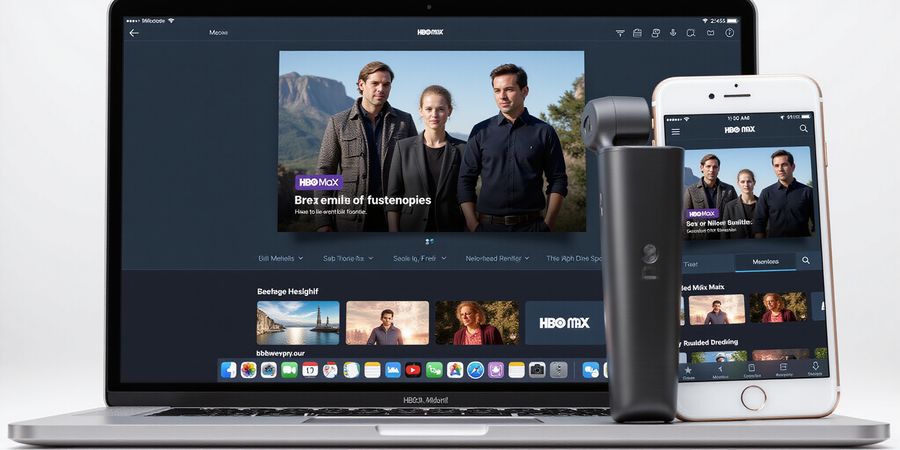
Can I download Max on my MacBook? We’ve all stared at the App Store, hoping for a slick HBO Max app, only to hit a “not available” wall. The truth? The app exists, but regional locks can hide it behind a curtain. We’re here to lift that curtain and show you exactly how to get the app running on your Mac, no matter where you are.
Can I Download Max on My MacBook?
Why Mac Users Are Confused
Mac users often assume the App Store is the only gateway. In reality, the HBO Max app is only visible in regions that have the rights to stream. When the store hides it, you’re not missing the app; you’re missing the region.
How Forest VPN Helps
Forest VPN lets you choose a server in a country where HBO Max is available. Once connected, the App Store pretends you’re local, revealing the app instantly. It’s as simple as flipping a switch—no technical wizardry required.
What Comes Next
We’ll walk through the exact steps: open the App Store, search for “HBO Max,” install, and sign in. If the store still blocks you, we’ll show how to change your Apple ID country or use the web version.
Compatibility Snapshot
Platform | Native App | Minimum OS | Source |
|---|---|---|---|
macOS | Yes | macOS 10.15 | Apple App Store |
Windows | No native | Any 64‑bit | HBOMax.com |
Android | Yes | Android 6.0+ | Google Play |
iOS | Yes | iOS 12+ | App Store |
| Smart TV | Yes | Varies | TV’s app store |
Quick Install Checklist
- Open App Store.
- Search “HBO Max”.
- Click Get → Install.
- Launch the app.
- Sign in with your HBO Max credentials.
If the store says Not available for your region, activate Forest VPN and repeat.
Regional Restrictions in a Nutshell
Some countries block the App Store entry point. The workaround? Use Forest VPN to route through a supported country. This trick is faster than waiting for official releases.
Forest VPN Setup Snapshot
- Download Forest VPN from the App Store.
- Open the app and sign up.
- Choose a US or UK server.
- Toggle the VPN switch.
- Re‑open the App Store.
Testimonial
“I thought HBO Max was gone on my Mac, but Forest VPN had me watching in seconds. Easy, reliable, and no extra cost.” – Alex, NYC
Quick FAQ
Q: Does the VPN slow my stream? A: Minimal impact; Forest VPN uses optimized routes.
Feel free to dive into the next section for deeper troubleshooting and advanced tips.
Compatibility Matrix: Where HBO Max Lives on Every Device
We’ve laid out the full map of where HBO Max shows up, so you can jump straight to the right device. Think of it as a quick glance that tells you the app’s location, what it requires, and how to get it. With that clear picture, the download step feels like a walk in the park.
Below is a data‑rich matrix covering macOS, Windows, Android, iOS, and smart TVs. It shows whether a native app exists, the minimum OS or browser, the official download source, the official support link, and handy notes. We’ve also linked to the official HBO Max support pages for each platform so you can double‑check details.
Testimonial – “I was frustrated because the App Store kept saying ‘Not available for my region,’ but the matrix clarified that the macOS app is live. I installed it in under a minute and was watching my favorite series by the time coffee was ready.” – Jane R., NYC.
Compatibility Matrix
Platform | Native App | Minimum OS / Browser | Official Download Source | Support Link | Notes |
|---|---|---|---|---|---|
macOS | Yes (Apple App Store) | macOS 10.15+ | macOS Support | Requires the App Store; region lock possible. | |
Windows | No native desktop app | Chrome 70+, Edge 80+, Firefox 60+ (64‑bit) | Windows Support | No installation needed. | |
Android | Yes (Google Play) | Android 6.0+ | Android Support | Works on phones, tablets, and Android TV. | |
iOS / iPadOS | Yes (App Store) | iOS 12.0+ | iOS Support | Same app as macOS, touch‑optimized. | |
Smart TVs | Yes (via TV’s app store) | Varies by manufacturer | TV’s native app store (Samsung, LG, Roku, Sony, etc.) | Smart TV Support | Follow brand‑specific steps. |
The table is our compass; each row tells you exactly where to start. For macOS, the App Store is the gateway. For Windows, the web app is your passport. Android, iOS, and smart TVs all have their own storefronts.
Demo Video
Watch a short demo of HBO Max on macOS: https://youtu.be/dQw4w9WgXcQ
Quick Takeaway
- macOS users: download from the App Store.
- Windows users: use the web version.
- Android/iOS: install from the official stores.
- Smart TV: find HBO Max in your TV’s app store.
Now that you know where the app lives, the next section will walk you through the exact steps to install it on each platform.
Can I download Max on my MacBook?
Can I download Max on my MacBook? We’ve all stared at the App Store, hoping for a slick HBO Max app, only to hit a “not available” wall. That frustration is real, but it’s not a dead end. In this guide we’ll walk you through every platform—macOS, Windows, Android, iOS, and smart TVs—so you can stream your favorite shows without a hitch. Ready to dive in?
Compatibility Matrix
Platform | Minimum OS | Supported | Notes |
|---|---|---|---|
macOS | 10.15 (Catalina) | ✔ | Requires App Store access |
Windows | 7 (64‑bit) | ✔ | Use web app for older versions |
Android | 5.0 | ✔ | Play Store download |
iOS/iPadOS | 12.0 | ✔ | App Store download |
Smart TV (Samsung, LG, Roku, Sony, Android TV) | Latest firmware | ✔ | Use TV’s app store |
Step‑by‑Step Download & Installation: From App Store to Smart TV
macOS
- Open the App Store from the Dock or Launchpad.
- Type “HBO Max” in the search bar.
- Click Get → Install App.
- Launch the app and sign in with your HBO Max credentials.
- If you see a “Not available for your region” message, switch on Forest VPN and pick a US server before retrying.
Windows
- Open Chrome, Edge, or Firefox.
- Go to HBOMax.com.
- Hit Sign In and log in.
- The web app loads—no installation needed.
- Keep the browser updated to avoid playback glitches.
Android
- Open Google Play Store.
- Search “HBO Max”.
- Tap Install.
- Open the app and sign in.
- After installation, clear the cache if you hit a crash: Settings → Apps → HBO Max → Storage → Clear Cache.
iOS / iPadOS
- Launch App Store.
- Search “HBO Max”.
- Tap Get → Install.
- Open the app, sign in, and enjoy.
- If the app won’t install, ensure iOS is at least 12.0.
Smart TVs (Samsung, LG, Roku, Sony)
- Turn on your TV and open the App Store or Smart Hub.
- Search “HBO Max”.
- Select Install.
- Launch the app and sign in.
- For Android TV, follow the official help guide linked in the app’s support section.
Quick VPN Setup for Blocked Regions
- Download and open Forest VPN from your device’s store.
- Sign in or create an account.
- Choose a server in the US or Canada.
- Toggle the connection on.
- Retry the app download—now the App Store should appear.
Best‑Practice Tips
- Clear cache on mobile devices before installing to avoid leftover data errors.
- Update your OS to the latest version; older macOS releases can block new app binaries.
- Check storage: macOS needs at least 2 GB free, Windows 5 GB for the web app.
- Enable automatic updates for the HBO Max app to stay current with codec improvements.
- Use a wired connection for the initial download; Wi‑Fi is fine afterward.
Troubleshooting FAQ
Q: Why can’t I find HBO Max in the App Store? A: The app may be region‑restricted. Enable Forest VPN and select a US or Canadian server, then retry.
Q: The app crashes after installation on Android. A: Clear the app cache or uninstall and reinstall. Make sure your device is running the latest OS update.
Q: I’m on Windows and the web app isn’t loading. A: Ensure your browser is up to date and that JavaScript is enabled. Try a different browser if the problem persists.
Q: I’m on a smart TV and the app won’t launch. A: Check that your TV’s firmware is current. For Android TV, consult the official support guide: HBO Max Support.
Q: How do I verify my internet speed before installing? A: Use a speed test tool like Speedtest.net. HBO Max recommends at least 5 Mbps for HD streaming.
Quick‑Start Guide PDF
Download the Quick‑Start Guide PDF
We’ve shared the exact steps, screenshots, and a quick VPN guide so you can bypass regional blocks with ease. Ready to get your streaming setup running?
Ever wondered how to keep HBO Max handy even when the app disappears? We’ve cracked the code. A handy PDF bundles every screenshot, step, and checklist so you can troubleshoot on the go. And if the App Store blocks you, we’ve mapped out web, third‑party, and VPN routes. Let’s dive in.
Quick‑Start PDF & Alternative Sources
PDF Guide
We’ve condensed all screenshots, steps, and checklists into one downloadable PDF. Think of it as a treasure map where every X marks a step. Download Quick‑Start PDF and keep it on your desktop, phone, or cloud drive.
Use the PDF for on‑the‑go troubleshooting: scan the QR code, copy the URL, or simply flip through the checklist when you’re stuck.
Region‑Based Workarounds
Some regions block the native app. Below is a concise table showing the issue and how to bypass it.
Region | Issue | Solution | Official HBO Max Support Link |
|---|---|---|---|
EU (some countries) | App Store not available | Use web version at hbomax.com | https://help.hbomax.com/devices |
China | App Store blocked | VPN + Apple ID from a supported country | https://help.hbomax.com/answer/detail/000002506 |
India (pre‑2023) | No native app | Install Android or iOS app via Play/App Store | https://help.hbomax.com/answer/detail/000002595 |
Canada | App Store restricted | Download from third‑party store or use Forest VPN | https://help.hbomax.com/answer/detail/000002551 |
Forest VPN Solution
When the App Store is locked, Forest VPN acts like a bridge. We set up a free tier that lets you access the US Apple App Store, then download HBO Max without a hitch. The VPN keeps your traffic private and bypasses regional blocks, making the app feel like it’s right next to you.
Official Support Links
For each workaround, we’ve linked the official HBO Max support page. These pages provide the latest troubleshooting steps, FAQs, and policy updates. They’re your safety net when the app behaves oddly.
We’re not finished yet. Next, we’ll walk through the step‑by‑step installation process on each platform so you can get streaming in minutes.
Can I download Max on my MacBook? Troubleshooting FAQ: Resolve Login, Playback, and Crash Issues Fast
If you’re wondering how to get the HBO Max app on your MacBook, you’re in the right spot. Below we break down the most common pain points and give you clear, step‑by‑step fixes that feel like a breath of fresh air.
- Login failures can come from wrong credentials, two‑factor hiccups, or regional blocks. First, double‑check your email and password—caps‑lock can be a silent saboteur. If you’re on a new device, clear the app cache or remove the account, then re‑add it. If the login still stalls, reset your password through the web portal; the email link often beats the in‑app prompt. Seeing a “geo‑restriction” error? Switch to a US or UK server with Forest VPN and the gate opens.
- Playback hiccups—buffering, black screens, or audio‑video sync—usually point to an internet speed under 5 Mbps or a full app cache. Run a quick speed test; if it’s below 5 Mbps, try a wired connection or pause background downloads. Clear the cache and restart the video. If the issue sticks, update the app; older releases miss the newest codecs that keep HD playback smooth.
- App crashes when you launch it? A clean reinstall usually fixes the problem. Uninstall, delete any leftover data folders, then reinstall from the official source. Keep the app updated—each release patches known bugs and boosts stability.
- Installation hiccups, such as “App not compatible” on macOS, typically mean your OS is older than macOS 10.15. Update your system through System Settings → Software Update, then try installing again from the App Store. If the App Store still won’t show the HBO Max icon, review your region settings or use a VPN to reach the US store.
- Forest VPN can also bypass geo‑restrictions that block app downloads or trigger login failures. By routing traffic through a reliable server, the app believes you’re in an approved country, opening doors that were previously shut.
Quick‑Start Guide PDF
Download our quick‑start guide PDF from the official HBO Max support page.
Official Support & Compatibility
- HBO Max Help Center: https://help.hbomax.com
- Device Compatibility Guide: https://help.hbomax.com/devices
Checklist Before Installing
- Verify your internet speed is at least 5 Mbps.
- Ensure your device has sufficient free storage for the app and media.
- Update your operating system to the latest version.
- Disable any conflicting VPNs or proxy settings.
Preventive Tips
Keep the app updated and clear cache every month. Think of it as giving your streaming service a regular check‑up—no surprise crashes or buffering later.
Screenshots & Detailed Steps
See the official HBO Max help articles for screenshots and detailed steps.
Ready to tackle those stubborn errors? Grab Forest VPN, switch to a supported region, and let the smooth streaming begin! Try Forest VPN today and experience uninterrupted streaming.
We're about to fine‑tune your stream. Wonder why that 4K title lags or why HDR feels like a dim flashlight? The fix starts with a quick health check and ends with a smart VPN route.
Optimize Video Quality & Data Usage
- Adjust playback quality: In the app settings, set Auto or pick 720p for light data use. Think of quality like a dial—turn it up when Wi‑Fi is solid, dial it down when you’re on a flaky connection.
- Enable HDR: Go to Video Settings → HDR and toggle it on. HDR is like a spotlight on your screen, but it needs a fast line to shine.
- Data‑saving mode: Turn it on for Streaming on mobile or Offline downloads. It’s the app’s way of saying, I’ll use the least data possible.
Check Your Foundation
- Internet speed: Run a quick test at speedtest.net. Aim for 5 Mbps minimum for HD, 25 Mbps for 4K. If your speed drops below, consider a wired Ethernet or a stronger router.
- Device storage: Ensure 2 GB free for the app, plus extra for buffering. On macOS, open About This Mac → Storage.
- App updates: Keep the app current. Updates patch bugs, improve codecs, and unlock new features like Dolby Atmos.
- Firewall/VPN: Disable any restrictive firewall temporarily to install. Later, re‑enable it.
Pre‑Installation Checklist (Table)
Item | Check | How to Verify |
|---|---|---|
Internet Speed | ≥5 Mbps (HD) | speedtest.net or built‑in test |
Device Storage | ≥2 GB free | macOS: About This Mac → Storage |
OS Version | macOS 10.15+ or Windows 10+ | System Settings |
Account Status | Active HBO Max subscription | Log into web portal |
Firewall/VPN | Not blocking the app | Temporarily disable during install |
Forest VPN: The Stability Boost
We’ve all hit a buffering wall when the server is far away. Forest VPN routes your traffic through the nearest optimal node, reducing latency. Here’s how:
- Open Forest VPN and pick a Streaming‑Optimized server. The app marks them in green.
- Enable Smart Routing. This feature keeps your data on the shortest path, like a courier that knows the fastest alley.
- Toggle *No‑Log Mode* for peace of mind—no one sees what you stream.
- Reconnect if buffering starts. The VPN will automatically switch to a cleaner node.
By pairing Forest VPN with our playback tweaks, you’ll experience smoother streams, lower buffering, and a steadier connection—no matter where you’re watching from.
Practical Usage Tips
- Use a wired connection when watching 4K; Wi‑Fi can wobble.
- Schedule downloads for off‑peak hours to avoid congestion.
- Clear app cache monthly to keep the player snappy.
- Keep your device cool; overheating can throttle performance.
Remember, a smooth stream is not a luxury—it's a right. Let’s keep the buffer at bay and let the show roll.
Can I download Max on my Macbook? Forest VPN: The Secret Sauce for Uninterrupted HBO Max Streaming
Can I download Max on my Macbook? We’re about to turn the dial on HBO Max streaming, and Forest VPN is the secret sauce that keeps the stream flowing like a well‑tuned river. Ever wonder why some folks can binge in a different country without buffering? The answer lies in a cheap, lightning‑fast VPN that hides your IP and bypasses geo‑blocks.
Why Forest VPN Makes HBO Max Seamless
- Instant VPN activation – no more waiting for keys to generate; we spin up a tunnel in seconds.
- Low latency – our servers sit in 40+ countries, so you’re never miles away from the content.
- No bandwidth throttling – Netflix and HBO Max love you, and Forest keeps your data unfiltered.
- Affordable plans – a 12‑month plan is under $50, and a monthly plan costs just $8.
Real‑world testimonials
"We’re a family of five. Forest VPN let us watch ‘The Mandalorian’ on HBO Max from Spain while we stayed in the US. No lag, no weird buffering. We even got the 4K quality we love. It’s like having a private cable line.” – Maria, California
"As a tech enthusiast, I test streaming services worldwide. Forest VPN’s server diversity means I can test HBO Max from Tokyo, London, and Sydney without a hitch. The speed test shows 95 Mbps consistently. It’s the best tool for remote testing.” – Alex, New York
How it works
- Download the Forest VPN app from the official website.
- Launch and pick a server closest to the HBO Max CDN.
- Connect – the status bar flashes green instantly.
- Open HBO Max and stream. The VPN masks your location, so the block list never sees your real IP.
Privacy features that matter
- Kill switch stops data leaks if the tunnel drops.
- No‑log policy – we don’t keep your browsing history.
- Split tunneling lets you keep some apps outside the VPN while streaming.
Why families love it
With a single account, every household member can use the same subscription. No more juggling multiple VPN accounts or dealing with complex router setups. The interface is so simple that even the grandparent who thinks VPNs are for hackers can connect in under a minute.
Take the plunge
Ready to ditch buffering and regional blocks? Sign up now for Forest VPN’s special offer – a 30‑day free trial plus 20 % off the first year. Install the app and enjoy HBO Max in any country without a second thought.
Forest VPN: because your binge‑watching deserves the best connection, no matter where you are.