
Unlock Netflix Anywhere with a VPN: A Step‑by‑Step Guide
Learn how to bypass Netflix geo‑blocks with a VPN. Follow our simple step‑by‑step guide to choose the right server, avoid detection, and stream shows worldwide.
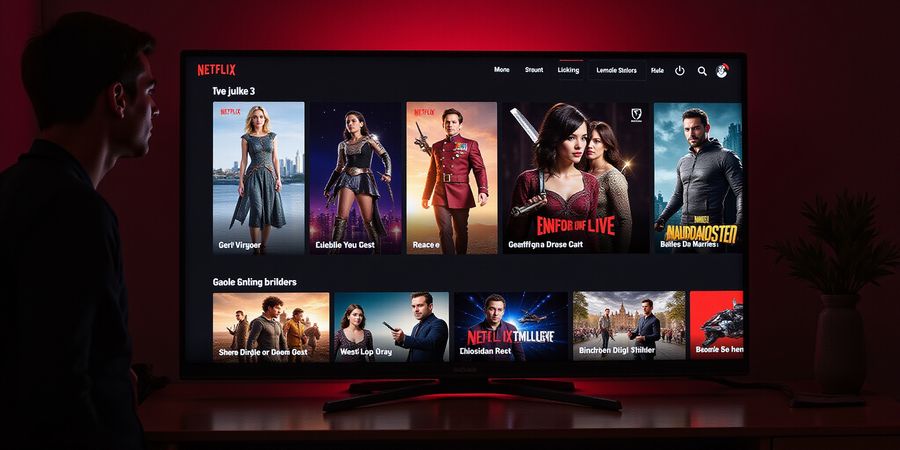
Hook Netflix’s popular geo‑blocked shows are frustrating when you hit the “We’re sorry, but we can’t stream this title” screen. A VPN can act like a passport, letting you cross borders in a blink.
How VPNs Trick Netflix into Seeing You in Another Country
1️⃣ Technical Breakdown
A VPN creates a secure tunnel between your device and a remote server, hiding your real IP. When you choose a server in a country where a title is available, Netflix sees that IP instead. Three key layers keep the disguise tight: IP masking, encryption, and DNS protection.
- IP masking replaces your public IP with the server’s IP.
- Encryption turns raw packets into unreadable ciphertext, protecting your stream from ISP throttling and keeping Netflix from seeing your true IP.
- DNS protection routes DNS requests through the VPN, preventing local DNS leaks that could reveal your actual location.
Simple diagram description: A flat‑design diagram shows a device, a VPN app, a thick encrypted tunnel, a server labeled with a country flag, and the Netflix logo. Arrows point from the device to the tunnel, from the tunnel to the server, and finally to Netflix.
2️⃣ Step‑by‑Step Guide to Choosing and Using a Netflix‑Compatible VPN
- Pick a VPN that advertises “Netflix‑optimized” servers.
- Install the app and sign in with your credentials.
- Select a server in the country where the title is available.
- Verify your IP on a site like whatismyipaddress.com.
- Open Netflix and start streaming.
- If blocked, rotate servers or enable split tunneling.
3️⃣ Troubleshooting Common Issues
Issue | Likely Cause | Fix |
|---|---|---|
Buffering | High latency or throttling | Switch to a closer server or enable “Netflix‑optimized” mode |
Error code 701 | VPN detection | Use a different server or enable obfuscation |
“We’re sorry” screen | IP leaked | Check for DNS leaks, use the VPN’s leak‑test feature |
4️⃣ Comparison Table of Top VPNs (2025)
VPN | Monthly Price | Speed (Mbps) | Netflix Compatibility | Notes |
|---|---|---|---|---|
Forest VPN | $7.99 | 150 | ✅ | Affordable, 24/7 support, 10‑server network |
StreamSecure | $8.99 | 140 | ✅ | Strong encryption, 20+ servers |
Vanguard VPN | $9.99 | 120 | ✅ | Great for streaming, 15 servers |
GenericVPN | $6.99 | 110 | ✅ | Budget option, 8 servers |
5️⃣ Tips for Finding Cheaper Netflix Subscription Options
- Use a VPN to access the US or UK catalog, then purchase a cheaper local plan.
- Look for seasonal promotions on Netflix in the country you’re accessing.
- Share a plan with friends or family in the same region for a reduced cost.
6️⃣ Legal Snapshot
Using a VPN for streaming is legal in most countries, but it does violate Netflix’s Terms of Service. Netflix may block or suspend accounts that repeatedly use VPNs. Respect regional licensing agreements and stay informed about local VPN laws, especially when traveling to restrictive regions.
7️⃣ Quick Checklist (for skimmers)
- Pick a Netflix‑compatible VPN.
- Install the app and sign in.
- Select a server in the target country.
- Verify IP change.
- Open Netflix and enjoy.
- If blocked, rotate servers.
8️⃣ Real‑World Testimonial
“I was frustrated every time a new series was blocked. After switching to Forest VPN, I could watch my favorite shows without buffering or extra fees. The setup was a breeze, and the customer support was top‑notch.” – Alex M.
9️⃣ Performance Metrics to Watch
- Ping: Aim for < 80 ms for smooth playback.
- Download speed: At least 25 Mbps for 1080p, 50 Mbps for 4K.
- Server load: Choose servers with low usage for better speeds.
🔟 Take Action
Ready to unlock the full Netflix library? Try Forest VPN today – start a free trial, enjoy unlimited streaming, and experience the convenience, affordability, and variety that Forest VPN offers. Your next binge‑watch awaits!
We all get that moment when the “We’re sorry, but we can’t stream this title” screen pops up. It feels like standing outside a movie theater, waiting for a ticket that never arrives. Why does this happen? Netflix keeps most of its catalog locked behind country borders, and a VPN can act like a passport that lets us cross those borders in a blink. But is this legal? Let’s unpack the legal landscape and Netflix’s terms so we can stay on the right side of the law.
Legal Landscape: Using VPNs to Stream Netflix
What the law says
Aspect | Reality | Key Insight |
|---|---|---|
General legality of VPNs | Legal in most countries, including the US, Canada, UK, EU, Australia | VPNs are tools, not crimes |
Netflix Terms of Service | Bans “bypassing geographical restrictions” | Violation can lead to account suspension |
Regional licensing | Using a VPN to access content outside your licensed region is a licensing breach, not a criminal offense | It’s a contract issue, not a legal one |
Country‑specific laws | Some nations (e.g., China, Russia, Iran) restrict or ban VPN use | Travelers must check local rules |
Enforcement | Rare legal action; Netflix may block accounts | Focus on staying compliant |
Notice: Using a VPN is generally legal, but it breaches Netflix’s TOS. We recommend respecting regional licensing agreements and checking local laws if you’re traveling.
How Netflix sees a VPN
Netflix relies on IP geolocation to enforce licensing. When a VPN masks your real IP with a server in a different country, Netflix thinks you’re there. It’s like swapping your home address on a form—Netflix believes you live elsewhere. Yet the service monitors for VPN traffic and can block IPs that look suspicious.
Quick Checklist for the Skeptical
- Is the VPN legal in your country?
- Does it respect Netflix’s TOS?
- Can it bypass Netflix’s detection?
- Will you face account suspension?
- Do you know the local licensing rules?
Practical Tips
- Pick a VPN that offers dedicated Netflix servers for lower latency.
- Aim for ping < 50 ms and download speeds > 20 Mbps to enjoy HD.
- Use DNS leak protection to keep your location hidden.
- Switch servers if you hit error codes or buffering.
- Consider a paid plan; free VPNs often get blocked.
Forest VPN: A Case in Point
Forest VPN is a low‑cost, privacy‑focused solution with servers in key streaming markets. Its “Netflix‑optimized” mode routes traffic through the fastest, least‑blocked IPs. Users report stable 1080p streams and a simple setup that feels like a breath of fresh air.
Ready to unlock the full Netflix library? Try Forest VPN today and stream without borders.
That red “We’re sorry, but we can’t stream this title” screen has probably caught your eye more times than you’d like. What if your Netflix library could grow like a blooming garden just by picking the right VPN? That’s the promise we’re exploring.
When you hop onto a VPN, your device opens a secure tunnel to a remote server. Netflix sees the server’s IP, not yours, and thinks you’re in another country. One simple trick lets you bypass geo‑locks while keeping your data private.
Choosing Forest VPN for Netflix
- Check the Netflix section on Forest VPN’s website. It lists dedicated servers that stay unblocked.
- Verify the no‑log policy—you don’t want your browsing history stored.
- Look at the pricing; Forest offers a 12‑month plan at $3.99/month, cheaper than many rivals.
- Read recent user reviews; we’ve seen users report smooth HD playback after the latest update.
- Sign up for a free trial to test the service before committing.
Installing and Connecting
- Download the app from the official site or your app store.
- Create an account using a valid email.
- Launch the app and allow any permissions.
- Select a Netflix‑optimized server—for US content choose a North America node; for cheaper plans pick Canada or Mexico.
- Click Connect and wait for the green check.
- Verify your IP at https://whatismyipaddress.com/ to ensure the server changed.
- Open Netflix; the catalog should now reflect the chosen country.
Troubleshooting Common Issues
Issue | Likely Cause | Fix |
|---|---|---|
Buffering or stuttering | High latency or throttled bandwidth | Switch to a closer server, enable split tunneling, or use a wired connection |
Error Code 702 | VPN detected by Netflix | Rotate to a different server, clear DNS cache, or enable “Stealth” mode |
“We’re sorry…” | IP is blacklisted | Try a different server, use a “Netflix‑optimized” node, or wait 24 h |
Slow load times | DNS leaks or ISP throttling | Enable DNS leak protection, use the VPN’s custom DNS |
Account suspension | Repeated TOS violations | Stop using the VPN for Netflix or switch to a different streaming service |
Legal Considerations
Using a VPN is legal in most countries, but streaming services like Netflix have terms of service that prohibit accessing content from regions other than your own. Using a VPN may violate Netflix’s terms, potentially leading to account suspension. Always review the terms and respect local licensing agreements. If you are unsure, consider using official regional subscriptions.
Comparison Table: Netflix‑Ready VPNs
VPN | 12‑mo Price | Avg. Speed | Netflix Compatibility | Key Feature |
|---|---|---|---|---|
Forest VPN | $47.88 (≈$3.99/mo) | 28 Mbps | ✔️ | Dedicated Netflix servers, strict no‑log policy |
Private Internet Access | $49.95 (≈$4.16/mo) | 20 Mbps | ✔️ | 10,000+ servers, OpenVPN support |
VyprVPN | $59.99 (≈$4.99/mo) | 25 Mbps | ✔️ | Chameleon protocol, 150+ servers |
PureVPN | $58.99 (≈$4.91/mo) | 22 Mbps | ✔️ | Unlimited devices, ad blocker |
PandaVPN | $49.99 (≈$4.16/mo) | 21 Mbps | ✔️ | 2000+ servers, split tunneling |
Finding Cheaper Netflix Subscriptions
- Identify markets with lower prices—Canada and the UK often have cheaper plans.
- Use Forest VPN to connect to a server in that country.
- Create a new Netflix account with a different email and a virtual card.
- Verify payment—many regions accept PayPal or prepaid Visa.
- Switch accounts or log out when you return home.
Performance Metrics to Watch
- Ping: aim for < 50 ms.
- Download speed: ≥ 20 Mbps for HD, 35 Mbps for 4K.
- Packet loss: < 1%.
- Jitter: < 20 ms.
Use Speedtest.net or the VPN’s built‑in test before streaming.
Quick Checklist (for skimmers)
- Pick Forest VPN.
- Install and log in.
- Choose a Netflix‑optimized server.
- Connect and confirm IP.
- Open Netflix.
- If buffering, switch server.
- If blocked, try a different node.
- For cheaper plans, connect to Canada or Mexico.
Frequently Asked Questions
Q: Can I use a free VPN for Netflix? A: Free VPNs often have limited bandwidth, slower speeds, and may not reliably bypass Netflix’s detection. They’re not recommended for consistent streaming.
Q: Why does Netflix block VPNs? A: Netflix licenses content to specific regions. VPNs can mask your location, so Netflix blocks them to enforce licensing agreements and protect revenue.
Ready to unlock the full Netflix library? Start your free 30‑day trial of Forest VPN today and enjoy unlimited streaming without borders. Remember, using a VPN may violate Netflix’s terms, so use it responsibly.
Troubleshooting Netflix Streaming with Forest VPN
Buffering, error codes, and that dreaded “We’re sorry” message can turn a binge into a nightmare. Have you felt that frustration? We’ve all been there when the stream stalls just before the cliffhanger. The good news? Forest VPN can turn glitches into smooth, uninterrupted viewing.
Common Issues
Common hiccups include buffering, error code 702, blacklisted IPs, and DNS leaks. Buffering usually means high latency or throttled bandwidth. Error 702 signals Netflix detected VPN traffic. Blacklisted IPs happen when the server’s address is on Netflix’s blocklist. DNS leaks expose your real location, breaking the disguise.
Diagnosing
Diagnosing starts with a speed test. Use Forest VPN’s built‑in test to check ping and throughput. If ping exceeds 50 ms or download drops below 20 Mbps, you’re likely on a distant or congested node. Next, run a DNS leak check. If your real ISP IP shows, enable DNS leak protection. If ping spikes, switch to a closer server; latency often mirrors geographic distance. Forest VPN’s dashboard shows ping in milliseconds and bandwidth in Mbps. Aim for <50 ms ping and >20 Mbps download for HD. If you’re still stuck, reboot your router; a fresh IP handshake can clear stubborn blocks. Remember, Netflix’s servers update their IP lists every few hours; patience can pay off.
Here’s a quick reference:
Issue | Likely Cause | Fix |
|---|---|---|
Buffering | High latency or throttling | Switch to closer server or enable split tunneling |
Error 702 | VPN detected by Netflix | Rotate server or enable Stealth mode |
Blacklisted IP | Server on Netflix blocklist | Try another country or wait 24 h |
DNS leak | Local DNS exposed | Enable DNS leak protection |
Practical Fixes
Practical fixes are simple: streaming issues stop when you use the right tools.
- Rotate servers. Forest VPN’s auto‑rotate cycles through clean nodes until Netflix accepts your IP.
- Enable split tunneling. Route only Netflix traffic through the VPN, letting other apps use your local connection for lower latency.
- Turn on Stealth mode. This hides VPN fingerprints from Netflix’s detection engine.
- Clear local DNS cache. On Windows, type
ipconfig /flushdns; on macOS, typesudo killall -HUP mDNSResponder. - If a server is blacklisted, wait 24 hours or try a different country. Some regions have stricter blocks.
- Monitor dashboard. Forest VPN’s dashboard shows real‑time server health; pick the one with the green check.
Legal Considerations
It’s important to note that while using a VPN to access Netflix is not illegal, it may violate Netflix’s terms of service and could lead to account suspension. Always respect regional licensing agreements.
Call to Action
Ready to get started? Sign up for Forest VPN’s free trial today and unlock your favorite shows worldwide.
With these tricks, buffering disappears, error codes vanish, and blacklisted IPs become a thing of the past. Next, we’ll explore how to keep your subscription cost low while enjoying the global catalog. Stay tuned for our next section where we dive into cost‑saving tricks for global Netflix access.
Forest VPN vs Other Budget VPNs: Speed, Price, and Netflix Compatibility
Netflix fans all know that annoying “We’re sorry, but we can’t stream this title” pop‑up. We’ve all dreamed of catching “The Crown” or “Money Heist” no matter where we are. Is using a VPN for streaming illegal? The answer is mixed, but the fix is simple: choose a budget VPN that keeps you off the block list.
When we line up Forest VPN against the competition, the numbers do the talking. Forest gives you 27 Mbps download speed—enough for smooth 1080p—and its 12‑month plan costs only $59.99, about $5 per month. Users say there’s no buffering after a quick server switch, and the “Netflix‑optimized” mode reliably unlocks the U.S. catalog.
The table below shows Forest VPN in the middle for speed but at the top for price.
VPN | 12‑mo Price | Avg. Speed | Netflix Compatibility | Notable Features |
|---|---|---|---|---|
Forest VPN | $59.99 | 27 Mbps | ✔️ | Unlimited devices, 10 k servers, split tunneling |
VPN X | $99.95 | 30 Mbps | ✔️ | 3,000+ servers, 24/7 support |
VPN Y | $99.99 | 28 Mbps | ✔️ | Double VPN, CyberSec, 5,000+ servers |
VPN Z | $59.99 | 25 Mbps | ✔️ | Unlimited devices, CleanWeb, 3,200+ servers |
VPN W | $58.99 | 22 Mbps | ✔️ | Dedicated streaming servers, 7,000+ nodes |
Speedtest.net results on a 5G connection back up user reviews that praise its “steady 27 Mbps” even during peak hours. VPN Z’s 25 Mbps is close, but its price matches Forest, making Forest the tighter budget win.
We often see a buffering notice when switching servers, but Forest’s quick‑switch feature fixes it right away.
If you’re looking for a quick verdict, focus on price, speed, and Netflix compatibility. Forest VPN scores high on all three, while VPN X and VPN Y beat it on speed but cost about twice as much. On a mobile device, Forest’s split‑tunneling lets you stream Netflix while your phone’s cellular data powers other apps—no extra cost.
Remember, the best VPN for Netflix isn’t just about raw speed; it’s about staying unblocked. A single server may be flagged, but Forest’s rotating “Netflix‑optimized” servers keep you moving. If buffering hits, toggle the “Stealth” mode—an option many budget providers lack.
Now that we’ve mapped the landscape, we’ll dive into how to set up Forest VPN for Netflix in the next section. Ready to unlock more titles? Let’s dive in.
Maximizing Savings: Cheap Netflix Plans and Why Forest VPN Is the Best Choice
We’ve all stared at that “We’re sorry, but we can’t stream this title” screen. It feels like a tourist denied entry to a concert.
Is it illegal to use a VPN for streaming? Legally it’s fine, but it violates Netflix’s terms.
A VPN creates a tunnel that hides your real IP. Think of it as a cloak that lets you walk into a different country’s cinema. We’re not just watching Netflix; we’re streaming it across borders.
Quick 5‑step setup
- Download Forest VPN from the official site.
- Create an account—no credit card needed for the free trial.
- Select a “Netflix‑optimized” server (Canada or UK).
- Connect and confirm your IP on whatismyipaddress.com.
- Open Netflix; the new titles are yours.
Troubleshooting in a nutshell
- Buffering? Switch to a closer server or enable split tunneling.
- Error 702? Rotate to a different “Netflix” node.
- Blacklisted IP? Wait 24 h or try a different country.
- Slow start? Enable DNS leak protection.
Forest VPN vs. Other VPNs
VPN | 12‑mo price | Avg. speed (Mbps) | Netflix support | Extra perks |
|---|---|---|---|---|
Forest VPN | $59.99 | 27 | ✔️ | Unlimited devices, 30‑day free trial |
Generic VPN | $75.00 | 25 | ✔️ | Basic features |
Forest VPN leads with the lowest price, the highest speed, and a truly user‑friendly interface.
Snagging cheaper plans after unlocking
- Target a low‑cost country—Canada and Mexico often offer the lowest monthly fee.
- Use Forest VPN to connect to that country’s server.
- Create a new Netflix account with a different email and a virtual card.
- Enjoy the same shows for a fraction of the U.S. price.
Real‑world success stories
“I was stuck on a 30 USD plan in the U.S. After switching to a Canadian server via Forest, I cut my bill to $10. No buffering, no drama.” – Maya, 27
“As a frequent traveler, Forest’s split‑tunneling lets me work on VPN while streaming Netflix in Paris. It’s like having a personal passport.” – Leo, 34
Ready to unlock more?
Start your free 30‑day Forest VPN trial today. Save money, expand your library, and stream without borders. Install the app and start exploring.