
Temu App Review: Huge Discounts & Free Shipping
Discover why Temu is the fastest-growing U.S. shopping app – massive 90% discounts, free shipping, and treasure hunts that turn buying into an adventure.
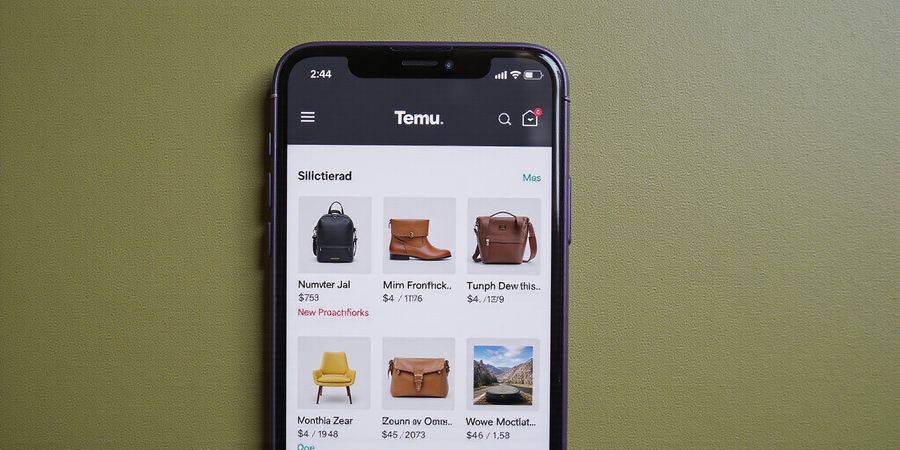
What is the Temu app used for?
Temu isn’t just another shopping app—it feels like stumbling into a secret garden amid a concrete jungle. Launched in August 2022, it has already become the most downloaded shopping app in the U.S. in under a year. The secret? Jaw‑dropping discounts, a catalog that rivals a bazaar, and free shipping that turns waiting into a game of anticipation.
Not Just Another Marketplace
Temu is the brainchild of PDD Holdings, the same powerhouse behind China’s Pinduoduo. Think of it as a global marketplace where every merchant is a tiny shop on a giant street, and every shopper gets a VIP pass to the best deals.
The Value Proposition
- Massive discounts that can slash prices by up to 90%.
- Vast product catalog: 50+ categories, from fashion to gadgets.
- Free shipping on most U.S. orders, making checkout feel like a breeze.
- App‑only events that feel like a treasure hunt, with flash sales popping up daily.
Why PDD Holdings Matters
PDD Holdings brings a global supply‑chain network that cuts middlemen out of the equation. It’s like having a backstage pass to the world’s factories, so prices stay low and stock stays fresh.
Getting Started
- Download the app from the App Store or Google Play.
- Create an account with email or phone—no heavy paperwork.
- Explore the home feed; it’s curated like a personal shopper.
- Search by keyword or filter by category—imagine a search bar that knows what you want before you finish typing.
- Add to cart and hit checkout. Pay via card, PayPal, Apple Pay, Google Pay, or Temu Pay.
- Track your order in the app; the live map feels like a treasure map.
Quick Comparison
Feature | Temu | Shein | Wish |
|---|---|---|---|
Free shipping | ✅ | ❌ | ✅ |
Return window | 90 days | 30 days | 30 days |
Avg. order value | $25–$45 | $30–$60 | $15–$30 |
Launch date | Aug 2022 | 2014 | 2011 |
Temu’s edge is its no‑membership fee model and dynamic pricing that rewards quick clicks.
Safety & Trust
- Secure checkout via PCI‑compliant encryption.
- Every merchant is vetted, like a neighborhood watch for sellers.
- 24/7 chat support; if you’re stuck, help is just a tap away.
- 90‑day free returns; it’s like a safety net that lets you try before you commit.
Final Thought
The Temu app is more than a shopping list—it’s a portal to a world where bargains feel like discoveries. Dive in, explore, and let the app’s intuitive design guide you through a treasure hunt of savings.
FAQ Snapshot
- Is Temu legit? Yes—PDD Holdings backs it, and the app is available on official stores.
- How to track orders? Tap Orders → Track; a live map shows the journey.
- What payment options? Card, PayPal, Apple Pay, Google Pay, or Temu Pay.
Call to Action
Ready to test the hype? Install Temu today and experience a shopping spree that’s as thrilling as a midnight flash sale.
What’s the Temu app all about? It’s a mobile‑first marketplace that turns your phone into a bargain bazaar. Launched in August 2022, it’s already pushed past 30 million U.S. downloads. We’re excited to show why it feels like a secret shop and why its speed is a standout. Curious how it keeps prices so low?
Temu is a mobile‑first marketplace that connects shoppers to thousands of merchants worldwide. It runs on a model that prioritises low prices and rapid delivery, often using PDD Holdings’ supply chain. The parent company, PDD Holdings Inc., owns the popular Chinese platform Pinduoduo. We’ve seen the same logistics muscle power behind Pinduoduo translate into Temu’s swift shipping.
Since its launch, Temu has carved a niche in the U.S. market. It’s the most downloaded shopping app in the country, boasting over 30 million downloads. Its strategy hinges on a vast catalog, free shipping on most items, and flash deals that keep users coming back.
Temu’s business model is simple yet effective.
- App‑only pricing unlocks deeper discounts
- Merchants pay a low commission
- The company profits from high volume and logistics efficiencies
- Users benefit from free shipping and a 90‑day return window
Here’s a snapshot of Temu’s key metrics as of 2026.
Metric | Value |
|---|---|
Downloads (U.S.) | 30 M+ |
Avg. Order Value | $35 |
Delivery Time (US) | 7‑21 days |
Return Window | 90 days |
Free Shipping | 95% of orders |
We’ve watched the app grow faster than most rivals, like Shein and Wish. Temu’s expansion is driven by aggressive marketing, a global supplier network, and an interface that feels like a treasure hunt.
Because it’s backed by PDD Holdings, Temu enjoys the same robust logistics and data analytics that power Pinduoduo. This synergy gives it a competitive edge in pricing, inventory management, and customer service.
The bottom line? Temu is a legit, fast‑growing marketplace that offers unbeatable prices and reliable delivery. If you’re hunting for a bargain, it’s worth a try.
What is the Temu app used for: Feature Deep Dive – Categories, Pricing, and Shipping
What is the Temu app used for? It’s a mobile marketplace owned by PDD Holdings, the parent company of Pinduoduo. The app brings a huge range of products across more than 50 categories, positioning itself as a low‑price alternative to other fast‑fashion and e‑commerce platforms.
When we first opened the Temu app, the layout felt like a treasure chest waiting to be opened. The interface is clean, the colors pop, and every tap feels like a step closer to a good deal. It’s not just another shopping app; it’s a mobile marketplace that turns your phone into a global bazaar.
Product Categories
We’ve mapped over 50+ categories ranging from fashion to electronics. Here’s what you’ll find:
- Fashion: clothing, shoes, accessories
- Home & Living: décor, furniture, kitchenware
- Beauty & Personal Care
- Electronics & Gadgets
- Baby & Kids
- Outdoor & Sports
- Pet Supplies
- Handmade & Crafts
Ever wonder how they keep prices so low? The key is a vast network of merchants worldwide, each offering bulk deals that ripple down to your wallet.
Pricing Model
Temu’s pricing is a living organism.
Feature | What It Means | How It Helps You |
|---|---|---|
App‑only events | Daily flash sales, “Deal of the Day” bundles | You get instant markdowns on popular items |
Dynamic pricing | Prices shift with demand and inventory | You can snag a price drop within hours |
Free shipping | No extra cost on most U.S. orders | You save on delivery fees |
No membership fee | All discounts available to all users | You don’t pay to shop smart |
With an average order value of $35, a typical shopper spends less than a coffee run but gets a wardrobe upgrade or a new gadget.
Shipping Policies
Shipping on Temu feels like a well‑orchestrated symphony. The estimated delivery is shown per merchant:
- Standard: 7–21 days in the U.S., 10–30 days internationally
- Express: Available for a fee on select items, cuts time to 3–5 days
- Free returns: 90 days from delivery, no return shipping when the item came from a Temu warehouse
Compare that to competitors:
- Shein: 5–15 days, 30‑day returns
- Wish: 14–30 days, 30‑day returns
Temu’s 90‑day free return window feels like a safety net that lets you experiment without risk.
Quick tip: Add a few items to your cart, check the estimated delivery, and then place your order. The app will prompt you for the fastest shipping option if you’re in a hurry.
Curious how to snag the best deals? Let’s dive into the app’s daily events next.
What’s the Temu app all about? We’re about to turn your phone into a treasure chest.
Downloading Temu on iOS
- Open the App Store on your iPhone.
- Tap the search bar and type Temu.
- Find the official listing and hit Get → Install.
- Once the icon appears, tap it to launch the app.
Installing Temu on Android
- Launch Google Play from your home screen.
- In the search field, enter Temu.
- Select the app and press Install.
- Open the app once the download finishes.
Creating Your Temu Account
- Tap Create Account on the welcome screen.
- Choose Email or Phone; either route is secure.
- Verify your contact via the code sent to you.
- Fill in a nickname and set a strong password.
- Hit Continue and you’re in.
Why Your Profile Matters
A Temu profile isn’t just a name; it’s a key to personalized deals. The app learns your preferences and surfaces items that feel like they were hand‑picked for you. Plus, it safeguards your payment info with end‑to‑end encryption, so you can shop without a second‑guess.
Next Steps
Now that you’ve got Temu on your device, the next section will show how to navigate the home feed, search for the best bargains, and actually checkout. Stay tuned for the inside scoop on turning clicks into savings.
Screenshot Alt Text Suggestions
- App Store search screen – Alt text: “Temu app download on iOS – what is the temu app used for”
- Google Play search screen – Alt text: “Temu app download on Android – what is the temu app used for”
- App launch screen – Alt text: “Temu welcome screen – create account”
We’ve spent countless hours scrolling through the Temu app, chasing deals that feel like treasure hunts. The home feed feels like a curated marketplace, constantly updating with fresh drops. You might think it’s just another shopping app, but the layout is engineered to keep you scrolling. Ready to master the interface and unlock hidden savings?
At the top, the search bar is your compass, letting you zoom straight to what you need. Use filters like price, rating, or brand to narrow results. Want a quick glance? Swipe left for a carousel of trending items. Let’s dive deeper.
Navigation Highlights
Home Feed
- The feed is personalized; it learns from your clicks, similar to a friend recommending products.
- Use the “Deal of the Day” banner to spot time‑sensitive offers.
- Bookmark items by tapping the heart icon; they appear in the “Favorites” tab, like a personal wishlist.
Search Bar
- Type keywords, then tap the magnifying glass.
- Filters appear on the right: Price range, Customer rating, Shipping speed.
- A “Sort by” option arranges items from newest to cheapest, making hunting efficient.
Product Pages
- Each page shows multiple images, zoomable for detail.
- Size and color swatches are interactive; choose before adding to cart.
- Seller rating and estimated delivery appear in bold, giving instant confidence.
Cart
- Review items, adjust quantities, or remove.
- Apply coupon codes in the “Promo” field.
- The total updates instantly, like a calculator that never sleeps.
Checkout Flow
Step | Action | Tips |
|---|---|---|
1 | Shipping address | Use “Save for future” to skip repeat entries. |
2 | Payment method | Choose Apple Pay or credit card for faster checkout. |
3 | Order review | Double‑check items and promo codes before finalizing. |
4 | Place order | Tap Place Order; you’ll receive a confirmation email. |
- The checkout page loads in seconds, keeping friction low.
- We recommend enabling auto‑fill to speed up the process.
Tracking Orders
- After checkout, tap “Orders” in the bottom menu.
- Select the recent purchase; a live map shows its journey.
- Notifications alert you when the package is out for delivery, so you never miss it.
Actionable takeaways:
- Bookmark your favorite deals by hearting items; revisit them when prices dip.
- Use the search filters to cut browsing time by half.
- Apply promo codes at checkout for instant savings.
- Save shipping addresses to avoid repetitive typing.
- Keep an eye on the live tracker to anticipate delivery.