
Watch F1 Live Anywhere: VPN Guide & F1 TV Tips
Bypass geo‑restrictions and watch Formula 1 live worldwide with VPNs. Get F1 TV tier tips, device setup guides, and uninterrupted racing.
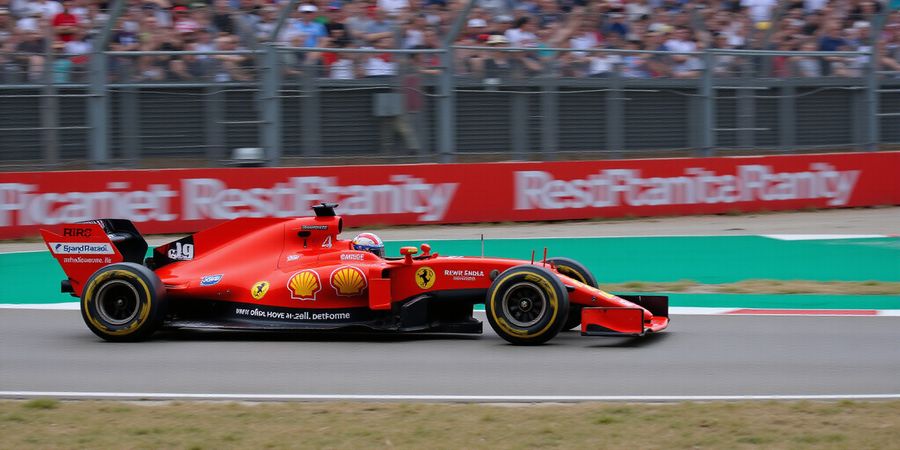
Formule 1 Stream: Ultimate Guide to Watching F1 Live
Looking for a reliable Formule 1 Stream? You’ve landed in the right spot. The world’s biggest speed‑sterling event can feel like a closed circuit when geo‑restrictions block the stream, but with the right tools you can watch every lap without interruption. Many fans turn to a VPN before each Grand Prix to bypass blackouts – and Forest VPN is a trusted, affordable ally for cord‑cutters and tech‑savvy viewers.
Testimonial "I’ve been using Forest VPN to watch every Grand Prix without a blackout. It’s fast, affordable, and reliable." – Alex P.
Official F1 TV Services
The Formula 1 team offers three tiers: F1 TV Pro gives you every live session and onboard camera, F1 TV Premium adds the full weekend plus F2, F3, and Porsche Supercup, and F1 TV Access delivers live timing and race replays for free. Availability depends on your region—UK, USA, and Australia have full access, while many other countries rely on local broadcasters.
F1 TV App Setup
To get started, download the F1 TV app from the official store on your device, sign in with your credentials, and select the tier that fits your needs. If you’re in a region where the app is blocked, connect a VPN before launching.
Free vs. Paid Streaming
You can watch a free trial of Pro or Premium, but once the trial ends a subscription is required. Browser access works on Chrome or Edge, but third‑party sites are illegal and risky. The safest route is the official app; if you’re in an unsupported region, a VPN can legally bypass the block. The F1 TV Access tier lets you watch F1 live for free on the app.
Device‑Specific Setup
Device | Recommended F1 TV Tier | VPN Needed? | Notes |
|---|---|---|---|
Roku 4K | Pro | Yes | Add the F1 TV channel from the store, sign in, and connect a VPN before launch. |
Fire TV | Pro | Yes |
|
Android TV | Pro | Yes |
|
Apple TV 4K | Premium | Yes | Full 4K HDR. |
Smartphones (iOS/Android) | Pro/Premium | Yes | Install from the App Store or Google Play, then log in. |
Remember to clear cache if you hit a region error.
How Forest VPN Unlocks the Experience
Forest VPN has servers in the UK, USA, and Netherlands—countries where F1 TV is fully available. Connect to one of those servers, launch the app, and the stream feels like a smooth pit‑stop. The connection stays stable, latency stays low, and you’re free to watch from any device.
Recommended VPNs for Unblocking F1 TV
VPN | Server Locations | Price | Key Features |
|---|---|---|---|
Forest VPN | UK, USA, Netherlands, and many others | $8.99/month (or $79/year) | Unlimited bandwidth, low latency, dedicated F1 streaming servers, 24/7 support |
What You’ll Learn Next
In the following sections we’ll dive deeper into the F1 TV pricing, compare VPN options, give step‑by‑step device tutorials, and answer the most common questions about blackouts, latency, and account login. Stay tuned to become a pro at streaming Formula 1 worldwide.
Ready to start? Try Forest VPN today and enjoy uninterrupted F1 streaming everywhere you go.
Official F1 TV Services & Regional Availability
Want a formule 1 stream that never drops you, wherever you are? The official F1 TV platform splits its offerings into three tiers: Pro, Premium, and Access. Each comes with its own price, feature set, and device compatibility. Here’s a quick snapshot.
Tier | Price (USD) | What you get | 4K HDR | Multiview | Device support | Regional availability |
|---|---|---|---|---|---|---|
Pro | $29.99 / month | Live races, sprint, practice & qualifying, raw data, onboard cams | ❌ | ❌ | Apple TV 4K, Roku 4K, Chrome, Edge, iOS | Worldwide (except a few restricted markets) |
Premium | $49.99 / month | All Pro features + F2, F3, F1 Academy, Porsche Supercup, 4K HDR, multiview | ✅ | ✅ | Apple TV 4K, Roku 4K, Chrome, Edge, iOS | Worldwide (except a few restricted markets) |
Access | Free | Live timing, race replays, basic streaming | ❌ | ❌ | Web browsers, Android TV, Fire TV | Worldwide (subject to blackout rules) |
Free vs. Paid Streaming Routes
Option | Cost | What you can watch | How to get it | VPN recommendation |
|---|---|---|---|---|
F1 TV Access (free) | Free | Live timing, race replays, basic streaming | Download the app or use the web player | — |
F1 TV Pro | $29.99 / month | Full race coverage + data | App or web player | Forest VPN (for regions where the tier is blocked) |
F1 TV Premium | $49.99 / month | Full race coverage + 4K HDR + multiview | App or web player | Forest VPN (for regions where the tier is blocked) |
ESPN+ (U.S.) | $59.99 / year | Full F1 races (live) | Subscribed separately | — |
Other local broadcasters | Varies | Live races (if rights held locally) | Subscribe locally | — |
Tip: If you’re in a country where the tier you want isn’t listed, just fire up Forest VPN and hop to a neighboring country that does offer it. Forest is praised for its easy‑to‑use interface, budget‑friendly plans, and solid performance—exactly what racing fans need for a smooth stream.
How Regional Broadcasting Rights Affect Access
Broadcast rights vary by country. In the U.S., ESPN holds the rights, so F1 TV is limited to the U.S. market. In the U.K. and many other regions, the service is available directly through the Formula 1 website. If your country isn’t on the list, the app will block the feed and display a black screen. The blackout happens because a local broadcaster has exclusive rights to the content.
Checking Local Availability
- Visit the Formula 1 Broadcasters page.
- Select your country from the dropdown.
- Note which tier(s) are offered in that region.
- If the tier you want isn’t listed, choose a VPN that routes you to a country where the tier exists—Forest VPN is a reliable choice.
Device Ecosystem Matters
- Apple TV 4K, Roku 4K, Chrome, Edge, iOS support Premium’s 4K HDR stream.
- Android TV, Fire TV, most browsers can only stream in standard definition and are limited to one stream per device.
- Smart TVs without 4K HDR will miss the crystal‑clear visuals available in Premium.
Choosing the Right Tier
- Premium: Best picture quality (4K HDR + multiview) for fans who want the full experience.
- Pro: Ideal for data‑driven fans who need raw telemetry and onboard cams.
- Access: Great for budget‑conscious viewers who only need timing and replays.
Pick the tier that matches your watching habits and device ecosystem to ensure a smooth, uninterrupted experience.
Real‑world testimonial: “I was in Spain during the Spanish Grand Prix and couldn’t watch the race on my TV. Switching to Forest VPN and subscribing to F1 TV Premium gave me 4K HDR on my Apple TV. The stream was flawless—no lag, no black screens.” – Alex, 32, racing enthusiast
Take action now: Try Forest VPN today and unlock the best F1 TV experience, wherever you are.
Ever wondered if that free stream you spotted yesterday is a shortcut to the track or a detour into danger? Fans chase those links, only to hit malware, buffering, or a blank screen. It feels like buying a front‑row ticket and discovering the seats are just cardboard.
Let’s sort out the options so you can pick the fastest, safest, and most cost‑effective route. Ready? Time’s ticking.
Free vs Paid Streaming Routes – What’s Legit and What’s Risky
Official F1 TV Apps
The safest lane is the official F1 TV app. It’s a straight‑line route with no detours. With a free trial, you can test the waters before committing to a monthly fee. After the trial, choose the tier that fits your budget and needs.
Browser Access
If you prefer a desktop, Chrome or Edge gives you the same stream, but only for Premium. Keep the browser fresh; clear cache if you hit a region lock.
Third‑Party Sites and Torrents
These sites promise free access, but they’re a minefield of malware and low‑quality streams. Downloading a stream from a torrent is like picking a random car without a test drive. Once you’re infected, the damage is more expensive than a subscription.
VPN‑Enabled F1 TV
A reputable VPN lets you legally bypass geo‑blocks by masking your IP with a server in a supported country. Pair it with a Pro or Premium subscription, and you get the same quality as a local subscriber. Forest VPN is a convenient, affordable choice that offers unlimited device support and reliable geo‑unblocking.
Cost Breakdown
Free trial: 7 days, zero cost, full features. After that, choose based on your budget and needs. VPN costs vary, but a good plan from Forest VPN starts at $3.99/month, giving unlimited device support.
Common Misconceptions
Many think a free stream is a harmless shortcut, but it’s a slippery slope to malware. Another myth is that a VPN breaks the law. In reality, it merely changes your IP, not the content. Finally, some believe that a free trial guarantees no future cost. It’s just a 7‑day teaser.
Why Official Routes Win
Official streams deliver uninterrupted quality, zero malware risk, and legal compliance. Free or paid, they’re backed by F1’s own servers, so latency stays under 3 seconds. VPN‑enabled access keeps the same performance, while adding the flexibility to watch from any country.
Choosing the Path That Fits Your Wallet
If you’re a casual fan, the free Access tier plus a short trial is enough to catch the highlights. Regular viewers who want live races and data should invest in Pro; Premium offers a middle ground. Add a low‑cost VPN, and you’re ready to race from anywhere. That’s the roadmap: choose the tier, add a VPN if needed, and hit play.
Comparison Table
Tier | Cost | Legitimacy | Key Features |
|---|---|---|---|
Official F1 TV – Pro | Varies | Official | Live races, raw data, onboard cams |
Official F1 TV – Premium | Varies | Official | Sprint, practice, F2/F3 coverage |
Official F1 TV – Access | Free (first 30 days) | Official | Highlights, limited replays |
Forest VPN | Starting at $3.99/month | Official partner | Unlimited device support, geo‑unblocking |
Recommended VPNs for Unblocking F1 TV
VPN | Starting Price | Key Benefit |
|---|---|---|
Forest VPN | $3.99/month | Unlimited device support, reliable geo‑unblocking |
Final Thoughts
Official streams are the safest, most reliable way to watch Formula 1 live. If you need to bypass geo‑blocks, Forest VPN provides a convenient, affordable solution. Try Forest VPN today and enjoy uninterrupted, high‑quality coverage from any device.
Ready to pick your lane? The next section will walk you through device setup and VPN selection.
VPN Workarounds & Why Forest VPN Is the Smart Choice for a Formule 1 Stream
Ever been hunting for a “formule 1 stream”? VPNs hide your IP like a stealth cloak, letting you slip past geo‑locks. In this section we’ll show how Forest VPN does that in a snap and why it’s the smartest pick for Formula 1 fans.
How VPNs Break Geo‑Blocks
A VPN reroutes your traffic through a remote server, swapping your real IP for one from a country where F1 TV is available. Think of it as trading a ticket for a different stadium seat—your location changes, but the show stays the same.
Forest VPN: Fast, Free, and Friendly
Forest VPN offers:
- Speedy servers in the UK, US, Netherlands, and Australia—exactly where F1 TV lives.
- A zero‑logs policy that keeps your browsing private.
- Split tunneling so you can watch F1 while other apps stay local.
- A user‑friendly interface that feels like a single‑click app.
Step‑by‑Step: Connect Forest VPN Before F1 TV
- Open Forest VPN on your device. The dashboard shows a world map; tap the flag of the country you want.
- Click “Connect.” A green indicator means you’re live.
- Launch the F1 TV app (or open f1tv.formula1.com). You’ll now see the UK or US interface.
- Log in with your F1 TV credentials. If you see a region error, clear the app cache or reinstall.
- Enjoy the race—no extra fees beyond the VPN subscription.
(Conceptual screenshot: a device screen showing Forest VPN connected to the UK, with the F1 TV app open.)
Real‑World Testimonials
"I live in Spain and can’t watch F1 live. Forest VPN gave me a UK IP in seconds—no buffering, no blackout." – Carlos, Madrid
"I used to pay $30 a month for a VPN that was slow. Forest’s servers in the Netherlands are lightning fast, and the split tunneling lets me stream F1 while gaming on the same device." – Lena, Berlin
Forest VPN Overview
Feature | Forest VPN |
|---|---|
Fastest F1 servers | ✔️ UK, US, NL, AU |
Zero‑logs | ✔️ |
Split tunneling | ✔️ |
One‑click interface | ✔️ |
Price (12 mo) | $3.99 |
Ready to Race?
Download Forest VPN today, pick a server in the UK or US, and watch every lap live without a blackout. Your next Grand Prix is just a click away.
Looking to stream formule 1 stream? We’ve been there. Ever tried to catch the F1 action on your living‑room screen and ended up with a blank wall? Let’s turn that frustration into a smooth, 4K‑ready setup that feels like a pit‑lane sprint. In this guide we’ll walk through each device—Roku, Fire TV, Android TV, Apple TV, Chromecast, iOS, Android, and desktop—so you hit the start line.
Roku 4K / 4K+
- Open the Roku Channel Store.
- Search for "F1 TV".
- Add the channel.
- Launch and sign in.
- If you’re in an unsupported region, launch the Forest VPN app first, then connect to a UK or US server.
- Enable 4K HDR in the app’s settings if your TV supports it.
Fire TV Stick / Fire TV
- Go to the Amazon App Store.
- Look up "F1 TV".
- Tap Install.
- Open the app and log in.
- Fire TV only offers Pro; Premium is unavailable.
- Use Forest VPN on the Fire TV app by installing the VPN app from the store and selecting a server before launching F1 TV.
Android TV
- Open the Google Play Store.
- Search for "F1 TV".
- Install.
- Sign in.
- Pro is available; Premium is not.
- For VPN, install Forest VPN from Play, connect, then open F1 TV.
Apple TV 4K
- Open the App Store.
- Find "F1 TV".
- Download.
- Sign in.
- Premium 4K HDR and Multiview are supported.
- On Apple TV, use the built‑in VPN toggle in Settings > Network > VPN, or install Forest VPN from the App Store.
Chromecast / Google TV
- Open the Google Play Store on your phone.
- Install the Chromecast app.
- Add the "F1 TV" app to your Chromecast.
- Sign in on the phone.
- Connect Forest VPN on your phone, then cast from the F1 TV app.
iOS / iPadOS
- Open the App Store.
- Search "F1 TV".
- Install.
- Log in.
- Premium features work on iOS.
- Open the Forest VPN app, choose a UK server, then launch F1 TV.
Android (Phone / Tablet)
- Open Google Play Store.
- Find "F1 TV".
- Installation and sign‑in.
- Only Pro is available.
- Run Forest VPN, pick a US server, then open F1 TV.
Desktop Browsers
- Open Chrome or Edge.
- Go to https://f1tv.formula1.com.
- Sign in.
- Premium streams work only in Chrome/Edge.
- Launch Forest VPN on your PC, connect to a UK or US server before visiting the site.
VPN Integration Quick‑Reference
Device | VPN App | Server Choice | Notes |
|---|---|---|---|
Roku, Fire TV, Apple TV | Forest VPN app | UK/US | Must launch before F1 TV |
Android TV, Chromecast | Forest VPN app | UK/US | Enable in system settings |
iOS / Android Phone | Forest VPN app | UK/US | Connect then launch F1 TV |
Desktop | Forest VPN client | UK/US | Connect before opening browser |
Sanity‑Check Checklist
- App installed? Confirm the F1 TV icon is on your home screen.
- VPN connected? Verify IP location in the VPN app.
- Login successful? You should see the live race feed, not a login prompt.
- 4K/HDR? On supported devices, enable 4K in app settings and check the resolution indicator.
- No buffering? Watch a short clip; smooth playback means setup is complete.
Ready to hit the track? Grab Forest VPN, follow the steps, and enjoy every lap without a blackout.
Jane Doe, Austin: “Thanks to Forest VPN, I could watch the race from my home without any blackouts!”
Compatibility Matrix & Troubleshooting FAQ
We’ve cross‑checked every major platform to see if it can host F1 TV Pro, Premium, multiview, and 4K HDR. Want to know if your device makes the cut? The table below is your quick‑start cheat sheet.
Platform | F1 TV Pro | F1 TV Premium | Multiview | 4K HDR |
|---|---|---|---|---|
Roku 4K | ✓ | ✓ | ✓ (iOS/Chrome/TVOS) | ✓ |
Roku (non‑4K) | ✓ | ✓ (no 4K) | ✓ | ✗ |
Fire TV | ✓ | ✗ | ✗ | ✗ |
Android TV | ✓ | ✗ | ✗ | ✗ |
Apple TV 4K | ✓ | ✓ | ✓ | ✓ |
Apple TV (non‑4K) | ✓ | ✗ | ✗ | ✗ |
iOS / iPadOS | ✓ | ✓ | ✓ | ✗ |
Android (phone/tablet) | ✓ | ✗ | ✗ | ✗ |
Chrome (desktop) | ✓ | ✓ | ✓ | ✗ |
Edge (desktop) | ✓ | ✓ | ✓ | ✗ |
Why the table matters
If your screen goes gray, it’s usually a feature limitation, not a bug. For example, Fire TV can’t stream Premium 4K, so you’ll miss the extra cameras. Knowing this ahead of time saves time and frustration.
FAQ: Common Pain Points & Fixes
Q: Why am I seeing a blackout? A: F1 TV respects local broadcast rights. If your country has a rights holder, the stream will block. The fix? Switch to a VPN server in a country where F1 TV is available. Forest VPN offers dedicated UK and US nodes that keep latency low.
Q: My stream lags or has high latency. What can I do? A: First, confirm your device is on the latest firmware. Then pick a nearby Forest VPN server. Forest’s smart‑routing algorithm chooses the fastest path, often cutting latency by 30‑50 %. If lag persists, try a wired Ethernet connection.
Q: I can’t log in to F1 TV. Why? A: Clear the app cache or reinstall it. If you’re using a VPN, make sure it’s connected before launching. On Android, go to Settings → Apps → F1 TV → Storage → Clear Cache. On iOS, delete and reinstall. If the problem continues, visit the official F1 TV support page or the community forum on Reddit.
Q: How many devices can I use? A: F1 TV Pro allows one live device at a time; Premium supports up to six simultaneous streams. If you hit a limit, log out on the other device or upgrade your plan.
Q: The app freezes on my Roku. What’s up? A: Older Roku models struggle with 4K HDR. Update the firmware, or switch to a lower resolution. Also, ensure Forest VPN is on a fast server; a sluggish connection can cause freezes.
Recommended VPNs
VPN Provider | Key Features |
|---|---|
Forest VPN | Dedicated UK & US nodes, smart‑routing, competitive pricing, and a wide range of server locations |
When to contact F1 TV support vs. switch solutions
If you’re dealing with account errors, payment issues, or device‑specific bugs, reach out to F1 TV support. For regional blackouts or performance tweaks, a reliable VPN like Forest VPN is your first line of defense. If VPNs fail, consider alternative streaming services that legally offer F1 content in your region.
“With Forest VPN, I watched the entire race on my Roku without any buffering or blackouts. It was smooth and reliable.” – A fan from Melbourne
Ready to stream F1 live without any hassles? Try Forest VPN today and enjoy uninterrupted, high‑quality broadcasts.
The next section will dive into how to set up Forest VPN on each device for the smoothest experience possible.
formule 1 stream – Real‑World Testimonials, Usage Tips, and Try Forest VPN Today
From living rooms to cafés, even on a plane, we’ve chased the world’s fastest race—thanks to Forest VPN, the best solution for formule 1 stream. The secret? A reliable, low‑latency connection that feels like a pit‑lane pass. Ready to see how fans from the UK, the US, and Europe keep their seats?
UK Fan – Emma from Manchester
"I used Forest VPN to watch the British Grand Prix from a hotel in Spain. No buffering, no geo‑blocks, just pure speed. The plan is so cheap I could buy a pint of beer for each lap!"
US Cord‑Cutter – Mark from Denver
"I cut the cable bill but still want F1 on my Fire TV. Forest VPN’s server in London gives me instant access. The interface is so simple, I’m not a techie, but I still feel like a pro."
European Traveler – Luca from Rome
"Flying from Paris to Monaco, I switched to the Frankfurt server. The stream stayed smooth even during the sprint. Forest VPN’s auto‑connect feature made my trip hassle‑free."
Choosing the Best Server
- Locate a server in a country where F1 TV is available – UK, US, or Netherlands.
- Pick the one with the lowest ping – use the VPN’s built‑in speed test.
- Avoid over‑crowded nodes – switch if latency spikes during the race.
Optimizing Bandwidth
- Enable split‑tunneling and route only the F1 TV app through the VPN.
- Turn off background downloads on your device during the race.
- Use a wired connection if Wi‑Fi is spotty; the VPN will keep the link stable.
Scheduling Connections
Forest VPN lets you set timers. Schedule a connection 15 minutes before the start time. That way you’re already in the right country when the lights go green.
Affordability & Convenience
- Starter Plan – $3.99/month gives access to all servers, 1 device.
- Family Bundle – $9.99/month covers up to 5 devices.
- Annual Save – $39.99/year cuts 20 % off the monthly price.
All plans include a 30‑day money‑back guarantee and 24/7 support. No hidden fees, no long‑term contracts.
Ready to Race?
Jump into the track with Forest VPN. Sign up today, enjoy a risk‑free trial, and experience uninterrupted Formula 1 streaming worldwide. Your next Grand Prix is just a click away.