
How to Use Pluto TV Free: Install, VPN, and Ad‑Free Tips
Discover how to download Pluto TV on Android, iOS, Windows, macOS, smart TVs, and browsers. Learn to unblock geo‑locks with Forest VPN, skip ads, and record shows.
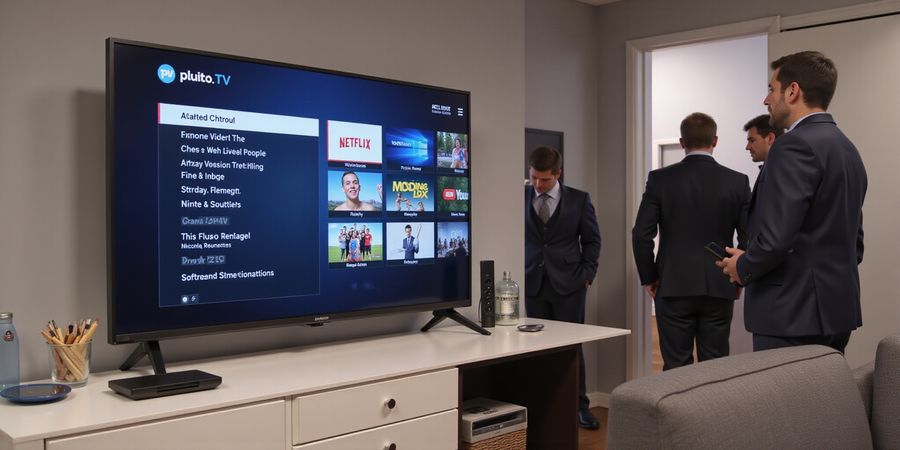
Looking for a free, ad‑supported streaming hub that’s a Swiss army knife for your living room? Pluto TV Smart TV has you covered. It throws together live channels, on‑demand shows, and a snappy interface—all for free. Let’s turn that promise into a step‑by‑step reality.
This guide walks you through downloading the Pluto TV app on Android, iOS, Windows, macOS, smart TVs, and browsers. We’ll show how to unblock it in geo‑locked countries, trim or eliminate ads, capture content for offline viewing when you can, and curate a channel list that feels personal. Forest VPN is our go‑to tool for worldwide access.
First, install the app. On Android, open Google Play and look for “Pluto TV.” On iOS, go to the App Store. Windows users can get it from the Microsoft Store. macOS fans just open the web version at pluto.tv. Smart‑TV owners tap the store, search, and hit install—simple as that.
If you’re outside the U.S., Pluto TV will block you faster than a toddler blocks a cookie jar. That’s where Forest VPN comes in. Connect to a U.S. server, launch the app, and you’re in. The VPN keeps your data private, and the connection is lightning‑fast, so you’ll feel like you’re right in the middle of the action. It also bypasses ISP throttling, keeping buffering at bay like a well‑tuned engine. With a generous bandwidth allowance, you can binge without worrying about data caps. Your privacy stays intact, letting you stream freely.
Ads can feel like unwanted background music. Upgrade to Pluto TV Premium for a clean, ad‑free stream, or use a browser ad‑blocker like uBlock Origin. On a mobile device, Forest VPN’s split‑tunneling lets you keep other apps on your local network while Pluto TV stays hidden. If you’re into sports, the free sports channels give you live action without a price tag.
Want to watch shows offline? Pluto TV doesn’t officially support downloads, but you can screen‑record episodes on Android 11+, iOS 11+, or Windows 10. Just hit record, play, and save—like capturing a movie on a tiny personal cinema screen.
Finally, customize your channel list. Open “My Channels” or “Channels” and drag your favorites to the top. On smart TVs, tap the star icon to create a watchlist. That way, when you hit play, you’re greeted by the shows you love, not a random assortment.
Ready to dive deeper? Stick with us as we unpack device‑specific tricks, VPN settings, and ad‑removal hacks that will make your Pluto TV experience smoother than a jazz sax solo. Try Forest VPN today for seamless access to Pluto TV worldwide.
Pluto TV Smart TV: Step‑by‑Step App Downloads Across Every Device
Looking for “pluto tv smart tv”? You’ll discover that the app can be installed on any device, bypassed outside the U.S., stripped of ads, and even watched offline. This guide takes you through every step—from Android phones to web browsers—so you can get the Pluto TV app down and running with ease.
Follow the links above for the Pluto TV app download.
Android Phones & Tablets
- Open the Google Play Store and search for "Pluto TV".
- Tap Install. The app auto‑updates.
- Prefer a quick link? Use <https://play.google.com/store/apps/details?id=tv.pluto.android&hl=en_US>.
- Or scan the QR code on the Pluto TV website to jump straight to the Play Store page.
iOS Devices (iPhone, iPad, Apple TV)
- Open the App Store and type "Pluto TV".
- Tap Get → Install.
- Direct link: <https://apps.apple.com/us/app/pluto-tv-stream-movies-shows/id751712884>.
- For Apple TV, the app appears in the Apps section on the Home screen.
Windows PCs
- Visit the Microsoft Store and download Pluto TV.
- Direct link: <https://apps.microsoft.com/detail/9p9lv240kq9r?hl=en-US&gl=US>.
- If you prefer a standalone installer, use the Microsoft Store: <https://apps.microsoft.com/detail/9p9lv240kq9r?hl=en-US&gl=US>.
macOS
No native app exists, so use the web version at <https://pluto.tv/>. Add an “Add to Dock” shortcut for app‑like convenience.
Smart TVs & Streaming Devices
Platform | Install Path | Note |
|---|---|---|
Samsung Tizen | Search "Pluto TV" in Apps, tap Install. | Older models may lack support. |
LG webOS | Open LG Content Store, search, install. | Ensure firmware is up‑to‑date. |
Sony PlayStation | PlayStation Store → Games → Free → search. | Works on PS4 and PS5. |
Roku | Roku Channel Store → search, add channel. | VPN may need router‑level setup. |
Amazon Fire TV | Amazon App Store → search, install. | Some models block VPN usage. |
Xbox | Microsoft Store on console → search, install. | Requires Xbox Series X/S or Xbox One OS 10.2+. |
Web Browsers (Desktop & Mobile)
Open any modern browser, go to <https://pluto.tv/>, and log in or continue as a guest. If playback stalls, check third‑party cookie settings.
Unblocking Pluto TV Outside the U.S.
Pluto TV is U.S.‑only, but Forest VPN lets us bypass geo‑locks effortlessly. Install Forest on your device, connect to a U.S. server, then launch Pluto TV. Router‑level VPN setup works best for Smart TVs that don’t support VPN apps.
Pluto TV unblocked with a Pluto TV VPN like Forest VPN.
Cutting the Ad Noise
- Upgrade to Pluto TV Premium for ad‑free viewing.
- On browsers, add uBlock Origin or AdGuard to block mid‑rolls.
- Remember: some ad blockers may buffer video; disable temporarily if you notice lag.
Offline Viewing Options
Pluto TV lacks an official download button, but screen recording works on Android 11+, iOS 11+, Windows 10 Game Bar, and macOS QuickTime. For occasional travel use, record the stream; for regular offline needs, a paid streaming service is safer.
Customizing Your Channel List
In the app, tap My Channels (Android) or Channels (iOS). Drag to reorder or tap Edit to add/remove. On Smart TVs, star a channel to add it to your watchlist. Use Parental Controls in Settings to block unwanted categories.
Why Choose Forest VPN?
- Convenient: One‑click setup on Android, iOS, Windows, macOS, and Smart TVs.
- Affordable: Plans start at a few dollars a month, with a free trial available.
- Variety of Options: Multiple U.S. servers, secure protocols, and no‑logging policy.
FAQ
Q: How do I install Pluto TV on a Smart TV? A: Use the platform’s app store (see Smart TVs & Streaming Devices section) and search for “Pluto TV”. Some older models may need a firmware update.
Q: Can I watch Pluto TV without a VPN in my region? A: If Pluto TV is blocked, you’ll need a VPN like Forest VPN to unblock it. The app works best when connected to a U.S. server.
Q: Does Pluto TV offer offline downloads? A: The official app does not support downloads. You can use screen recording tools as described, or subscribe to a paid streaming service for reliable offline access.
Q: What ad‑blocking methods work with Pluto TV? A: Browser extensions such as uBlock Origin or AdGuard can block mid‑roll ads, but may cause buffering on some devices.
Q: How do I personalize my channel list? A: In the app, tap My Channels or Channels and reorder or add/remove channels. On Smart TVs, star the desired channels.
Takeaway: With the steps above, you can get Pluto TV on any device, unblock it globally, trim ads, and tailor the lineup to your family’s taste. Ready to dive in? Grab Forest VPN, install the app, and start streaming free content today.