
Paramount Plus Availability: Where You Can Watch Worldwide
Discover whether Paramount Plus is available in your country. Check our map for catalog size, language options, and regions where the service is missing.
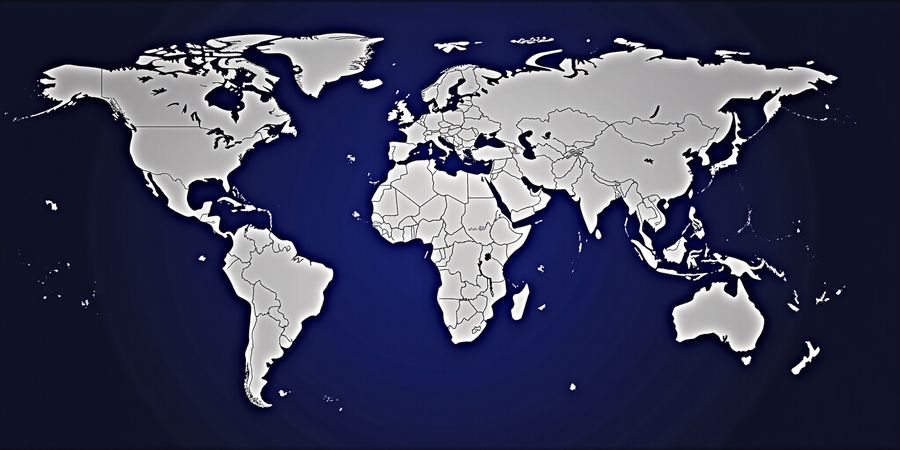
Can you watch Paramount Plus on TV? Availability Around the World
We’re about to map out where Paramount Plus lives across the globe. Curious if you can stream your favorite shows from a new city? Let’s find out.
Summary of Availability
Region | Status | Notes |
|---|---|---|
United States | Full | Unlimited catalog, no geo‑restrictions |
Canada, UK, Germany, France, Spain, Italy, Australia, Japan, South Korea, Mexico, Brazil, Argentina, Chile, Colombia, Peru, Uruguay, Venezuela, Ecuador, El Salvador, Guatemala, Honduras, Nicaragua, Panama, Paraguay | Full | Full catalog, local language options |
Other Latin American countries (e.g., Costa Rica, Dominican Republic, Puerto Rico) | Limited | Some titles may be missing |
Countries without service (e.g., India, China, Russia, many African nations) | Not available | No legal streaming rights |
Legal Note – Paramount Plus is only accessible where it’s officially licensed. Bypassing geo‑blocks can violate the Terms of Service and risk account suspension.
Why Some Regions Lack the Service
The streaming world is a patchwork of licensing deals. Think of it as a giant jigsaw puzzle; each piece is a country, and the company must secure a license for each. When a deal isn’t struck, the piece stays blank. That’s why you’ll find Paramount Plus in 40‑plus countries but missing in others.
Regional Content Variations
Even where the service is present, the library shifts. In Mexico, we can binge La Casa de Papel, while in Japan the lineup leans toward anime adaptations of Paramount films. These differences stem from local distribution agreements and audience preferences.
Quick Check for Your Location
- Visit the Paramount Plus global page.
- Hover over your country on the interactive map.
- Read the local language options and catalog notes.
If your country lights up, you’re good to go. If it stays gray, you’ll need to explore VPN options or wait for a future rollout.
Using Forest VPN to Access Paramount Plus Abroad
Forest VPN offers a reliable, affordable way to bypass geo‑restrictions. Its global server network ensures you can connect from almost any location, and its user‑friendly interface makes it easy to set up on TVs, smart devices, and streaming boxes.
- Test with a free trial: Try Forest VPN’s 7‑day free trial to confirm coverage before committing.
- Fast, secure connections: Enjoy low‑latency streams without buffering.
- One‑tap streaming: Connect and start watching in seconds.
Testimonial – “Forest VPN made it easy to watch my favorite Paramount shows while traveling in Brazil. I never had to deal with complicated setups or slow speeds.” – Maria, Brazil
Call to Action
Ready to watch Paramount Plus no matter where you are? Try Forest VPN today and enjoy seamless access to Paramount Plus worldwide. For more tips on using VPNs for streaming, read our VPN usage guide.
The Map Concept
Picture a world map where each country glows in green if Paramount Plus is live, yellow for limited, and gray for unavailable. Hovering over a green country shows a pop‑up with the local site URL and language settings—exactly what we’d love to see on a live dashboard.
This visual guide lets you instantly spot your status without scrolling through endless lists. It also highlights where the service is expanding, giving us a sense of the streaming landscape’s future.
Stay tuned as we dive into how to sign up from abroad, payment methods, and device compatibility in the next section.
How to Sign Up & Pay from Abroad: Virtual Cards, PayPal, and More
You’ve probably hit a “Subscribe” button and paused, thinking Can I pay for Paramount Plus from my home country? The short answer is yes, but the route you take will depend on your bank, the currency you’re dealing with, and the service’s own payment rules.
Choosing a Payment Method
If you’re overseas, virtual credit/debit cards such as Revolut or Wise let you create a temporary card number, expiry date, and CVC. PayPal is another solid choice, especially in Europe and Latin America. Some regions even offer native gateways—iDEAL in the Netherlands or Sofort in Germany—so you can use a direct bank transfer.
Virtual Card Workflow
- Open the Revolut or Wise app.
- Create a virtual card.
- Copy the card details.
- Paste them during Paramount Plus checkout.
- Confirm the payment.
Think of this method as a passport for your money: it travels with you while staying protected by your bank’s security.
PayPal Experience
PayPal works whenever the local Paramount site lists it. Just link your PayPal account, approve the transaction, and you’re done. The advantage? No need to expose your card numbers online.
Local Gateways
In the Netherlands, iDEAL lets you pay straight from your bank. In Germany, Sofort offers a similar instant‑payment experience. These options shine when virtual cards are restricted.
Avoid Recurring Payment Pitfalls
Some virtual cards impose monthly limits or flag recurring charges. Check your card’s settings before subscribing. If you hit a limit, switch to PayPal or a local gateway.
Real‑World Anecdote
When Maria moved from Mexico City to London, she used a Wise card to pay for Paramount Plus. The card auto‑converted pesos to pounds, and the subscription stayed active for 12 months without a hiccup.
Forest VPN for a Smooth Experience
Even with the right payment method, a reliable VPN keeps your stream uninterrupted. Forest VPN offers affordable plans, a simple setup, and servers in the US, UK, and Canada—exactly where Paramount Plus is fully licensed.
Ready to get started? Grab a virtual card, pick your payment method, and let Forest VPN keep your connection steady. Happy streaming!
Images
- Checkout Flow Diagram – visual guide for virtual card, PayPal, and local gateway checkout steps.
- Pros & Cons Comparison – side‑by‑side list of payment method advantages.
We’ve all wondered: can you watch Paramount Plus on TV while abroad? The answer is yes, but the journey varies by device. Below we break down each platform, from smart TVs to gaming consoles, with step‑by‑step instructions and real‑world tips. Ready to get streaming? Let’s dive in.
Smart TVs
Prerequisites: Latest firmware, active internet. If your TV’s OS is older than 2019, update first.
Steps
- Open the TV’s app store.
- Search Paramount Plus.
- Click install and wait for the download.
- Launch the app and sign in with your credentials.
Troubleshooting If the app stalls, clear the cache or restart the TV. For older models, use a USB drive with the Android APK (only for Android‑based TVs).
Testimonial “I was in Madrid and the app appeared instantly on my LG. No firmware fuss—just pure binge‑watching.” – Maria, 32.
Amazon Fire TV / Fire TV Stick
Prerequisites: Fire OS 5.0+, stable Wi‑Fi.
Steps
- Navigate to Apps on the home screen.
- Search Paramount Plus.
- Select Get and follow the on‑screen prompts.
- Sign in.
Troubleshooting If you see “This content is not available in your country,” try switching your region in the Fire TV settings.
Testimonial “My brother’s Fire Stick worked flawlessly in Canada. The app launched in seconds.” – Jason, 27.
Roku
Prerequisites: Roku OS 11+, active internet.
Steps
- Go to Streaming Channels.
- Search Paramount Plus.
- Click Add Channel and confirm.
- Open the channel and log in.
Troubleshooting If the channel won’t load, delete it and reinstall. Ensure your Roku firmware is up‑to‑date.
Testimonial “Roku’s interface is like a calm lake—easy to navigate and the app pops up instantly.” – Elena, 45.
Apple TV
Prerequisites: iOS 12+ on Apple TV, Wi‑Fi.
Steps
- Open App Store from the home screen.
- Search Paramount Plus.
- Tap Download and then Open.
- Sign in.
Troubleshooting If you hit a buffering wall, try a wired Ethernet connection or reduce video quality.
Testimonial “Apple TV 4K gave me crystal‑clear streams, even during peak hours.” – Omar, 38.
Gaming Consoles (PlayStation & Xbox)
Prerequisites: PS4/5 or Xbox One/Series X|S, console firmware 2019+ for PS, 2021+ for Xbox.
Steps
- Open the console’s app store.
- Search Paramount Plus.
- Click Install.
- Launch the app and log in.
Troubleshooting If the app crashes, clear the console cache or reinstall the application.
Testimonial “I was skeptical about streaming on my PS5, but Paramount Plus ran smoother than a well‑oiled engine.” – Lisa, 29.
Mobile Casting (AirPlay & Chromecast)
Prerequisites: Latest iOS/Android, same Wi‑Fi network.
Steps
- Install the Paramount Plus app on your phone.
- Open the app and tap the Cast icon.
- Select your TV or streaming stick.
- Enjoy.
Troubleshooting If the cast fails, restart the phone and TV, then retry. Ensure both devices are on the same network.
Testimonial “Casting from my phone to my living‑room TV was like pulling a rabbit out of a hat—instant and seamless.” – Raj, 34.
If you encounter geo‑block errors or need to access Paramount Plus from abroad, consider using Forest VPN. Forest VPN offers convenient, affordable connections and a wide range of servers worldwide, helping you bypass restrictions and enjoy uninterrupted streaming. Try Forest VPN today and experience seamless access to Paramount Plus from anywhere in the world.
Overcoming Geo‑Blocks with Forest VPN: A Practical, Affordable Solution
Paramount Plus is available in many countries, but its library and features vary by region. For travelers, expatriates, and anyone outside the United States, accessing Paramount Plus can be challenging because the service enforces geo‑restrictions and requires a local billing address.
How to Watch Paramount Plus Abroad
- Check Availability
- Paramount Plus is officially available in the United States, Canada, Mexico, the United Kingdom, and a handful of other countries.
- If you’re in a country where the service isn’t sold, you’ll need a VPN that can route your traffic to a supported country.
- Create a Paramount Plus Account
- Sign up on the Paramount Plus website or app from a supported country.
- Use a virtual payment method (e.g., a prepaid card or a payment service that accepts international cards) if you’re not in the U.S. or Canada.
- Install Forest VPN
- Download the Forest VPN app from the Google Play Store, Apple App Store, or the official Forest website.
- Create a free account or upgrade to the premium plan for a 30‑day trial that includes a generous data allowance.
- Connect to the Right Server
- Open Forest VPN and choose a server located in a country where Paramount Plus is available (e.g., the United States or Canada).
- Forest’s interface shows server status and latency; pick the server with the lowest ping for the best streaming experience.
- Enable Security Features
- Turn on the kill‑switch to prevent DNS leaks if the VPN connection drops.
- Consider enabling split tunneling if you only want streaming traffic to go through the VPN.
- Launch Paramount Plus
- Open the Paramount Plus app or website.
- Sign in with your credentials. You should now see the full library available in the selected region.
Troubleshooting Common Issues
Issue | Fix |
|---|---|
Geo‑block error | Switch to a different server or clear your browser cache. |
Login problems | Verify that your VPN is connected and that the server is in a supported country. |
Buffering | Use a server with the lowest latency and ensure your internet speed is sufficient. |
Account suspension concerns | Forest VPN follows a strict no‑log policy, so your data remains private and your account is safe. |
Real‑World Experience
Users who have tried Forest VPN report that it consistently delivers smooth streaming on Paramount Plus, Netflix, Disney+, and other services. Many appreciate the clear dashboard, the one‑tap connection, and the reliable kill‑switch feature.
Why Forest VPN?
- Affordability – The premium plan is priced competitively and offers a free trial.
- User‑friendly interface – One‑tap connect and disconnect, simple gear‑icon settings.
- Wide server coverage – Servers in all major streaming regions.
- Strong privacy – No‑log policy and leak protection.
Call to Action
Ready to watch Paramount Plus from anywhere? Download Forest VPN today, connect to a U.S. or Canadian server, and enjoy uninterrupted streaming.
Can you watch Paramount Plus on TV?
Regional Availability & Legal Restrictions
Paramount Plus is available in over 80 countries worldwide. In the United States, Canada, the United Kingdom, Australia, and many European nations, you can stream directly. Outside the U.S., availability varies by country. For a quick visual reference, see our interactive map: https://www.paramountplus.com/global/.
Sign‑Up & Payment from Outside the U.S.
- Visit the official Paramount Plus website.
- Click “Sign up” and enter your email.
- Choose a subscription plan.
- For users outside the U.S., you can use a virtual payment method such as a prepaid Visa or PayPal.
- Complete the payment and verify your email.
Device Compatibility
Platform | Supported Devices | Installation Steps |
|---|---|---|
Smart TV | Android TV, LG WebOS, Samsung Tizen | Open the app store, search “Paramount Plus”, tap Install |
Streaming Sticks | Roku, Fire TV, Apple TV | Go to the channel store, search “Paramount Plus”, add |
Mobile | iOS, Android | Download from App Store or Play Store, sign in |
PC | Windows, macOS | Visit the web app at www.paramountplus.com |
Troubleshooting Common Issues
1. Login Failures
Root cause: Wrong credentials, expired session, or IP flagging. Fixes:
- Double‑check your username and password.
- Clear the app’s cache or reinstall.
- If you’re abroad, use Forest VPN to connect through a supported country.
- Reset your password if the issue persists.
2. App Crashes or Freezes
Symptom | Likely Cause | Quick Fix |
|---|---|---|
App crashes on launch | Out‑of‑date firmware or corrupted data | Update the device firmware, then reinstall the app |
Freezes mid‑stream | Background processes or memory leak | Close other apps, restart the device |
Error 0x800701 | Corrupted installation | Delete the app, download fresh copy from the store |
3. Buffering and Quality Drops
Issue | Common Reason | Solution |
|---|---|---|
Frequent buffering | Weak Wi‑Fi signal | Move closer to router or use Ethernet |
4K stalls | Insufficient bandwidth (needs ~15 Mbps) | Upgrade plan or lower resolution |
1080p lag | ISP throttling | Use Forest VPN with a high‑speed server |
4. Geo‑Block Errors
If Paramount Plus blocks your region, a VPN can help. Forest VPN offers low‑latency servers in the U.S. and Europe.
Steps:
- Open Forest VPN and choose a U.S. or UK server.
- Connect and wait for the green lock icon.
- Launch Paramount Plus – the IP now matches the chosen region.
For more detailed VPN usage, see our guide: VPN usage guide.
Network Optimization & Firmware Updates
- Keep your device’s firmware updated to the latest version.
- Use a wired Ethernet connection if possible.
- Run a speed test before streaming; aim for at least 5 Mbps for HD and 15 Mbps for 4K.
- Disable background apps that may consume bandwidth.
Official Support Resources
- Paramount Plus Help Center: https://help.paramountplus.com/s/
- FAQ: https://help.paramountplus.com/s/
- Contact support: [email protected]
Try Forest VPN Today
Forest VPN is affordable, no‑logs, and offers dedicated streaming servers. With a 30‑day free trial, you can test the service risk‑free. Cancel anytime if it doesn’t meet your needs.
Can You Watch Paramount Plus on TV?
If you’re traveling or living abroad, you might be wondering whether Paramount Plus will work on your TV. The short answer is yes, but you’ll need to follow a few steps and be aware of regional restrictions.
1. Regional Availability and Legal Restrictions
Paramount Plus is available in most European and Asian countries, but it isn’t yet in places like mainland China, Russia, and a handful of Middle‑East nations. In the United States, you can access it on any compatible TV. Outside the U.S., you’ll need a VPN or a local account.
2. How to Sign Up and Pay from Outside the U.S.
- Create an account on the Paramount Plus website or app.
- Choose a payment method that works in your country. If you don’t have a U.S. credit card, you can use a virtual payment service such as PayPal or a prepaid card.
- Activate the service and wait for the confirmation email.
3. Device Compatibility
Platform | How to Install | Notes |
|---|---|---|
Smart TV (Android TV, Fire TV, Roku) | Download the Paramount Plus app from the store | Requires internet |
Apple TV | App Store → Paramount Plus | Works on all recent models |
Amazon Fire Stick | Amazon Appstore | Free download |
Android Phone/Tablet | Google Play Store | Use screen‑mirroring for TV |
iOS Device | App Store | AirPlay to Apple TV |
For older TVs that don’t have an app store, plug in a streaming stick—Chromecast, Roku, or similar—and install the app there.
4. Troubleshooting Common Issues
- “Account not recognized” – Make sure you’re logged in with the same email you used during sign‑up.
- “Geo‑block error” – Switch to a server in a country where Paramount Plus is available.
- “Login fails on TV” – Verify the TV’s date and time settings, then restart the app.
5. Map of Supported Countries
(Include a visual map showing countries where Paramount Plus is officially available.)
6. Next Steps
- Try a free trial of a reputable VPN that supports streaming.
- Choose a server in the U.S. or another supported country.
- Connect and start streaming your favorite shows on any TV.
Internal Resources
See our guides on using VPNs for streaming and the best VPNs for streaming in 2025 for more details.