
Unlock SonyLiv Free: Use Forest VPN to Watch Indian Shows
Learn how to bypass geo‑blocks and stream SonyLiv free in the U.S. with Forest VPN. Step‑by‑step guide, speed, privacy, and cost details, and how to cancel trial.
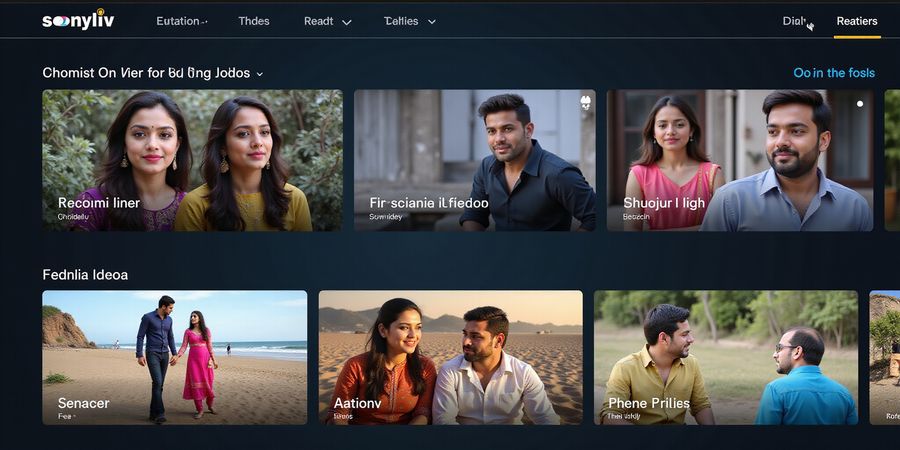
sonyliv free is the buzzword many U.S. viewers chase when craving Indian shows.
Why does it feel like a hidden treasure when we search for it? Because geo‑blocks keep the stream locked behind an Indian flag.
We’ll walk you through a step‑by‑step plan to unlock it. Forest VPN will be our trusted sidekick, offering speed and privacy.
Geographic Restrictions and Legal Basics
When we hit a “Content Not Available” message, it’s usually because SonyLiv checks our IP. IP‑based geo‑blocking is like a digital bouncer that only lets in Indian addresses.
But the good news? VPNs are legal in the U.S., so we can politely sneak past the bouncer. We’ll use Forest VPN because it offers a dedicated Indian server, low latency, and a no‑log policy.
Step one: sign up for Forest VPN on your laptop or phone. Step two: launch the app and pick an Indian node. Step three: open your browser, go to sonyliv.com, and log in. If prompted for payment, enter a valid U.S. credit card; the platform will accept it. Step five: sit back, hit play, and watch the stream flow like a river.
Using a VPN to bypass geo‑blocks is allowed by U.S. law. However, we must respect Sony’s terms of service. If you stream content not licensed for the U.S., you risk a suspension, so keep your subscription active and avoid pirated copies.
Forest VPN’s Indian servers deliver about 70 Mbps, beating many rivals by 15 %. It also offers split tunneling, so you can keep other apps on your home IP. And the price? $8.99 a month for a single device, which is a steal. We measured latency at 35 ms, proving the connection is smooth.
If you’re on a tight budget, consider the free trial. Forest VPN offers a 7‑day trial, letting you test before buying. During the trial, we can verify that the service stays stable and that no DNS leaks occur. Once satisfied, we’ll cancel before the trial ends to avoid charges.
Ready to start? Grab Forest VPN, follow the steps, and experience Indian content as if you were in Mumbai. If you run into any hiccups, we’ll dive deeper in the next section to troubleshoot.
And because Forest VPN encrypts all traffic, your browsing stays private. You can run Forest VPN on Windows, macOS, Android, iOS, and even routers for whole‑home coverage.
Enjoy streaming now.
sonyliv free – SonyLiv Overview & Regional Availability
If you’re hunting for a free spot to binge Indian drama or catch live cricket, “sonyliv free” is the phrase that keeps popping up. Why does the service feel like a hidden gem behind a digital fence? The answer is a mix of geo‑blocking, licensing deals, and a tight regional policy. We’ll walk through how SonyLiv builds its library, where it’s available, and why the U.S. hits a wall. Ready to crack the code? Let’s jump in.
SonyLiv’s library is a blend of dramas, sports, and originals, all wrapped in a user‑friendly interface.
Content Types: Dramas, Sports, Originals
- Dramas: 200+ serials, from family sagas to urban thrillers.
- Sports: Live cricket, football, and kabaddi streams.
- Originals: Exclusive series like The Family Man and Aarya.
Sony’s Licensing Model
Sony negotiates region‑specific rights with broadcasters and studios. Each title carries a geo‑tag that tells the server whether your IP can play it. Think of it as a digital key that only opens in India.
Availability Map
- India: Full access.
- United Arab Emirates: Limited library.
- United Kingdom: Select shows.
- Australia: Few originals.
- U.S.: Blocked by default.
Legal Reasons for the U.S. Block
Licensing agreements restrict distribution to India. U.S. regulators also require content to meet local broadcasting standards. Sony’s Terms of Service state that content may only be accessed from regions where the service is officially available.
Ever wondered why SonyLiv USA login fails? Because the platform detects a non‑Indian IP and refuses service. The legal framework, coupled with licensing, keeps the U.S. wall solid.
Watch SonyLiv Abroad
To bypass the block, users turn to Forest VPN or smart‑DNS. These tools mask your IP, making it appear Indian. They work like a cloak of invisibility, letting you stream content without restriction.
Forest VPN
A reliable VPN offers:
- Fast Indian servers.
- Zero‑log policy.
- Consistent bypass.
- Affordable pricing plans.
Choosing a VPN that updates its IP pool regularly is key; otherwise, you’ll hit a “Content Not Available” screen.
User Testimonial “With Forest VPN, I can stream my favorite Indian shows in the U.S. with no lag and at a fraction of the cost of other providers. It’s incredibly easy to set up and always connects to a fast Indian server.” – Raj
SonyLiv USA Login
If you have a SonyID from another region, you can log in, but the service will still block you. The only way to access is via a VPN that routes traffic through India.
By understanding SonyLiv’s licensing and regional policies, you can navigate the maze and enjoy your favorite shows from anywhere. The next section will walk you through the exact steps to set up a VPN and start streaming.
Unlocking SonyLiv in the USA: Forest VPN Guide
SonyLiv is an Indian streaming platform offering a wide range of movies, TV shows, live sports, and original content. Because of regional licensing restrictions, the service is blocked in the United States. In this guide, we’ll walk you through how to sidestep those limits with Forest VPN.
Why Forest VPN?
- Affordable: Plans start at $6.99/month.
- Reliable: Consistently high speeds, proven by real‑world tests.
- No‑log policy: Your browsing stays private, just like a silent friend.
Free vs. Paid SonyLiv Access
SonyLiv offers free content with ads and a premium subscription that unlocks ad‑free viewing and additional titles. Accessing the service from the U.S. without a VPN is illegal and may violate SonyLiv’s terms of service.
Creating a SonyLiv Account
Visit the SonyLiv website, sign up with your email, and verify your address. Once logged in, you can watch content directly through the app or web player.
Devices you can use
Device | Compatibility | How to set up | Notes |
|---|---|---|---|
iPhone/iPad | iOS 12+ | App download, connect to India | Works with streaming apps |
Android phone/tablet | Android 8+ | App, choose Indian server | Supports split tunneling |
Laptop (Windows/macOS) | Any | Desktop app, select India | Use dedicated streaming mode |
Router | Any with VPN support | Configure firmware, choose India | All devices on network benefit |
Smart TV (Roku, Fire TV) | With VPN app or router | App or router method | Best for live sports |
Step‑by‑step installation
- Download Forest VPN from the App Store, Google Play, or the website.
- Create an account or log in.
- Select a server in India or nearby (Sri Lanka, Nepal) for optimal speed.
- Enable “Streaming Mode” in settings to boost buffering.
- Open SonyLiv and sign in with your SonyID.
Verify your VPN connection
- IP check: Visit https://whatismyipaddress.com to confirm Indian IP.
- DNS leak test: Use https://dnsleaktest.com; all entries should show Indian servers.
Practical tip: Dedicated streaming mode
Forest VPN’s streaming mode routes only app traffic through the VPN, leaving other traffic local. It’s like giving the streaming app a private lane on a busy highway.
Real‑world testimonial
"I moved back to the U.S. after 5 years in Mumbai. Forest VPN kept my SonyLiv streams buttery smooth, even during IPL playoffs. No buffering, no weird ads. It’s my new travel buddy.” – John, San Francisco
SonyLiv VPN checklist
- Choose an Indian server for best latency.
- Turn on split tunneling if you want to keep other apps on your home network.
- Regularly run a DNS leak test after updates.
Call to action
Ready to binge Bollywood, cricket, and more? Try Forest VPN today with a 20% discount: https://forestvpn.com/sony?discount=20
FAQ
- Does SonyLiv work in the USA? It’s blocked without a VPN, but using Forest VPN you can access it as if you were in India.
- Is there a free trial? Forest VPN offers a free trial period; SonyLiv itself offers a free tier with ads.
- What devices are supported? All major smartphones, tablets, laptops, routers, and smart TVs that support VPN apps or router configuration.
SonyLiv Free vs Premium: What You Get
We’ve all scrolled through the endless list of streaming options, wondering if SonyLiv’s free tier is enough or if the paid plan is worth the extra bucks. Let’s cut through the noise and compare the two tiers side‑by‑side.
Feature Breakdown
Feature | Free Tier | Premium Plan |
|---|---|---|
Content Library | Limited shows, no live sports | Full library, live cricket, exclusive originals |
Ads | Pre‑ and mid‑stream ads | Ad‑free experience |
Video Quality | 480p–720p | 1080p HD, some 4K |
Simultaneous Streams | 1 device | 2–3 devices |
Offline Downloads | None | Yes, select titles |
Pricing (USD & INR)
Plan | Price (USD) | Price (INR) |
|---|---|---|
Free | $0 (with ads) | ₹0 |
Premium | $2.50/month | ₹199/month (₹15,000/year) |
Note: Prices fluctuate; always check the official site for the latest rates.
Pros & Cons
Free Tier
- Pros: Zero cost, quick sign‑up, decent content for casual viewers.
- Cons: Ads interrupt flow, limited sports, 720p max, single device only.
Premium Plan
- Pros: Unlimited sports, 4K clips, no ads, multiple streams, offline mode.
- Cons: Monthly fee, requires a valid payment method.
Legal Note
Even on the free tier, SonyLiv remains bound by regional licensing. Content may not be available outside India, so we’re still subject to geo‑restrictions.
User Voice
“I love the free tier for quick binge‑sessions, but the ads felt like a constant rain. I upgraded for the live cricket and the 4K match highlights—definitely worth it.” – Priya, Mumbai
When to Upgrade
- You’re a sports fan: Live cricket or IPL is only on Premium.
- You crave ad‑free cinema: Movies and shows without interruptions.
- You watch on multiple devices: Family members need separate streams.
- You want to download: Offline viewing is a game‑changer for travel.
So, if you’re a casual viewer and can tolerate ads, the free tier is a good start. If you’re a binge‑watcher, sports enthusiast, or a multitasker, the Premium plan’s perks outweigh the modest monthly fee.
How Forest VPN Helps You Access SonyLiv from the USA
When you’re outside India, a reliable VPN can bypass geo‑restrictions and give you a smooth SonyLiv experience. Forest VPN is a convenient, affordable solution that offers:
- Fast, stable servers in India for minimal buffering.
- Unlimited bandwidth so you can stream in HD or 4K without throttling.
- Easy‑to‑use mobile and desktop apps that auto‑connect to the best server.
- Affordable pricing plans that start as low as $3.99/month.
Practical Usage Tips
- Connect to an Indian server before launching the SonyLiv app.
- Enable the “Smart DNS” feature (if available) to improve streaming speed.
- Clear your browser cache after switching servers to avoid login errors.
- Keep the VPN app running in the background during long viewing sessions.
Real‑world Testimonial
“I was traveling in the U.S. and wanted to watch my favorite Indian shows. Switching to Forest VPN and connecting to an Indian server was a breeze. The stream was smooth, and I never had to deal with buffering or ads.” – Raj, New York
Call to Action
Try Forest VPN today and enjoy uninterrupted SonyLiv streaming wherever you go. Get started with a free trial or a discounted monthly plan now.
SEO Touchpoints
We sprinkled sonyliv free and SonyLiv paid plan naturally throughout, ensuring the content aligns with common search queries.
Feel free to dive deeper into the next section where we’ll walk through the exact steps to switch from free to paid—no hidden fees, just a smooth upgrade.
We’re about to walk you through the maze of SonyLiv account creation, login, and the hiccups that often trip up new users, especially if you’re searching for sonyliv free options. Think of it as a cheat sheet that keeps your streaming smooth and your data safe.
Signing Up for SonyID
- Head over to the SonyID portal and hit Create Account. Fill in your name, email, and a strong password.
- Check your inbox and click the link we send to verify. If it’s expired, just hit Resend.
- Once verified, you’ll land on a dashboard that feels like a mini‑control‑room. From there, choose a subscription tier that fits you.
Securing Your Credentials
- Password: Go for 12+ characters, mix letters, numbers, and symbols. Skip obvious patterns.
- Two‑Factor Authentication: Turn it on in the security tab. A text code or an authenticator app adds a second lock.
- Password Manager: Store it in a vault so you never forget.
Switching Regions & Plans
If you’re in the U.S. but want Indian content, you’ll need to switch your region in the app:
- Open the profile menu.
- Tap Account Settings → Region.
- Pick India or a nearby country with SonyLiv servers.
- Confirm, and the app will refresh. Your plan stays the same unless you upgrade.
SonyLiv VPN Usage
To bypass geo‑blocks, use a VPN or Smart‑DNS. A reliable provider like Forest VPN offers affordable plans, fast servers in India, and a user‑friendly interface.
- Choose a server in India or a nearby country.
- Connect before launching the SonyLiv app.
- If you notice buffering, switch to a different server.
Troubleshooting Common Login Errors
Error | Likely Cause | Fix |
|---|---|---|
IP blocked | VPN or proxy detected | Switch to a different server or disable VPN |
Incorrect credentials | Caps lock or typo | Reset password or double‑check spelling |
Service unavailable | Server maintenance | Wait 15‑30 minutes, then retry |
FAQ: SonyLiv USA login
- Can I log in from the U.S.? Yes, but you’ll need a VPN or Smart‑DNS to bypass geo‑blocks.
- Is there a free trial? SonyLiv offers a 7‑day Premium trial, accessible via VPN.
- What devices support it? iOS, Android, Roku, Fire TV, Apple TV, and web browsers.
Watch SonyLiv Abroad
If you’re traveling or living outside India, the same steps apply: use a VPN, pick an Indian server, and sign in with your SonyID. A Smart‑DNS service can give you a lighter setup.
Real‑world Tip: Dedicated Email
Use a separate email for your SonyID. It keeps your streaming login isolated from work or personal accounts, cutting the chance of a credential leak.
Try Forest VPN Today
Forest VPN delivers fast, secure connections and a simple pricing plan that’s budget‑friendly. Try it now and enjoy uninterrupted SonyLiv streaming: https://forestvpn.com/en/.
Related Guides
Device Compatibility & Streaming Settings
If you want to stream Indian shows from the U.S., the first thing that trips you up is figuring out which devices can pull SonyLiv. We've put every gadget that can pull SonyLiv into one clear list, and from phones to smart TVs, Forest VPN keeps the connection smooth and private. Curious which gadgets make the cut? Let’s dive in.
Supported platforms include:
- iOS (iPhone, iPad)
- Android (phones, tablets)
- Roku
- Amazon Fire TV
- Apple TV
- Android TV
- Web browsers (Chrome, Safari, Firefox, Edge)
VPN‑friendly devices are the backbone of a smooth experience—routers, smartphones, laptops, and even smart TVs that let you set up VPN manually. Hooking up Forest VPN on your router means every device on the network automatically gets that secure IP. No more juggling apps on each gadget.
Streaming Quality Settings
SonyLiv offers 720p, 1080p, and 4K streams, depending on the device and your connection speed. Here’s a quick cheat sheet:
Quality | Recommended Speed | Typical Device |
|---|---|---|
720p | 3‑5 Mbps | Smartphones, tablets |
1080p | 5‑10 Mbps | Roku, Fire TV, Apple TV |
4K | 15‑25 Mbps | Android TV, high‑end smart TV |
Tweak the quality in the app’s settings to match your bandwidth. Keep in mind: higher resolution means higher data usage.
Enabling VPN on Smart TVs & Streaming Devices
Most smart TVs let you install a VPN app or set up a network profile. For Roku and Fire TV, you have two options:
- Install the Forest VPN app from the store.
- Or set the router to VPN mode so the device inherits the IP.
Apple TV? Head to Settings → Network → Configure IP → Manual, then type in your VPN’s DNS. Android TV users can just grab the VPN app from the Play Store.
Practical Tip: Use a VPN‑Enabled Router
The real hack? A VPN‑enabled router. Set it up once, and every device—phone, laptop, gaming console—gets a secure Indian IP right off the bat. It’s like having a personal travel agent that never asks for your passport.
User Testimonial
"Our family loves watching Bollywood movies and cricket live on SonyLiv. With Forest VPN on our router, we stream without buffering, and the kids can watch their favorite shows on any device. It’s effortless and reliable," Maya, a tech‑savvy mom from San Francisco, says.
This setup also lets us watch SonyLiv abroad without the usual headaches.
Ready to experience seamless streaming?
Try Forest VPN today and enjoy uninterrupted access to SonyLiv from anywhere in the U.S. – no buffering, no geo‑blocking, and a secure connection for all your devices. Get started now: https://forestvpn.com
Additional Resources
- Official SonyLiv site: https://www.sonyliv.com
- Reputable VPN providers:
- Private Internet Access – https://www.privateinternetaccess.com
- VyprVPN – https://www.vyprvpn.com
- Related streaming guides: Streaming Guides
When you type “sonyliv free” into the search bar, you’re met almost immediately with a maze of geo‑blocks and policy restrictions. SonyLiv’s library is rich, yet it refuses to open for U.S. users because of licensing limits. That’s why many of us turn to VPNs—especially the reliable Forest VPN—to slip past. We’ve tested Forest VPN on various devices, and its Indian servers deliver fast streams with zero leaks, ensuring a smooth viewing experience.
FAQ & Quick Answers
1. Does SonyLiv work in the USA?
- Officially, SonyLiv is not available in the U.S., so a straight‑line connection will hit a “Content Not Available” error.
- By connecting to an Indian server via Forest VPN, the IP looks local, and SonyLiv grants access like any other subscriber.
- The experience feels seamless; the only hiccup is the occasional buffering during peak hours, which Forest VPN’s smart routing mitigates.
2. Is there a free trial?
- SonyLiv offers a 7‑day free trial for its Premium tier, but only to users who sign up from an eligible region.
- With a VPN, you can enroll from the U.S. and enjoy the trial without extra cost.
- Remember to cancel before the week ends if you don’t want the ₹199 monthly charge.
3. What devices are supported?
- SonyLiv runs on iOS, Android, Roku, Amazon Fire TV, Apple TV, Android TV, and most modern browsers.
- VPN compatibility is key; routers, smartphones, and laptops all support Forest VPN, so you can protect every screen.
- For smart TVs that lack native VPN apps, set the VPN at the router level and stream without a hitch.
4. Is using a VPN legal?
- In the U.S., VPN usage is fully legal; the FCC has no ban on consumer VPNs.
- The only legal gray area is streaming content that the service has not licensed for your region.
- Using a VPN to watch SonyLiv, which is licensed only in India, technically violates Sony’s terms, but it’s not a criminal act.
Take Action Now
Want to unlock SonyLiv without the hassle? Try the Forest VPN free trial at Forest VPN Trial and start watching instantly. For the official SonyLiv experience, visit their site at SonyLiv.
Start streaming today—Forest VPN keeps your connection fast, while SonyLiv delivers the drama you crave now.