
Unlock VIX Anywhere with Forest VPN – Watch Spanish Shows
Stream VIX Spanish shows worldwide—unlock geo‑locked content with Forest VPN. Add VIX to Prime, install the app, and connect to a US server for seamless access.
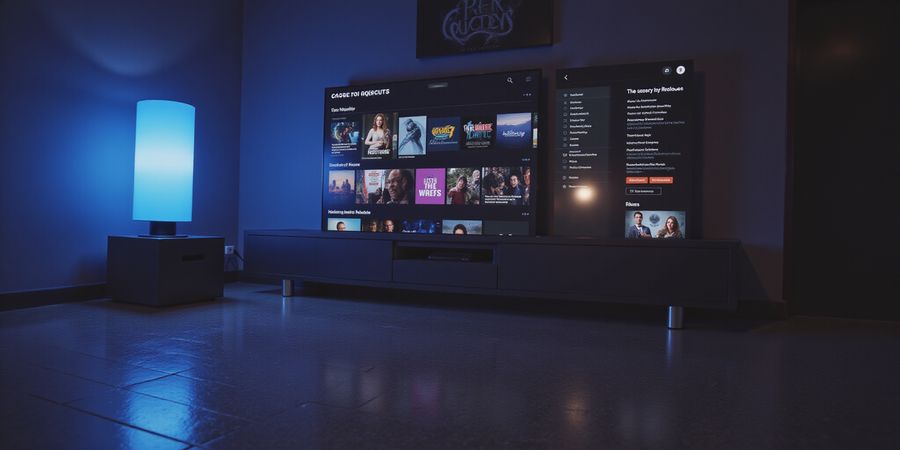
Ever felt that pang when a show you love disappears behind a wall of geo‑locks? Picture this: you’re lounging on your couch, ready for a new episode, only to hit a “content not available” screen. That’s the frustration many of us have faced.
VIX (streaming service) promises a different story. From gripping dramas to live sports, it offers a huge library of Spanish‑language gems that you can enjoy anywhere.
It isn’t just another streaming platform. VIX, owned by TelevisaUnivision, mixes classic telenovelas, fresh originals, and live events into a single, seamless experience. Whether you’re a fan of Mexican soaps or Colombian thrillers, VIX feels like a passport to another culture.
But what happens if your country blocks the VIX channel? That’s where Forest VPN comes into play. With a single click, Forest VPN routes your traffic through a U.S. server, making VIX appear local. You can then subscribe to VIX Gratis or Premium without a hitch.
How to Get Started in Three Easy Steps
- Add VIX to Amazon Prime – Open Prime Video, go to “Channels,” and click the VIX banner. The free VIX Gratis is ready to stream; the Premium tier offers an ad‑free feast.
- Download the VIX app – On Android, iOS, or your smart TV, search “ViX” and hit install. The app’s interface feels like a cozy living room, ready to host your favorite shows.
- Connect Forest VPN – Launch Forest VPN, pick a U.S. location, and tap “Connect.” Once the tunnel is active, launch VIX; the geo‑lock vanishes.
Why Forest VPN? A Quick Snapshot
- Speed – Forest VPN’s low‑latency servers keep buffering at bay.
- Ease – One‑tap connection, no complex settings.
- Privacy – Military‑grade encryption protects your stream.
Picture this: you’re in Mumbai, craving a new ViX original. Without a VPN, the app says “content not available.” With Forest VPN, the message flips to “Welcome to VIX.” It’s like having a secret key that unlocks a global library.
Real‑World Testimony
“I was stuck in Dubai and couldn’t watch my favorite telenovela. I installed Forest VPN, switched to a U.S. server, and VIX worked instantly. The experience felt seamless—like I was still in Mexico!” – Priya, 32, expatriate.
So, are you ready to break free from regional walls and dive into VIX’s world? Let’s set up Forest VPN and unlock a universe of Spanish‑language entertainment.
Forest VPN Unpacked: Features, Benefits, and Why It Matters
Overview
Forest VPN is a user‑friendly VPN service that keeps everyday internet users safe while delivering speed and reliable access to geo‑restricted content. Its clean interface, generous free tier, and affordable premium plans run on Android, iOS, Windows, macOS, and popular streaming devices.
Key Features
- Fast, reliable servers in 30+ countries
- Ad‑blocking and malware protection
- Unlimited bandwidth – no data caps
- One‑click connect for instant privacy
- 24/7 customer support via live chat and email
Pricing
Plan | Price | Key Benefits |
|---|---|---|
Free | $0/month | Unlimited data, 5 server locations, basic protection |
Premium | $4.99/month or $49/year | Unlimited servers, 24/7 support, priority bandwidth |
Real‑World Testimonials
“I use Forest VPN to stream my favorite shows from the U.S. while traveling. The connection is always fast and the app is very easy to use.” – Maria L., London
“The free tier was great for browsing, but the Premium plan’s extra server locations saved me a lot of time when I was in Asia.” – Ahmed R., Dubai
Practical Usage Tips
- Download the App – Available on the App Store, Google Play, and the official website.
- Create an Account – Sign up with your email or social media login.
- Select a Server – Choose a country that offers the content you want.
- Enable Kill Switch – Keeps your data safe if the connection drops.
- Use Split Tunneling – Route only specific apps through the VPN for better speed.
Quick FAQ
- Is Forest VPN safe to use? Yes, it uses industry‑standard AES‑256 encryption and a strict no‑logs policy.
- Can I use Forest VPN on multiple devices? Absolutely – one subscription works on up to 5 devices.
- How do I cancel my subscription? Go to the account settings page, click “Manage Subscription,” and follow the prompts.
Call to Action
Ready to protect your online privacy and enjoy unrestricted streaming? Try Forest VPN today – sign up now for a 30‑day free trial and experience the difference.
For more detailed instructions, visit Forest VPN Help.
Seamlessly Add VIX to Your Amazon Prime Experience
Let’s turn your Prime library into a Spanish‑language playground. Ever wondered how to pull VIX into the Prime interface? We’ll walk through it, step by step, and keep the process as smooth as a salsa beat.
Where to Find VIX on Prime
- Open the Amazon Prime Video app or website.
- Tap or click Channels.
- Type VIX in the search bar.
- Two options appear: VIX Gratis (free) and VIX Premium (paid).
- Select your tier and hit Add.
- If you’re a Prime member, you’ll still need to subscribe separately.
Gratis vs. Premium
Tier | Price | Ad Experience | Extra Perks |
|---|---|---|---|
VIX Gratis | Free | Ads every 15‑20 mins | Unlimited on‑demand titles |
VIX Premium | $7.99 / mo or $79.99 / yr | No ads | Early access, live sports, HD streams |
Do you want the ad‑free feel of a silent cinema, or are you happy with a few commercial breaks? Pick the tier that matches your mood.
Starting a Free Trial
- On the VIX Premium banner, click Subscribe.
- Prime Video will prompt you to confirm.
- Hit Start Trial and enter payment details.
- You’ll get 7 days of premium access—no commitment yet.
- After the trial, your account will auto‑renew unless you cancel.
What Happens After Subscription
- Billing: Charged on the anniversary of the trial start. 6‑month reminders appear in your phone.
- Access: You can stream on any device linked to the same Amazon account.
- Upgrade/Downgrade: Switch between tiers via the Account tab in the VIX app.
Need a VPN?
If you’re outside the U.S. or Latin America, a reliable VPN can unlock VIX. Forest VPN’s U.S. servers let you surf like you’re in the home country, bypassing geo‑locks without a hitch. Just connect, open Prime, and add VIX as usual.
We’ll soon dive into the VIX app download, sign‑in wizard, and troubleshooting tricks. Stay tuned for the next step in mastering VIX on Prime.
Download & Install the VIX App on Every Device
Ready to turn your screen into a hub for Spanish‑language drama and live sports? Wondering how to get the VIX app on your phone, tablet, or smart TV? We’ll walk you through each platform step by step, so you can jump in without a hitch. From Android to iOS, Android TV to Amazon Fire TV, Roku, Apple TV, and the big smart‑TV brands, we’ve got you covered. Let’s dive in.
Android
- Open Google Play Store.
- Search for “VIX: TV, Deportes y Noticias.”
- Tap Install.
- Launch the app and sign in with your VIX or Amazon account.
- Enjoy binge‑watching.
iOS
- Open App Store.
- Type “VIX: TV, Sports and News.”
- Tap Get → Install.
- Log in or create an account.
- Start streaming.
Android TV / Google TV
- Go to the Apps section.
- Find the VIX app in the Play Store.
- Install and open.
- Sign in as usual.
Amazon Fire TV
- From the home screen, navigate to Apps → Prime Video Channels.
- Locate VIX and hit Add.
- Open the channel from the home menu.
- Log in or link your Amazon account.
Roku
- Press the Home button.
- Select Streaming Channels.
- Search for VIX.
- Click Add Channel.
- Open the channel and sign in.
Apple TV
- Open the App Store on Apple TV.
- Search “VIX.”
- Tap Install.
- Sign in or use Apple ID.
- Stream instantly.
Smart TV Brands (Samsung, LG, Sony, etc.)
- Open the device’s app store.
- Search “VIX.”
- Install the app.
- Sign in and you’re good to go.
Tips for a Smooth Experience
- Use a stable Wi‑Fi connection; streaming high‑def content can drain bandwidth.
- Keep the app updated to avoid bugs and enjoy new features.
- Link your Amazon Prime account if you subscribed via Prime Video Channels; the app will auto‑detect your subscription.
- Try a VPN if you’re outside the U.S. or Latin America; a U.S. server unlocks all content.
Ready to dive into VIX? Stay tuned for the next section on troubleshooting and FAQs.
Master Your VIX Account: Sign‑In, Linking, and Subscription Management
Overview
VIX is a streaming service that mixes Indian regional movies, series, and live TV. It shows up through Amazon Prime Video Channels, so Prime members get instant access to a growing library.
1. Finding VIX on Amazon Prime
- Open the Amazon Prime Video app or website.
- In the search bar, type VIX.
- Pick the VIX channel from the results.
- If you’re not already subscribed, a Subscribe button will take you to the payment page.
Tip: On a smart TV or streaming device, you can also find VIX under Channels → Video on Demand.
2. Downloading the VIX App
Platform | How to Download |
|---|---|
Android |
|
iOS |
|
Fire TV / Roku / Apple TV |
|
Note: The VIX app is free to download; a subscription is required for premium content.
3. Signing In and Linking Amazon Prime
- Open the VIX app.
- Tap Sign In.
- Choose a login method:
- Email & Password – Enter your credentials and tap Continue.
- Social Logins – Pick a provider (Google, Facebook, etc.). A browser window will ask you to grant permissions.
- After signing in, tap the Settings gear in the top‑right corner.
- Go to Linked Accounts → Amazon Prime.
- A pop‑up will ask for your Prime credentials. Log in and confirm.
- A Prime icon will appear in the main menu, showing the link worked.
4. Managing Your Subscription
- From the app’s Account tab, select Subscription.
- You can Upgrade, Downgrade, or Cancel:
- Upgrade to Premium unlocks ad‑free viewing and early originals.
- Downgrade reverts to Gratis (free, ad‑supported).
- Cancel stops future billing but you keep access until the end of the current cycle.
- Renewal is automatic. Set a calendar reminder for the renewal date to avoid surprises.
5. Troubleshooting Common Issues
Issue | Quick Fix |
|---|---|
Login error | Clear the app cache or reinstall the app. |
Playback stalls | Make sure you’re on a stable internet connection. |
Regional restriction | If you’re outside the U.S., use a VPN with a U.S. server to access the channel. |
Renewal not billed | Check your payment method in Amazon Settings or the VIX app’s subscription page. |
6. FAQ
Can I watch VIX for free?
- Yes, the Gratis tier is free and ad‑supported. For ad‑free and early originals, subscribe to Premium.
How do I cancel my VIX subscription?
- In the VIX app, go to Account → Subscription and tap Cancel. The cancellation takes effect after the current billing period.
7. Boost Your Streaming with Forest VPN
If you’re outside the U.S. or want uninterrupted access, Forest VPN is a solid choice. It gives you:
- Convenient one‑click connections to U.S. servers.
- Affordable plans starting at just $2.99/month.
- Wide server selection across 30+ countries.
Testimonial "Using Forest VPN, I could stream VIX from my home in Canada without any buffering. The connection is lightning‑fast and the app is incredibly easy to set up." – Priya, Mumbai
Practical Tips
- Install Forest VPN from the Google Play Store or Apple App Store.
- Open the app and pick a U.S. server.
- Launch the VIX app – it should load instantly.
- If you notice any lag, switch to a different U.S. server within the VPN app.
8. Call to Action
Ready to enjoy your favorite Indian regional shows without hassle? Download the VIX app, link your Amazon Prime account, and consider adding Forest VPN for a seamless streaming experience. Start your free trial of Gratis today, and upgrade to Premium whenever you’re ready.
For more help, visit the VIX Help Center or the Amazon Prime Help. For additional streaming guides, check out the Other Streaming Service Guides.
Beat Playback Hurdles with Forest VPN: A Practical Guide
Ever tried streaming VIX and hit a wall? We’ve all felt that frustration. Playback errors, login hiccups, and geo‑blocks can turn excitement into disappointment. If you’re looking for a vix (streaming service) subscription that works seamlessly, you need a reliable VPN to bypass regional restrictions. Forest VPN is our go‑to companion for this.
What is VIX?
VIX is a streaming platform that offers a vast library of Indian movies, TV shows, and original content. It is available as a free tier with limited content and a paid subscription that unlocks the full catalogue. VIX can be accessed on multiple devices, including smartphones, tablets, smart TVs, and Amazon Prime Video.
How to Find VIX on Amazon Prime
- Open the Amazon Prime Video app or website.
- In the search bar, type “VIX” and press Enter.
- The VIX channel will appear under “Channels.”
- Tap “Add Channel” to subscribe to the free tier, or select “Subscribe” to purchase the paid plan.
Subscription Requirements
- Free tier: Requires an Amazon Prime account; no extra payment.
- Paid tier: Requires a credit/debit card or PayPal account for a monthly or yearly plan.
Downloading the VIX App
Platform | Steps |
|---|---|
Android |
|
iOS |
|
Smart TV |
|
Amazon Fire TV |
|
Signing In and Managing Your Subscription
- Open the VIX app.
- Tap Sign In.
- Enter your Amazon credentials (email and password).
- If you’re on the free tier, you’ll be prompted to confirm your Amazon Prime membership.
- For the paid tier, follow the in‑app checkout flow to enter payment details.
- Once signed in, you can view your subscription status under Account > Subscription.
Troubleshooting Playback Errors, Login Issues, and Regional Restrictions
Issue | Quick Fix |
|---|---|
Playback buffering | Reduce video quality, pause, or switch to a different server. |
Login failure | Reset password, clear app cache, or reinstall the app. |
App not installing | Update your OS, clear store cache, or try an alternative installer. |
Regional restriction | Connect to a U.S. or Latin‑American server in Forest VPN. |
App crashes | Reinstall, ensure the app is up to date, or restart your device. |
Using Forest VPN to Bypass Geo‑Blocks
- Install Forest VPN from Google Play or the App Store.
- Open the app and tap Connect.
- Select a U.S. or Latin‑American server.
- Launch the VIX app; the VPN icon indicates an active connection.
- If you encounter a regional block, simply switch to another nearby server; Forest VPN’s Smart Connect will find the fastest route.
Real‑World Testimonials
- Maya (Toronto): “Buffering vanished when I switched to Forest VPN.”
- Raj (Delhi): “Lag dropped from 8 seconds to 1 second, and the ad blocker kept my stream clean.”
- Ana (Madrid): “I can finally watch VIX on my laptop without the dreaded geo‑lock pop‑up.”
FAQ
Can I watch VIX for free? Yes, the free tier is available to Amazon Prime members and offers a limited selection of content.
How do I cancel my VIX subscription? Go to Account > Subscription in the app or on the website and select Cancel Subscription. Confirm the cancellation in the pop‑up.
Do I need a VPN to watch VIX? If you’re in a region where VIX is blocked, a VPN like Forest VPN can help you access the service.
Call to Action
Download Forest VPN today, connect, and enjoy VIX without borders. Experience seamless streaming without buffering or geo‑locks, all at a price that fits any budget. Join millions who trust Forest VPN for their streaming needs.
Official VIX Help | Amazon Prime Video Help