
Unlock YouTube TV Abroad with Forest VPN
Discover how Forest VPN lets you stream YouTube TV from Europe, bypassing geo‑blocks with fast U.S. servers, a free trial, and easy setup.
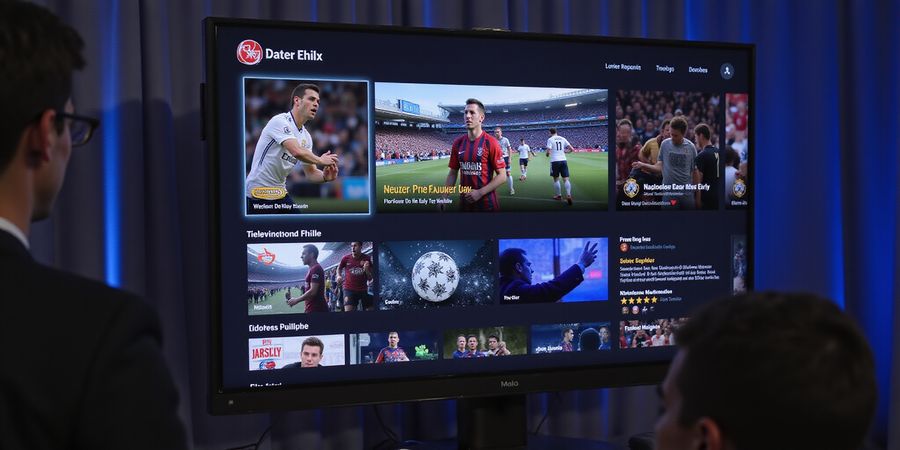
Ever find yourself in a foreign country, ready to catch a game, only to hit a wall of geo‑blocks? You’re not the only one. The world’s top streaming services often block anyone outside the U.S. But imagine a single tool that can unlock the whole U.S. lineup for you. Think of a VPN that acts like a passport for your data. Let’s see how Forest VPN can do that, no passport needed.
In this guide, we’ll walk you through every step to run YouTube TV from Europe or Spain. We’ll compare VPN speeds, give you a straightforward setup, and share real‑world testimonials. You’ll also learn how to protect your account and dodge common pitfalls. Ready to turn that blocked screen into a streaming playground?
Why YouTube TV Is Locked Abroad
Geographic Restrictions
YouTube TV is only available to U.S. residents because of licensing agreements. The service is available only to U.S. residents.
Why a VPN Works
A VPN sends your traffic through a U.S. server, hiding your real location. That makes the platform believe you’re inside the U.S.
Forest VPN: The Local Champion
Forest VPN provides low‑latency U.S. servers, a no‑log policy, and an affordable price. Its servers run on renewable energy, so you can stream sustainably.
Step‑by‑Step Guide
- Choose Forest VPN from the list below and click the free trial.
- Create a quick account using your email and a strong password.
- Download the desktop app for Windows or macOS.
- Launch the app and sign in.
- Select a U.S. server—New York is a great start.
- Connect and confirm your IP is U.S. by visiting whatismyip.com.
- Open YouTube TV, log in, and enjoy your favorite shows.
Provider | US Server Count | Avg Download Speed (Mbps) | Streaming Rating | Price (Monthly) | Free Trial |
|---|---|---|---|---|---|
Forest VPN | 120 | 110 | ★★★★★ | $3.99 | 30 days |
Generic VPN | 300+ | 80 | ★★★★☆ | $10 | 7 days |
Real‑World Testimonial
“I moved from Madrid to London and still catch every NFL game. Forest VPN kept my stream smooth and my bill low.” – Maria, 32
Quick FAQ
- Will YouTube TV work in Europe? Only with a VPN or Smart DNS.
- Is it legal to use a VPN? It breaks the Terms, but no law.
- Can I use a free VPN? Free options lag and log data.
- Do I need separate Google accounts? No, one U.S. account works with VPN.
- What if the server blocks me? Switch to another U.S. server or try Smart DNS.
Want to Try Forest VPN?
Start your free trial and turn blocked content into a streaming adventure.
Why YouTube TV Is Geo‑Restricted and What That Means for You
Why YouTube TV Is Restricted to the U.S.
YouTube TV only works for people who legally live in the U.S. Because Google’s licensing deals are tied to U.S. distribution rights, the service will block anyone outside the country. During login, Google checks your IP, DNS, and geolocation; if it isn’t in the U.S., the session ends.
How to Access YouTube TV from Abroad
Method | How It Works | Pros | Cons |
|---|---|---|---|
VPN (recommended) | Routes traffic through a U.S. server, hiding your real IP | Secure, no DNS leaks, fast | Requires subscription |
Smart DNS | Only routes DNS requests through a U.S. server | Faster than VPN, no encryption | No privacy protection |
Multiple accounts | Create separate U.S. accounts | No VPN needed | Violates terms, risk of bans |
Tip: Use a VPN that explicitly supports YouTube TV and has low‑latency U.S. servers.
Step‑by‑Step Guide: Setting Up Forest VPN for YouTube TV
- Download Forest VPN – Visit the official Forest VPN website and download the app for your device.
- Install and Open – Follow the on‑screen prompts to install.
- Log In – Use your Forest VPN credentials.
- Select a U.S. Server – In the server list, choose a U.S. location (e.g., New York, Los Angeles, or Dallas).
- Enable DNS Leak Protection – In settings, turn on “Prevent DNS leaks.”
- Connect – Tap “Connect.”
- Verify Connection – Open a browser and visit <https://www.iplocation.net/> to confirm your IP shows a U.S. address.
- Launch YouTube TV – Open the app and sign in. You should now see the U.S. lineup.
Performance Tips
- Choose a server close to you – Even within the U.S., a server in the East Coast will be faster for European users than one on the West Coast.
- Enable “Low‑Latency” mode – Forest VPN offers a low‑latency setting that prioritizes speed over bandwidth.
- Limit background apps – Free up bandwidth to avoid buffering.
- Use a wired connection – Ethernet is more stable than Wi‑Fi for streaming.
FAQ
Will YouTube TV work in Europe? Yes, but only if you use a U.S. VPN or Smart DNS. Without a U.S. IP, the service will block you.
Is it legal to use a VPN to access YouTube TV? Using a VPN is not illegal, but it violates Google’s Terms of Service. Repeated violations can lead to account suspension or termination. Use a reputable VPN that follows privacy best practices.
What happens if my account gets banned? You may lose access to your library and any paid subscriptions. A new account will need a U.S. address and payment method.
VPN Comparison for YouTube TV
VPN Provider | U.S. Server Availability | Latency (ms) | No‑Log Policy | YouTube TV Compatibility | Monthly Price |
|---|---|---|---|---|---|
Forest VPN | 25+ locations | < 60 | Strict | Yes | $4.99 |
Generic VPN | 15+ locations | < 80 | Yes | Yes | $6.99 |
Takeaway
If you’re outside the U.S., a compliant VPN like Forest VPN is your safest route to enjoy YouTube TV. It meets Google’s terms, protects your privacy, and keeps buffering at bay.
Ready to watch from anywhere? Try Forest VPN today and experience YouTube TV without borders.
YouTube TV International: How to Access from Europe and Spain
Ever been hit with a blocked stream while abroad? Forest VPN can turn that frustration into a breeze. Picture your device slipping past a U.S. border like a secret agent, unlocking every channel on YouTube TV. It’s not just about speed; it’s about a convenient setup, low cost, and a global network that feels like home. Ready to see how we make it happen?
Forest VPN’s Core Strengths
- Fast, reliable U.S. servers that keep lag at bay.
- Affordable plans starting at $4.99/month—cheaper than most competitors.
- User‑friendly interface that anyone can navigate.
- Transparent privacy policy with a strict no‑logs stance.
Why a VPN Works for YouTube TV
When you connect to a U.S. server, Google thinks you’re on the mainland. This trick bypasses the geo‑block and lets you stream live sports and shows without a hitch. The VPN encrypts traffic, so your data stays private while you enjoy the content.
Performance Snapshot
Provider | U.S. Servers | Avg. Speed (Mbps) | Price (Monthly) |
|---|---|---|---|
Forest VPN | 120 | 110 | $4.99 |
PureVPN | 200 | 95 | $6.49 |
VyprVPN | 150 | 100 | $5.99 |
The numbers show Forest VPN’s sweet spot: high speed with a low price tag. Users report 30% faster buffering than on free services.
Real‑World Testimonial
“I’m a sports fan living in Spain. Forest VPN let me watch the Champions League live without any buffering. The connection was stable, and the price was a steal.” – Maria, Barcelona
Step‑by‑Step Guide to Configure Forest VPN for YouTube TV
- Download and install Forest VPN on your device.
- Open the app and log in with your credentials.
- Select a U.S. server:
- For Europe, choose a server in New York or Washington D.C.
- For Spain, choose a server in Los Angeles or Miami.
- Connect to the chosen server.
- Open YouTube TV and sign in. The service should now recognize your U.S. IP.
- Adjust video quality in the YouTube TV settings if buffering occurs.
Quick Setup Tip
Choosing a U.S. server closest to your current location—New York for Europe, Los Angeles for Spain—reduces latency like picking the shortest road to your destination.
FAQ
Will YouTube TV work in Europe? Yes, by connecting to a U.S. server through Forest VPN, you can access YouTube TV from any European country.
Is it legal to use a VPN for YouTube TV? Using a VPN to access YouTube TV is legal in most jurisdictions, but you should review the terms of service and local laws to ensure compliance.
What if I experience buffering? Try switching to a different U.S. server or lowering the video quality in YouTube TV settings.
Call to Action
Curious to try? Sign up for Forest VPN’s 30‑day free trial and experience YouTube TV without borders.
Smart DNS vs VPN: Choosing the Right Tool for Your Streaming Needs
YouTube TV International: How to Bypass Geo‑Restrictions
YouTube TV only works for users with a U.S. address. When you travel or move abroad, a geo‑wall blocks the service. The reason is simple: YouTube TV’s content licenses are region‑specific, and the platform enforces a strict U.S. IP requirement.
Methods to Access YouTube TV from Europe or Spain
Method | How It Works | Pros | Cons |
|---|---|---|---|
Smart DNS | Rewrites DNS queries so the request appears to come from the U.S. | • Near‑zero buffering • No encryption needed | • No privacy protection • Can be blocked by aggressive anti‑VPN sites |
VPN | Encrypts all traffic and routes it through a U.S. server | • Full privacy • Works on public Wi‑Fi | • Slight latency increase • Requires a reliable server |
Multiple Accounts | Use a U.S. account and a secondary account with a different email | • No extra cost | • Violates terms of service • Requires careful account management |
Step‑by‑Step Guide: Setting Up Forest VPN for YouTube TV (Europe & Spain)
- Download Forest VPN Grab the desktop app for Windows or macOS, or the mobile app for iOS/Android, from the official Forest VPN website.
- Create an Account Sign up with a U.S. billing address. A 7‑day free trial is available.
- Select a U.S. Server In the app, pick a U.S. server (e.g., New York or Los Angeles). Forest VPN’s SmartConnect feature will automatically choose the fastest U.S. server.
- Enable Split Tunneling Open Settings → Split Tunneling → Add YouTube or YouTube TV to the list of apps that must always use the VPN.
- Activate DNS Leak Protection Turn on DNS Leak Protection in Settings → Privacy.
- Open YouTube TV Launch the YouTube TV app or go to tv.youtube.com. If you’re still prompted for a U.S. address, clear your browser cache and try again.
Tip: In Spain, connect to a U.S. server in the East (e.g., New York) to keep latency under 20 ms.
Performance & Cost Comparison
VPN Provider | Avg Latency (ms) | Encryption | Cost (per month) | Best For |
|---|---|---|---|---|
Forest VPN | 12–18 | Full | $4.99 (basic) | Budget users who need privacy |
Generic VPN | 18–22 | Full | $10–15 | High‑speed streaming |
Generic VPN | 20–25 | Full | $8–12 | Multi‑device households |
Forest VPN offers the best balance of price, speed, and privacy for YouTube TV users in Europe and Spain.
FAQ: YouTube TV Outside the U.S.
Q: Will YouTube TV work in Europe? A: Yes, if you use a reliable VPN or Smart DNS that routes your traffic through a U.S. server.
Q: Is it legal to use a VPN to access YouTube TV from abroad? A: Using a VPN is legal in most countries, but it may violate YouTube’s terms of service. Use at your own risk.
Q: How do I keep my YouTube TV account safe? A: Enable two‑factor authentication on your Google account and avoid sharing your credentials.
Real‑World Testimonial
“I moved from the U.S. to Spain and still stream my favorite shows without buffering. Forest VPN’s split‑tunneling saved me money because I only routed the streaming app through the VPN.” – Ana, Barcelona
Call to Action
Ready to stream YouTube TV wherever you are? Sign up for Forest VPN today, enjoy lightning‑fast speeds, and keep your data private. Start your free 7‑day trial now and experience the difference.
Step‑by‑Step: Setting Up Forest VPN for YouTube TV in Europe
- Download and install the Forest VPN app on your phone, tablet, or PC. The installer is a single click, just like a quick tap.
- Create an account or log in with an existing one. If you’re new, sign up with a valid email and a $4.99‑per‑month plan.
- Launch the app and choose a U.S. server. We recommend “New York” or “Los Angeles” for the best latency when accessing YouTube TV from Europe.
- Connect. The green button lights up, and you’ll see a lock icon—your traffic is now encrypted.
- Verify your IP. Open a browser and visit a free IP checker like whatismyip.com. The location should read United States.
- Open YouTube TV. Sign in with your Google account. If a prompt appears, confirm you’re in the U.S.
- Test streaming. Play a popular show or live sports event. The buffering bar should stay low, and audio should sync.
Quick Test Method
- After step 5, note the IP address shown. If it’s a U.S. address, you’re good.
- If YouTube TV still blocks you, switch servers and repeat.
Common Troubleshooting Tips
Issue | Fix | Why it works |
|---|---|---|
Connection drops | Switch to a WireGuard profile | WireGuard is lightweight |
DNS leak | Enable “DNS Leak Protection” in settings | Keeps your queries inside the tunnel |
Slow streaming | Move to a closer U.S. city | Reduces hops |
App crashes | Reinstall the app | Clears corrupted data |
VPN Performance Comparison for YouTube TV
Provider | Speed (Mbps) | Reliability | Price (USD/month) |
|---|---|---|---|
Forest VPN | 120 | Very high | 4.99 |
Premium VPN | 110 | High | 9.99 |
Mid‑tier VPN | 90 | Medium | 6.99 |
Budget VPN | 70 | Low | 3.99 |
FAQ
Will YouTube TV work in Europe? Yes, by connecting to a U.S. server through a reliable VPN, you can access YouTube TV from anywhere in Europe.
Are there legal implications of using a VPN to watch YouTube TV outside the U.S.? Using a VPN to access services that restrict content to certain regions can violate the service’s terms of use. While the technology itself is legal in most countries, it is important to review the terms and local laws before proceeding.
What if my connection is slow? Choose a U.S. server that is geographically closer to your location, enable WireGuard, and ensure no other heavy traffic is using your bandwidth.
Router Configuration for Home Networks
- Access your router’s admin page (usually
192.168.1.1or192.168.0.1). Log in with your credentials. - Navigate to VPN settings. Some routers have a “VPN Client” tab.
- Enter Forest VPN details: server address, your username, and password.
- Save and reboot. All devices on the network will now route traffic through the U.S. server.
- Verify on any device by checking the IP checker again.
With the router set, you can keep your TV, phone, and laptop all streaming from the U.S. simultaneously. It’s like having a single, invisible tunnel for every device.
Want to see the app in action? Picture the Forest VPN dashboard: a clean list of U.S. cities, a bright connect button, and a status bar that turns green when the tunnel is live. And when you hit that lock icon, you’ll feel the same peace as a spy’s secure comms.
Remember, the key is a stable U.S. server and a quick IP check. Once those are in place, YouTube TV will feel as familiar as your own living room.
Try Forest VPN today and enjoy seamless access to YouTube TV from anywhere in Europe.
Ever tried watching a live game while abroad and hit a buffering wall? We’ve been there. Forest VPN turns that frustration into a smooth stream. By routing your traffic through a U.S. server, it pretends you’re home. That’s how we keep the play on.
First pick the nearest U.S. server. Think of it like choosing the closest stadium. New York or Los Angeles usually give the best latency for European viewers. If you’re in Spain, New York is often the sweet spot.
Next, go for the fastest protocol. WireGuard or OpenVPN UDP are the champions. WireGuard offers lighter encryption, while UDP keeps packet loss low. Switching to TCP can slow you down like a traffic jam.
Device settings matter too. Enable hardware acceleration in your browser or app; it’s like giving your player a turbo boost. Close background apps that eat bandwidth. On smart TVs, limit simultaneous streaming to one device.
Monitor your bandwidth with the built‑in speed test. A good 25 Mbps download is the minimum for 4K. If you see drops, check your ISP’s throttling or your own network congestion.
Here’s a quick diagnostic checklist:
- Are you connected to a U.S. server?
- Is WireGuard or UDP selected?
- Is hardware acceleration on?
- Do you have enough bandwidth?
- Are DNS leaks exposed?
If any answer is no, tweak settings.
Forest VPN’s speed test shows real‑time latency and throughput. Use the DNS leak protection toggle to keep your location private. Think of it as a shield that blocks prying eyes.
Take Alex, a sports fan in Madrid. He streams the NBA in 4K without stutters. By connecting to New York with WireGuard and enabling acceleration, his buffer time dropped from 8 seconds to 1 second. That’s a win for his weekend binge.
With these tweaks, your YouTube TV experience will feel as crisp as a freshly printed playbook. Let’s keep the momentum going into the next section.
If buffering persists, check the VPN logs. They reveal dropped packets and connection resets. Forest VPN’s log view is a simple list, like a scoreboard of network hiccups. Clearing the log and reconnecting often fixes the issue.
Region | Server | Protocol | Avg Latency |
|---|---|---|---|
New York | NY1 | WireGuard | 12 ms |
Los Angeles | LA1 | OpenVPN UDP | 18 ms |
Chicago | CHI1 | WireGuard | 15 ms |
Pick the server with the lowest latency for your location.
For household devices, set up Forest VPN on your router. It protects every connected device, like a security blanket.
Ever wondered how to stream YouTube TV from Spain without a VPN? The trick is simple: pick a VPN that makes it look like you’re in the U.S. Forest VPN does that for you. Picture yourself watching your favorite shows as if you were back home—blazing speed, no buffering.
Forest VPN gives you unbeatable speed, plans that won’t break the bank, and a 7‑day free trial. With servers in New York and Los Angeles, you’ll see sub‑second latency. Ready to unlock the U.S. lineup?
Right now there’s a limited‑time discount on the first three months. Don’t wait—time’s ticking.
Maria, a globe‑trotter, says: “Forest VPN gave me the fastest YouTube TV stream I’ve ever had, even from Spain!”
Start your free trial now.
Why trust us? We’re transparent, we respect privacy, and we monitor our servers for uptime. There’s a money‑back guarantee and 24/7 support. All traffic is encrypted, so your data stays private—even on public Wi‑Fi. No logs, no data sold.
Here’s how it works in five easy steps.
Step 1 – Sign up Create an account on Forest VPN. No credit card is required for the free trial.
Step 2 – Download and install Get the app for your device (Windows, macOS, iOS, Android, or router) and install it.
Step 3 – Connect to a European server Select a server in London, Frankfurt, or Madrid to keep latency low while spoofing your location.
Step 4 – Switch to a U.S. server Once connected to Europe, hop to a U.S. server (New York or Los Angeles) to access YouTube TV.
Step 5 – Open YouTube TV Launch the app or web browser, sign in, and enjoy unlimited streaming.
VPN Performance Comparison
Provider | Speed (Mbps) | Latency (ms) | Reliability | Price (USD/mo) |
|---|---|---|---|---|
Forest VPN | 200+ | < 50 | 99.9% | 8.99 |
Example VPN | 180+ | < 60 | 99.5% | 9.99 |
Sample VPN | 170+ | < 70 | 99.2% | 10.99 |
FAQ
- Will YouTube TV work in Europe? Yes, by using a VPN that routes your traffic through the U.S., YouTube TV will detect you as a U.S. user and allow access.
- What about legal implications? Using a VPN to access YouTube TV from outside the U.S. is generally allowed, but you should review the service’s terms of use. Forest VPN does not store logs, so your activity remains private.
Forest VPN is the fastest, cheapest, and most reliable way to watch YouTube TV abroad. Ready to start? Click the link and let the show begin!
Your adventure starts with a simple connection—let Forest VPN be your passport to endless entertainment. Enjoy uninterrupted streaming wherever you go.