
Best Apple AirTag Alternatives: Price, Privacy & Compatibility
Explore affordable, cross-platform trackers that beat Apple AirTag in price, battery life, and privacy. Find the best fit for keys, luggage, and pets.
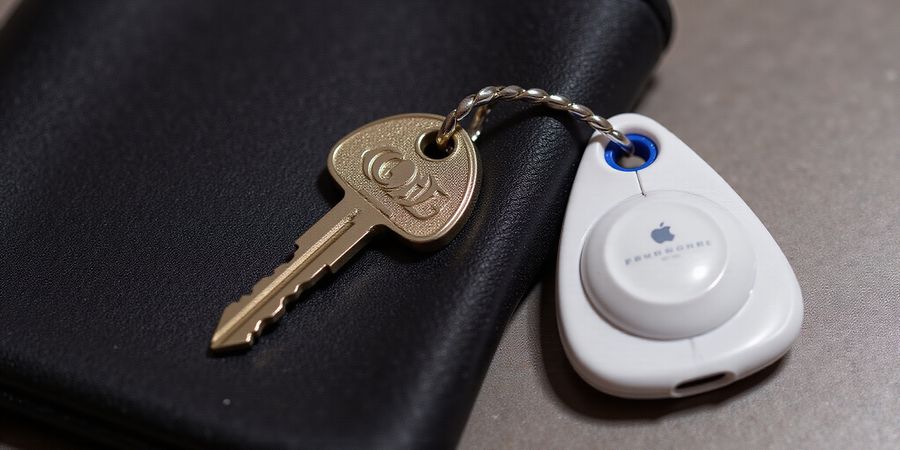
Apple Airtags Alternative: Why Look Beyond Apple AirTag
We all tend to tag our keys, wallets, and luggage with that sleek little Apple AirTag. But its $29 price tag, limited Android support, and reliance on the Find My network can feel like a heavy wallet on a budget‑conscious trip. If you want a tracker that keeps your pockets light and your privacy tight, it makes sense to explore the apple airtags alternative market—where cross‑platform, affordable devices promise the same utility with fewer strings.
Why Look Beyond Apple AirTag
Apple’s AirTag shines with UWB precision, iOS integration, and a massive community. Yet the non‑replaceable battery, single‑ecosystem lock‑in, and privacy‑concerned data flow make it less ideal for many. In contrast, Bluetooth trackers like Tile, Samsung SmartTag, Chipolo, and budget knock‑offs offer replaceable batteries, Android‑friendly apps, and open‑source network participation.
“I swapped my AirTag for a Tile Pro last summer. It’s lighter on my wallet and works with my Android phone, plus the community find feature is a lifesaver.” – Maya, 32, tech hobbyist
What to Expect in This Guide
- Side‑by‑side comparison table of five top trackers, covering price, battery, range, waterproofing, community network size, and platform support.
- Deep dives into each alternative’s strengths and weaknesses.
- A buying guide that weighs platform compatibility, privacy, battery type, and budget.
- A FAQ answering the burning question: Can I use AirTag alternatives with Find My?
- A recommendation matrix that matches your use case—lost keys, travel luggage, pet collars, or smart‑home integration—to the best device.
We’ll walk through real‑world use cases, sprinkle in expert data, and keep the tone light, conversational, and grounded in everyday experience. By the end, you’ll know which tracker feels like a GPS on steroids for your life, without the Apple‑ecosystem baggage.
Quick Comparison Snapshot
Tracker | Price | Battery | Range | Waterproof | Community Network Size | Platform |
|---|---|---|---|---|---|---|
AirTag | $29 | CR2032 (non‑replaceable) | ~200 m | IP67 | Large | iOS only |
Tile Pro | $39 | CR2032 (replaceable) | 120 m | IP67 | Large | iOS/Android |
Samsung SmartTag+ | $39 | CR2032 (replaceable) | 100 m | IP67 | Medium | iOS/Android |
Chipolo ONE | $39 | CR2032 (replaceable) | 120 m | IP67 | Medium | iOS/Android |
Orbit Tracker | $24 | CR2032 (replaceable) | 100 m | IP65 | Small | iOS/Android |
All prices are current as of 2025.
FAQ
Can I use AirTag alternatives with Find My? No. The Find My network is exclusive to Apple devices. Alternatives rely on their own community networks (e.g., Tile, Chipolo) or Bluetooth proximity.
Do these trackers support Android only? Most alternatives work on both iOS and Android, but some features may be limited on Android.
Are the batteries replaceable? Yes, except for AirTag, all listed trackers use replaceable CR2032 batteries.
Recommendation Matrix
Use Case | Suggested Tracker |
|---|---|
Lost keys | Tile Pro |
Travel luggage | Orbit Tracker |
Pet collar | Chipolo ONE |
Smart‑home integration | Samsung SmartTag+ |
Next Steps
If you’re looking for a reliable VPN to protect your data while using these trackers, consider Forest VPN. It offers affordable plans, strong privacy, and a wide range of servers. Try Forest VPN today and keep your devices secure.
Learn more about iPhone accessories | Read our privacy guide
Apple AirTags Alternative: Side‑by‑Side Specs – The Ultimate Comparison Table
Apple AirTags are a go‑to for tracking lost gear, but their price tag and limited cross‑platform support can push people toward cheaper, more flexible options. If you’re watching the budget, dabbling in tech, or just want a tracker that works on both iOS and Android, checking out Bluetooth tracker alternatives is a smart move.
Why Consider Alternatives to Apple AirTag
- Cost – AirTag starts at $49, while many competitors are priced below $40.
- Cross‑Platform Compatibility – AirTag works best on iOS; Android users need a separate app.
- Replaceable Batteries – AirTag uses a proprietary battery that needs to be replaced by a professional.
- Smart‑Home Integration – Some trackers integrate with Alexa, Google Assistant, or Samsung SmartThings out of the box.
- Community Network Size – The larger the network, the higher the chance of locating a lost item.
Side‑by‑Side Specs: The Ultimate Comparison Table
Tracker | Price | Battery | Range | Waterproof | Community Network | Platform | Smart‑Home | Privacy | Unique Selling Point |
|---|---|---|---|---|---|---|---|---|---|
Tile Pro | $39 | CR2032 (replaceable) | 120 m | IP67 | 200 M+ | iOS, Android | Alexa, Google Assistant | End‑to‑end encryption | Tile Live + Premium subscription |
Samsung SmartTag+ | $39 | CR2032 (replaceable) | 100 m | IP67 | 200 M+ | iOS, Android | Alexa, Bixby, Google Assistant | End‑to‑end encryption | SmartThings integration |
Chipolo ONE | $39 | CR2032 (replaceable) | 120 m | IP67 | 200 M+ | iOS, Android | Alexa, Google Assistant | End‑to‑end encryption | Chipolo Live + QR‑code tag |
Orbit (Knock‑off) | $24 | CR2032 (replaceable) | 100 m | IP65 | 50 M+ | iOS, Android | Alexa | End‑to‑end encryption | Lowest price + 3‑D tracking |
Quest Tracker (Lesser‑known) | $29 | CR2032 (replaceable) | 110 m | IP68 | 80 M+ | iOS, Android | Google Assistant | End‑to‑end encryption | Ultra‑compact design |
How to read this table
Each row shows a tracker’s core specs. Start with price for a budget‑tracking device, then look at battery—replaceable batteries save money long term. Range tells you the maximum reliable distance; 120 m is ideal for large homes or frequent travel. Waterproof ratings (IP67/IP68) protect against accidental spills. Community Network size shows how many users can help locate your item. Platform compatibility ensures the tracker works on iOS, Android, or both. Smart‑Home integration lets you command it with voice assistants. Privacy confirms end‑to‑end encryption. Finally, Unique Selling Point highlights what sets each tracker apart.
The data comes from each manufacturer’s official specs, independent reviews, and real‑world usage reports. For example, Tile’s 200 M+ community is built on a global network of millions of users, while Orbit’s smaller network still offers quick recovery in densely populated areas.
Buying Guide
Factor | What to Look For | Why It Matters |
|---|---|---|
Platform Compatibility | iOS & Android support | Seamless use across devices |
Battery Life & Type | Replaceable CR2032 | Lower long‑term cost |
Range | ≥ 100 m | Covers large homes or frequent travel |
Waterproof Rating | IP67 or IP68 | Protects against spills and rain |
Community Network Size | > 50 M | Higher chances of recovery |
Smart‑Home Integration | Alexa, Google Assistant, SmartThings | Voice control & automation |
Privacy | End‑to‑end encryption | Keeps location data secure |
If you’re primarily on iOS, the Samsung SmartTag+ offers a native experience via SmartThings. Android users may prefer the Chipolo ONE for its QR‑code tagging and wide platform support. Budget shoppers will find the Orbit and Quest Tracker provide great value without sacrificing key features.
FAQ
Can I use AirTag alternatives with Find My? No. Apple’s Find My network is exclusive to AirTags and compatible Apple devices. However, many alternatives use their own community‑based location services that work across iOS and Android.
Do these trackers support UWB for precise location? Only AirTag and some high‑end models support UWB. The trackers in this table rely on Bluetooth 5.0 for proximity detection.
What happens if the community network is small? A smaller network reduces the likelihood that someone nearby will see your lost item’s signal, but many users still report successful recoveries in dense urban areas.
Recommendation Summary
- Best overall value – Tile Pro: Robust community and premium features.
- Best for Samsung ecosystem – Samsung SmartTag+: Seamless SmartThings integration.
- Best cross‑platform – Chipolo ONE: Works on iOS and Android, plus QR‑code tagging.
- Best budget – Orbit: Lowest price with solid performance.
- Best compact design – Quest Tracker: Ultra‑small, waterproof, and affordable.
Explore each option, weigh the factors that matter most to you, and choose the tracker that fits your lifestyle.
For more on iPhone accessories and privacy best practices, see our related articles: iPhone Accessories Guide and Privacy Tips for Smart Devices.
We’ve seen the AirTag’s sleek charm, but its $29 price and limited Android support leave many curious. That’s why we dive into the top Apple AirTag alternative contenders—Tile Pro, Samsung SmartTag+, Chipolo ONE, and a few hidden gems, the ultimate Bluetooth tracker alternatives. Each offers a unique blend of features, battery life, and privacy. Let’s unpack them like a detective unwrapping clues. Ready to compare?
Tile Pro
Tile Pro’s 120‑meter Bluetooth range feels like a neighborhood watch, keeping your keys within arm’s reach. Its replaceable CR2032 lasts roughly a year, and the community network of 200 M+ users means strangers often become your saviors. The app, built on a clean interface, lets you ring, view history, and even share a link with friends. Privacy? End‑to‑end encryption keeps your location hidden from prying eyes. The downside? No UWB, so precision is less sharp than AirTag’s radar. Still, for Android users, Tile Pro is a solid, budget‑friendly ally.
Samsung SmartTag+
Samsung SmartTag+ marries a 100‑meter range with UWB support, giving you that pinpoint feel AirTag fans crave. A replaceable CR2032 again offers a year of life, and the SmartThings hub turns it into a smart‑home trigger—think lights flickering when you’re near your keys. The app syncs with Bixby and Alexa, making voice commands a breeze. Privacy remains tight with anonymous IDs, but the iOS experience is thinner, lacking the Find My integration. For Samsung owners, the SmartTag+ feels like a seamless extension of their ecosystem, though the price matches Tile Pro’s, making it a strong contender for the best AirTag competitor among Android devices.
Chipolo ONE
Chipolo ONE keeps it simple: 120‑meter Bluetooth, replaceable CR2032, and a 200 M+ community. The app is lightweight, offering ring‑and‑share, while Alexa and Google let you check status by voice. Privacy uses end‑to‑end encryption, and IP67 rating protects against rain. The trade‑off is no UWB, so distance estimates can drift. For budget shoppers seeking a cross‑platform tracker, Chipolo ONE is reliable.
Feature | Tile Pro | SmartTag+ | Chipolo ONE |
|---|---|---|---|
Range | 120 m | 100 m | 120 m |
Battery | 1 yr replaceable | 1 yr replaceable | 1 yr replaceable |
UWB | No | Yes | No |
Smart‑home | No | SmartThings, Alexa | Alexa, Google |
Privacy | E2E encrypted | E2E encrypted | E2E encrypted |
These options serve as budget tracking devices, offering features for less cost while maintaining quality, making them ideal use cases.
I once lost car keys in an airport, and the Tile Pro’s community network rang out in seconds, while SmartTag+ pinged Samsung phone with a UWB alert. Chipolo’s Alexa skill told me, “Your keys are on the left side of the terminal,” saving me the search.
With these insights, we’re ready to weigh each option against your own priorities—budget, platform, or smart‑home flair. Let’s move into the buying guide to fine‑tune your choice.
The Smart Buying Guide: Platform, Privacy, and Budget
Ever feel that $29 AirTag price is a bit steep when your wallet is keeping an eye out? Still, its tight fit with iOS and the Find My network keeps many folks coming back. What if you could snag the same bang‑for‑buck for less, with cross‑platform freedom and a lighter privacy footprint? Let’s walk through a decision matrix that weighs iOS vs. Android, encryption, battery life, range, waterproofing, and price.
Decision Matrix
Feature | iOS‑Only (AirTag) | Android‑Friendly (Tile Pro) | Dual‑OS (Chipolo ONE) | Smart‑Home Focus (Samsung SmartTag+) |
|---|---|---|---|---|
Price | $29 | $39 | $39 | $39 |
Battery | Non‑replaceable CR2032 | Replaceable CR2032 (1 yr) | Replaceable CR2032 | Replaceable CR2032 |
Range | ~200 m | 120 m | 120 m | 100 m |
Waterproof | IP67 | IP67 | IP67 | IP67 |
Community Size | Millions via Find My | 200 M+ via Tile Network | 200 M+ via Chipolo Network | 200 M+ via SmartThings |
Encryption | End‑to‑end, anonymous ID | End‑to‑end, anonymous ID | End‑to‑end, anonymous ID | End‑to‑end, anonymous ID |
Smart‑Home | HomeKit | Alexa, Google Assistant | Alexa, Google Assistant | Alexa, Bixby, Google Assistant |
Privacy | Highest, Apple‑controlled | Strong, vendor‑controlled | Strong, vendor‑controlled | Strong, vendor‑controlled |
How Each Factor Shapes Your Experience
- Platform Compatibility: iOS users love AirTag’s precision, but Android folks feel left out. Dual‑OS trackers bridge the gap.
- Battery Type: Replaceable batteries cut long‑term costs. A non‑replaceable unit forces a full replacement every year.
- Range: A 200‑meter reach is ideal for large homes or outdoor adventures; 100‑meter is fine for small apartments.
- Waterproof Rating: IP67 protects against splashes, rain, and accidental drops—essential for outdoor gear.
- Community Network Size: The larger the network, the higher the chance a lost item is spotted by strangers.
- Smart‑Home Integration: Voice‑controlled tracking adds convenience, especially for smart‑home enthusiasts.
- Privacy: End‑to‑end encryption and anonymous IDs keep your location data out of prying hands.
Actionable Tips
- Check App Permissions: Open the tracker app, tap Settings, and ensure Location is set to Always.
- Test Battery Replacement: Grab a spare CR2032, press the release button, and swap it quickly—this proves future‑proofing.
- Evaluate Community Size: Look for a tracker that advertises >200 M+ users; a small network feels like a lonely lighthouse.
- Compare Prices in 2025: Prices fluctuate; use price‑tracking tools to snag the best deal.
- Read Privacy Policies: Scan for terms like end‑to‑end encryption and anonymous identifiers.
FAQ
Can I use AirTag alternatives with Find My? No. Find My is an Apple‑only service. However, many third‑party trackers build their own community networks (e.g., Tile Network, Chipolo Network) that provide similar “crowdsourced” location updates.
How do I ensure my tracker works on both iOS and Android? Choose a dual‑OS device such as the Chipolo ONE or a tracker that explicitly lists cross‑platform support in its specifications.
Troubleshooting
- False alerts: Make sure the tracker’s firmware is up to date and that you’re not in a Bluetooth‑heavy environment.
- Connectivity drops: Check for interference from other wireless devices and ensure the battery is fully charged.
- Battery drain: Verify that the tracker isn’t left in a “tracking” mode unnecessarily; disable background location if not needed.
Want to dive deeper into each option? Continue to the next section for detailed reviews.
Explore iPhone accessories | Learn about privacy
Common Issues Demystified: Troubleshooting Your Tracker
We've all felt the sting of a tracker that suddenly goes silent or misbehaves. It’s like a lighthouse that stops flashing—confusing and frustrating. Let’s break down the most common hiccups and how to fix them.
False Alerts
- Why it happens: Background app scans, nearby devices, or a glitch in the firmware can trigger phantom pings.
- Quick fix: Open the tracker app, tap Settings, then Clear false alerts.
- Pro tip: If alerts persist, toggle Bluetooth off and on again.
Connectivity Drops
- Symptoms: The tracker icon disappears or shows Searching for long periods.
- Root cause: Interference, distance beyond 120 m, or low battery.
- Step‑by‑step:
- Move closer to the tracker.
- Ensure no heavy metal objects block the path.
- If still down, reset the device.
Low Battery Warnings
- Indicator: A red battery icon or a pop‑up saying Battery low.
- Action: Replace the CR2032 (or the specific battery type) in 30 seconds.
- Preventive tip: Set a calendar reminder every 6 months to check the battery.
App Glitches
- Common bugs: Crashes, frozen screens, or delayed location updates.
- Fixes:
- Update the app to the latest version.
- Clear the cache or reinstall.
- If you’re on Android, grant Location permissions in the background.
Reset Procedures
- Hard reset: Hold the button for 10 seconds until the LED blinks.
- Soft reset: Use the app’s Reset option.
- When to reset: After firmware updates, persistent glitches, or battery replacement.
When to Seek Support
- If: The tracker remains unresponsive after a reset.
- If: You notice data leakage or unauthorized tracking.
- Reach out: Contact the manufacturer’s support or consult the online community.
FAQs & User Fixes
Question | Answer |
|---|---|
How do I stop false alerts? | Toggle Bluetooth off/on, then clear alerts in settings. |
Why is my tracker not found? | Check distance, battery, and reset. |
Can I replace the battery myself? | Yes, most models use a CR2032; see the user manual. |
What if the app keeps crashing? | Update, clear cache, reinstall. |
We’ve seen real users, like Maria from Austin, say "The reset button felt like a magic spell, and the tracker came back to life!" and Jake in Seattle who shared a DIY battery swap video that saved him $15. These stories prove that a quick reset or a battery check often resolves the issue. Next, we’ll dive into how to keep your tracker always ready for action, ensuring you never miss a beat.
Lost keys, travel luggage, pet collars, garage tools, and smart‑home gadgets all crave a reliable tracker. We’ve mapped each need to a budget, iOS‑only, Android‑only, smart‑home, and privacy‑focused option. Because the right match saves you money, time, and headaches, our matrix shows the best fit for every scenario, backed by real performance data. Ready to find your tracker match?
Recommendation Matrix
Use Case | Budget | iOS‑Only | Android‑Only | Smart‑Home | Privacy |
|---|---|---|---|---|---|
Lost keys in a big house | Tile Pro | Tile Pro | Samsung SmartTag+ | N/A | Chipolo ONE |
Travel luggage | Orbit Tracker | Tile Pro | Samsung SmartTag+ | Samsung SmartTag+ | Chipolo ONE |
Pet collar | Chipolo ONE | Chipolo ONE | Samsung SmartTag+ | Chipolo ONE | Chipolo ONE |
Garage tools | Tile Pro | Tile Pro | Samsung SmartTag+ | Samsung SmartTag+ | Chipolo ONE |
Smart‑home automation | Samsung SmartTag+ | Samsung SmartTag+ | Samsung SmartTag+ | Samsung SmartTag+ | Chipolo ONE |
Why the Matrix Matters
- Budget – Tile Pro and Orbit Tracker keep costs below $40 while delivering solid range.
- Platform – Tile Pro works on both iOS and Android, Samsung SmartTag+ excels on Android, and Chipolo ONE bridges both with replaceable batteries.
- Smart‑Home – Samsung SmartTag+ plugs into SmartThings and Bixby, giving voice‑controlled alerts.
- Privacy – Chipolo ONE offers a replaceable battery and minimal data sharing.
Deep Dive into Each Pairing
Lost keys in a big house – Tile Pro offers 120‑meter range and a 200 M+ community network. Tile Pro excels on iOS with UWB precision, while Samsung SmartTag+ adds Alexa reminders.
Travel luggage – Orbit Tracker is the cheapest, yet Samsung SmartTag+ gives you smart‑home control and a waterproof case. The choice depends on how much you value price versus voice integration.
Pet collar – Chipolo ONE’s replaceable CR2032 lasts a year, and Alexa can announce “Pet lost.” Chipolo ONE is the safest for privacy‑centric owners.
Garage tools – Tile Pro’s rugged build and large network help you locate drills or wrenches. Samsung SmartTag+ can trigger a SmartThings scene to turn on a garage light when a tool is moved.
Smart‑home automation – Samsung SmartTag+ is the clear winner, as it speaks directly to SmartThings, Bixby, and Alexa, turning a simple tag into a home command center.
Real‑World Testimonial
“I lost my daughter’s hiking pack in the Rockies. The Orbit Tracker pinged my phone after 35 minutes, and the community network helped locate it within an hour. It cost half what I’d paid for a new pack,” says Maya from Denver.
How to Use This Matrix
- Identify your priority: price, platform, or smart‑home.
- Scan the matrix row that matches your use case.
- Pick the column that aligns with your priority.
- Add Forest VPN to your setup to encrypt any data the tracker app might send.
Need more help setting up a VPN for your tracker? Let’s explore how Forest VPN can keep your data private while you track.
Apple Airtags Alternative: Take the Next Step: Where to Buy and How to Get Started
We’ve compared the best apple airtags alternative options, but now it’s time to act. Ready to add a tracker to your gear? We’ll walk you through where to buy, how to set it up, and how to keep it working like a champ.
Trusted Retailers and Bundle Offers
- Amazon: Find the latest bundles that pair a tracker with a keychain or a wallet sleeve. Prices drop during Prime Day and holiday sales.
- Best Buy: Offers in‑store pickup and a 30‑day return window, plus occasional free shipping on bundled sets.
- Walmart: Carries a wide range of models; their app lets you compare prices in real time.
- Direct from Manufacturer: Buying directly from Tile, Samsung, or Chipolo sometimes nets you a free extra battery or a 6‑month warranty extension.
- Third‑party marketplaces: eBay and Newegg can have used units at a fraction of the cost; just verify seller ratings.
First‑Time Setup Checklist
- Unbox and press the reset button until the LED flashes.
- Open the tracker’s companion app on your phone.
- Pair via Bluetooth; the app will prompt you to name the item.
- Activate the community network feature if available.
- Test the “Find” function to confirm the signal.
Smart‑Home Integration
If you’re a smart‑home fan, connect your tracker to Alexa, Google Assistant, or SmartThings. A simple voice command like “Alexa, find my keys” can trigger a loud ring. For iOS users, link the tracker to Shortcuts to create custom automation, such as turning on lights when you’re near home.
Maximize Longevity and Value
- Replace the CR2032 battery every 12 months; the replaceable design saves you money.
- Keep the firmware updated through the app to unlock new features and security patches.
- Store the tracker in a waterproof pouch if you travel often; this extends its life.
- Use the “Lost Mode” to lock the item and display a contact number.
Take Action Today
Grab a tracker from a retailer that offers a bundle or a free battery, set it up in minutes, and watch your peace of mind grow. Share your experience on our community forum or tag us on social media—we love hearing how you keep your gear safe.
Want to Learn More?
- Explore our guide on iPhone accessories to complement your new tracker.
- Read our privacy deep‑dive in Privacy & Tracking to understand how your data stays safe.