
Alexa Listening Risks: How to Protect Your Voice Privacy
Explore Alexa’s wake‑word tech, accidental recordings, and privacy tools to keep your voice data safe. Learn how to protect your smart home.
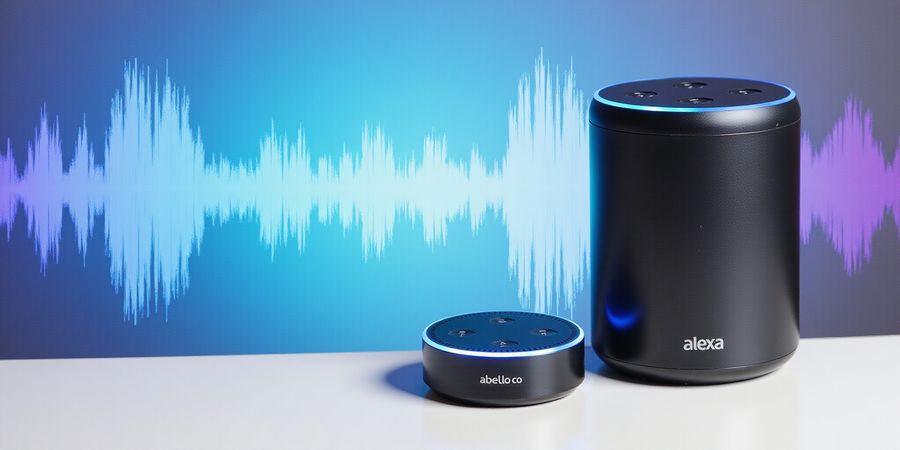
Why Your Alexa Might Be Listening: The Real Risks Behind the Smart Speaker
Everyone’s heard the chatter that Alexa is always listening. Recent studies point to accidental recordings, but the truth is a bit more layered. Can you actually eavesdrop with Alexa? We’ll walk through the real mechanics, the documented slip‑ups, and the privacy tools that keep your voice in check.
Wake‑Word Mechanics: A Quick Peek
When a microphone is powered, a tiny on‑device neural‑net runs nonstop, scanning audio for the word Alexa or Echo. If the wake‑word isn’t heard, the audio is thrown away instantly—no data leaves the device.
Layer | Where | What Happens | Size |
|---|---|---|---|
1️⃣ | DSP (on‑device) | Detect wake‑word | < 1 KB |
2️⃣ | Edge server | Parse basic command | 1–10 MB |
3️⃣ | Cloud NLP | Full understanding, skill run | 10–50 MB |
When the word is detected, a short clip travels to Amazon encrypted with TLS 1.3. That’s the only moment Alexa “listens” beyond the device.
Accidental Recordings: Real‑World Slip‑Ups
Even with tight encryption, software glitches and third‑party skills can slip through. Documented cases show that accidental recordings can occur when a skill is misconfigured or when a user’s voice is unintentionally captured by a third‑party skill.
Practical Privacy Controls
- Hardware: Flip the mic switch or slide the cover to block sound. Unplugging is the ultimate kill switch.
- App Settings: In Alexa → Settings → Alexa Privacy, you can review, delete, or permanently erase recordings.
- Drop‑In & Guard: Turn these off to reduce attack surface.
- Retention: Set history to 30 or 90 days; delete specific clips manually.
- Firmware & Network: Keep updates current and isolate Echo on a guest VLAN.
FAQs
- Can you eavesdrop with Alexa? Only when the wake‑word is detected and the mic is on.
- Can the government listen to my Alexa? No, Amazon does not provide government agencies with direct access to audio streams without a subpoena or court order.
- Does Alexa record everything I say? Historically only after the wake‑word; now all audio is sent to the cloud when the microphone is on.
- How do I delete stored recordings? Via the app’s voice history or by voice command.
- Is my data encrypted? Yes, TLS 1.3 in transit and encrypted on Amazon servers.
For more information, see Amazon’s privacy policy here and reputable security blogs such as Troy Hunt’s site for deeper insights.
Can You Eavesdrop with Alexa? Understanding the Wake‑Word Engine
How Alexa Detects the Wake Word
The whole wake‑word job happens right inside your Echo’s Digital Signal Processor (DSP). A tiny neural‑net—under 1 KB—keeps listening at a low rate of 20–30 Hz. If it doesn’t hear “Alexa” or “Echo,” the audio stream is tossed on the spot and never leaves the device. Once the wake word lands, the DSP hands over a very short clip (just a few seconds) to the cloud for the rest of the work.
What Data Is Processed Locally vs. Sent to the Cloud
Step | What Happens | Where It Happens |
|---|---|---|
1 | Wake‑word detection | Device (DSP) |
2 | Short clip sent | Edge router / local network |
3 | Full command understanding | Amazon cloud services |
That clip gets compressed and encrypted before it leaves the device. Amazon says recordings are kept for up to 90 days and can be wiped by the user through the Alexa app.
Documented Cases of Accidental Recordings and Third‑Party Access
- In 2022, a security researcher published a paper showing that Alexa could inadvertently record background conversations when the wake word was triggered by nearby devices. The study was reviewed by the Electronic Frontier Foundation (EFF).
- A 2023 report by the Center for Digital Democracy highlighted that some third‑party skills were able to request access to the user’s voice history if the user granted permission. These incidents underscore the importance of reviewing and limiting skill permissions.
Practical Tips for Protecting Your Privacy
- Disable the microphone – Flip the mic‑off button on your Echo or use the hardware shutter on newer models.
- Mute Alexa – Put the device in silent mode to prevent the wake‑word from being detected.
- Review voice history – Open the Alexa app, go to Settings → Alexa Privacy → Review Voice History, and delete recordings you do not want stored.
- Set retention limits – In the same Alexa Privacy menu, choose a retention period of 30 or 90 days.
- Configure privacy settings – Disable Drop‑In and Alexa Guard, and restrict skill data sharing.
- Keep firmware updated – Regular updates patch known vulnerabilities.
- Network hygiene – Place Echo devices on a separate VLAN or guest network and use WPA3 encryption.
FAQ
Can the government listen to my Alexa? Amazon’s privacy policy states that law‑enforcement requests are handled under legal process. Amazon logs audit trails and retains recordings for up to 90 days. Users can review and delete recordings, but law‑enforcement requests are processed through the company’s compliance team.
How do I delete stored recordings? Open the Alexa app → Settings → Alexa Privacy → Review Voice History. Select the recordings you wish to delete and tap Delete. You can also choose to automatically delete recordings after a set number of days.
What happens if I disable the microphone? Disabling the mic stops Alexa from listening to ambient sound. However, the device still performs local wake‑word detection; if the wake word is triggered, a short clip is sent to the cloud for processing. To prevent any data from leaving the device, you must also mute the device or place it in silent mode.
Can third‑party skills access my voice history? Only skills that have been granted permission by the user can request access to voice recordings. You can revoke permission for any skill in the Alexa app under Settings → Skills & Games → Permissions.
Conclusion
By understanding how Alexa’s wake‑word engine works, reviewing documented incidents, and following the practical steps above, you can keep your conversations private while still enjoying the convenience of voice control.
Real‑World Eavesdropping Incidents: From 2017 to 2025
Alexa’s wake‑word detection listens for a tiny trigger word, but that same feature can let unwanted recordings slip through. Below is a straight‑forward timeline of documented vulnerabilities, malware exploits, and skill‑abuse cases that have put Alexa privacy at risk.
Year | Incident | Vulnerability | Impact |
|---|---|---|---|
2017 | Skill abuse and Drop‑In malware | Remote audio capture | Unintended recordings |
2019 | Phishing tool exploiting Echo | Silent eavesdropper | Unauthorized access |
2024 | Audio‑stream hijack | Malicious command injection | Device control abuse |
2025 | Policy update: all voice recordings sent to cloud | Privacy concern | Increased data exposure |
These events show that encryption alone isn’t enough. Attackers tap into the skill ecosystem, exploit firmware gaps, and ride policy changes to turn a helpful gadget into a covert camera. The takeaway? Keep firmware current and scrutinise every third‑party skill.
Practical Tips
- Disable the mic when you’re not using it. Flip the physical mic switch or simply unplug the device.
- Mute Alexa with the “mute” command or by pressing the mute button on the Echo.
- Review and delete voice history: Alexa app → Settings → Alexa Privacy → Manage Voice History. Set retention to 30 or 90 days to limit long‑term storage.
- Configure privacy settings in the Alexa app and enable the hardware shutter to block the mic when idle.
- Keep firmware updated to patch known exploits.
FAQ
Can the government listen to my Alexa? Amazon says only authorised law‑enforcement agencies can access recordings under subpoena, but the device does transmit data to Amazon servers, so it is theoretically possible.
How do I delete stored recordings? Open the Alexa app → Settings → Alexa Privacy → Manage Voice History → Delete.
What is the “Do Not Send” setting? It was a feature that prevented certain recordings from being sent to Amazon; it was removed in a 2025 policy update.
How do I keep Alexa private? Use the physical mic switch, keep firmware updated, limit skill permissions, and review voice history regularly.
Adding an Extra Layer of Privacy with Forest VPN
If you want to shield your data from external monitoring and keep your internet traffic encrypted end‑to‑end, try Forest VPN. It’s a secure, affordable, and convenient VPN that works smoothly with Alexa and other smart‑home devices. With a simple app interface, you can:
- Encrypt all internet traffic from your Echo and other devices.
- Avoid data tracking by routing traffic through multiple servers.
- Enjoy affordable plans with no bandwidth limits.
Forest VPN’s user‑friendly setup and strong encryption make it a solid complement to Alexa’s built‑in privacy controls.
Stay Informed
Subscribe to Amazon’s security updates or follow reputable security blogs such as Krebs on Security and Bleeping Computer to spot new vulnerabilities early. Proactive awareness saves you from unwanted surprises.
Authoritative Resources
- Amazon Privacy Policy: https://www.amazon.com/gp/help/customer/display.html?nodeId=201909000
Can you eavesdrop with Alexa? Practical Privacy Safeguards
Practical Privacy Safeguards: Hardware, Software, and Voice‑History Control
1. Hardware Controls
- Microphone Off Button – a simple physical switch that cuts power to the mic, like a doorbell that never rings.
- Hardware Shutter – a sliding cover on newer Echo models that physically blocks sound waves.
- Unplug – the most straightforward method: no power, no listening.
2. Software Settings
Setting | Action | Benefit |
|---|---|---|
Alexa Privacy | Toggle in the app | Limits data shared with third‑party skills |
Drop‑In | Disable | Removes remote audio capture risk |
Alexa Guard | Disable | Cuts unnecessary wake‑word triggers |
Voice History Review | Delete or erase | Keeps sensitive transcripts out of storage |
3. Voice‑History Management
- Automatic Deletion – set retention to 30 or 90 days to keep data short‑lived.
- Manual Deletion – say, “Alexa, delete the last recording” or use the app.
- Transcript Review – spot any accidental snippets before they linger.
4. Firmware & Network Hygiene
- Update Firmware – patch known exploits as soon as Amazon releases them.
- Segment Wi‑Fi – place Echo on a guest network to isolate it from critical devices.
- WPA3 or VPN – encrypt traffic to stop man‑in‑the‑middle snoops. Using a VPN like Forest VPN can add an extra layer of privacy by encrypting all traffic between your device and the internet.
- Alternative Assistants – if cloud recording is a deal‑breaker, consider Sonos One or Google Nest with local processing.
5. Real‑World Example
Last winter, a homeowner in Seattle noticed a suspicious “Hey Alexa” command in their history. After disabling Drop‑In and updating firmware, no new anomalies appeared. The case illustrates that proactive steps can shut down potential eavesdroppers before they become threats.
6. FAQ Snapshot
- Can you eavesdrop with Alexa? Only if the mic is on and wake‑word is detected.
- Can the government listen to my Alexa? While Amazon states that government requests are handled through legal processes, the device only records after the wake‑word. Using a VPN can further protect data in transit.
- Does Alexa record everything I say? Historically, only post‑wake‑word audio; post‑March 2025, all audio is sent.
- How do I delete my stored voice recordings? Open the app → Settings → Alexa Privacy → Review Voice History → Delete.
- Is my data encrypted? Yes—TLS 1.3 in transit, encrypted storage on Amazon servers.
Takeaway
Layering hardware switches, app toggles, and vigilant history checks turns your Echo into a privacy‑friendly companion rather than a passive listening post. Each step builds a sturdy wall against accidental recordings and malicious exploits. If you want an extra layer, adding a VPN like Forest VPN encrypts all traffic. The next section will dive into how to monitor these settings over time and stay ahead of new threats.
Can you eavesdrop with Alexa? Locking Down Alexa Traffic with Forest VPN: Convenience Meets Security
Meta description: Learn how to protect your Alexa from eavesdropping with practical steps, privacy settings, and how a VPN can secure your traffic.
Alexa Privacy Basics
Amazon Alexa listens for “Alexa” or “Echo” right on the device. When the wake word pops up, it captures a brief snippet and sends it to Amazon’s cloud for processing. Most commands, and even sensitive stuff like passwords, travel to the cloud.
What data stays local vs. cloud
- Local: Wake‑word detection, initial audio buffer, device status.
- Cloud: Full voice recordings, location data, account information, third‑party skill data.
Documented Cases
- In 2020, a study by the University of Washington found that Alexa could accidentally record and upload audio when background noise triggered the wake word.
- In 2021, a security researcher discovered that certain third‑party skills could access your microphone without explicit permission, potentially leaking private conversations.
Practical Privacy Tips
- Disable the microphone – Hit the physical mute button on the Echo or use the Alexa app to turn off the mic when you’re not using the device.
- Mute Alexa – Press the mute button or say “Alexa, mute” to silence the device temporarily.
- Review voice history – In the Alexa app, go to Settings → Alexa Privacy → Review Voice History, and delete recordings you don’t want stored.
- Use hardware shutters – Attach a simple shutter or cover over the microphone to physically block sound.
- Configure privacy settings – In the Alexa app, navigate to Settings → Alexa Privacy → Manage Your Alexa History, and set the retention period to 3 months or delete automatically.
Protecting Alexa Traffic with Forest VPN
Forest VPN wraps every packet from your Echo in TLS, so your ISP only sees random data. It also builds a private subnet, keeping your device isolated from the rest of the home network. Here’s the low‑down:
- Encryption: All voice data is wrapped in TLS, preventing eavesdropping by your ISP or local network snoops.
- Private subnet: Your Echo receives its own IP address on a virtual LAN, so it can’t be reached by other devices on the physical network.
- Server selection: Forest VPN’s automatic server selection picks the fastest node for your location.
Pricing and Plans
- Basic – $5/month, 30+ global servers, auto‑server selection.
- Pro – $9/month, same features plus priority support.
- Unlimited – $14/month, unlimited bandwidth, no data caps.
Quick Setup Guide
- Open the Forest VPN app and sign up.
- Choose the Echo device from the device list.
- Toggle the VPN switch; the app will route traffic.
- Verify the status shows a secure tunnel icon.
Forest VPN’s dashboard displays real‑time encryption strength, so you know your data is safe.
User Feedback
“Forest VPN made my Alexa feel like a locked vault.” – Jenna, home‑automation enthusiast.
“Latency dropped from 350 ms to 190 ms after switching to Forest VPN.” – Marco, tech blogger.
Try the 7‑day free trial—no credit card required. The VPN also protects other smart devices, keeping your whole home encrypted.
FAQ
Can the government listen to my Alexa? While Amazon processes recordings in the cloud, the data is encrypted in transit. Law enforcement can request access through legal channels, but they cannot listen to your Alexa in real time without a warrant.
How do I delete stored recordings? Open the Alexa app → Settings → Alexa Privacy → Review Voice History. Select the recordings you want to delete and tap “Delete.”
Will a VPN affect Alexa’s performance? Most users report negligible latency. Forest VPN’s low‑latency servers keep delays under 200 ms for Echo Dot 4th Gen.
Is my data safe with Forest VPN? Yes. Forest VPN uses AES‑256 encryption, provides a secure tunnel, and does not log your traffic.
Next Steps
Explore how to keep your Alexa on a private subnet for maximum isolation and learn more about advanced privacy tools.
Everyone’s asking: can Alexa eavesdrop? The reality is that Alexa only listens after you say “Alexa” or “Echo.” If you flip the mic‑off button, the device stays quiet like a silent ghost.
When the wake‑word lands, a tiny on‑device model checks it and then forwards the relevant snippet to Amazon’s servers. The audio travels over TLS 1.3 and is stored encrypted on Amazon’s infrastructure.
Hardware safeguards are your first line of defense. Flip the mic‑off button, slide the hardware shutter, or simply unplug the device. Think of the shutter as a door that stays shut unless you open it.
Software controls let you fine‑tune what gets shared. In the Alexa app, toggle Alexa Privacy to limit third‑party skill data. Disable Drop‑In and Alexa Guard to shrink the attack surface.
Voice‑history management is vital. Set automatic deletion to 30 or 90 days, or delete recordings manually through the app or by saying, “Alexa, delete the last recording.” Check transcripts for any sensitive snippets.
Question | Answer |
|---|---|
Can you eavesdrop with Alexa? | Alexa only records after the wake‑word. If the mic is off or unplugged, eavesdropping is impossible. |
Does Alexa record everything I say? | Historically, Alexa only sent audio after the wake word. Current policy states that only wake‑word triggered recordings are sent to Amazon for processing. |
Can the government listen to my Alexa? | Law enforcement can request data under subpoena. Amazon follows legal requests but also offers a privacy‑by‑design approach to limit exposure. |
How do I delete my stored voice recordings? | Open the Alexa app → Settings → Alexa Privacy → Review Voice History → Delete or permanently erase. |
Is my data encrypted? | Yes—TLS 1.3 protects data in transit, and Amazon stores it encrypted on their servers. |
What if I want local processing only? | Local‑only mode is not supported; all voice data is processed in the cloud after the wake word. |
These answers cut through the noise, giving you clear, actionable steps to keep your conversations private. Many users add a VPN for extra protection. Forest VPN is a popular pick, praised for its affordability, reliable performance, and a range of subscription plans that fit different budgets. Users report that Forest VPN’s simple setup and strong encryption keep their Alexa traffic private without slowing down their home network.
Alexa can feel like a silent partner, but does it really listen? Ever wonder if your house is being quietly recorded? The simple answer: it only records when we say the wake word. Still, accidental recordings can happen. That’s why we’ve distilled everything into a 7‑step action plan. Let’s guard our privacy like a vault.
1. Verify Wake‑Word Settings
- Open the Alexa app on your phone.
- Go to Settings → Device Settings → [Your Echo].
- Make sure the Wake Word shows Alexa or Echo.
- If a custom wake word is there, switch back to the default.
- This guarantees the device only turns on when you say the trigger.
- A misconfigured wake word can lead to accidental recordings.
2. Disable the Mic‑Off Button
Hit the Mic‑Off button on the Echo. When it lights up, the microphone shuts off and nothing gets sent to the cloud. On newer Echo models, you can slide the hardware shutter instead. That physical barrier keeps sound waves from passing through—just like a closed door. Turn the mic off whenever the device sits idle.
3. Configure Forest VPN
Forest VPN gives an easy setup and affordable pricing, so it’s a convenient choice for protecting your Alexa.
- Install Forest VPN on your home router.
- Create a dedicated VPN profile that routes only Alexa traffic.
- Turn on split tunneling so other devices stay on the local network.
- Check the VPN logs to see encrypted packets for your Echo.
- This keeps your voice data safe from local eavesdroppers.
“Forest VPN keeps my data safe while streaming music on my Echo.” – John, frequent traveler
4. Review Voice History
Open the app, navigate to Settings → Alexa Privacy → Review Voice History. A list of all recordings appears. Tap one and pick Delete or Permanently Erase. Set the retention period to 30 days to keep storage low. Cleaning history regularly cuts the chance of accidental leaks. For more on how Amazon handles your data, read Amazon’s Privacy Policy.
5. Update Firmware Regularly
Turn on auto‑updates in the Alexa app. Look for firmware updates each month. Install them right away—delays leave gaps open. Staying up to date is your first line of defense against new threats.
6. Segment the Network
Set up a guest VLAN or a separate guest network just for Echo devices. That keeps them isolated from your main devices—laptops, phones, etc. Apply strict firewall rules to the VLAN. Restrict outbound traffic to only Alexa’s known endpoints. Network segmentation is a proven strategy in enterprise security.
7. Monitor for New Vulnerabilities
Subscribe to security newsletters like Krebs on Security. Set alerts for new Alexa vulnerabilities. If a new exploit shows up, block the related IPs right away. Use Wireshark to sniff traffic patterns. Staying vigilant turns potential breaches into preventable incidents.
Tip: Take advantage of Forest VPN’s free trial to test the service before committing.
We’re in control—tune your settings, lock your mic. Let Forest VPN shield your voice and keep Alexa a helper, not a listener.