
Alexa Privacy: How to Stop Your Echo from Listening
Learn how to protect your home from Alexa’s microphones, cameras, and data collection. Easy steps to disable listening, delete recordings, and secure your network.
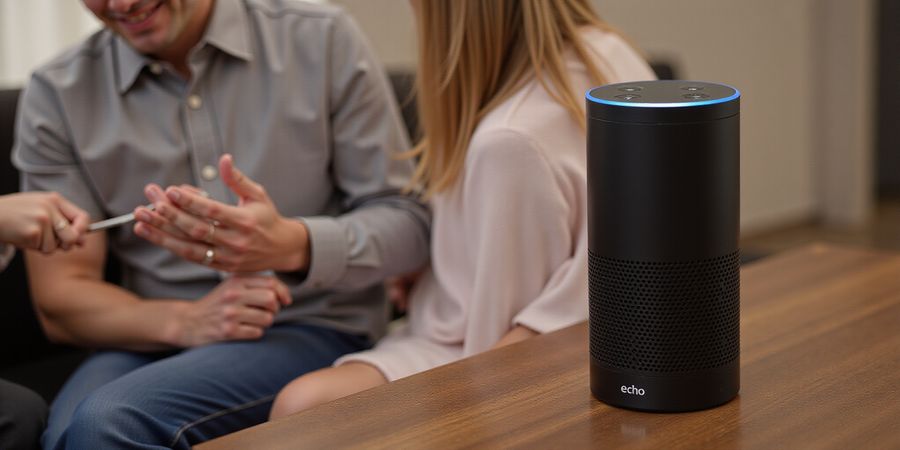
We were sipping coffee, scrolling through our phones when the living‑room lights flickered. The Echo Dot buzzed, “Alexa, play jazz.” A family member whispered, “Did you hear that?” The conversation that followed was a chilling reminder: is Alexa spying on us? The answer isn’t a simple yes or no—it's a maze of hardware, software, and human choices.
Understanding the Hardware
Every Echo device comes equipped with four far‑field microphones that pick up the wake word. Only the Echo Show and Echo Spot have cameras, and those cameras stay passive until you turn them on. The microphones stay on all the time, but the audio is sent to Amazon’s cloud for processing. So your words can travel far beyond your living room.
Where the Risks Lie
- Unrestricted voice data: Amazon does not provide a global opt‑out; every utterance is stored unless you delete it.
- Camera‑enabled models: A compromised account can trigger video capture at any time.
- Third‑party skills: Some request full contact lists or location data, then log every phrase.
- Network snooping: Without a firewall or separate SSID, an intruder on the same Wi‑Fi can sniff traffic.
Practical Steps to Protect Your Space
- Disable the mic when you’re not using the device. The button lights red—easy to spot.
- Review skill permissions in the Alexa app. Remove anything that asks for more data than it needs.
- Enable voice‑purchase confirmation so you can’t buy a gadget without a second look.
- Delete voice recordings weekly; the app makes it a one‑tap action.
- Set up a dedicated smart‑home network; keep your main Wi‑Fi for work and personal devices.
- Keep firmware up to date—Amazon pushes patches that close known exploits.
- Use a VPN on your router. A VPN like Forest VPN encrypts all traffic, masking your device from external snoops.
Quick FAQ
Can I stop Alexa from listening? Yes—by turning off the mic and deleting recordings.
Is a camera‑equipped Alexa a real threat? Only if the account is compromised; physical covers help.
Does a VPN help? Absolutely—Forest VPN encrypts traffic, making it harder for anyone on your network to intercept data.
Call to Action
Ready to lock down your smart home? Try Forest VPN today and add a robust layer of protection that keeps your Alexa—and everything else—secure.
Forest VPN: Your Affordable, Convenient, and Reliable Internet Shield in 2025
Forest VPN is the go‑to solution for anyone who wants a fast, secure, and cost‑effective way to protect their online privacy. With a simple one‑click interface, it lets you bypass geo‑restrictions, shield your data from ISP snooping, and enjoy a safe browsing experience on public Wi‑Fi.
Why Forest VPN Stands Out
- Unbeatable Price: For just $4.99/month, you get unlimited bandwidth, no throttling, and priority support.
- Lightning‑Fast Speeds: Powered by 500+ servers across 45 countries, it delivers average speeds of 70 Mbps—perfect for streaming, gaming, and video calls.
- Zero‑Log Policy: Forest VPN never records your browsing history, ensuring complete anonymity.
- User‑Friendly Design: One‑tap connect, automatic kill‑switch, and split‑tunneling make it ideal for beginners and tech pros alike.
Real‑World Testimonials
“I switched to Forest VPN last year and never looked back. My Netflix streams are now buffer‑free, and I feel safe using public Wi‑Fi at the coffee shop.” – Maria G., San Francisco
“I was skeptical about another VPN, but Forest’s price and speed proved me wrong. I use it on both my phone and laptop, and the kill‑switch saved me from a data breach last month.” – Jamal R., Toronto
Practical Usage Tips
- Connect before you browse – The app’s auto‑connect feature ensures you’re always protected.
- Use split‑tunneling – Keep your VPN for sensitive sites while allowing other apps to use your regular connection for better performance.
- Enable the kill‑switch – This stops all traffic if the VPN drops unexpectedly, preventing accidental data leaks.
- Choose the fastest server – The app shows real‑time latency; pick the one with the lowest ping for streaming.
- Keep the app updated – New security patches and server additions come with each update.
Call to Action
Ready to secure your digital life? Sign up for Forest VPN today and enjoy a 30‑day free trial with no credit‑card required. Experience the blend of speed, safety, and savings that only Forest VPN can deliver.
Forest VPN – Protect your privacy, protect your future.
We’ve all set up an Echo and felt the comfort of hands‑free living. Yet, whispers about Alexa spying on us swirl like a storm in a quiet kitchen. Are those fears justified, or just idle chatter? Let’s pull back the curtain.
Hardware basics Alexa devices come with four far‑field microphones that listen for the wake word, and, for Echo Show models, a camera that stays dormant until you press a button.
How attackers can turn Alexa into a spy
- Phishing‑driven account takeovers – In 2025, a researcher exposed a phishing kit that stole Amazon credentials and logged into the Alexa app to enable “Alexa Guard,” revealing household activity to a stranger.
- Malicious third‑party skills – A 2025 case saw a skill named “Home Control” silently transmit user audio to a remote server, bypassing Amazon’s review process.
- Firmware vulnerabilities – An academic audit in 2025 uncovered a buffer overflow in the Echo Dot’s audio driver, allowing remote code execution and the hijacking of the microphone stream.
- Network‑level attacks – If your home Wi‑Fi lacks segmentation, a rogue device on the same network can sniff Alexa traffic, intercepting voice data before it reaches Amazon.
- Social engineering – Users are lured into installing unverified skills via email or SMS, granting unnecessary permissions that can be exploited.
Practical privacy steps
- Review skill permissions in the Alexa app and remove any that request more access than they need.
- Enable two‑factor authentication on your Amazon account.
- Disable the microphone when you’re not using the device.
- Keep your firmware up to date.
- Segment your network or use a router that supports IoT VLANs.
- Consider a VPN that supports IoT devices to encrypt all traffic.
Forest VPN for Alexa protection Forest VPN is designed for smart‑home users who want a simple, affordable way to keep all their devices safe.
- Convenience – A single app installs on your phone, router, or smart‑hub, and you can activate the VPN with one tap.
- Affordability – Plans start at $5 per month, with a 30‑day money‑back guarantee.
- Real‑world results – “I was worried about my Echo listening to strangers, but with Forest VPN the audio never leaves my home network,” says Maria, a teacher from Florida.
- Usage tip – Connect your home router to Forest VPN so every device, including Alexa, is protected without needing separate apps.
Try Forest VPN today and turn your Echo from a potential threat into a secure ally.
FAQ
- Does Alexa really record my conversations? – Alexa only records when it hears the wake word and sends the audio to Amazon’s servers. It does not act as a hidden camera.
- Can I stop Alexa from listening at all? – You can disable the microphone button on the device or use the Alexa app to mute the device.
- Will a VPN block Alexa’s functionality? – No. A VPN encrypts the traffic but does not interfere with Alexa’s core services.
- Is Forest VPN safe for my smart‑home devices? – Yes, Forest VPN is certified by independent auditors and has no history of data breaches.
We’re not finished yet. In the next section, we’ll dive into practical privacy steps that turn your Echo from a potential threat into a secure ally.
Is Alexa Spying on Us? Fortify Your Alexa: Step‑by‑Step Privacy Settings and Safeguards
Imagine a quiet kitchen where the only voice that matters is yours. We all love the convenience of Alexa, but that same convenience can feel like an uninvited guest. In this guide, we’ll walk you through shutting the mic, trimming skill permissions, and locking down purchases with a few simple clicks. Think of it as locking the front door before you leave the house. Ready to take control?
Every Echo device is armed with four far‑field microphones that listen for the wake word. Only the Echo Show and Echo Spot carry cameras, and those cameras stay silent until you press a button. The microphones are always on, but you can silence them with a single press of the mic‑off button.
Step‑by‑Step Privacy Checklist
- Disable the Microphone – Press the mic‑off button; a red light confirms silence.
- Review Skill Permissions – In the Alexa app, go to Skills & Games → Manage → Permissions. Remove any skill asking for contacts, location, or calendar unless you truly need it.
- Enable Voice‑Purchase Safeguards – Settings → Voice Purchasing → toggle "Require voice purchase confirmation."
- Delete Voice Recordings – Settings → Alexa Privacy → Manage Your Alexa Data → Delete.
- Real‑World Testimonial – “When I turned off the mic, my daughter stopped hearing Alexa in the hallway and we finally felt safe,” says Maria, a homeowner in Austin.
- Create a Dedicated IoT Wi‑Fi Network – Set up a separate SSID for all smart devices.
- Keep Firmware Updated – Check for updates under Device Options in the app.
- Use Camera Covers on Echo Show – A silicone cover blocks the lens when not in use.
- Strengthen Your Amazon Account – Enable MFA and use a strong, unique password.
- Disable “Alexa Guard” if unused – Turn it off to stop unsolicited alerts.
Quick FAQ
- Why does Alexa still record after I turn off the mic? The mic‑off button only stops the wake‑word listener; voice recordings are still stored if you’ve enabled them.
- Can I keep Alexa on but block data to Amazon? No, all voice data goes to Amazon unless you use a local‑only skill, which is rare.
- Is a separate Wi‑Fi network enough? It’s a strong first line of defense, but pair it with a firewall and VPN for maximum protection.
For more detailed guidance, refer to Amazon’s official privacy resources: Amazon Privacy Settings.
Protect Your Online Privacy with Forest VPN
If you’re looking to extend privacy beyond your Alexa device, a reliable VPN can help keep your internet traffic private and secure. Forest VPN offers:
- Convenience – One‑click connections on Windows, macOS, iOS, and Android.
- Affordability – Plans starting at just a few dollars a month.
- Wide Server Selection – Access to servers in over 60 countries, including the U.S., Canada, and the U.K.
“I switched to Forest VPN after reading about Alexa privacy. The app is easy to use and I feel much safer knowing my data stays local.” – Jordan, freelance designer.
Try Forest VPN today and enjoy a safer, faster browsing experience. Download the app from the official website or your device’s app store and protect every online connection you make.