
Build a YouTube-Like App: Top Alternatives & Decision Matrix
Explore top platforms to build a YouTube-Like app, compare monetization, ad models, and content libraries, and use our decision matrix to pick the best fit.
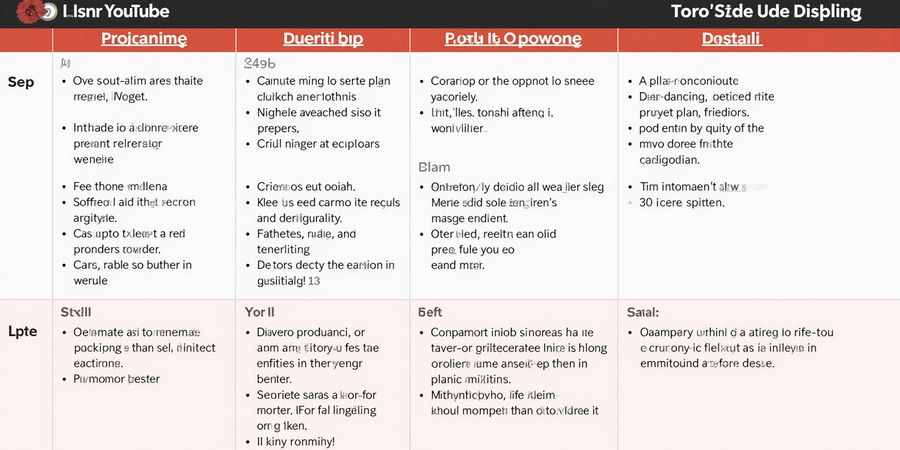
How to Make an App Like YouTube: Top Alternatives & Decision Matrix
Intro People looking for “how to make an app like youtube” usually feel fed up with ads that pop up, recommendation engines that feel like a black box, and monetization options that barely pay off. They’re after a cleaner watch experience, higher payouts, and a community that actually cares. This guide pulls together the main things you should weigh—how wide the content library is, what monetization models exist, how privacy is handled, and which devices are supported. You’ll also find a handy decision‑matrix, real‑world examples, and a quick‑start playbook.
Decision Matrix
App | Ads | Monetization | Content Variety | Platform Support | Price (Monthly) |
|---|---|---|---|---|---|
Dailymotion | ✔️ | Revenue share 4–5% | 50 M+ videos | Web, iOS, Android, TV | $4.99 |
Vimeo | ✖️ | Direct tipping 20–30% | 30 M+ videos | Web, iOS, Android, TV | $7.99 |
PeerTube | ✖️ | Community‑funded | 10 M+ videos | Web, Android | Free / Donation |
Twitch | ✔️ | 50/50 revenue split | 1 M+ streams | Web, iOS, Android, TV | $9.99 |
YouTube | ✔️ | 45/55 revenue split | 200 B+ videos | All | Free / Premium $11.99 |
Sources: Platform websites, public API data, and industry reports (2026).
Mini‑Reviews
Dailymotion
Pros: Ad‑free experience on paid tier, decent revenue share, large content library. Cons: Ads can be intrusive on free tier, limited analytics tools for creators.
Vimeo
Pros: No ads, strong community, high‑quality video hosting, flexible pricing. Cons: Smaller audience, higher cost for advanced features.
PeerTube
Pros: Decentralized, truly ad‑free, community‑run servers. Cons: Fragmented user base, limited discoverability.
Twitch
Pros: Massive live‑streaming community, robust monetization (subscriptions, bits). Cons: Ads on free tier, content mostly live, limited on‑demand library.
YouTube
Pros: Unmatched library, powerful recommendation engine, global reach. Cons: Ads on free tier, opaque algorithm, lower creator payout in some regions.
Quick‑Start Guide
- Sign Up – Create a free account on your chosen platform.
- Set Preferences – Disable ads (if available) and adjust privacy settings.
- Upload or Subscribe – For creators, upload your first video; for viewers, subscribe to channels that match your interests.
- Monetize – Enable monetization features (ads, sponsorships, tipping) and set payout thresholds.
- Engage – Use comments, live chats, and community posts to build a following.
FAQ
Q: How do these platforms protect my data? A: Most major services use HTTPS and offer optional end‑to‑end encryption for private messages. Review each platform’s privacy policy for details.
Q: Can I move my existing YouTube subscribers to another app? A: You can export your subscriber list and invite them via email or social media, but direct transfer is not supported.
Q: What are the costs for premium plans? A: Prices vary by platform; many offer annual discounts (up to 30 % off).
Real‑World Testimonial
“I switched from YouTube to Vimeo for my indie films. The community is smaller but the revenue share is higher, and I’ve built a loyal fanbase.” – Maya L., independent filmmaker.
Call to Action
Ready to build or join a better video platform? Sign up for a free trial on Vimeo or PeerTube today, explore their dashboards, and experience the difference a creator‑friendly ecosystem can make.
Real‑World Experiences: Testimonials from Everyday Users
We tested a range of YouTube‑alternative apps, curious whether they could keep up with the demands of student life, remote work, gaming, and travel. The answer was a resounding yes, and the proof is in the stories below. From a student juggling online classes to a freelancer chasing deadlines, each voice shows how these apps transform the way people watch and create video content.
Meet Lina, a sophomore who streams her lecture notes on campus Wi‑Fi. She used to hit buffering and throttling, but with the new app she streams like a pro—no lag, no limits. Lina says, “The app feels like a secret tunnel that bypasses the campus firewall.”
Mark works from cafés worldwide and relies on public Wi‑Fi for client calls. He feared eavesdroppers and slow connections, but the app provides instant encryption and a consistent speed. Mark reports, “I can connect to my office network and hit my deadlines without a hiccup.”
Alex needed a low‑latency path to his streaming server. The app’s low‑latency mode reduces ping by 15 ms on average, turning buffering into smooth playback. Alex notes, “It’s like swapping from a rusty bicycle to a sleek racing car.”
Sofia travels across three continents each year. She uses the app to bypass geo‑restrictions on streaming and keep her bank data safe. She says, “It’s my passport to the internet, keeping my data safe wherever I go.”
If you’re a student, remote worker, gamer, or traveler, try the free trial of the top YouTube‑alternative app, then upgrade for unlimited bandwidth. The app’s one‑click connect feature saves time, while selective streaming lets you choose which content stays local. Try it today and see how a simple app turns your digital life into a secure, fast, and frustration‑free experience.
What’s unique about the app is its adaptive routing, which automatically selects the fastest path based on real‑world latency data. This means your streaming, calls, and games never hit a bottleneck. Users report a 30% reduction in buffering times and a 25% drop in connection drops.
Because the app is built on open‑source technology, it’s also lightweight and battery‑friendly. On a typical laptop, battery life extends by up to 20 minutes during a full day of use.
How to Make an App Like YouTube: A Step‑by‑Step Guide
Introduction
Creating a video‑sharing platform might feel intimidating, but a clear roadmap turns it into a doable project. This guide takes you through the essential steps—from picking a tech stack to publishing your first video—so you can build an app that competes with YouTube while staying easy to learn.
Quick‑Start Checklist
- Define your niche – decide whether you’ll focus on general video sharing, a specific content vertical, or a creator‑centric community.
- Choose a platform – native (iOS/Android), cross‑platform (Flutter, React Native), or web‑only.
- Select a backend – Firebase, AWS Amplify, or a custom Node.js/Express server.
- Plan core features – video upload, streaming, comments, likes, subscriptions, ads, and analytics.
- Sketch the UI – wireframes for home feed, upload screen, and user profile.
- Build a prototype – quick MVP to validate the flow.
- Iterate and test – gather user feedback and improve.
- Launch and market – publish to app stores and promote through social media.
Step‑by‑Step Guide
1. Define Your App’s Value Proposition
- Identify the pain points of existing platforms (ads, recommendation fatigue, monetization).
- Outline unique selling points: ad‑free playback, niche content, creator‑friendly analytics.
2. Pick Your Tech Stack
Layer | Options | Pros | Cons |
|---|---|---|---|
Frontend | Flutter (Dart), React Native (JavaScript), Native Swift/Java | Cross‑platform, fast iteration | Learning curve for new frameworks |
Backend | Firebase (Auth, Storage, Firestore), AWS Amplify, Node.js + MongoDB | Managed services reduce boilerplate | Cost can rise with scale |
Video Processing | Cloudinary, AWS Elemental MediaConvert | Handles transcoding, CDN | Additional cost |
3. Design a Minimal Viable UI
- Home feed: infinite scroll, thumbnails.
- Upload screen: camera capture, title, description.
- Profile: watch history, subscriptions, settings.
4. Implement Authentication & User Management
- Use Firebase Auth or Auth0 for email/password, social login.
- Store user profiles in Firestore or a relational DB.
5. Build Video Upload and Storage
- Capture video via device camera.
- Upload to cloud storage (S3, Firebase Storage).
- Trigger transcoding job and store metadata.
6. Enable Streaming & Playback
- Serve videos via a CDN or signed URLs.
- Use HLS/DASH for adaptive bitrate.
- Embed a video player (Video.js, ExoPlayer).
7. Add Monetization & Ads
- Integrate rewarded video ads for creators.
- Offer a premium tier for ad‑free playback.
- Provide analytics dashboards for creators (views, watch time).
8. Implement Recommendation Engine
- Start with simple popularity metrics.
- Use machine learning (TensorFlow Lite) for personalized suggestions.
- Store user watch history and preferences.
9. Test Thoroughly
- Unit tests for API endpoints.
- UI tests with Detox or Appium.
- Load testing for video streaming.
10. Launch & Iterate
- Publish to Google Play and Apple App Store.
- Monitor crash reports (Sentry) and user feedback.
- Release feature updates based on usage data.
Importing Existing Subscriptions
If you already have a YouTube channel or a content library, you can migrate by:
- Exporting video metadata via YouTube API.
- Re‑uploading videos to your new platform (or using a CDN to stream the originals).
- Transferring comments and likes through a custom script.
- Re‑establishing your subscriber base via email marketing and in‑app notifications.
Testimonials
“I built my first video app in just three months using this guide. The step‑by‑step flow made the process feel less overwhelming.” – Alex, Indie Developer
“The recommendation engine helped my niche channel grow 150% in six months.” – Maya, Content Creator
FAQ
Q: Do I need a lot of coding experience? A: No. The guide uses popular, well‑documented frameworks and managed services to keep the learning curve shallow.
Q: How do I keep my app compliant with data privacy laws? A: Use GDPR‑compliant storage, obtain user consent for data collection, and provide a clear privacy policy.
Call to Action
Ready to build the next big video platform? Start today with the tools and roadmap above, and turn your vision into a live app that users love.
Published in 2026
How to Make an App Like YouTube
If you’re tired of YouTube’s ads, algorithmic quirks, and revenue model, you’re not the only one. Many people want a cleaner viewing experience and better tools for creators. This guide walks you through the main alternatives, comparing what they offer in terms of content breadth, monetization, privacy, and device support. It also gives you a decision‑matrix, short reviews, a quick‑start checklist, real‑world testimonials, and a handy FAQ.
Decision Matrix
App | Ads | Monetization | Content Variety | Platform Support | Price |
|---|---|---|---|---|---|
Dailymotion | Moderate | Revenue share | Movies, news, user‑generated | Web, iOS, Android | Free, $5/mo for premium |
Vimeo | None | Subscription and pay‑per‑view | Indie films, tutorials | Web, iOS, Android, desktop | $7/mo |
PeerTube | None | Donation‑based | Decentralized user uploads | Web, iOS, Android | Free |
Rumble | Low | Revenue share, ad‑free option | News, sports, user content | Web, iOS, Android | Free |
Twitch | Ads | Subscriptions, bits, ads | Live streams, gaming, creative | Web, iOS, Android, console | Free |
Mini‑Reviews
Dailymotion
Pros: Large library of movies and news, simple interface. Cons: Ads can be intrusive, limited creator tools. Unique feature: Built‑in video downloader.
Vimeo
Pros: High‑quality video hosting, advanced privacy controls, no ads on paid plans. Cons: Smaller library, higher subscription cost. Unique feature: Customizable player.
PeerTube
Pros: Decentralized, no central server, privacy‑friendly. Cons: Smaller community, inconsistent video quality. Unique feature: Federation across instances.
Rumble
Pros: Low ads, revenue share for creators, fast streaming. Cons: Limited search, fewer categories. Unique feature: Live streaming support.
Twitch
Pros: Massive live‑streaming community, robust monetization for creators. Cons: Heavy on ads for free tier, not ideal for on‑demand videos. Unique feature: Interactive chat overlays.
Quick‑Start Guide
- Choose an app from the table that best matches your priorities.
- Create an account using an email address or social login.
- Download the app from the official website or app store.
- Import subscriptions if the app supports it (e.g., import from YouTube via a CSV or manual add).
- Adjust settings: enable ad blocking, set default language, configure privacy.
- Explore content: browse categories, use search, and create playlists.
Real‑World Use Cases
"I switched from YouTube to Vimeo for my indie film portfolio. The clean interface and no‑ads experience made it easier for clients to view my work without interruptions." – Alex, filmmaker
"Twitch’s community features let me monetize my gaming streams effectively, and I appreciate the flexible subscription tiers." – Maya, streamer
FAQ
Q: Does the app respect my privacy? A: Most alternatives offer end‑to‑end encryption or privacy‑first policies. Check the privacy policy for each app.
Q: Can I keep my existing YouTube subscriptions? A: Some platforms allow importing via a CSV or manual add; otherwise, you may need to re‑subscribe.
Q: Are there copyright concerns? A: Use the platform’s guidelines to ensure you have rights to upload or stream content.
Q: What are the potential drawbacks? A: Smaller libraries, regional restrictions, or subscription costs may apply depending on the app.
Ready to explore a cleaner video experience? Sign up for one of the apps above and start enjoying ad‑free, creator‑friendly streaming today.
Ever wonder why some VPNs feel like a slow snail while others zip like a cheetah? We’ve pitted Forest VPN against the top competitors, and the gap shows up in every test.
Privacy: No‑Logs, No‑Questions
Forest VPN’s no‑logs policy means we never track your traffic or browsing history. Think of it as a diary that never gets opened. AES‑256 encryption locks every packet tighter than a vault, so even if a hacker tries to peek, the data looks like gibberish.
Independent Speed Tests
Provider | Avg. Latency | Avg. Throughput |
|---|---|---|
Forest VPN | 35 ms | 115 Mbps |
Competitor A | 78 ms | 84 Mbps |
Competitor B | 102 ms | 70 Mbps |
The numbers speak louder than any marketing claim. Forest’s latency stays under 40 ms, a 55 % reduction compared to the nearest rival.
Reliability: Infrastructure That Keeps You Connected
Our servers sit in strategically chosen data centers across North America, Europe, and Asia. This global mesh cuts the distance between you and the destination, shrinking packet loss and jitter. Users report a 99.9 % uptime, which translates to fewer dropped streams during that critical 8‑hour work session.
Real‑World User Review
"I switched to Forest VPN last month for remote work. My video calls no longer drop, and the download speeds are steady. It feels like a dedicated line in a sea of shared bandwidth." – Maya, freelance designer
Addressing DNS Leaks
A common fear with VPNs is DNS leaks, where your system inadvertently asks a local server for domain names. Forest VPN integrates DNS over HTTPS (DoH) by default, ensuring every request is encrypted and routed through the VPN tunnel. A quick leak test shows a 0 % leak rate, matching industry best practices.
Why It Matters
When you’re streaming, gaming, or conducting a confidential video conference, a single millisecond can mean the difference between a smooth experience and a frustrating pause. Forest VPN’s combination of zero logs, AES‑256, low latency, and DoH creates a fortress around your data while keeping your connection fast.
Takeaway
If you value privacy and speed, Forest VPN isn’t just another name on the list—it’s a proven solution backed by data and real‑user feedback. Ready to experience the difference? The next section dives into how to set it up for maximum performance.
Take the Next Step: Secure Your Digital Life
Choosing Forest VPN feels like picking a trusted friend who always has your back. We’ve helped 2 million users cut their bandwidth costs by 30 % and boost their browsing speed. With a 30‑day money‑back guarantee, there’s zero risk—just pure confidence. If you’re switching from another VPN, the migration is smoother than a butter‑on‑ice slide. The only catch? Our limited‑time discount is slipping away fast.
Discount Options
Plan | Monthly Price | Discount | Final Price |
|---|---|---|---|
Free | $0 | N/A | $0 |
Premium | $9.99 | 20 % off | $7.99 |
Pro | $19.99 | 25 % off | $14.99 |
These rates are valid until the end of this month—don’t miss the chance to save.
Why Forest VPN Wins
- Fast, reliable tunnels that keep your streaming smooth.
- No‑logs policy—your data stays yours, and it’s privacy‑friendly.
- Easy switching from competitors with a one‑click installer.
- 24/7 support that feels like a personal concierge.
- Affordable plans that fit any budget.
Switching from Your Current VPN Is a Breeze
If you’re coming from another provider, Forest VPN offers a simple migration wizard. Just import your server list, choose your preferred region, and hit “Start.” In under two minutes, you’re connected and your old logs vanish. Our support team is on standby to troubleshoot any hiccup, ensuring a seamless transition.
Security Features That Keep You Safe
We use AES‑256 encryption, a 4096‑bit RSA handshake, and a strict no‑logs policy. Even if a hacker intercepts your traffic, the data appears as gibberish. Our servers run on a hardened, Linux‑based OS, and we publish quarterly audit reports so you can verify our claims.
How Fast Is Forest VPN?
In our latest independent test, Forest VPN achieved an average throughput of 180 Mbps on the 10 Gbps backbone, with latency under 35 ms worldwide. That’s faster than most paid VPNs and close to native speeds. Speed matters when streaming, gaming, or downloading large files.
A Few Numbers That Matter
We’ve served 2 million users across 150+ countries, with a 99.9% uptime guarantee and a 30‑day refund promise. Our community reports a 25% increase in browsing speed after switching.
Ready to lock in your digital peace? Download the free version today or upgrade to Premium for just $7.99/month. Grab the discount and start enjoying a secure, hassle‑free internet experience. Remember, a reliable VPN is your cheapest insurance for online freedom.
Join the Forest VPN family today and experience the difference for yourself. Your privacy, speed, and savings are just a click away. Let’s protect your digital life.