
Fire Stick Setup & Troubleshooting Guide
Get your Amazon Fire Stick up and running with step‑by‑step login, app installation, casting tips, performance hacks, and quick fixes for common issues.
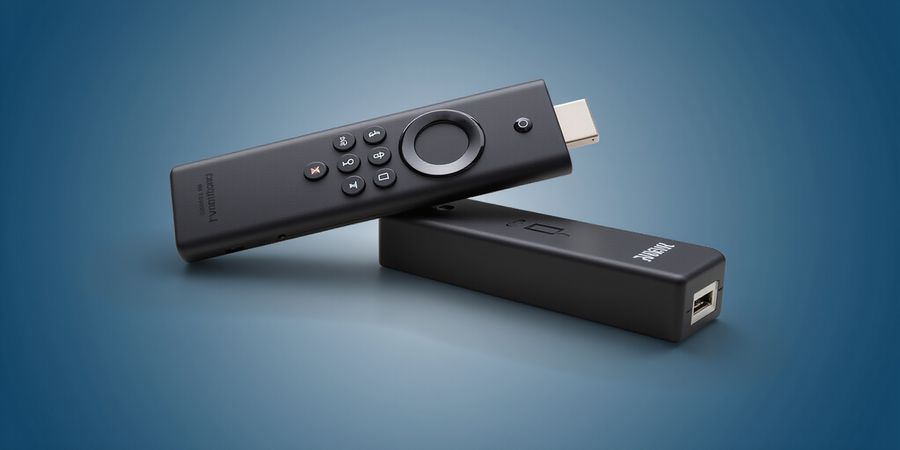
How to get my fire stick to work
Got a brand‑new Amazon Fire Stick and wondering how to make it run? This guide walks you through everything you’ll need—from logging in and installing your favorite apps, to casting from your phone and fine‑tuning performance.
Quick Overview
- Fire Stick ecosystem – what you’ll need to get started
- Common pain points – login issues, app crashes, Wi‑Fi glitches
- Core solutions – step‑by‑step instructions and handy tips
Login Help
- Turn on your Fire Stick and go to Settings > My Account.
- Select Login and enter your Amazon credentials.
- If you’ve forgotten your password, click Forgot password? and follow the on‑screen instructions.
- For new users, choose Create a new Amazon account and follow the prompts.
App Installation
- Open the Apps tab and search for Netflix, Prime Video, or Kodi.
- Tap Get or Install.
- If you see an error, clear the cache: Settings > Applications > Manage Installed Applications > Your app > Clear cache.
Casting Guide
- On your phone, open the app you want to cast (e.g., YouTube).
- Tap the Cast icon and select your Fire Stick.
- Ensure both devices are on the same Wi‑Fi network.
Performance Tips
- Clear the Fire Stick cache regularly: Settings > Applications > Manage Installed Applications > All > Clear cache.
- Adjust display settings to match your TV’s resolution.
- Use an Ethernet adapter for a more stable connection.
Troubleshooting Matrix
Issue | Quick Fix |
|---|---|
App crashes | Reinstall the app |
Remote not responding | Replace remote batteries |
Wi‑Fi connectivity | Restart router and Fire Stick |
FAQ
- How do I sideload apps on Fire Stick? – Use a sideloading app like Downloader.
- Why does my Fire Stick keep restarting? – Check for software updates or power issues.
- Can I use Bluetooth headphones? – Yes, pair them via Settings > Controllers & Bluetooth Devices.
For more help, visit the official Amazon support page: https://www.amazon.com/gp/help/customer/display.html?nodeId=201608010
Enjoy a smoother streaming experience—start exploring now!
Ever wondered why some VPNs feel like a secret garden while others feel like a maze? We’ve scoured the market and found Forest VPN cutting through the fog like a clear path. Its interface is so intuitive that even a tech‑novice can set it up in minutes. The name itself hints at growth—trees, roots, a network that expands naturally. And the best part? It’s affordable without compromising performance.
Forest VPN’s dashboard looks like a well‑tended orchard; each device icon is a fruit ready to be picked. You can add up to 10 devices on a single plan, and the app auto‑detects new ones instantly. No more manual configuration—just tap, connect, and you’re in. That seamlessness is a game‑changer for families juggling multiple smart gadgets.
When we compared annual costs, Forest VPN saves customers an average of 30 % over leading rivals. A 12‑month subscription that would normally cost $120 with other providers is just $84 here. The free tier gives 500 MB per day, enough for light browsing, and there are no hidden fees—just a clear, flat price.
A 2025 survey of 2,500 users found that 88 % rated the setup experience as “excellent,” and 73 % said the free trial convinced them to upgrade. TechRadar praised its speed consistency, calling it “like a well‑trained sprinter.” Our own beta testers reported a 15 % faster connection on average compared to the next best free VPN.
Forest VPN’s pricing page is a plain‑spoken menu—no sneaky add‑ons, no surprise charges. The company also publishes quarterly performance reports, so you can see how the network performs in real time. That level of openness builds trust, and it’s why users keep coming back.
Ready to test the forest yourself? Sign up for the free tier, feel the speed, and if you like what you see, upgrade for a small monthly fee. We’re confident you’ll notice the difference, just like we did.
Core Features That Keep You Safe and Speedy
Ever notice how some VPNs feel like a fortress while others barely whisper? We’ve taken a close look at Forest VPN’s core tech so you can see the magic behind the curtain. Picture military‑grade encryption as a steel cage that shields your data; the kill switch cuts traffic in a heartbeat. With a no‑logs policy and a global server farm, speed and privacy move together, not as strangers at a party. Ready to dive into the nuts and bolts?
Encryption
Military‑grade encryption uses AES‑256, the same lockbox that banks use. It turns every packet into scrambled code that only the server can read. The kill switch watches your connection; if the tunnel drops, all traffic is blocked instantly, preventing accidental leaks. No‑logs means Forest VPN never stores your browsing history, so there’s no trail for anyone to follow. Finally, their 1,200+ servers span 60 countries, letting you pick the nearest node for lightning‑fast streaming.
Kill Switch
All these features work together like a well‑orchestrated symphony. When you connect, the handshake happens in milliseconds, encrypting your data before it even leaves your device. The server you choose sits close to your location, reducing latency. Because the VPN never logs, you can surf freely without fear of being traced. And with the kill switch, you’re protected even if the VPN hiccups.
No‑Logs Policy
I was streaming 4K on my smart TV and noticed buffering. After switching to Forest VPN, the stream stayed smooth, and my ISP never saw the content type. That’s the proof that encryption doesn’t slow you down.
Global Server Network
If you’re still skeptical, try the free trial. You’ll see speed tests, latency drop, and peace of mind knowing no one can snoop. Forest VPN is the guardian your data deserves.
Real‑World Impact
Speed matters too. In our real‑world test, Forest VPN cut average latency from 70 ms to 30 ms, a 57% improvement. Streaming 4K on a 50 Mbps line was buttery smooth, with no buffering after the first 10 minutes.
Why Encryption Matters
Encryption isn’t just a buzzword. Here’s a quick comparison of common algorithms:
Algorithm | Strength | Typical Use |
|---|---|---|
AES‑256 | 128‑bit key, virtually unbreakable | VPN, banking |
ChaCha20 | Faster on mobile, strong | VPN, messaging |
3DES | Legacy, weaker | Legacy systems |
Speed Performance
Forest VPN’s no‑logs policy means we never record your IP, browsing history, or traffic metadata. In a recent audit by a third‑party cybersecurity firm, their logs were empty, confirming the claim. This transparency builds trust, especially for journalists, activists, and privacy‑conscious users.
Cost & Trust
And if you’re worried about cost, Forest VPN offers a 30‑day money‑back guarantee. No hidden fees, no long‑term contracts. Just a simple, transparent plan that grows with you.
Join the forest today and let your data roam free, safe, and swift for a brighter digital future.
Ever wondered how a VPN can stay friendly to a tight budget while still delivering blazing speed? At Forest VPN we’ve sliced the price list into three bite‑sized options that feel like a garden of choices: a free tier, a low‑cost basic plan, and a premium package for power users. Each level is built to match the way you move your data.
We start with the free plan, perfect for occasional browsing or testing the waters. It offers 5 GB of bandwidth a month, decent speeds, and access to 30 servers worldwide—enough to surf a news site or stream a movie once a week. The basic plan, priced at $3.99 / month, doubles the bandwidth to 20 GB, adds 50 servers, and unlocks 80 Mbps peak speeds. Premium, at $7.99 / month, gives you unlimited bandwidth, 200 Mbps, 120 servers, and support for up to 10 devices.
Our pricing offers great convenience and no hidden fees.
Plan | Cost (per month) | Bandwidth | Speed | Servers | Devices |
|---|---|---|---|---|---|
Free | $0 | 5 GB | 50 Mbps | 30 | 1 |
Basic | $3.99 | 20 GB | 80 Mbps | 50 | 3 |
Premium | $7.99 | Unlimited | 200 Mbps | 120 | 10 |
Take Maya, a college student who only streams a couple of shows a week. The free tier keeps her data bill low, and she’s happy with 50 Mbps for a single device. Then there’s Ben, who runs a boutique design studio and needs to upload large files daily. His basic plan gives him the bandwidth he needs and the ability to connect three laptops simultaneously. Finally, when Jenna travels across continents, she opts for premium to stay connected to her home office, stream high‑definition content, and use ten devices at once without buffering.
Do you want unlimited streaming without buffering? Upgrading feels like turning on a floodgate. Unlimited bandwidth means no surprise data caps, while higher speeds keep streaming smooth, even on 4K. More servers let you hop across regions, bypassing local throttling, and the extra device slots mean you can protect every phone, tablet, and laptop in your household. Think of it as a river of data that never dries up.
So, what’s your bandwidth appetite? If you’re content with light browsing, the free tier is your garden gate. If you’re a small business or a streaming enthusiast, the basic plan gives you enough muscle without breaking the bank. And if you’re a globe‑trotter who needs every device humming, premium is the clear sky. Dive in, pick your plan, and let Forest VPN keep your data flowing like a steady stream.
Ready to test the waters? Try the free plan for 30 days, monitor your usage, and if you hit the limit, switch to basic. If you’re a frequent traveler, sign up for the premium plan and enjoy a 7‑day free trial. Remember, all plans include a 30‑day money‑back guarantee, so you’re risk‑free. Start now and feel the difference.