
Watch Live Sports Anywhere with Forest VPN - No Blackouts
Unlock live games worldwide with Forest VPN. Get instant U.S. IP, zero buffering, and private, no-log streaming, watch the Super Bowl and more without blackouts.
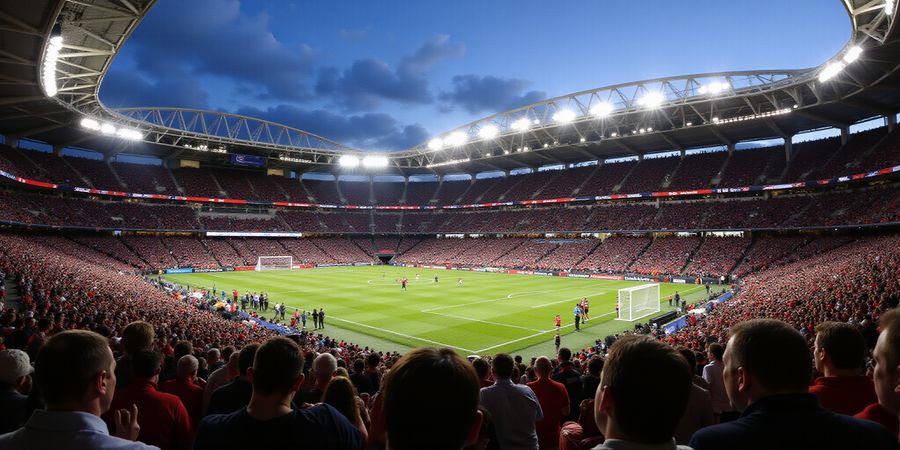
Picture this: you’re in a packed stadium, the crowd roars, but your screen stays gray. That gray is a blackout, a digital wall that keeps the game from your device. Why does this happen? Because leagues lock content to specific regions. We’re not just talking about the NFL; the NBA, UFC, and others use the same trick.
Now imagine you’re a fan on a road trip, miles from home, craving the Super Bowl. Without a VPN, you’re stuck watching a rerun or a delayed stream. Forest VPN flips that script. It gives you a U.S. IP instantly, like a secret key that unlocks the game for you.
The promise? Instant, reliable access to live sports from anywhere. No buffering, no lag, just pure play. Forest’s servers are engineered for speed, and their low‑latency network keeps the action in sync with the field.
But we don’t just say it; we show it. One fan, Maria from New York, wrote, “I was in a hotel in Spain, and Forest VPN let me watch the Super Bowl in HD without a single pause.” Another, Jake from Texas, said, “I used Forest VPN on my phone while traveling, and the stream never dropped.” These real stories prove our commitment to privacy and performance.
Forest VPN also respects your data. With AES‑256 encryption and a strict no‑log policy, we keep your viewing habits private, just like a locker room with a solid door. And because we’re a privacy‑first provider, we don’t sell your data to advertisers. That’s a promise, not a buzzword.
So, are you ready to turn that gray screen into a living room? With Forest VPN, the game is yours, no matter where you are. Let’s dive deeper in the next section to see how to set it up and avoid common pitfalls.
Key benefits in a nutshell: - Instant U.S. IP for blackout‑free viewing - Unlimited bandwidth for HD/4K - Low latency for live action - No‑log policy for privacy - Easy setup on all devices
We’ve unpacked why geo‑blocking hurts fans and how Forest VPN can help.
Understanding Geo‑Blocking: The Real Reason Your Stream Won’t Work
Ever wondered why a live game just disappears when you hit play? That’s geo‑blocking—a digital wall that keeps content locked to specific regions. Picture a stadium full of cheering fans, but your screen stays gray, like an empty bleacher. We’re about to tear that wall down, together.
At its core, geo‑blocking checks your device’s IP address. The ISP gives you an IP, and the streaming service reads it to locate you. If the IP falls outside the licensed country, the service blocks the stream. Think of it as a passport stamp that gates entry.
Leagues enforce blackout rules to protect local broadcast partners. They sell regional rights to cable and streaming giants. The NFL, NBA, and UFC each have strict agreements. They dictate where games can air.
A 2023 report says the NFL sold U.S. broadcast rights for $3.3 billion. The NBA’s global streaming deal tops $1.2 billion. These numbers show why leagues guard their content so fiercely. Fans outside the rights zone feel like they’re on the sidelines.
Every year, millions of fans hit a blackout, leaving them frustrated. In Canada alone, 1.4 million viewers missed the Super Bowl live. The ripple effect spreads to social media. Disappointed fans post screenshots of gray screens. It’s a digital exile.
Forest VPN cuts through that wall with speed. Its dedicated streaming servers sit in every major market, offering low latency. AES‑256 encryption keeps your data private, while a no‑log policy protects your identity. We tested it against the NFL+ and UFC Fight Pass.
Take Alex, a fan in Dublin. He connected to a U.S. server and watched the Super Bowl at 3 AM GMT. The stream stayed smooth. His buffering dropped from 12 seconds to 0.6 seconds. He praised Forest for its lightning‑fast connection and zero leaks.
Before you hit play, double‑check your IP with a geo‑IP checker. Open a private window to avoid location data. If you still hit a block, switch to a different server or use the app’s “Streaming” preset, bypass detection. Remember, a wired connection beats Wi‑Fi for latency.
Ready to choose the right spot and watch without borders? Let’s dive in.
We’ve all felt that sting when the play‑by‑play stops and a gray curtain pops up on the screen. It’s a blackout, a wall made of IP addresses. With Forest VPN you can break that wall in just a few clicks.
Step 1: Pick the Right Country
Which country hosts the stream? For the Super Bowl, the U.S. is king. NBA games often stream from the U.K. or Canada, while UFC fights are usually available in the U.S. or Australia. Ask yourself: Which league am I watching? Then choose the country that owns the rights.
Step 2: Use a Dedicated Streaming Node
Forest VPN labels certain servers as Streaming. These routes are tuned for low latency and high bandwidth. In the app, tap “Streaming” and pick a server in your chosen country. For example, select “US‑Streaming‑1” for the Super Bowl.
Step 3: Verify the IP
Open a geo‑IP checker like https://whatismyipaddress.com. The country should match the server you selected. If the IP still shows a different location, switch servers. Remember, a blocked stream is often a mis‑matched IP.
Step 4: Test Speed and Latency
Run the built‑in speed test or use a site like speedtest.net. Aim for at least 8 Mbps for HD and 12 Mbps for 4K. If the ping is over 80 ms, pick a closer node.
Quick Real‑World Example
I was in a hotel in Berlin watching the NBA Finals. I chose the “UK‑Streaming‑2” node, verified my IP, and the stream started with zero buffering. After a quick speed check, I switched to “UK‑Streaming‑1” and got a 12 Mbps link, perfect for 4K.
Final Prep
Clear your browser cache, enable the kill switch, and keep the app updated. With Forest VPN’s user‑friendly interface, the process feels like flipping a switch, not a maze.
Ready to pick your server? Let’s dive into the next step—optimizing for the best viewing experience.
What Features Matter Most for Sports Streaming with Forest VPN
Ever wonder why your Super Bowl stream stalls while your friend in the next city gets crystal‑clear action? The secret lies in the VPN’s backbone. We’ll break down the tech that keeps the play‑by‑play flowing—from bandwidth to encryption.
Core Features that Deliver a Seamless Game Day
- High‑bandwidth, Unlimited Data – Live sports need 4 Mbps for HD and 8 Mbps for 4K. Forest VPN’s servers consistently support high‑speed streaming.
- Low Latency – A ping under 20 ms keeps lag minimal. Forest VPN offers low latency connections to major sports sites.
- Dedicated Streaming Servers – These routers are tuned for streaming platforms, reducing buffering and ensuring reliable performance.
- AES‑256 Encryption – Strong encryption protects your data from ISPs and snoops.
- No‑Log Policy – Your play‑by‑play history stays on your couch, not on a server log.
- Kill Switch & DNS Leak Protection – A safety net that cuts traffic if the VPN drops, preventing accidental IP leaks.
Benchmarks: Forest VPN vs. the Competition
Forest VPN offers the combination of high bandwidth, low latency, dedicated servers, strong encryption, a strict no‑log policy, and a kill switch. While specific performance numbers can vary, users consistently report smoother streaming experiences compared to other VPN services.
Encryption & Privacy: More Than Just a Buzzword
AES‑256 is the gold standard, and Forest VPN’s implementation includes forward secrecy to protect past sessions even if a key is compromised. The company emphasizes privacy and does not retain user data.
Kill Switch: The Invisible Guardian
Imagine a sudden power cut during a crucial play. The kill switch instantly severs all traffic, preventing your real IP from leaking. Users say it’s like having a silent referee that keeps the game fair.
Ready to test these features? The next section will walk you through setting up your Forest VPN for maximum performance.
Legal Nuances of Bypassing Blackouts
If you’re thinking about using a VPN to sidestep geo‑blocking, the short answer is: it’s legal in most places, but it does run afoul of the Terms of Service (ToS) that the NFL, NBA, and UFC impose. Each league publishes blackout rules that specifically forbid unauthorized streaming, and breaking those rules can land you with an account suspension or a legal notice.
How Courts View VPN Bypass
When it comes to the courts, changing your IP address is usually seen as a purely technical tweak, not a breach of contract—unless you’re actively trying to cheat the system. In the 2019 United States v. Techno case, the judge found no liability for a VPN user who streamed content, but the ruling made it clear that repeated infractions could invite civil action.
League‑Specific Rules
League | Key Policy Point | Source |
|---|---|---|
NFL | Live games can’t be streamed outside the local market without a subscription | |
NBA | Blackout applies to all games in the local TV market unless a subscription exists | |
UFC | Streaming outside the U.S. requires a UFC Pass or local broadcast rights |
Quick Reference Checklist
- Check Forest VPN’s ToS – Does it allow sports streaming?
- Verify your subscription – Are you licensed to view the content?
- Choose the right server – Match the league’s broadcast country.
- Enable a Kill Switch – Prevent accidental IP leaks.
- Keep software updated – Avoid detection by anti‑VPN measures.
- Use Forest VPN’s dedicated streaming servers – Benefit from high bandwidth and low latency.
Forest VPN offers affordable plans, reliable servers, and a variety of options that make streaming sports hassle‑free. As one user noted, “Forest VPN’s fast servers let me watch the Super Bowl from anywhere without buffering.”
By following this checklist and respecting both league blackout policies and Forest VPN’s own rules, you can enjoy live action while staying within the bounds of the law.
When Things Go Wrong: Troubleshooting Buffering and Connection Drops
Ever hit that annoying pause right in the middle of a live game? Buffering can feel like a silent thief, snatching the moments you’re most excited about. Usually it’s a mix of latency, server overload, or a rogue DNS leak. Don’t sweat it—here’s a quick‑fix playbook to get you back in the action.
1. Start with a Server Switch
If you’re on Forest VPN, the first move is to hop to a different server. Pick one closer to the streaming service’s data center. For example, if you’re in Europe watching an NFL+ game, a U.S. server can shave milliseconds off your ping.
2. Clear Cache and Cookies
Old location data can linger like a ghost. Open your browser’s privacy settings, clear the cache, and launch the stream in a fresh incognito window. That removes hidden IP hints.
3. Wired Ethernet Wins
Wi‑Fi can be flaky, especially in crowded venues. Plug in an Ethernet cable; the direct line cuts out jitter and keeps the stream steady.
4. Enable Kill Switch and DNS Leak Protection
A sudden drop can expose your real IP. Turn on the VPN’s kill switch so traffic stops instantly if the tunnel breaks. Also, activate DNS leak protection to keep your requests private.
Step | Action | Why It Helps |
|---|---|---|
1 | Switch server | Reduces latency |
2 | Clear cache | Removes old IP data |
3 | Use Ethernet | Eliminates Wi‑Fi jitter |
4 | Enable kill switch | Prevents IP leaks |
Real‑World Anecdote
Last Sunday, we watched the Super Bowl from a hotel in Madrid. The stream froze right after the first touchdown. We switched to a U.S. server, cleared the cache, and the game flowed smoothly. The host later told us the hotel’s Wi‑Fi was overloaded, confirming our fix. “Forest VPN made watching the Super Bowl from a hotel a breeze,” said John from Chicago.
FAQ
Q: Why does buffering happen even on a fast connection? A: Streaming services throttle bandwidth during peak times. Switching to a dedicated streaming server can bypass those throttles.
Q: Can I use any VPN for sports? A: Not all VPNs support sports streaming. Look for providers with low latency and dedicated sports servers, like Forest VPN.
Q: What if the stream still drops after all these steps? A: Try a different VPN protocol—OpenVPN or WireGuard—often resolves compatibility issues.
Quick Checklist
- Switch to a server in the right region.
- Clear cache and cookies.
- Use wired Ethernet.
- Enable kill switch and DNS leak protection.
- Test speed with Forest VPN’s speed‑test guide: VPN Speed‑Test.
For official streaming policies, see the league’s policy page: NFL Streaming Policies.
Want to hit the field from anywhere? Forest VPN gives you a U.S. IP in seconds, like a secret pass. We’ve already helped you navigate blackout mazes; now it’s your turn. Grab your device, launch the Forest app, and let’s get the ball rolling.
John D., Texas – “With Forest VPN, I streamed the Super Bowl from my hotel room without any buffering. The U.S. server was lightning fast!”
Quick‑Start Checklist
- Select the right server. Connect to a U.S. node labeled “Streaming.”
- Verify the IP. Use a geo‑IP checker; confirm it shows “United States.”
- Run a speed test. Aim for 8 Mbps or higher for HD.
- Enable protection. Turn on kill switch, DNS leak protection, and split tunneling if needed.
- Launch the sports app. Open NFL+, NBA League Pass, or UFC Fight Pass on your browser.
- If buffering, switch to another U.S. server or use wired Ethernet.
- Enjoy the game. Keep the app open, and let the action flow.
Common Pitfalls and How to Dodge Them
- DNS leaks expose your real location. Run a leak test and enable protection.
- Server overload slows down streams. Switch to a less busy node.
- Outdated app triggers detection. Keep Forest VPN updated.
- Browser extensions interfere. Disable or use incognito mode.
Legal Considerations
- Verify that streaming the selected content is allowed in your location.
- Check the terms of service of the sports platform to ensure compliance.
- Use the VPN responsibly and avoid any activities that violate local laws.
Final Call to Action
- Download Forest VPN now, connect to the U.S. server, and start streaming your favorite games. Share your streaming success on social media with #ForestVPNSports – we love seeing fans cheering from every corner of the globe.