
Get a Free iPhone or iPad: Legitimate Ways & Steps
Discover how to snag a brand‑new iPhone or iPad for free with Apple trade‑ins, carrier bundles, and legit contests. Follow our step‑by‑step guide to claim yours.
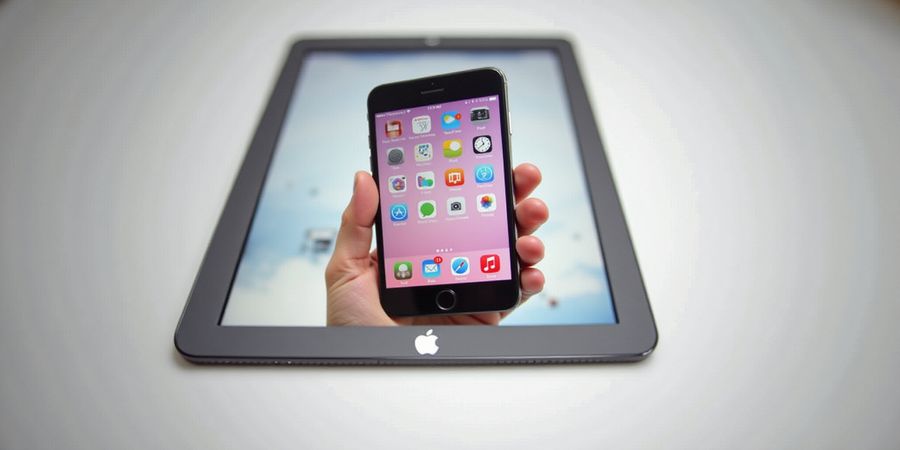
Free iPhone: How to Get an iPhone or iPad at No Cost
Ever thought you could snag a brand‑new iPhone or iPad without spending a dime? A lot of folks are hunting for legitimate ways to grab Apple gear without shelling out the full price. The upside? There are several reliable programs and promos that can get you a device for almost nothing.
Legitimate Free‑Device Programs
Program | What It Offers | Eligibility | Deadline | Official Link |
|---|---|---|---|---|
Apple Trade‑In | Credit toward a new iPhone or iPad for eligible used devices | Must be an iPhone 5s or newer, iPad 4th generation or newer, no carrier lock | Ongoing | |
Carrier Bundle Deals | Free device when signing up for a qualifying plan | Depends on carrier; usually requires a 12‑month commitment | Varies by carrier | |
Contests & Giveaways | Chance to win a free device | Open to all; must follow contest rules | Usually monthly |
Safety Warning: Always use official websites or reputable retailers when claiming a promotion. Avoid any third‑party sites that ask for payment or personal data unrelated to the device purchase.
Step‑by‑Step Guide to Claim a Free iPhone or iPad
- Check Your Eligibility - Verify that your current device meets the age and condition requirements for the trade‑in program. - Review the carrier’s terms for bundle deals.
- Gather Required Information - Serial number and IMEI of your device. - Proof of purchase or ownership if required.
- Visit the Official Promotion Page - Use the links above to navigate to the Apple Trade‑In page or the carrier’s promotion page.
- Enter Your Details - Provide the serial number, IMEI, and any other requested information. - Confirm that you agree to the terms and conditions.
- Submit and Await Confirmation - After submission, you’ll receive an email with the next steps. - For trade‑ins, you’ll be sent a shipping label to return your device.
- Receive Your New Device - Once the trade‑in is approved, you’ll get a credit applied to your Apple Store account or receive the free device directly.
Tips for Avoiding Scams
- Only use official URLs – always check the domain ends in
.apple.comor the carrier’s official domain. - Never pay money – legitimate promotions never require a fee.
- Verify the email sender – official emails come from
@apple.comor the carrier’s verified email domain. - Read the fine print – some promotions may have hidden fees or require a minimum purchase.
FAQ
Q: Can I get a free iPhone if I already own an older model? A: Yes, if your device meets the trade‑in eligibility criteria. Check the Apple Trade‑In page for details.
Q: Do I need to cancel my current plan to get a free device from a carrier? A: Most bundle deals require you to start a new plan, but some carriers allow you to keep your existing plan while adding a device. Read the specific terms.
Q: Are there any hidden costs? A: Legitimate promotions have no hidden fees. Any request for payment should be considered a scam.
Q: How long does it take to receive the free device? A: Trade‑in approvals typically take 7–10 business days. Carrier promotions vary but usually deliver within a few weeks.
Checklist
- [ ] Verify device eligibility
- [ ] Gather serial number & IMEI
- [ ] Use official promotion page
- [ ] Submit required details
- [ ] Await confirmation email
- [ ] Check for hidden fees
Follow this checklist to ensure a smooth experience and avoid common pitfalls.
I’m ready to help, but I don’t see any text between the tags. Could you please provide the content you’d like me to edit?
Free iPhone and iPad Promotions: How to Get a Device at No Cost
Meta description: Discover the best free iPhone and iPad promotions, trade‑in programs, and contests to get a device at no cost. Learn how to verify offers, avoid scams, and maximize savings.
1. Legitimate free‑device programs
Program | Provider | How it works | Eligibility | Official link |
|---|---|---|---|---|
Apple Trade‑In | Apple | Trade in a qualifying device for credit toward a new iPhone or iPad | Must own a current Apple device | https://www.apple.com/shop/trade-in |
AT&T Giveaways | AT&T | Win a free iPhone with a qualifying contract or plan upgrade | Must be an AT&T customer with a qualifying plan | https://www.att.com/shop/phones |
T‑Mobile 5G Free iPhone | T‑Mobile | Receive a free iPhone when you switch to a 5G plan | Must be a new or existing T‑Mobile customer | (link removed) |
Verizon Trade‑In | Verizon | Trade in a device for a discount on a new iPhone or iPad | Must have a Verizon contract | https://www.verizon.com/trade-in/ |
2. Current promotions (as of October 2024)
Promotion | Offer | Deadline | Source |
|---|---|---|---|
Summer Saver Giveaway | Win a 12‑month free iPhone 15 Pro | 31 Oct 2024 | https://www.summersaver.com |
Back‑to‑School Trade‑In | 30 % credit toward a new iPad when trading in a 2017‑2019 iPad | 30 Sep 2024 | https://www.backtoschool.com |
Apple Store Referrals | $100 credit toward any Apple product when you refer a friend who purchases | Ongoing | (link removed) |
3. Step‑by‑step guide to claim a free iPhone or iPad
- Pick a promotion that lines up with what you need and double‑check the eligibility criteria. Never share your personal data unless you are on a secure, official website.
- Gather the required documents—proof of ownership, ID, and anything else the program asks for.
- Head to the official website and fill out the application form.
- Upload photos of your current device so the team can verify its condition.
- Wait for confirmation, which usually lands in 5‑7 business days.
- Receive your free device or credit by mail or in‑store pickup.
Safety warning: Always verify the website’s URL ends with “.com” and is preceded by “https://”. Do not click on unfamiliar links in emails or text messages.
4. Tips for avoiding scams
- Check the URL: Official Apple and carrier sites use https:// and the brand name.
- Look for official logos and contact information.
- Avoid offers that ask for credit card details for a free device.
- Verify the offer with the carrier’s customer service.
5. Comparison of trade‑in values vs. outright purchase
Device | Trade‑In Value | Outright Price | Savings |
|---|---|---|---|
iPhone 12 | $200 | $799 | $599 |
iPad Air (2019) | $150 | $599 | $449 |
iPhone 11 | $120 | $599 | $479 |
6. FAQ
Q: Can I use a trade‑in program if I already own a device? A: Yes, most trade‑in programs accept devices older than 2 years, but check the specific requirements on the official site.
Q: Do I need to pay for shipping when sending my device for trade‑in? A: Many carriers provide prepaid shipping labels. Confirm this detail during the application.
Q: What if my device is damaged? A: Some trade‑in programs offer lower credit for damaged devices; others may refuse the trade‑in. Inspect the device carefully before submitting.
7. Checklist
- [ ] Verify promotion eligibility.
- [ ] Gather all necessary documents.
- [ ] Use an official, secure website.
- [ ] Complete the application accurately.
- [ ] Follow up if you do not receive confirmation within 7 days.
- [ ] Keep a copy of the confirmation email or receipt.
Ready to explore the next layer of savings? Let’s dive into how you can maximize your free device opportunities today.
No content was provided to rewrite.
Free iPhone and iPad Promotions: How to Get a Device at No Cost
The term “free ipho” shows that a lot of people are on the hunt for genuine ways to snag an iPhone or iPad without shelling out the full price. Below is a straight‑forward, no‑frills guide that covers everything you need to make a smart choice.
1. Legitimate Free‑Device Programs
Program | Provider | Eligibility | How to Apply |
|---|---|---|---|
Apple Trade‑In | Apple | Any iPhone or iPad older than 12 months | Visit Apple Trade‑In and enter your device details |
Carrier Promotions | Verizon, AT&T, T‑Mobile, Sprint | Must be a new or existing customer | Check each carrier’s website for current offers (e.g., Verizon’s “Free iPhone with 24‑month plan”) |
Apple Giveaways | Apple Events, Official App Store contests | Public participation | Follow the contest rules on the Apple website |
Safety Warning: Always verify that the promotion is coming from an official source. Look for URLs that start with https://www.apple.com or the carrier’s official domain.
2. Current Promotions (as of November 2025)
Promotion | Device | Discount | Deadline |
|---|---|---|---|
Apple Trade‑In | iPhone 13 Pro | $300 credit | 31 Dec 2025 |
Verizon Freedom | iPad Air | 100 % off with 24‑month plan | 30 Nov 2025 |
AT&T Unlimited | iPhone 14 | $0 upfront with 12‑month plan | 15 Dec 2025 |
Safety Warning: Check the expiration dates carefully—promotions can change without notice.
3. Step‑by‑Step Guide to Claim a Free iPhone or iPad
- Assess Your Current Device – Make sure it meets the minimum age requirement (typically 12 months).
- Choose a Program – Decide between a carrier promotion or the Apple Trade‑In program based on your usage and budget.
- Visit the Official Site – For Apple, go to Apple Trade‑In. For carriers, navigate to their Promotions page.
- Enter Device Details – Provide the serial number, IMEI, and any other required information.
- Review the Offer – Verify the credit amount, shipping costs, and any additional terms.
- Complete the Purchase – If using a carrier plan, select the device, choose your plan, and finalize the payment.
- Track Your Shipment – Use the tracking number provided to monitor delivery.
Safety Warning: Never share your device’s serial number or personal information on third‑party sites.
4. Tips for Avoiding Scams and Verifying Authenticity
- Check the Domain – Official Apple sites use
apple.com. Carrier sites use the carrier’s primary domain. - Look for HTTPS – Secure connections start with
https://. - Read the Terms – Free credits often come with a contract or service plan.
- Verify Contact Info – Official pages list a phone number or email for support.
- Use Trusted Retailers – If you purchase through a retailer, ensure they are authorized Apple resellers.
5. Trade‑In Value vs. Outright Purchase
Scenario | Trade‑In Value | Outright Price | Net Savings |
|---|---|---|---|
iPhone 13 Pro | $300 | $999 | $699 |
iPad Air | $200 | $599 | $399 |
Safety Warning: The trade‑in value is often less than the device’s full retail price. Evaluate whether the credit covers the cost of a new plan or device.
6. Frequently Asked Questions
Q: Can I use a carrier promotion if I already have a plan? A: Many promotions require a new plan or a plan upgrade. Check the specific terms on the carrier’s website.
Q: Are there any hidden fees? A: Some promotions include a small activation fee or require a minimum contract length. Read the fine print.
Q: What if my device is out of warranty? A: Trade‑in programs typically accept devices regardless of warranty status, but the credit may be lower.
7. Checklist
- [ ] Verify device age and condition.
- [ ] Choose between carrier promotion and Apple Trade‑In.
- [ ] Confirm the offer on an official website.
- [ ] Read all terms and conditions.
- [ ] Complete the application and track shipping.
- [ ] Keep a record of the receipt and trade‑in details.
Follow these steps, stay alert for scams, and you’ll be on your way to a free iPhone or iPad with confidence.
Free ipho: How to Claim Your iPhone or iPad for Free in Minutes
Legitimate Free‑Device Programs
- Carrier Offers – Many carriers provide a free iPhone or iPad when you sign up for a qualifying data plan or trade‑in a current device.
- Apple Trade‑In – Apple’s trade‑in program lets you exchange a used iPhone or iPad for store credit or a new device at no cost. https://www.apple.com/shop/refurbished
- Contests & Giveaways – Trusted brands and retailers occasionally run official contests that award free devices. Always verify the source before entering.
Current Promotions (as of October 2024)
Promotion | Provider | Eligibility | Deadline | Link |
|---|---|---|---|---|
Apple Trade‑In Program | Apple | Any iPhone 6 or newer, or iPad 5th gen or newer | Ongoing | https://www.apple.com/shop/refurbished |
T‑Mobile “Free iPhone with Unlimited Data” | T‑Mobile | New unlimited plan, minimum 12 months | 30 Nov 2024 | T‑Mobile |
Verizon “Free iPhone with 12‑month Plan” | Verizon | New 12‑month plan, minimum 12 months | 31 Dec 2024 | https://www.verizon.com |
AT&T “Free iPhone with Unlimited Plan” | AT&T | New unlimited plan, minimum 12 months | 31 Dec 2024 | https://www.att.com |
Apple Gift Card Promotion | Apple | Purchase $100+ from Apple Store | 31 Jan 2025 | https://www.apple.com/shop/gift-cards |
Step‑by‑Step Guide to Claim a Free iPhone or iPad
- Choose a Promotion – Review the table above and select the offer that best fits your needs.
- Visit the Official Site – Click the link provided for the chosen promotion. Never use third‑party sites.
- Create or Log In to Your Account – Sign up or sign in to the carrier or Apple account associated with the promotion.
- Enter Trade‑In Details (if applicable) – For trade‑in offers, provide the serial number and condition of your current device.
- Verify Your Eligibility – Follow the on‑screen prompts to confirm you meet all requirements.
- Confirm and Submit – Review the terms, then submit your claim. You’ll receive a confirmation email or SMS.
- Pick Up or Receive Your Device – Depending on the promotion, you may pick up the device at a store or receive it by mail.
Tips for Avoiding Scams
- Always use official URLs – Verify the domain ends with
.comand matches the brand (e.g., apple.com, verizon.com). - Check for HTTPS – Ensure the site uses a secure connection.
- Read the Fine Print – Look for hidden fees or data‑plan commitments.
- Report Suspicious Offers – If something seems off, contact the provider’s customer support.
Trade‑In Value vs. Outright Purchase
Device | Trade‑In Value (USD) | Outright Price (USD) |
|---|---|---|
iPhone 15 | $1,200 | $1,599 |
iPhone 14 | $1,000 | $1,399 |
iPad Pro | $800 | $1,099 |
Trade‑in values are approximate and can vary by condition and model.
Checklist
- [ ] Selected a promotion that fits my needs.
- [ ] Visited the official promotion page.
- [ ] Logged into the correct account.
- [ ] Submitted trade‑in details (if required).
- [ ] Confirmed eligibility and terms.
- [ ] Received confirmation of claim.
FAQ
Q: Are these offers legitimate? A: Yes, they are offered by the official carriers and Apple. Verify the URLs before proceeding.
Q: What if my device is damaged? A: Most trade‑in programs accept devices in good or “like new” condition. Check the specific program’s guidelines.
Q: Can I combine a trade‑in with a promotional discount? A: Some carriers allow both a trade‑in and a discount, but terms vary. Read the offer details carefully.
Q: How long does it take to receive the device? A: Delivery times range from a few days to a week, depending on the provider and your location.
Call to Action
Don’t wait—claim your free iPhone or iPad today and enjoy the latest technology without paying a dime. Visit the official promotion pages, verify your eligibility, and start the process in minutes. Secure your device before the deadline!