
How to Unblock YouTube: Quick VPN & DNS Fixes
Tired of “video unavailable” on YouTube? Learn simple, legal steps—VPN, DNS tweaks, Invidious—to bypass campus, government, or geo‑blocks and stream freely.
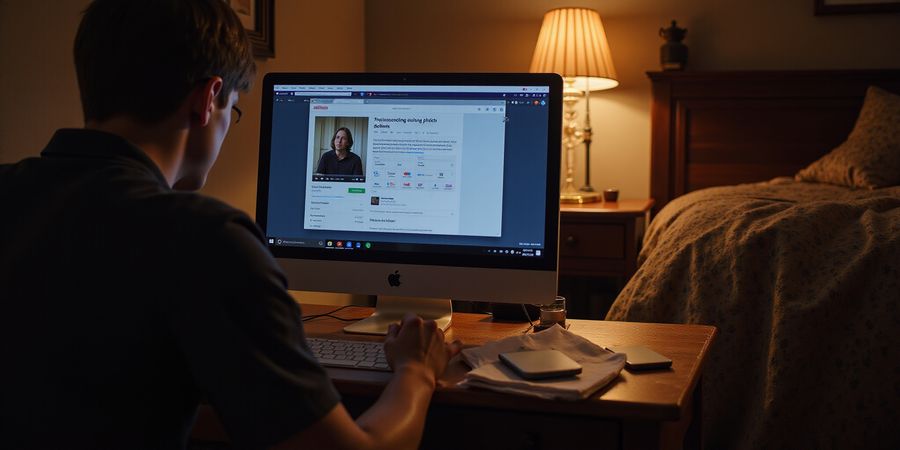
Picture a late‑night study session in a cramped dorm. The student clicks a link, only to see the dreaded “video unavailable” message.
If you’re looking for ways to watch blocked YouTube videos, you’re not alone. That moment feels like a wall that blocks access to knowledge, entertainment, and a sense of community. We’ve all felt that frustrated glitch. But what if we could lift that wall with a few clicks?
YouTube can be blocked for many reasons: campus Wi‑Fi may filter video traffic, governments can impose DNS or HTTP filters, and some videos are geo‑restricted. Even personal device settings can block content if the IP is flagged. Each block triggers a familiar error: “This video is unavailable” or “YouTube is limiting the traffic.”
Our guide will walk you through simple, legal ways to bypass these hurdles, and we’ll highlight how Forest VPN makes it effortless and affordable. From VPNs to DNS tweaks, from Invidious front‑ends to mobile tethering, we’ll show you how to turn a blocked link into a play button and how to unblock YouTube. No complicated jargon—just step‑by‑step actions.
Imagine a tool that feels like a secret door, opening instantly to the content you need. That’s the kind of convenience we’re talking about. It’s fast, reliable, and works across devices—so you can watch lectures, tutorials, or just binge your favorite series without a hitch. You can watch YouTube abroad without restrictions.
We’ll keep it real with real‑world examples. A student in Mumbai used a public DNS change to watch a lecture that was otherwise blocked by the university. A traveler in Thailand turned to a lightweight proxy to stream a local news channel. These are not myths; they’re everyday solutions.
Next, we’ll dive into the tools that make it happen. We’ll cover how to set up a VPN, configure a DNS server, and use an Invidious instance. We’ll also show you how to test your connection and troubleshoot common playback errors.
By the end of this section, you’ll have a clear action plan and the confidence to unblock any YouTube video, no matter where you are. Try Forest VPN today and unlock your favorite videos instantly. Let’s unlock the world of video together.
The Anatomy of a Block: Network, Policy, and Geography – blocked youtube videos
If you’ve ever tried to watch a video and it turns into a cryptic error, you’re not alone. Many people search for “blocked youtube videos” because their local network or country is preventing access to the platform. The good news is you can often unblock YouTube and watch videos abroad with a few simple steps.
The first layer is network filtering. ISPs or public Wi‑Fi often block YouTube traffic using DNS or HTTP filters. The second layer is policy enforcement—schools, offices, or even home routers limit bandwidth or block video domains. The third layer is geographical restriction, where a video is simply unavailable in your country or region.
You’ll see error messages that feel like cryptic riddles: “This video is unavailable,” “YouTube is limiting the traffic you can send,” or a generic 403. Each message hints at the block type.
Sometimes the culprit is IP blacklisting. YouTube may block an IP that appears suspicious or violates terms. This can happen if a VPN server is flagged or if a corporate network shares an IP range.
Diagnostic checklist
- Does the error appear on other devices? If not, the network is the suspect.
- Try a different URL or a private browsing window.
- Run a DNS leak test at https://www.dnsleaktest.com/.
- Switch to a mobile data connection; if it works, the Wi‑Fi is blocking.
- Use a quick ping:
ping youtube.comto see if DNS resolves.
If all devices show the same error, the block is likely at the ISP or policy level. If only one device fails, the issue may be local settings or a misconfigured VPN.
Once you confirm a block, you can move on to solutions—VPNs, proxies, DNS changes, or Invidious front‑ends. Each method has its own strengths and trade‑offs.
Bypass options that keep your privacy safe
- Forest VPN offers a simple, affordable way to unblock YouTube. With a single tap you can switch servers, bypass geo‑restrictions, and keep your browsing private.
- If you prefer a lightweight option, try a DNS‑based unblocker or a browser extension that rewrites URLs.
- For travelers, a mobile data tether can be a quick fallback when local Wi‑Fi is blocked.
Forest VPN’s user‑friendly interface makes it easy to connect to a server in a country where YouTube is available, and its transparent pricing keeps costs low. Give it a try and experience the difference.
Ready to watch your favorite videos again? Download Forest VPN today and start streaming without limits.
Forest VPN: Your First‑Line Defense for Unblocking YouTube – Blocked YouTube Videos
- Why YouTube may be blocked • Network policies, regional restrictions, or device limitations can prevent access.
How to unblock YouTube with Forest VPN (step‑by‑step)
- Download the Forest VPN app from the official website or your device’s app store.
- Sign up using an email address or a social login.
- Choose a server in a country where YouTube is freely available – the United States or Germany are popular for speed.
- Tap “Connect” and wait for the lock icon to appear.
- Open the YouTube app or website and verify that videos play without buffering.
Key features that keep you safe
- No‑log policy – Forest never records your browsing data.
- Split tunneling – Select which apps use the VPN, keeping your data plan free.
- Built‑in DNS leak protection – Stops DNS requests from leaking outside the VPN.
Testimonial
“I was in Kyoto, trying to catch a live lecture from my university. The campus Wi‑Fi blocked YouTube, but Forest VPN let me stream the entire session without a hiccup. It was like having a secret tunnel straight to the lecture hall!” – Maya, international student.
Ready to ditch the block?
Install Forest VPN today and unlock a world of content, so you can watch YouTube abroad without restrictions.
FAQ
How do I watch YouTube when it’s blocked? Use Forest VPN to connect to a server where YouTube is available, then open the app or site.
Is Forest VPN safe for privacy? Yes – its no‑log policy and DNS leak protection protect your data from snoops.
Can I use Forest VPN on multiple devices? Yes, you can install the app on smartphones, tablets, and computers, and use split tunneling to choose which apps share the VPN connection.
What if I still see a “video unavailable” error? Try switching to a different server or enable the “Bypass DNS” setting in the app’s advanced options.
Can I stream on mobile data? Absolutely. Forest VPN works over mobile data, so you can watch YouTube abroad even if Wi‑Fi is restricted.
blocked youtube videos: Beyond VPN – Invidious, DNS, Proxies, and Browser Extensions
Blocked YouTube videos can feel like a wall that stops us from learning or laughing. We’ve all clicked a link and met that “video unavailable” notice. Now we’ll show you how to bypass these blocks without a VPN, simply by changing your DNS or using an Invidious front‑end. These tricks are legal, quick, and can even pair with Forest VPN for extra safety. Ready to explore the toolbox?
Invidious front‑ends
Invidious front‑ends let you access YouTube content without the heavy traffic tags. It’s like a secret door to the same videos. Popular instances include yewtu.be and invidious.f5.si, which load faster than the official site in many blocked regions. The interface feels familiar, but the ads are gone. Try it now and see the difference.
DNS changes
DNS changes act like a map that reroutes your requests. Switch to Cloudflare’s 1.1.1.1 or Google’s 8.8.8.8. On Windows, open Network Settings → Properties → IPv4 → Use the following DNS. Then flush the cache with sudo killall -HUP mDNSResponder and test with nslookup youtube.com.
Proxy tricks
Proxies are like middlemen that hide your origin. A lightweight SOCKS5 proxy can work, but speed may dip. Use a browser extension such as Proxy SwitchyOmega to toggle between direct and proxied connections. It’s a handy toggle, and pairing it with a VPN can keep the data trail invisible.
Browser extensions
Extensions can be your invisible shield. Install uBlock Origin to block trackers and unwanted ads; it’s lightweight, like a breeze. Pair it with Privacy Badger to stop third‑party cookies from following you. If you’re on mobile, Safari or Chrome’s built‑in ad blocker can also keep the stream clean.
Combining with Forest VPN
Forest VPN offers a convenient, affordable solution with a wide range of server locations. It’s a no‑log, fast connection that can act as a safety net. When you pair DNS changes or Invidious with Forest VPN, you add another layer of encryption. This combo feels like a secret key and a guard dog: the key opens, the dog blocks unwanted visitors. Try toggling the VPN on and off to see which method gives the smoothest playback for your device. Give Forest VPN a try today for a secure, fast experience.
Testing, Troubleshooting, and Ensuring Smooth Playback
Ever had a video freeze halfway through? A quick ping to youtube.com can expose a hidden roadblock, and a DNS leak might be the culprit. Catching these hiccups early saves you from a full‑blown playback failure.
Connection Tests
- Ping youtube.com: Open a terminal and type
ping youtube.com. A reply within 100 ms shows the network is reachable. - DNS leak check: Visit https://www.dnsleaktest.com/ while connected to Forest VPN. The listed DNS servers should match the VPN location.
- Speed test: Run a quick speed test to confirm bandwidth is adequate for 1080p streaming.
Common Error Codes
Code | Symptom | Likely Cause | Quick Fix |
|---|---|---|---|
429 | Too many requests | Rate limit reached | Wait 24 h or switch IP via VPN |
403 | Forbidden | Server blocks IP | Use a different server or Invidious |
DNS_PROBE_FINISHED_NXDOMAIN | Domain not found | DNS misconfig | Switch to a reliable DNS like 1.1.1.1 |
500 | Server error | Temporary server glitch | Refresh or clear cache |
Practical Fixes
- Switch VPN servers: If one server stalls, try another in the same region.
- Clear browser cache: Old cookies can lock you out of a video.
- Disable proxy settings: A mis‑configured proxy can cause playback errors.
- Restart the VPN app: A fresh connection often resolves hidden leaks.
- Use Invidious: A public front‑end bypasses many regional blocks.
Multi‑Device Verification
Playback should feel seamless on every screen. Test on:
- Desktop: Chrome or Firefox with a clean profile.
- Mobile: The YouTube app after a fresh install.
- Smart TV: Connect via the VPN‑enabled router or use the built‑in VPN app.
If a video plays on one device but not another, the issue likely lies in the device’s DNS or local firewall.
Quick Reference Table
Issue | Symptom | Fix | Tool |
|---|---|---|---|
Slow buffering | Video lags | Switch server | Forest VPN |
Error 403 | Video blocked | Invidious | Browser |
DNS leak | Wrong IP shown | Change DNS | VPN settings |
Cache error | Video not loading | Clear cache | Browser |
By following these steps, we keep our viewing experience smooth and our data safe. The next section will dive deeper into advanced privacy settings that complement these fixes.
How to Unblock YouTube Videos Safely and Legally
When you’re looking to watch blocked youtube videos, a dependable VPN can grant you both access and privacy. Below is a quick checklist to keep you compliant and secure.
Checklist
- Understand the block – YouTube may be restricted by network policies, regional laws, or device settings. Knowing the reason helps you choose the right tool.
- Pick a reputable VPN – Look for a provider that offers a strict no‑log policy, multiple encryption protocols, and a kill‑switch. Forest VPN is a good example of a privacy‑first service.
- Disable DNS leak protection when needed – Some VPNs enable DNS leak protection by default, which can expose your real IP. Turn it off, set a private DNS (8.8.8.8 or 1.1.1.1), and run a leak test.
- Use a local firewall – Block unsolicited inbound traffic to create a private bubble for your stream.
- Avoid free VPNs – Free services often log and sell your data. Stick to paid, privacy‑first providers.
- Check local laws – VPN use is illegal in some jurisdictions. Verify the rules in your country before connecting.
- Verify no leaks – After connecting, visit dnsleaktest.com to confirm that no DNS or IP leaks are occurring.
- Test playback – Open YouTube, load the video, and make sure it plays without interruptions or error messages.
FAQ
Q: Can I use a free VPN to unblock YouTube? A: Free VPNs usually log your activity and may sell your data. For privacy and reliability, choose a paid, no‑log provider.
Q: Is it legal to bypass YouTube blocks? A: Legality varies by country. Some places ban VPN use outright. Always check local regulations before bypassing restrictions.
Q: How do I know if my VPN is leaking DNS? A: Run a leak test on sites like dnsleaktest.com. If you see your real IP or DNS server, disable the VPN’s DNS leak protection or switch to a private DNS.
Q: What if I still see errors after connecting? A: Try switching servers, disabling DNS leak protection, or updating the VPN client. If problems persist, contact the VPN’s support team.
Q: Does Forest VPN comply with privacy regulations? A: Forest VPN maintains a strict no‑log policy and is committed to protecting user privacy. For detailed information, visit their privacy page.
Feel free to try Forest VPN today and enjoy YouTube without borders—while staying compliant and protected.
We’ve all felt that nagging frustration when a video you need just won’t play on campus Wi‑Fi or while you’re abroad. If you’re trying to watch blocked youtube videos while studying or traveling, it feels like a wall blocking knowledge and entertainment. But we’ve found a smooth tunnel through Forest VPN that lets you unblock YouTube and watch it abroad.
Student Success: A Dorm‑Diving Lifesaver
Meet Alex, a sophomore who needed a tutorial on quantum mechanics. The campus network blocked YouTube, so he switched to Forest VPN in seconds. Within 5 seconds, the video loaded, and Alex finished his assignment ahead of schedule. Alex now says Forest VPN is like a secret tunnel that lets him study without the campus firewall’s chokehold. Forest VPN’s low latency and strong encryption kept Alex’s video smooth, even on a congested campus network.
Traveler Triumph: Streaming from a Skies‑High Balcony
Meet Sofia, a flight attendant who wanted to watch her family’s birthday video from Tokyo. The airport Wi‑Fi blocked YouTube, but Forest VPN unlocked the stream in a heartbeat. Sofia could stream 4K without buffering, feeling like a bird soaring above the city’s digital skyline. The VPN’s split‑tunnel feature saved airplane data, letting Sofia stay on the airline’s Wi‑Fi for emails while streaming YouTube.
Small Business Boost: Training Without a Firewall
Mark runs a boutique marketing agency. When the office network cut YouTube, he needed to show a client the latest trend video. Forest VPN made the switch seamless. Mark added the VPN to his team’s VPN client, ensuring every employee could stream training videos without the office’s bandwidth limits. With the VPN’s no‑log policy, Mark’s clients trust that their training sessions remain private.
Take the Leap
We’re offering a 7‑day free trial so you can test Forest VPN risk‑free. After that, choose from our Basic plan at $4.99/month or the Premium plan at $9.99/month for unlimited streaming and priority support. Subscribe now and enjoy uninterrupted YouTube, whether you’re in a dorm, on a plane, or behind a corporate firewall. Remember, this guide has equipped you to confidently access blocked youtube videos anytime, anywhere. Whether you’re a student, traveler, or business owner, Forest VPN turns blocked YouTube into a seamless experience. We’re confident you’ll love the freedom of the unblocked YouTube.
Choosing the right tier depends on how often you stream. The Basic plan gives you 5 GB of free data per month and works on all devices. Premium removes data caps and adds priority support, making it ideal for frequent travelers or teams. If you’re on a tight budget, the free trial lets you test all features before committing. Start your adventure today and let Forest VPN be your passport to unlimited YouTube. Enjoy the freedom right now.