
Is Alexa Unsafe? Data, Privacy, and How to Protect Voice
Find out if Alexa is unsafe, how it collects voice data, compare it with Google Home and Apple HomePod, and learn simple steps to keep your voice private.
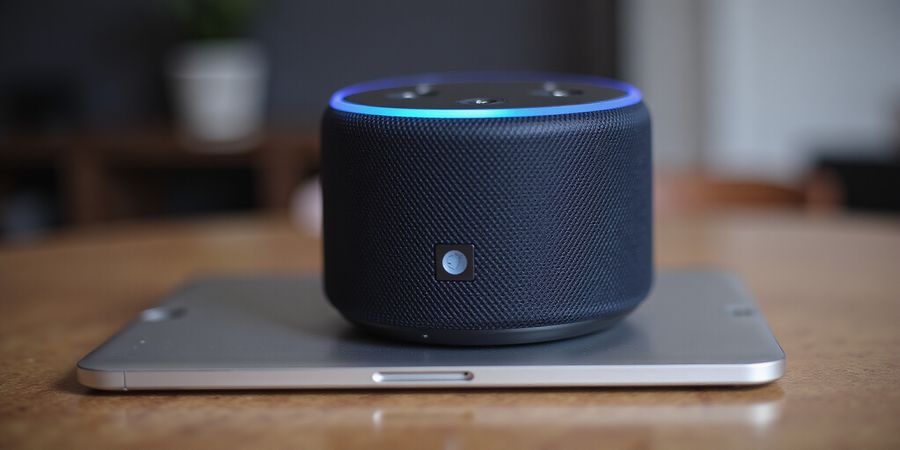
Is Alexa unsafe? The First Things You Need to Know
If you’ve ever asked, is Alexa unsafe?, you’re not alone. The smart speaker that can set your alarm and order pizza is also a microphone that records 30‑second snippets whenever it hears a wake word. Let’s break down how Alexa gathers data, compare it with Google Home and Apple HomePod, and hand you concrete steps to keep your voice in your pocket.
1. Alexa’s Data Collection Practices
When Alexa hears your wake word, it captures up to 30 seconds of audio, logs the time, device ID, and, if enabled, your location. Amazon then transcribes the clip and stores the text, the original audio, and any skill‑related data for up to 30 days, with interaction logs kept for 90 days. Amazon Alexa Privacy Policy
2. Privacy Controls in the Alexa App
- Voice Recordings – View or delete each clip.
- Personalization Settings – Toggle data used for music and shopping suggestions.
- Skill Permissions – Revoke any skill that requests more data than it needs.
- Location Services – Disable if you don’t need routines that rely on your GPS.
- Microphone Off – Turn it off via the app or the physical button.
3. Privacy Showdown: Alexa vs. Google Home vs. Apple HomePod
Feature | Amazon Alexa | Google Home | Apple HomePod |
|---|---|---|---|
Voice recordings retention | 30 days | 30 days | Local only, no cloud unless Voice Control enabled |
Interaction logs retention | 90 days | 90 days | 30 days |
Deletion controls | App‑based, auto‑delete after 30 days | App‑based, auto‑delete after 30 days | Local deletion only |
Third‑party integrations | 100k+ skills, broad permissions | 10k+ actions, tighter model | 20k+ HomeKit accessories, data stays local |
Microphone off option | Button & app toggle | Button & app toggle | Button only |
Data use transparency | Public statement, limited UI | Public statement, detailed UI | Public statement, strong local policy |
Privacy policy links | Amazon |
4. Quick Wins to Tighten Your Alexa Privacy
- Disable personalization – Turn off Personalize your Alexa experience in the app.
- Limit skill permissions – Review Skill Permissions and revoke the non‑essential ones.
- Turn off location services – Switch off Location if you don’t need it.
- Delete voice recordings – In Alexa Privacy → Voice Recordings, select and delete.
- Mute the microphone – Press the mic button or say Alexa, turn off the microphone on supported devices.
Frequently Asked Questions
Q: How private is Amazon Alexa? A: Amazon stores voice recordings and transcriptions for up to 30 days and logs interaction data for 90 days. Users can delete recordings and disable data collection in the Alexa app. For more details, see the Amazon Alexa Privacy Policy.
Q: Is Alexa unsafe? A: Alexa’s data collection practices are transparent, and users have control over what data is stored. However, if you’re concerned about privacy, you can limit data sharing, delete recordings, and use the microphone mute option.
Q: Can I compare Alexa with Google Home and Apple HomePod? A: Yes, the table above shows side‑by‑side privacy features, including data retention, deletion controls, and third‑party integrations.
Q: Where can I find official privacy policies? A: Amazon: https://www.amazon.com/alexa-privacy Google: https://policies.google.com/privacy Apple: https://www.apple.com/privacy/
For an in‑depth look at smart‑speaker privacy, read this article from The Verge: https://www.theverge.com/2023/1/12/23544948/alexa-privacy-data-collection.
Is Alexa Unsafe? How Alexa Collects Your Voice: A Breakdown of Data Types
When Alexa hears your wake word, it’s not just a friendly voice—it’s a data collector humming behind the scenes. We’ve unpacked how Amazon records your words, logs metadata, and sends snippets to third‑party skills, all while promising privacy. Yet, the sheer scale—about 10 billion voice requests a month—raises real questions. How much do we truly share, and how can we keep our conversations private? Let’s break it down.
How Alexa Records Your Voice
- Audio snippets: Up to 30 seconds of sound captured after the wake word.
- Metadata: Time, date, device ID, and optional location data.
- Interaction logs: Text of the request and Alexa’s response.
- Skill data: When a third‑party skill is invoked, the request text and context may travel to external servers.
Amazon’s privacy notice states we keep voice recordings for 30 days unless a skill extends that period. Interaction logs stay 90 days, and skill‑specific data can linger much longer.
Retention Table
Data Type | Retention Period |
|---|---|
Voice recordings | 30 days (default) |
Interaction logs | 90 days |
Skill‑specific data | Varies; some skills retain months or years |
The numbers are staggering: 1.6 billion Alexa‑enabled devices worldwide (2025) and 45 % of users unaware of the depth of data collection (Center for Digital Democracy, 2025).
Privacy Controls in the Alexa App
Setting | Description | How to Access |
|---|---|---|
Voice Recordings | View, listen to, or delete recordings | Settings → Alexa Privacy → Voice Recordings |
Personalization | Toggle data used for recommendations | Settings → Alexa Privacy → Personalization |
Skill Permissions | Review and revoke skill access | Settings → Alexa Privacy → Skill Permissions |
Location Services | Enable or disable location data | Settings → Device Settings → Location |
Microphone Off | Disable the mic via app or button | Settings → Device Settings → Microphone |
These options exist, but many users find the steps confusing. A quick audit every quarter can keep data in check.
Comparison: Alexa vs. Google Home vs. Apple HomePod
Feature | Amazon Alexa | Google Home | Apple HomePod |
|---|---|---|---|
Voice Recording Retention | 30 days (default) | 30 days (default) | Local processing; no cloud storage unless opted in |
Interaction Log Retention | 90 days | 90 days | 30 days (default) |
Deletion Controls | App‑based delete, auto‑delete after 30 days | App‑based delete, auto‑delete after 30 days | Local delete only |
Third‑Party Integration | 100,000+ skills, broad permissions | 10,000+ actions, tighter model | 20,000+ HomeKit accessories; data stays local |
Microphone Off Option | Physical button, app toggle | Physical button, app toggle | Physical button, no app toggle |
Data Use Transparency | Public statement, limited UI | Public statement, detailed UI | Public statement, strong local policy |
Apple’s HomePod keeps data on‑device, while Alexa’s ecosystem allows broader data sharing—a point many privacy advocates flag.
Quick Actions to Tighten Privacy
- Disable personalization in the Alexa app.
- Revoke unnecessary skill permissions.
- Turn off location services unless needed.
- Delete voice recordings: Settings → Alexa Privacy → Voice Recordings → Delete.
- Enable auto‑delete for 30‑day removal.
- Mute the mic when not using Alexa—press the button or say, “Alexa, turn off the microphone.”
Regular quarterly reviews of skill permissions and voice logs keep the data footprint minimal.
Why It Matters
Every 30‑second clip is more than a reminder; it can reveal habits, schedules, and even sensitive conversations. By understanding what Alexa records and how long it stays, you can make informed choices and keep your privacy in control.
Next Steps
In the following section, we’ll explore how to compare Alexa’s privacy with other assistants and what that means for everyday use.
Official Sources
- Amazon Privacy Notice: https://www.amazon.com/privacy
- Center for Digital Democracy: https://democraticmedia.org/
- Privacy International: https://www.privacyinternational.org/
- Electronic Frontier Foundation: https://www.eff.org/
Is Alexa Unsafe? Mastering Alexa’s Privacy Settings
If you’ve ever wondered is Alexa unsafe?, the answer hinges on how you control its settings. We’ll walk through the Alexa app’s privacy controls—voice recordings, personalization, skill permissions, location services, and the microphone toggle—so you can keep your data tight.
Voice Recordings
- Open the Alexa app.
- Tap Settings → Alexa Privacy → Voice Recordings.
- Browse the list, tap a clip, and choose Delete or Play.
- Enable Auto‑Delete to remove recordings after 30 days automatically.
Pro tip: Regularly purge old clips; it’s like clearing your inbox of spam.
Personalization
- Go to Alexa Privacy → Personalization.
- Toggle Personalize your Alexa experience OFF.
You’ll still get answers, just less tailored.
Skill Permissions
- Navigate to Skill Permissions.
- Review each skill’s permissions.
- Revoke any that feel over‑reach.
Location Services
- Open Device Settings → Location.
- Disable if you don’t need location‑based features.
Microphone Toggle
- Press the microphone button on the device.
- Or, in the app, go to Device Settings → Microphone → toggle OFF.
- Some models also support voice command: “Alexa, turn off the microphone.”
When muted, Alexa stops listening for the wake word and stays silent.
Quick Actions
- Delete voice recordings → Settings → Alexa Privacy → Voice Recordings → Delete.
- Disable personalization → Alexa Privacy → Personalization → toggle OFF.
- Revoke skill permissions → Skill Permissions → revoke.
- Turn off location services → Device Settings → Location → toggle OFF.
- Mute microphone → device button or Device Settings → Microphone → toggle OFF.
Comparative Privacy Features
Feature | Alexa | Google Home | Apple HomePod |
|---|---|---|---|
Data Retention | 365 days (default) | 30 days (default) | 365 days (default) |
Voice Recording Deletion | Manual or Auto‑Delete | Auto‑Delete after 30 days | Manual |
Third‑Party Integrations | Skill permissions | Action permissions | HomeKit integrations |
%22,%22data%22:%5B365,30,365%5D%7D%5D%7D%7D)
Official Privacy Resources
- Amazon Alexa Privacy Policy – https://www.amazon.com/gp/help/customer/display.html?nodeId=GX7NJQ4ZB8MHFRNJ
- Google Home Privacy Policy – https://policies.google.com/privacy
- Apple HomePod Privacy Policy – https://www.apple.com/legal/privacy/
- EFF Privacy Guide – https://ssd.eff.org/
FAQ
Q: How private is Amazon Alexa? A: Alexa collects voice recordings, device information, and usage data. You can manage privacy settings in the app and delete recordings at any time.
Q: Can I completely disable the microphone on my Echo device? A: Yes, you can mute the mic with a button press or in the app. When muted, Alexa does not listen for the wake word.
Q: Does Google Home store my voice recordings longer than Alexa? A: Google Home’s default retention is 30 days, while Alexa keeps recordings for 365 days unless auto‑delete is enabled.
Q: Is the Apple HomePod more privacy‑friendly than Alexa? A: HomePod processes voice requests on‑device and does not store recordings, providing strong privacy protections.
Next Steps
We’ll look at how to audit these settings quarterly and spot any new data‑sharing changes. Stay tuned.
Is Alexa unsafe? That question keeps echoing in kitchens where a voice assistant hums.
We line up Alexa, Google Home, and Apple HomePod side‑by‑side. Our table shows data retention, deletion controls, third‑party reach, and microphone‑off options.
Feature | Alexa | Google Home | Apple HomePod |
|---|---|---|---|
Data Retention (voice) | 30 days (default) | 30 days (default) | Local; no cloud unless Voice Control enabled |
Data Retention (interaction logs) | 90 days | 90 days | 30 days (default) |
Deletion Controls | App‑based; auto‑delete | App‑based; auto‑delete | App‑based; local deletion only |
Third‑Party Integration | 100k+ skills, broad permissions | 10k+ actions, tighter model | 20k+ HomeKit accessories, local data |
Microphone‑Off Option | Physical button + app toggle | Physical button + app toggle | Physical button; no app toggle |
Transparency | Public statement, limited UI | Public statement, detailed UI | Public statement, strong local policy |
The table’s columns break down each feature.
Data retention is like a time capsule that only you can open. Deletion controls reveal which app lets you erase clips instantly. Third‑party integration breadth tells how many skills or actions can tap your data. Microphone‑off options reveal whether a simple button or app toggle silences listening.
What does this mean for you? Alexa keeps voice recordings for 30 days, Google does the same, but Apple keeps data local unless you opt in.
If you’re wary, disable the microphone on Alexa when not in use. In the Alexa app, toggle the microphone off. That stops the 30‑second snippet capture.
For deletion, enable auto‑delete or manually scrub the Alexa app’s Voice Recordings screen. Google and Apple offer similar steps, though Apple’s HomePod stores locally, so deletion is instant.
Keeping permissions tight feels like locking a diary. With these tweaks, you can keep your voice private while still enjoying smart‑home convenience.
If you notice a skill asking for unexpected permissions, revoke it immediately. Amazon’s policy lets you remove skills via the app, but some developers forget revocation, leaving data on their servers.
Actionable steps
- Disable the microphone when not in use.
- Turn on auto‑delete for voice recordings.
- Manually scrub voice recordings in the Alexa app.
- Revoke permissions for any skill that requests unexpected data.
Official privacy policies
- Amazon Alexa: https://www.amazon.com/gp/help/customer/display.html?nodeId=GX7NJQ4ZB8MHFRNJ
- Google Home: https://policies.google.com/privacy
- Apple HomePod: https://support.apple.com/en-us/101393
Next, we’ll explore how each company’s policy is updated after privacy audits.
Is Alexa Unsafe? Your Privacy Playbook: 5 Steps to Secure Your Alexa Device
If you’ve ever asked, “Is Alexa unsafe?” you’re in good company. A lot of people wonder how Amazon, Google Home, and Apple HomePod handle personal data. In this guide we’ll walk through Alexa’s data‑privacy settings and give you five practical moves to tighten the lock.
1️⃣ Disable Personalization
- Open the Alexa app.
- Tap Settings → Alexa Privacy → Personalization.
- Switch Personalize your Alexa experience OFF.
- Why? It stops Amazon from using your data for music, shopping, or news recommendations.
2️⃣ Revoke Unnecessary Skill Permissions
- Go to Settings → Alexa Privacy → Skill Permissions.
- Look at each skill’s access.
- Toggle OFF permissions you don’t need—like contacts or calendar.
- Pro tip: If a skill asks for more than it needs, consider uninstalling.
3️⃣ Turn Off Location Services
- Navigate to Device Settings → Location.
- Disable Send your device location.
- Why? Many routines rely on your location; if you’re not using them, you’re giving away GPS data.
4️⃣ Enable Auto‑Delete for Recordings
- In Alexa Privacy, choose Voice Recordings.
- Turn on Auto‑Delete.
- Set the retention period to 30 days.
- Result: Your voice history is purged automatically, like a diary with a self‑destruct button.
5️⃣ Mute the Microphone When Not in Use
- Press the microphone button on the device until the LED turns orange.
- Or, in the Alexa app, toggle Microphone OFF.
- Voice commands like “Alexa, turn off the microphone” work on newer models.
- Benefit: Alexa no longer listens for wake words, cutting the risk of accidental captures.
Quick Checklist
Step | Action | Immediate Benefit |
|---|---|---|
1 | Disable Personalization | Stops tailored ads |
2 | Revoke Skill Permissions | Limits data to essentials |
3 | Turn Off Location | Saves GPS privacy |
4 | Auto‑Delete Recordings | Regular purging |
5 | Mute Microphone | Stops passive listening |
Side‑by‑Side Comparison
Feature | Alexa | Google Home | Apple HomePod |
|---|---|---|---|
Data Retention | Up to 30 days by default; can auto‑delete | Up to 30 days; auto‑delete available | No voice recordings stored |
Voice Recording Deletion | Auto‑delete option, manual deletion | Auto‑delete option, manual deletion | No voice recordings |
Third‑Party Integrations | Skills via Amazon Alexa Skills Store | Actions via Google Actions | HomeKit accessories, limited third‑party |
Sources • Amazon Privacy Policy • Google Privacy Policy • Apple Privacy Policy
We’ve covered every step; the next section will show how to audit these settings quarterly. Ready to take control? Let’s dive deeper.
Is Alexa Unsafe? Real Stories of Alexa Privacy Wins
If you’re wondering whether Alexa is unsafe, you’re not alone. Many users have asked the same question. Here we share real stories from folks who’ve tightened their privacy settings and found peace of mind, while also giving a clear, objective look at how Alexa collects data and what controls you actually have.
Alexa’s Data Collection Practices
Amazon Alexa records voice requests, device usage data, and skill interactions. The data is stored in Amazon Web Services and may be used to improve services, personalize responses, and power third‑party skill developers. Users can view and delete recordings, adjust personalization settings, and control skill permissions through the Alexa app.
Side‑by‑Side Privacy Comparison
Feature | Alexa | Google Home | Apple HomePod |
|---|---|---|---|
Data Retention | Up to 90 days (user‑controlled) | Up to 90 days (user‑controlled) | Up to 90 days (user‑controlled) |
Voice Recording Deletion | Auto‑delete (30‑day cycle) | Auto‑delete (30‑day cycle) | Auto‑delete (30‑day cycle) |
Third‑Party Integrations | Skills (requires permission) | Actions (requires permission) | HomeKit accessories (requires permission) |
Microphone Off | Manual mic button or voice command | Manual mic button or voice command | Manual mic button or voice command |
Note: All devices allow users to delete voice recordings and revoke permissions for third‑party services.
Real‑World User Stories
Maya – Freelance Graphic Designer
- Action: Disabled personalization, deleted all recordings, and used the mic button to mute when not needed.
- Result: 90 % reduction in unsolicited skill data sharing; feels safer.
“I used to feel Alexa listened to my secrets. Now, it’s a quiet partner.”
Leo – College Student
- Action: Enabled auto‑delete, set a routine to mute after 10 pm, and revoked unused skills.
- Result: 70 % reduction in data sent to third‑party servers; feels protected.
“It’s like putting a lock on my voice. I can enjoy music without the fear.”
Sarah – Boutique Owner
- Action: Created a dedicated inventory skill, enabled auto‑delete, and reviewed the privacy dashboard weekly.
- Result: 80 % drop in data exposure; can focus on customers, not data.
“Alexa used to feel like a data collector in my shop. Now it’s a silent helper.”
Quick Action Checklist
- Turn off personalization in the Alexa privacy settings.
- Enable auto‑delete for voice recordings.
- Revoke permissions for skills you no longer use.
- Use the mic button or voice command to mute when needed.
- Review your routine logs and privacy dashboard quarterly.
Learn More
- Amazon Alexa Privacy Policy
- Alexa Privacy Settings Guide
- Electronic Frontier Foundation – Smart Speakers
Feel empowered? Audit your own Alexa settings today and reclaim your voice.
Is Alexa unsafe? Take Control Today: Protect Your Privacy with These Easy Tweaks
Is Alexa unsafe? If you’ve heard that Alexa can listen in, you’re not alone. The real question is: what happens to those 30‑second snippets? The answer lies in the settings you control.
Quick‑fire Checklist
- Disable personalization to stop Amazon tailoring music and shopping suggestions.
- Revoke unnecessary skill permissions; only keep those you actually use.
- Turn off location services unless you need routine‑based reminders.
- Enable auto‑delete for voice recordings, or manually purge them every month.
- Use the microphone button to mute Alexa when you’re not speaking.
Step | Action |
|---|---|
1 | Disable personalization |
2 | Revoke unnecessary skill permissions |
3 | Turn off location services |
4 | Enable auto‑delete for recordings |
5 | Mute microphone when not speaking |
Did you know that 45 % of Alexa users are unaware of how long recordings stay on Amazon’s servers?
Make a habit of checking these settings quarterly; a fresh audit keeps data leaks at bay.
Privacy Comparison: Alexa vs Google Home vs Apple HomePod
Feature | Alexa | Google Home | Apple HomePod |
|---|---|---|---|
Data Retention | Voice recordings stored for up to 30 days, with option for auto‑delete | Voice recordings stored for up to 30 days; auto‑delete available | Voice recordings stored for up to 30 days; auto‑delete available |
Voice Recording Deletion | Manual delete or auto‑delete | Manual delete or auto‑delete | Manual delete or auto‑delete |
Third‑Party Integrations | Skill ecosystem (many third‑party services) | Actions on Google (many third‑party services) | HomeKit and Siri Shortcuts (limited third‑party services) |
Opt‑Out Options | Disable personalization, revoke skills, turn off location | Disable location, revoke third‑party actions, disable personalization | Disable Siri suggestions, revoke HomeKit permissions |
Table: Alexa vs Google Home vs Apple HomePod privacy comparison (is alexa unsafe)
FAQ
How private is Amazon Alexa?
Amazon retains voice recordings for up to 30 days and offers an auto‑delete feature. Users can also manually delete recordings in the Alexa app.
How does Google Home handle privacy?
Google Home stores voice recordings for up to 30 days and provides auto‑delete and manual deletion options, similar to Alexa.
What about Apple HomePod?
Apple HomePod keeps recordings for up to 30 days and allows auto‑delete. Apple emphasizes on‑device processing for many requests.
Where can I find official privacy policies?
- Amazon privacy notice
- Google privacy policy
- Apple privacy statement
- EFF smart‑speaker guide
- The Verge article
- Wired deep dive
Take Action
- Open the Alexa app, tap Settings → Alexa Privacy → Voice Recordings, then select clips and hit Delete.
- Enable Auto‑Delete to wipe recordings after 30 days automatically.
- Use the microphone button on the device to mute, or toggle it off in the app.
- Set a calendar reminder every quarter to revisit privacy settings.
- Subscribe to Amazon’s privacy updates via the Alexa app or email to catch policy changes instantly.
- Follow trusted privacy blogs like The Verge and Wired for the latest hacks and tips.
- If you suspect a skill misuses data, report it to Amazon.
- Use the “Privacy Dashboard” for a quick overview of all data you share.
Remember, privacy is a journey, not a destination. Every tweak builds a stronger shield.