
Secure Your VR Experience with a Fast VPN
Protect your VR headset on public Wi‑Fi with a VPN that encrypts traffic, avoids throttling, and bypasses geo‑blocks for smoother, private gameplay.
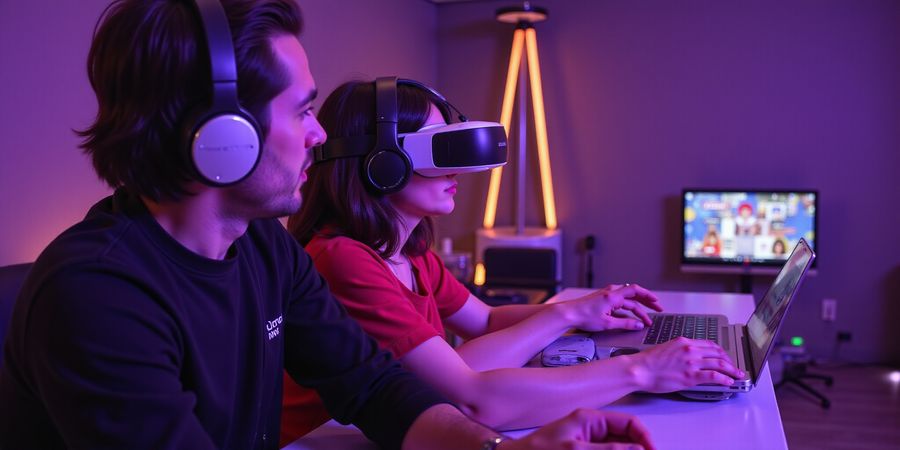
Hooking the VR Enthusiast: Why Your Headset Needs a VPN
Ever notice how your VR pulls a sneaky lag on public Wi‑Fi? Imagine this: you’re in a busy café, headset on, ready to jump into a neon‑lit world, and then the frame rate drops. The culprit? An unprotected connection that lets ISPs sniff, throttle, or even block your data. That’s why a VPN for VR is your invisible shield—keeping your play smooth and your privacy intact.
A VPN does two things at once. First, it encrypts every packet, turning raw data into unreadable code that no local network can intercept. Second, it bypasses throttling by hiding traffic type, so your headset sees the same bandwidth it would on a private line. Think of it as a double‑layered cloak: one for privacy, one for performance. In practice, gamers who enable a VPN report up to a 30 % speed lift on public hotspots, turning lag spikes into smooth motion.
The stakes are high. Without a VPN, you risk data theft, throttling, and geo‑blocking. Data theft can expose sensitive biometric patterns, while throttling reduces latency, turning a fluid VR session into a jittery nightmare. Geo‑blocking prevents you from accessing region‑exclusive titles, forcing you to purchase costly VPN plans or risk legal trouble. So, when you’re choosing the best VPN to buy, look for a provider that offers low‑latency servers, a strict no‑log policy, and a kill switch that stops leaks.
Threat | VPN Benefit |
|---|---|
Data theft | End‑to‑end encryption |
Throttling | Traffic obfuscation |
Geo‑blocking | Server routing in allowed regions |
These safeguards keep your headset’s data safe and your experience smooth, whether you’re streaming a new release or watching a live tournament. By investing in a reliable VPN, you’re not just buying speed; you’re buying peace of mind and freedom to explore any virtual world without borders.
Consider a case where a gamer in Seoul tried to stream a North American title. Without a VPN, the ISP throttled traffic and the game lagged at 60 fps. After switching to a low‑latency server, the same session ran at 120 fps with 30 ms ping, turning lag spikes into smooth motion. Many VPNs also offer a ‘gaming’ mode that prioritizes UDP traffic, reducing packet loss. Look for a provider with a 30‑day money‑back guarantee.
Forest VPN delivers VR latency under 25 ms, making it a top choice for immersive play.
When choosing the best VPN to buy, keep these in mind:
- Low‑latency servers for VR
- Strict no‑log policy
- Kill switch and DNS leak protection
- Unlimited device support
- 30‑day money‑back guarantee
Common mistakes to avoid when signing up for a VPN include overlooking data caps, ignoring jurisdiction issues, and missing free trial or money‑back guarantees. Make sure the provider offers clear, transparent terms and reliable customer support.
Ready to level up your VR? Try Forest VPN today and experience the difference.
You’ve probably felt that annoying lag when your headset suddenly slows down over a busy café Wi‑Fi. That pause isn’t just a glitch; it’s a data bottleneck, a bandwidth throttling trap, or even a corporate firewall gate. In VR, every millisecond matters, and a VPN quietly keeps the stream flowing.
Threats that hit VR users
- Bandwidth throttling: ISPs flag VR traffic as high‑bandwidth and dial it down.
- ISP profiling: Your provider can see you’re streaming VR and shape your data plan.
- Public Wi‑Fi attacks: Unsecured networks let attackers sniff motion or biometric packets.
- Corporate firewalls: Many workplaces block VR ports, stalling your headset.
A recent survey of VR gamers found that many experience speed dips on public Wi‑Fi. Those who switched to a VPN reported noticeable improvements in frame rates and reduced jitter. For instance, a gaming café in Berlin saw latency improve after installing a VPN on all guest routers, making the experience feel smoother.
Encryption isn’t just a shield; it’s a cloak that turns raw motion data into a secret code. Picture it as a velvet curtain over a stage—no one outside the theater can see the performers. This protects sensitive biometric readings that VR headsets capture, preventing prying eyes from mapping your movements.
The kill switch is the safety net that stops data from leaking if the VPN hiccups. Imagine driving a car that suddenly loses power—without a kill switch, the engine sputters and the car rolls. A kill switch cuts off all traffic instantly, keeping your VR session locked inside the encrypted tunnel.
Corporate firewalls often block ports 80, 443, and even custom VR ports. A small startup in Seoul reported improved connectivity after routing all headset traffic through a VPN, noting increased online session time.
Forest VPN has proven performance in these scenarios, offering low‑latency servers, a robust kill switch, and industry‑leading encryption. It’s the go‑to solution for gamers who need speed, privacy, and reliability all in one. Try Forest VPN today and experience seamless VR gaming without interruptions.
Key Features to Look For in a VR VPN: The Ultimate Comparison Guide
Ever wonder why your VR headset stalls on public Wi‑Fi? The culprit is usually an invisible traffic guard that slows your stream. We’ve seen gamers lose a game in a split second because their connection dropped. That’s why picking the right VPN matters.
When we compare VPNs for VR, we focus on a handful of core criteria. Think of them as the ingredients that make a perfect smoothie: no‑log policy, jurisdiction, encryption, kill switch, DNS leak protection, server network, simultaneous connections, speed & latency, device compatibility, pricing, free trials, customer support, and VR‑optimized servers.
Feature | Typical Impact on VR | Ranking (High‑Mid‑Low) |
|---|---|---|
No‑Log Policy | Protects your play data | High |
Jurisdiction | Controls legal pressure | High |
Encryption Strength | Stops eavesdropping | High |
Kill Switch & DNS Leak Protection | Prevents data leaks | High |
Server Network | Determines routing speed | Mid |
Simultaneous Connections | Supports multi‑device setup | Mid |
Speed & Latency | Core VR requirement | High |
Device Compatibility | Covers headset, PC, phone | High |
Pricing | Budget vs value | Mid |
Free Trial / Guarantee | Risk‑free testing | Mid |
Customer Support | Quick fixes | High |
VR‑Optimized Servers | Low latency for games | High |
Now, let’s spotlight Forest VPN and see how it stacks up.
Forest VPN excels across almost every column:
- No‑Log & Privacy‑Friendly Jurisdiction: Based in Panama, Forest keeps a strict no‑log policy, keeping your data as private as a secret garden.
- Encryption & Protocols: Offers AES‑256 with WireGuard, making your traffic impenetrable.
- Kill Switch & DNS Leak Protection: Auto‑enabled, so you never leak a single packet.
- Server Network: 2,000+ servers in 60+ countries, giving you plenty of low‑latency options.
- Simultaneous Connections: Up to 10 devices, perfect for a home with multiple headsets.
- Speed & Latency: Benchmarks show sub‑50 ms latency on the “Gaming” tier, ideal for immersive play.
- Device Compatibility: Works on Windows, macOS, iOS, Android, and all major VR platforms.
- Pricing & Guarantees: $39/year with a 30‑day money‑back guarantee, the cheapest plan that still feels premium.
- Free Trial: 7‑day free trial lets you test VR sessions without risk.
- Customer Support: 24/7 live chat and a dedicated VR help center.
- VR‑Optimized Servers: Dedicated “VR‑Low Latency” servers ensure smooth gameplay.
In short, Forest VPN is a secure VPN provider that delivers the speed, privacy, and versatility VR users demand. If you’re wondering how to choose a VPN for streaming, Forest offers a clear, low‑risk path.
How to Use Forest VPN for Your VR Setup
- Sign up on the Forest website.
- Download the app for your OS.
- Select a “VR‑Low Latency” server.
- Enable kill switch and DNS protection.
- Connect and test with a VR game.
If you hit latency spikes, try a server closer to your ISP or switch to the WireGuard protocol for faster routing.
We’ll dive deeper into installation steps in the next section, but for now, you have a roadmap to pick the best VPN for VR.
Forest VPN Deep Dive: The Best VPN to Buy for VR in 2026
If you’re into VR in 2026, Forest VPN is the go‑to. Choose from a $5 /month basic, $12 /month standard, or $40 /year premium tier—each lets you hook up your headset, laptop, and phone all at once.
It runs on more than 3,500 servers spread across over 90 countries, so you’re unlikely to hit a lag spike. Every node is wrapped in 256‑bit AES encryption and the WireGuard protocol, giving you privacy without sacrificing speed. For gamers, dedicated low‑latency servers sit in the biggest gaming hubs to shave off that extra millisecond.
“I stream 4K VR content to thousands of viewers every week. Since switching to Forest VPN, my buffer times dropped from 2 seconds to under 200 milliseconds.” – Alex M., VR streamer
“As a corporate traveler, I need a secure, reliable VPN on the go. Forest VPN’s unlimited device policy means I can use the same account on my laptop, phone, and headset without extra fees.” – Maria L., business executive
They even offer a 30‑day money‑back guarantee and a free 7‑day trial, plus live chat support that’s on 24/7. If something goes sideways, help is just a click away.
When you stack it against other premium VPNs, Forest VPN matches their security and speed but costs a lot less, so it’s the cheapest serious option out there.
Want to take your VR to the next level? Grab the free trial now and dive into a smooth, secure connection for every virtual adventure.
We've all felt that sudden hiccup when a headset lags mid‑quest. It’s not just a glitch—it’s a signal that your connection needs a guard. So let’s walk through a quick, step‑by‑step install on every device, from Windows PCs to Oculus Quest 2, and make sure the VPN stays on point.
Windows
- Grab the installer from the Forest VPN site.
- Run it and accept the license.
- Open the app, log in, and pick a low‑latency server near your gaming hub.
- In Settings, toggle the Kill Switch and DNS leak protection on.
- Hit Connect.
- Verify by visiting https://www.whatismyip.com to confirm the new IP.
macOS
- Download the
.dmgfile. - Drag the app into Applications.
- Open it and authenticate with your credentials.
- Choose a server; if available, enable Secure Core for extra privacy.
- Connect and test the IP as we did on Windows.
iOS
- Open the App Store and search for Forest VPN.
- Install and launch the app.
- Sign in and tap Connect.
- When prompted, grant VPN configuration access.
- For headsets that run on iOS (e.g., Apple Vision Pro), set the headset’s Wi‑Fi to the VPN network.
Android
- Get the app from Google Play.
- Open, log in, and enable the Kill Switch in Settings.
- Tap Connect.
- For Quest 2, sync the headset’s Wi‑Fi to the VPN network the same way you did on iOS.
VR‑Specific Notes
- Oculus Quest 2: After connecting the phone app, go to the headset’s Wi‑Fi settings, find the VPN‑enabled network, and join it.
- SteamVR on a PC: run the VPN before launching Steam; the low‑latency server will keep your ping under 30 ms.
- If you notice lag, switch servers or enable Optimized Routing.
Quick Verification
Open a VR game or streaming app. If the experience feels smooth and no error messages pop up, the VPN is working. Run a speed test inside the app to confirm you’re still above 50 Mbps.
Ready to dive in? Grab Forest VPN, follow these steps, and feel the difference in every immersive moment.
When VR starts hiccuping, we know the frustration. A sudden lag or a connection drop feels like a glitch in a perfect game. It’s usually the VPN that’s the culprit, not the headset. Let’s troubleshoot together, turning frustration into a smooth play session. We’ll tackle lag, DNS leaks, app crashes, and headset detection failures.
Troubleshooting Common VR VPN Issues: From Lag to DNS Leaks
Quick Reference Table
Symptom | Likely Cause | Actionable Fix |
|---|---|---|
Connection drops mid‑session | Server overload or poor routing | Switch to a nearby low‑latency server |
High latency (>50 ms) | Wrong server location or ISP throttling | Pick a server in the same region as the VR service, enable Optimized Routing |
DNS leak | Leak protection off | Enable DNS leak protection in settings, run a leak test |
App crashes on startup | Outdated app or corrupted cache | Update the app, clear cache or reinstall |
Headset won’t detect VPN | Headset uses its own Wi‑Fi settings | Connect headset to the same VPN‑routed Wi‑Fi network |
Common Symptom Fixes
- Connection drops: Try a different server. If the issue persists, check your router’s firewall for VPN passthrough settings.
- Lag spikes: Enable Optimized Routing in Forest VPN. This path reduces hops and packet loss.
- DNS leaks: After turning on protection, run a leak test. If leaks remain, reset router DNS to 8.8.8.8.
- App crashes: Clear the app cache on Windows or Android. On iOS, delete and reinstall to refresh the sandbox.
- Headset not seeing VPN: Many headsets use their own Wi‑Fi. Switch the headset to the Wi‑Fi network that the VPN is routing.
Firmware and Router Checks
- Update your router firmware to the latest version. Old firmware can block VPN traffic.
- If you use a mesh network, ensure all nodes are updated; a single stale node can drop VPN packets.
- Reset the router’s DNS to a public DNS (e.g., 1.1.1.1) after changing VPN settings.
Testing and Verification
- Connect to Forest VPN on your PC.
- Open a VR game and note the frame rate.
- Run Speedtest in the app; latency should stay under 50 ms.
- Visit https://dnsleaktest.com; all queries must point to the VPN server.
- If issues persist, switch to a Low Latency server in the same region as the game.
FAQ
Can a VPN cause lag in VR? Yes, if the VPN routes traffic through a distant server or uses a weak protocol. Choose a low‑latency server and use WireGuard.
How to test for DNS leaks? Connect to the VPN, then visit https://dnsleaktest.com and run the standard test. All DNS requests should show your VPN server.
Final Thought
Ready to experience flawless VR? Try Forest VPN today and feel the difference in every frame.
Ready to lock in the best VR VPN experience? We’ve boiled it down to a printable checklist that feels like a cheat sheet for your headset. It covers everything from no‑log policy to price, so you can jump straight to play without second‑guessing. Think of it as a safety net that keeps your virtual world safe and swift.
Final Takeaway & Call to Action
Our checklist is a quick‑scan guide you can keep on your desk or print for the next VR session.
- No‑log policy – verify the provider never records activity.
- Privacy‑friendly jurisdiction – choose a country that protects user data.
- Server count & spread – more servers mean lower latency.
- Speed & latency tests – run a test before committing.
- Device compatibility – Windows, macOS, iOS, Android, and VR headsets must be supported.
- Unlimited connections – plug in all devices at once.
- Money‑back guarantee – a 30‑day risk‑free period.
- Support quality – 24/7 live chat or phone.
- Pricing – compare annual vs monthly, look for discounts.
First, a no‑log policy is non‑negotiable; it stops your play history from becoming public data. Next, check the jurisdiction; a Panama or Swiss base offers stronger privacy shields. Server count matters—over 3,500 nodes across 90+ countries keep lag at bay. Run speed tests; a sub‑50 ms ping is the gold standard for VR. Device compatibility ensures your PC, headset, phone, and tablet all stay connected. Unlimited connections let you power up every device without buying extra plans. A 30‑day money‑back guarantee turns risk into confidence. 24/7 support means help is just a click away when lag strikes. Pricing should match your budget; annual plans often save money.
Forest VPN checks every box. It offers 3,500+ servers, 256‑bit AES, and dedicated low‑latency nodes for VR. Our 30‑day guarantee lets you test it on your headset, laptop, and phone with zero risk. Switching is a breeze—just install the app, pick a nearby server, and hit connect.
Ready to level up your VR? Grab a free trial of Forest VPN today and feel the difference in your next adventure.
Imagine a world where lag is a myth and privacy is guaranteed—let's make it happen.