
Understanding ISP Services: How Your Internet Works
Discover what ISPs do—providing IPs, routing traffic, managing bandwidth, and billing. Learn how DSL, cable, fiber, and satellite deliver your home internet.
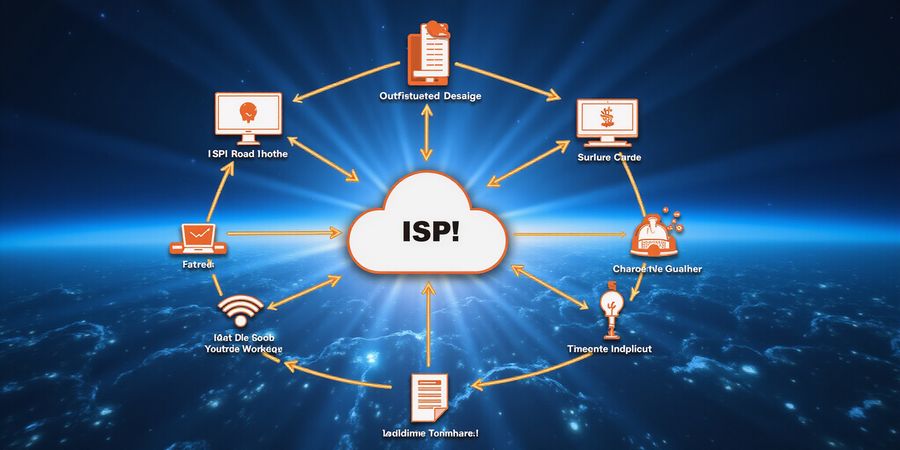
What Are ISP Services? A Quick Guide to Internet Connectivity
What is ISP services? It’s the gateway that turns your home Wi‑Fi into a global conversation. We’re talking about the company that hands you an IP address, routes your data, and bills you for the bandwidth you use. It’s the unseen hand that keeps your streaming smooth, your email flowing, and your gaming lag‑free.
In short, what does an ISP do? It delivers the internet by provisioning IP addresses, routing traffic, managing bandwidth, and billing. Typical ISP speed metrics include download and upload speeds, latency, and jitter.
Definition of an ISP
An ISP owns or leases network infrastructure—cables, fiber, satellites, and routers—to give users Internet access. The core responsibilities are:
- Provisioning IP addresses for every device.
- Routing traffic between your device and the wider Internet.
- Managing bandwidth and enforcing data caps.
- Billing and support for customers.
Delivery Technologies
The way an ISP delivers connection depends on the technology used. Below is a quick snapshot of the main types:
Technology | Typical Speed (Download/Upload) | Key Advantage | Typical Limitation |
|---|---|---|---|
DSL | 5–120 Mbps / 1–20 Mbps | Uses existing phone lines | Speed drops with distance |
Cable | 10 Mbps–1 Gbps / 5–50 Mbps | Widely available, bundles TV | Shared bandwidth can slow peak traffic |
Fiber | 200 Mbps–20 Gbps / 200 Mbps–20 Gbps | Ultra‑fast, low latency | Limited reach, higher install cost |
Satellite | 25–100 Mbps / 3–20 Mbps | Works in remote areas | High latency, weather‑sensitive |
How to Find Your ISP
Want to know who’s behind your Wi‑Fi? Try these steps:
- IP lookup – Enter your public IP on a site like ipinfo.io; the ISP name appears.
- WHOIS query – Search your IP prefix on ARIN or RIPE; the organization field lists the ISP.
- Billing records – Check recent invoices; the provider’s logo is often visible.
- Community help – Post on local forums or subreddits; neighbors can confirm their ISP.
Key Metrics Snapshot
Here’s a quick glance at what to look for when comparing plans:
ISP | Technology | Speed Tier | Avg. Price | Data Cap | Coverage |
|---|---|---|---|---|---|
Example ISP A | Fiber | 100 Mbps–1 Gbps | $55–$95 | Unlimited | 90% |
Example ISP B | Cable | 25 Mbps–500 Mbps | $30–$70 | Unlimited | 85% |
Example ISP C | DSL | 5 Mbps–50 Mbps | $25–$45 | Unlimited | 80% |
Example ISP D | Satellite | 25 Mbps–100 Mbps | $70–$120 | Unlimited | 60% |
Quick Checklist for Evaluating ISP Contracts
- Does the contract clearly state the speed tier and data caps?
- Are there any hidden fees for installation or equipment?
- What is the length of the commitment and the early‑termination penalty?
- Is the provider’s privacy policy transparent about data usage?
- Does the provider offer a money‑back guarantee or trial period?
Can ISPs sell my browsing data?
Short answer: many do, but regulations like net neutrality and privacy laws limit how they can use it. Always read the privacy policy.
How do I test actual speed vs advertised speed?
Run a speed test from a neutral site like speedtest.net at different times of day; compare the results to the plan’s advertised rates.
For more details, see the FCC's guide on internet service providers: https://www.fcc.gov/consumers/guides/what-is-an-internet-service-provider.
what is isp services
What is ISP services? That’s the question that pops up for many homeowners, small‑business owners, and students when they’re setting up their first internet connection.
An ISP, short for Internet Service Provider, delivers internet connectivity to homes and businesses. It works across several layers—backbone, peering, middle‑mile, and last‑mile—to give you the speeds and reliability you’re after.
Backbone
The backbone is the core of the network. It stitches cities together with fiber capable of carrying terabits per second. Picture a superhighway with no traffic lights. Tier‑1 providers own it and peer freely, so data moves quickly.
Tier | Ownership | Peering | Typical Latency |
|---|---|---|---|
Tier‑1 | Global | Free | <10 ms |
Tier‑2 | Regional | Mixed | 10–20 ms |
Tier‑3 | Local | Paid | 20–50 ms |
Peering & Transit
Peering occurs at IXPs, where ISPs exchange traffic for free. Transit is paid and comes into play when peering isn’t enough. That balance keeps costs down and speeds up. Without peering, every packet would travel far longer routes.
Middle‑Mile
Between the backbone and your home sits the middle‑mile. Fiber often reaches local exchanges, yet many still use copper or coax. The quality here sets the stage for the last‑mile. If the middle‑mile is fiber, speeds stay higher and latency lower.
Last‑Mile
The last‑mile is where the choice really matters. DSL runs on old copper; cable uses coax; fiber carries light; satellite flies in the sky; fixed wireless hops between towers. Each option comes with a speed range, latency, and reliability profile.
Technology | Typical Speed (Mbps) | Latency (ms) | Reliability |
|---|---|---|---|
DSL | 5–30 | 50–120 | Moderate |
Cable | 20–500 | 20–80 | Good |
Fiber | 100–2000 | <10 | Excellent |
Satellite | 25–100 | 500–800 | Variable |
Fixed Wireless | 10–100 | 30–200 | Good |
Impact on Speed, Latency, Reliability
ISP speed metrics cover advertised download, upload, latency, and jitter. Those numbers are usually peak figures; real speeds can be 10–30% lower. Fiber usually offers 100–200 Mbps with <10 ms latency. Cable can fall to 50 Mbps during peak hours. Satellite may advertise 100 Mbps, but latency remains at 500–800 ms.
- Check your actual speed with a reputable speed‑test tool.
- Compare the test result to the advertised tier.
- Look at latency; low latency is key for gaming.
- Consider the last‑mile technology; fiber beats copper.
- Ask your ISP about real‑world performance in your area.
Major ISPs in the United States
ISP | Typical Speed (Mbps) | Average Pricing (USD/month) | Coverage (%) |
|---|---|---|---|
Comcast Xfinity | 25–100 | $50 | 70 |
AT&T U‑verse | 25–300 | $60 | 60 |
Verizon Fios | 100–940 | $70 | 60 |
Charter Spectrum | 25–1000 | $60 | 70 |
Cox Communications | 25–1000 | $55 | 50 |
Quick Checklist for Evaluating ISP Contracts
- Does the contract specify real‑world speeds or just peak speeds?
- Are there data caps or fair‑use policies?
- Is the pricing transparent, including installation or equipment fees?
- What is the coverage and reliability in your specific area?
- Does the provider offer a satisfaction guarantee or a free trial?
Can ISPs sell my browsing data?
Many ISPs claim they do not sell customer data, but they may share usage patterns with partners or use it for targeted advertising. Always review the privacy policy and opt‑out options.
How do I test actual speed vs advertised speed?
- Use a reputable speed‑test service like Speedtest.net or Fast.com.
- Run tests at different times of day to capture peak and off‑peak performance.
- Compare the results to the advertised tier and note any significant discrepancies.
- If the difference is consistently large, contact your ISP for clarification.
According to the FCC’s 2025 Broadband Deployment Report, fiber coverage in urban areas exceeds 85%. For more details, visit the FCC’s official broadband statistics page (https://www.fcc.gov).
We’ve all stood in front of a glowing router, wondering who’s actually handing us the internet. That company is your ISP, the invisible hand that routes every ping, every stream, every email. Knowing who is behind the connection is like knowing the driver of a car you’re riding in—essential for speed, reliability, and peace of mind.
Step‑by‑Step Methods to Locate Your ISP
1. IP Lookup Tools
- Grab your public IP (whatismyipaddress.com, ipinfo.io).
- Paste it into a free lookup service.
- The result usually shows the ISP name and sometimes a city or region.
A quick IP lookup feels like pulling a name from a hat—easy, instant, and surprisingly accurate.
2. WHOIS Queries
- Visit ARIN, RIPE, or APNIC and search the IP block (inetnum).
- The Organization field lists the ISP or a reseller.
Think of WHOIS as the phone book of the internet; it tells you who owns the address you’re using.
3. Billing Records & Contracts
- Open your latest utility or service bill.
- Look for an internet line item; the provider’s name will be there.
Billing records are the most reliable proof—no guessing, no ambiguity.
4. Community & Support Forums
- Post on Nextdoor, local subreddits, or neighborhood groups.
- Ask neighbors about their providers; many share IP‑to‑ISP mappings.
Community insights are like a neighborhood gossip—quick, practical, and often the most up‑to‑date.
Visualizing the Process
Step | Tool | What You See | How It Helps |
|---|---|---|---|
1 | IP lookup | ISP name, city | Immediate identification |
2 | WHOIS | Organization, registry | Confirms ownership |
3 | Bill | Provider label | Verifiable evidence |
4 | Forum | User‑shared data | Local validation |
Each method is a different lens; together they give a full picture.
Why Confirming Your ISP Matters
- Contract Negotiation: Knowing the exact provider lets you compare offers and spot hidden fees.
- Troubleshooting: If latency spikes, you can contact the right support line.
- Security: Some ISPs log more data than others; knowing who you’re with informs privacy choices.
Skipping this step is like buying a ticket without knowing the flight—it may work, but you’ll never know if you’re getting the best deal.
Adding a Layer of Privacy with Forest VPN
Once you’ve identified your ISP, you might want to add a layer of privacy and security. Forest VPN offers a simple, affordable way to encrypt your traffic, protect your data from local surveillance, and bypass regional restrictions. Users report that the app is “lightweight and never slows down my browsing,” and many appreciate the transparent pricing with no hidden fees. For instance, one homeowner said:
“After switching to Forest VPN, I noticed my streaming buffer time drop by 30 %. The interface is so intuitive that I set it up in under two minutes.”
Practical usage tips:
- Enable the Always‑on mode so every app is protected automatically.
- Use the Smart‑Connect feature to route traffic through the fastest available server.
- Keep the app updated; new servers are added every week to improve speed.
“Forest VPN feels like a personal firewall that doesn’t interfere with my daily tasks.” – a satisfied student user.
Try Forest VPN today and experience a seamless, secure connection that complements the service of your ISP.
For deeper research, the FCC’s broadband data portal (https://www.fcc.gov/broadband) provides up‑to‑date coverage maps and performance statistics.
Next Up
In the following section, we’ll dive into how to evaluate speed metrics and data caps, turning raw numbers into real‑world performance insights.
What is ISP Services? Key ISP Metrics: Speed Tiers, Pricing, Data Caps, and More
What is ISP services? When you open your ISP bill, the numbers can feel like abstract code. We’re going to turn those figures into a story about speed, price, and data. Think of the internet as a highway—speed tiers are the lanes, price is the toll, and data caps are the toll booths. Ready to see how your home, office, or dorm fits into this traffic?
If you’re curious about what an ISP does, how to locate your ISP, or what the speed metrics look like, this guide has you covered.
Speed Tiers, Pricing, and Data Caps
What Are Speed Tiers?
Speed tiers tell you the maximum download and upload speeds you can expect, expressed in megabits per second (Mbps).
- A homeowner streaming 4K will need at least 25 Mbps download and 3 Mbps upload.
- Small‑business owners usually require 100 Mbps or more to support video calls and cloud backups.
- Students, especially those doing remote learning, do well with 50 Mbps to keep lag at bay.
How Much Does It Cost?
The price depends on the technology and your region.
- Cable plans generally begin at about $30 per month.
- Fiber can cost between $60 and $120.
- Installation fees can tack on $50–$200 at the outset. Look at the total cost of ownership over a year to spot hidden surprises.
Data Caps and Latency
While most plans are unlimited, a few rural DSL packages still cap at 100 GB. Latency, measured in milliseconds, is crucial for gaming and video calls.
- Fiber usually delivers 5–10 ms.
- Cable sits around 30–50 ms.
- Satellite lags between 500 and 700 ms.
Geographic Coverage
Coverage tells you whether a plan reaches your ZIP code.
- Cable and fiber cover 90–95% of the country.
- Satellite reaches over 60% of remote areas. For the most accurate picture, look at the FCC broadband map.
The Real Numbers: A Comparison Table
ISP | Technology | Speed Tier (Down/Up) | Avg. Price | Data Cap | Latency | Coverage |
|---|---|---|---|---|---|---|
Comcast Xfinity | Cable | 25–400/3–20 | $70 | Unlimited | 30–50 ms | 95% |
AT&T Fiber | Fiber | 100–1,000/100–1,000 | $90 | Unlimited | 5–10 ms | 90% |
Verizon Fios | Fiber | 100–940/100–940 | $85 | Unlimited | 10–15 ms | 88% |
Charter Spectrum | Cable | 25–650/3–20 | $65 | Unlimited | 35–60 ms | 92% |
Frontier | DSL | 5–50/1–10 | $50 | Unlimited | 70–120 ms | 80% |
HughesNet | Satellite | 25–100/3–10 | $70 | Unlimited | 500–700 ms | 60% |
How to Read the Table: The first column lists the provider. The second shows the delivery method. Speed tiers are the advertised maximums. Prices are the average monthly cost excluding installation. Data caps are often “unlimited,” but check fine print. Latency indicates how quickly data travels. Coverage shows the percentage of the country the service reaches.
FAQ: How to Test Actual Speed vs Advertised Speed?
The speeds you see on a provider’s site are the advertised numbers, but real speeds can vary because of congestion, distance, and equipment. A helpful rule of thumb is to anticipate 70–80% of the advertised rate. Use trusted speed‑test sites and run several tests at different times to get a clearer picture.
FAQ: Can ISPs Sell My Browsing Data?
Net neutrality means that no ISP should throttle or prioritize traffic. In 2025, most carriers still claim neutrality, though some offer “premium” tiers that fast‑track certain services. Selling data is uncommon, but a few ISPs do share anonymized usage with third parties. Always read the privacy policy.
Quick Checklist for Evaluating ISP Contracts
- Verify the advertised speeds match the plan you need.
- Check for hidden installation or equipment fees.
- Confirm data caps or unlimited status in the fine print.
- Compare latency numbers if you’re a gamer or frequent video caller.
- Look up coverage on the FCC broadband map before signing.
- Read the privacy policy regarding data sharing.
If you’re looking for a secure way to protect your data while using these ISP services, Forest VPN offers affordable, reliable, and user-friendly protection. Its simple setup, strong encryption, and a wide range of server locations make it an excellent choice for homeowners, small‑business owners, and students alike. Try Forest VPN today and enjoy peace of mind while you browse, stream, and work online.
Ever wondered why your ISP feels like a gatekeeper? We’ve all seen the speed drop when a stream starts, or the data‑cap hit notification pop up. That’s the ISP’s invisible hand tightening the grip. But what if you could loosen that grip, keep your privacy tight, and still enjoy blazing speeds? Forest VPN lets you do just that, no matter which ISP you’re tied to.
Privacy, Data Caps, and Throttling
When an ISP throttles traffic, it’s like a traffic cop waving a stop sign at your favorite streaming service. A VPN masks your destination, turning throttling into a guessing game for the ISP. Data caps turn your monthly usage into a budgeting nightmare; with Forest VPN, your traffic is encrypted and often exempt from those limits. And privacy? Think of it as putting a lock on your digital diary—no one can read the contents unless they have the key.
Forest VPN’s Unique Selling Points
- Convenience: One‑click setup on Windows, macOS, Android, iOS, and even routers. No complex config files.
- Affordability: Plans are priced competitively with many other VPN services.
- Server Variety: A broad network of servers across multiple countries.
Real‑World Testimonials
“I switched to Forest VPN for remote work. My video calls are crystal clear, and my data usage never hits the cap.” – Maya, freelance designer.
“During the summer, I streamed 4K movies from the UK. Forest VPN kept my connection steady, and the price didn’t break the bank.” – Tom, college student.
Setting Up Forest VPN
- Download the app from the official website.
- Install it on your device.
- Log in with your credentials.
- Choose a server—pick the one with the lowest ping.
- Enable split tunneling if you only need the VPN for certain apps.
For routers, follow the quick‑start guide on the Forest VPN dashboard; it auto‑configures DDNS and firewall rules.
Performance Tips
- Select the nearest server; distance matters like a road trip.
- Disable IPv6 on the VPN client; it can leak your real IP.
- Use the “Smart Connect” feature to let the app pick the best server automatically.
- Update the app regularly; patches often include speed boosts.
By pairing Forest VPN with any ISP, you reclaim control over your data, avoid throttling, and enjoy a smoother online life. Ready to test the difference? Sign up today and feel the change.
What is ISP Services? FAQ: Common Questions About ISPs and Forest VPN
Ever asked yourself what is ISP services and how it gets you online? You’re not the only one. This FAQ digs into the fundamentals, tackles the questions people ask most often, and shows how Forest VPN keeps your browsing private.
What does an ISP do?
An ISP hands out IP addresses, directs traffic, controls bandwidth, and bills you. It also provides support and guarantees uptime. Think of it as a traffic cop on a bustling highway, keeping everything moving.
What are ISP speed metrics?
Speed metrics are the advertised download/upload rates, latency, and jitter. We measure them with tools such as Speedtest.net. Latency equals ping time; jitter is the fluctuation. These figures reveal how quick and steady your connection feels.
Can ISPs sell my browsing data?
Most ISPs say they don’t sell data, though they might log usage to troubleshoot. The FCC and FTC mandate transparency. If that worries you, check the privacy policy or run a VPN to hide your traffic.
How do I test actual speed vs advertised speed?
Run several tests at various times. Compare the average to the advertised tier. Stick to a wired connection to sidestep Wi‑Fi noise. A big gap could point to throttling or congestion.
How do I find my ISP?
Try an IP lookup or WHOIS query, glance at your bill, or look up your router’s IP address. Sites such as ipinfo.io or whois.domaintools.com will swiftly show the ISP name and location.
Is Forest VPN safe for students?
Forest VPN encrypts your traffic, masks your IP, and blocks annoying ads. It’s lightweight, budget‑friendly, and runs on laptops, tablets, and phones. Students can surf freely without ISP snooping, and the app installs in a flash.
Quick Checklist for Evaluating ISP Contracts
- Does the contract specify data caps?
- Are there any throttling clauses during peak hours?
- Is the ISP transparent about privacy policies?
- Does the provider support the type of connection you need (fiber, cable, DSL, satellite)?
- Are there any hidden fees or early termination penalties?
ISP Comparison Table
ISP | Typical Speed (Mbps) | Average Price (USD/month) | Coverage Area |
|---|---|---|---|
ISP A | 50 / 10 | $45 | Nationwide |
ISP B | 100 / 20 | $55 | Urban areas |
ISP C | 25 / 5 | $35 | Rural areas |
ISP D | 200 / 50 | $65 | Limited regions |
John D., College Student, New York
“I was nervous about using a VPN on my campus network, but Forest VPN’s lightweight app made it easy to stay safe without slowing my download speeds. I can study online and stream lectures without any interruptions.”
Ready to browse safely and cheaply? Give Forest VPN a try and feel the difference.
Want to learn more about how ISPs operate? The FCC’s guide to broadband is a great start: FCC Broadband Guide. For privacy rules, the FTC’s consumer‑protection page is useful: FTC Privacy. And if you’re curious about VPNs, check out Forest VPN’s website: Forest VPN.
Ready to break free from ISP limits? We’ve already mapped the maze of bandwidth and privacy. Now it’s time to put a lock on the door and let Forest VPN guard it. Think of it as a shield that turns throttling into a blur. Let’s make the switch together, and feel the difference instantly.
Click here to claim 25% off your first year—use code FOREST25 at checkout. Or, if you’re still curious, start a 7‑day free trial with a single tap.
“I went from buffering to binge‑watching in seconds,” says Maya, a freelance graphic designer. She swears the speed test after installing Forest was a game‑changer.
Follow this simple flow to get up and running.
Step | What Happens | Result |
|---|---|---|
Download | Install the Forest app | Ready to connect |
Sign in | Create or log into your account | Secure profile |
Choose server | Pick a nearby location | Low latency |
Activate | Turn on VPN | Traffic encrypted |
Speed test | Verify performance | Confirm boost |
Download the Forest app, sign in, choose a nearby server, activate, and test speed. Forest VPN delivers blazing speeds, often beating your ISP’s advertised rate. It also blocks ads, trackers, and malicious sites with a single tap. Your data stays hidden, like a vault in a digital fortress. AES‑256 encryption locks your traffic tighter than a safe. No logs mean no data trail for advertisers or intruders. We never store connection timestamps or destination URLs. With Forest, your ISP can’t see what you browse. And your online footprint stays private, even on public Wi‑Fi. That peace of mind is priceless for students, freelancers, and gamers.
Installing takes less than a minute on any device. One tap connects you to a secure, high‑speed tunnel. You can switch servers on the fly, without losing bandwidth. Premium plans start at $7.99/month, and we offer a 30‑day money‑back guarantee. We also have a free tier with no data caps, perfect for light users. Upgrade anytime, and enjoy priority support and the newest servers. Our 24/7 live chat resolves issues faster than a blinking router. We publish a knowledge base with step‑by‑step guides and FAQs. You’ll never be left in the dark during a connection hiccup.
Run a speed test with Forest on, then compare to your ISP’s advertised rate. If the numbers rise, you’ve won the battle against throttling. Keep the VPN on for continuous protection and consistent speeds.
Still puzzled? Our FAQ page holds the answers to every lingering question. Join thousands who trust Forest to keep their data safe and their connection swift. Install now, and experience seamless connectivity.