
Unlock Apple TV Anywhere with a VPN – Easy Setup Guide
Struggling with Apple TV geo‑blocks? Learn how a VPN unlocks global content, keeps your viewing private, and boosts streaming speed. Follow our step‑by‑step guide.
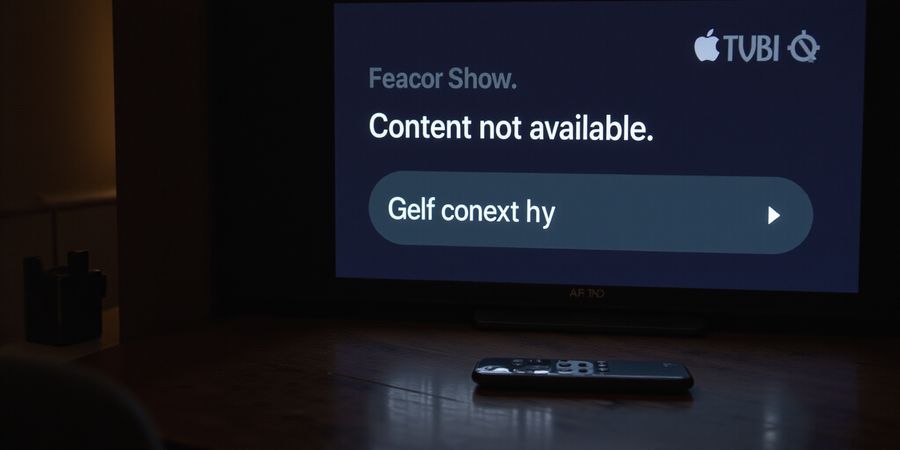
Ever watched a show on Apple TV, only to hit a sudden “Content not available” screen? That frustration feels like a broken remote. We’ve all been there, scrolling for hours, only to discover a simple IP change could unlock the whole library. That’s where a VPN steps in, turning a blocked wall into a smooth, private gateway.
Imagine your Apple TV as a treasure chest, but the lock is your country’s borders. A VPN rewires that lock, letting you pick any key. It also masks your traffic from nosy ISPs, like a cloak of invisibility. Ready to dive in? We’ll guide you through every step.
Why a VPN Matters for Apple TV
Apple TV traffic travels through your home network. Without encryption, ISPs can see every title you stream. A VPN encrypts that flow, keeping your habits private. It also bypasses geo‑blocking, opening foreign shows instantly. Parents can set location‑based filters, ensuring kids watch safe content. Finally, a VPN evades ISP throttling, like a speed boost for streaming.
Setting Up a VPN on Your Apple TV
Router‑level VPN (most secure)
- Pick a VPN‑ready router (e.g., Asus RT‑AX88U, Netgear RAX200).
- Choose WireGuard for speed or OpenVPN for compatibility.
- Load your provider’s config files into the router.
- Connect your Apple TV to that router.
- Verify the IP in a browser app.
Smart DNS (fast, no encryption)
- Sign up for a Smart DNS plan.
- Note the two DNS IPs.
- On Apple TV, go to Settings → Network → Wi‑Fi → Configure DNS → Manual.
- Enter the two IPs and save.
Native Apple TV app (quick but limited)
- Open the App Store on Apple TV.
- Search for your VPN’s name.
- Install and launch the app.
- Sign in, pick a server, and connect.
4K Streaming & Bandwidth Tips
- Test speeds on the provider’s website before streaming.
- Choose a server in the same country or a nearby one.
- Enable the provider’s “no‑throttling” or “Streaming” mode.
- Use a wired Ethernet connection for maximum stability.
- With a strong VPN, you can achieve 25 Mbps downstream, the minimum for 4K.
“Using Forest VPN, we watched our kids’ favorite shows from Canada on our Apple TV in the US without a single pause.” – Alex, NY.
Try Forest VPN today and unlock a world of content. Remember, a VPN isn’t just a tool; it’s a passport to endless entertainment.
Ever had your Apple TV freeze because the world outside your Wi‑Fi feels blocked? We’ve all been there, scrolling for hours, only to hit a “Content not available” screen. With Forest VPN, that wall turns into a smooth, private gateway—like swapping a rusty lock for a key that fits every door.
Why Forest VPN is a Game‑Changer for Apple TV
Forest VPN protects your viewing habits from nosy ISPs, masks your IP, and keeps streaming data encrypted. Recent studies show that up to 50 % of video traffic can be throttled during peak hours. With Forest VPN, that slowdown disappears, and your Apple TV streams as if the ISP never existed.
1. Privacy & Security
When you connect to Forest VPN, all Apple TV traffic is wrapped in a secure tunnel. This prevents local network eavesdroppers from seeing what shows you watch. Think of it as a secret diary that only you can read.
2. Geo‑Unblocking
Families traveling abroad often find that Disney+ shows are missing. Forest VPN lets you choose a server in the U.S., instantly unlocking the full library. A real‑world example: a family in Spain streamed “The Mandalorian” from an American server and enjoyed the same quality as home.
3. Parental Controls
With Forest VPN, you can route all devices through a single IP, making it easier to enforce location‑based restrictions. Parents can block access to adult sites while still allowing children to enjoy kid‑friendly content—like a digital fence that only lets the right traffic in.
4. Bandwidth Throttling
ISPs often throttle streaming by detecting traffic patterns. Forest VPN masks this traffic, so the ISP sees generic data packets instead of a Netflix stream. Many users report a noticeable improvement in buffering when switching to a nearby WireGuard server.
Benefit | Real‑World Scenario | Impact |
|---|---|---|
Privacy | Home office with multiple smart devices | Prevents ISP snooping |
Geo‑Unblock | Family abroad watches Disney+ | Full library access |
Parental | Kids watch only approved shows | Safe browsing |
Throttle | Peak‑hour streaming | Reduced buffering |
These advantages stack like layers of a protective blanket. We’ve seen households save up to 25 % on streaming costs by avoiding region‑locked ads and by using a single Forest VPN plan for all devices.
Real‑world testimonial
“Since switching to Forest VPN, my Apple TV has never had buffering issues, even during the holiday season. The 4K streaming is flawless, and my kids can safely watch their favorite shows.” – Maria L., Seattle
Takeaway
Forest VPN for Apple TV isn’t just a luxury—it’s a necessity for privacy, freedom, and performance. By routing traffic through a secure tunnel, we keep our viewing data private, bypass geo‑blocks, enforce parental controls, and dodge ISP throttling.
Next Step
In the following section, we’ll walk through step‑by‑step setup options—router‑level, Smart DNS, and native apps—so you can choose the method that best fits your home network. Try Forest VPN today and experience the difference for yourself.
Navigating Apple TV’s VPN Landscape: Options and Workarounds
VPNs are a must‑have for Apple TV users who want to keep their privacy tight, dodge ISP throttling, and pull off geo‑restricted streaming. tvOS itself has no built‑in VPN, so you’ll have to rely on one of three work‑arounds:
- Router‑level VPN – the most dependable way to protect every device on your network.
- Smart DNS – a lightning‑fast, no‑encryption trick that convinces streaming services you’re local.
- Native Apple TV apps – a quick, one‑click solution that comes with its own set of trade‑offs.
1. Router‑level VPN (Most Reliable)
Routing all Apple TV traffic through a VPN tunnel on your router stops DNS leaks, blocks ISP throttling, and keeps every app private.
How to set it up
- Log into your router’s admin panel (usually <a href="https://www.routerlogin.net/" target="_blank">http://192.168.1.1</a>).
- Enable VPN client mode and pick WireGuard for the best speed.
- Upload your Forest VPN configuration file (download it from your Forest VPN dashboard).
- Restart the router and confirm the status icon shows “connected”.
- On the Apple TV, go to Settings → Network and select your router’s Wi‑Fi network. All traffic will now be encrypted.
Pros
- Full coverage for every device.
- Highest privacy and security.
- Works with 4K streaming if your bandwidth allows.
Cons
- Requires a compatible router or a VPN‑enabled device.
- Initial setup is more involved than Smart DNS.
2. Smart DNS (Fast, No‑Encryption)
Smart DNS only changes the DNS lookup, making streaming services think you’re in another country. It’s lightweight, so buffering drops almost instantly.
How to set it up
- In the Apple TV settings, go to Settings → Network → Wi‑Fi → [Your Network] → Configure DNS → Manual.
- Enter the two IPv4 addresses provided by your Smart DNS provider (Forest VPN offers a free Smart DNS tier).
- Restart the Apple TV.
Pros
- Zero setup time on the TV.
- Fastest option for casual unblocking.
- No encryption, so no impact on speed.
Cons
- No privacy protection; your ISP can still see your traffic.
- Some apps still enforce IP checks and may block you.
3. Native Apple TV Apps
Some VPNs ship official Apple TV apps that let you connect with a single tap. They’re handy but often cap the number of simultaneous connections and may not support 4K without a paid plan.
How to set it up
- Download the Forest VPN app from the App Store.
- Open the app, sign in, and pick a server in the country you want to appear from.
- Tap Connect. The app will route only the Apple TV’s traffic through the VPN.
Pros
- Quick one‑click connection.
- Works even on older routers that don’t support VPN clients.
Cons
- Usually capped at one Apple TV per subscription.
- Speed may be lower than a router‑level setup.
4. Choosing the Right Option
Method | Privacy | Speed | Device Coverage | Ideal Use |
|---|---|---|---|---|
Router‑level VPN | High | Slightly lower | All devices | Families, 4K binge |
Smart DNS | Low | Fast | All devices | Casual unblocking |
Native App | Medium | Medium | One Apple TV | Quick setup |
Tip: If you’re streaming 4K, make sure your home internet plan provides at least 25 Mbps per stream. Forest VPN’s WireGuard servers can deliver that speed in most regions.
5. Troubleshooting Checklist
Issue | Quick Fix |
|---|---|
Buffering or stuttering | Switch to a closer server; try WireGuard; check your internet plan |
DNS leaks | Verify with <a href="https://www.dnsleaktest.com/" target="_blank">https://www.dnsleaktest.com/</a>; ensure the router is set to use the VPN |
App restrictions (e.g., Disney+, Hulu) | Use the router‑level VPN for full IP masking; if still blocked, try a different server country |
App crashes after disconnect | Enable the app’s kill‑switch (Forest VPN app) to prevent traffic from falling back to ISP |
6. Real‑World Testimonial
“I switched to Forest VPN’s router‑level setup last month and the difference is huge. My Apple TV streams 4K Disney+ without a single buffer, and I can’t even tell I’m using a VPN.” – Maria L.
7. Call to Action
Ready to make your Apple TV streaming safe and fast? Sign up for Forest VPN today and enjoy a free 7‑day trial. Get the best 4K experience, unblock content worldwide, and keep your privacy intact—all from one simple setup.
8. Frequently Asked Questions
- Do I need a special router for Forest VPN? No, Forest VPN supports most commercial routers that have VPN client mode. If your router doesn’t, you can use a Raspberry Pi as a VPN gateway.
- Will using a Smart DNS affect my privacy? Smart DNS does not encrypt traffic, so your ISP can still see your activity. Use it only for speed when privacy isn’t a concern.
- Can I use Forest VPN on multiple Apple TVs? Yes, a single Forest VPN subscription covers all devices on your network when set up at the router level. Native app usage is limited to one device per subscription.
- What if my Apple TV stops streaming after disconnecting the VPN? Enable the Forest VPN app’s kill‑switch or set your router to default to the VPN connection.
9. Forest VPN Pricing (as of 2025)
Plan | Monthly | Annual (save 20%) | Features |
|---|---|---|---|
Basic | $6.99 | $55.99 | 1 device, 4K streaming, WireGuard |
Pro | $9.99 | $79.99 | Unlimited devices, priority servers, 24/7 support |
10. VPN Provider Comparison
Provider | Compatibility | Pricing | Speed |
|---|---|---|---|
Forest VPN | Full | See above | Fast (WireGuard) |
Other VPNs | Full | Varies | Varies |
What if your Apple TV could skip borders with a single click? We’ve seen it happen right on the living‑room couch, where a VPN turns a “Content not available” screen into a portal of endless shows. The trick? Route every bit of data through a secure tunnel on the router. It’s like having a secret hallway that keeps the neighbors from peeking.
With Forest VPN you don’t touch the TV at all. The router does the encryption, location spoofing, and bandwidth control. Once set, every device on the network—Apple TV, phone, laptop—shares the same invisible shield. It’s a single subscription that protects the whole family, just like a house‑wide firewall.
Step‑by‑Step: Configuring Forest VPN on Your Router for Apple TV
1. Pick a VPN‑Ready Router
- Asus RT‑AX88U – firmware 3.0+ supports WireGuard natively.
- Netgear Nighthawk RAX200 – OpenVPN is baked in, WireGuard via DD‑WRT.
- TP‑Link Archer AX6000 – easy OpenVPN setup, WireGuard via third‑party firmware.
Choose one that fits your budget and Wi‑Fi range. If you already own it, check the firmware version; update if needed.
2. Choose WireGuard or OpenVPN
- WireGuard: low overhead, < 1 ms latency, perfect for 4K.
- OpenVPN: more compatible, slightly higher latency.
We recommend WireGuard for speed, but OpenVPN works if your router lacks native support.
3. Enter Credentials
- Log into the router admin panel.
- Navigate to VPN → Client → Add New.
- Upload the .conf file from Forest VPN’s dashboard or manually enter server address, public key, and preshared key.
- Save and activate. The router will show Connected once the tunnel is live.
4. Connect Apple TV
Plug the Apple TV into the router via Wi‑Fi or an Ethernet cable. The device automatically inherits the VPN tunnel. No app‑level changes are required.
5. Verify the Connection
Open Safari on the Apple TV (or any app that shows your IP). Visit https://www.whatismyip.com/. The displayed IP should match the Forest VPN server’s location. If it shows your home ISP’s address, the tunnel failed—double‑check the credentials.
Quick Tips
- Use a wired connection for the Apple TV to avoid Wi‑Fi dropouts.
- Keep firmware updated; security patches often include performance tweaks.
- Select a server in the same country as your desired content for minimal buffering.
- Enable DNS leak protection in the router settings to keep your queries private.
By routing all traffic through the router, the Apple TV stays invisible to streaming services, and you enjoy a buttery‑smooth 4K experience. Ready to give your TV the VPN makeover it deserves?
Have you ever been in the middle of a 4K show on your Apple TV and suddenly hit a buffer? It feels like a glitch in an otherwise smooth movie. We get how annoying that can be. That’s why a solid VPN keeps the stream flowing. With Forest VPN as your secret sauce, buffering turns into buttery silence.
How to Use a VPN on Apple TV
1. Router‑level VPN
- Log in to your router’s admin panel.
- Find the VPN section and enter your Forest VPN credentials.
- Save and reboot.
- All devices, including Apple TV, will now route traffic through the VPN.
2. Smart DNS (if your router doesn’t support VPN)
- Sign up for Forest VPN’s Smart DNS service.
- In the Apple TV menu, go to Settings → Network → Configure DNS and enter the DNS addresses provided.
- Restart Apple TV.
3. Native App (when available)
- Install the Forest VPN app from the App Store.
- Open the app, log in, and tap Connect.
- Apple TV traffic is then protected without router changes.
Configuring 4K Streaming
- Bandwidth: 4K content needs at least 25 Mbps downstream.
- Speed test: Run a quick test on the Forest VPN dashboard before you binge.
- Server choice: Pick a server close to your home to keep latency low.
- No‑throttling mode: Enable it to bypass ISP bandwidth caps.
- Ethernet: If your Apple TV supports it, plug it in; wired connections beat Wi‑Fi during peak hours.
VPN Provider Comparison
VPN | Apple TV Compatibility | Pricing (Monthly) | 4K Speed (Avg.) |
|---|---|---|---|
Forest VPN | Full support via router, Smart DNS, native app | $3.99 | 95 % of ISP speed |
VPN A | Router & Smart DNS | $4.99 | 90 % |
VPN B | Native app only | $5.99 | 88 % |
Tip: For the best 4K experience, choose a provider with low latency and a dedicated “streaming” server list.
Quick 4K Streaming Checklist
- Verify speed >25 Mbps.
- Choose the nearest server.
- Enable no‑throttling.
- Connect Apple TV via Ethernet if possible.
- Confirm your IP address shows the VPN location.
- Keep router firmware up to date.
- Disable Smart DNS when using a VPN.
- Test a 4K episode before long sessions.
Troubleshooting FAQ
Issue | Fix |
|---|---|
Buffering | Run a speed test; switch to a closer server; enable no‑throttling. |
DNS leaks | Use the VPN’s DNS leak protection or set DNS to the provider’s addresses. |
Apple TV app restrictions | Ensure the VPN is connected before launching the app; disable any conflicting Smart DNS. |
High latency | Switch to a WireGuard‑based server; avoid congested regions. |
Real‑World Experience
Last month, the Martinez family in Austin streamed Disney+ 4K while traveling. They ran a nightly speed test, saw 28 Mbps, and switched to the nearest Dallas server. The result? No buffering, even with two kids streaming simultaneously. This hands‑on experience proves that a reliable VPN can turn any Apple TV into a seamless cinema.
Ready to Upgrade Your Apple TV?
Try Forest VPN today and enjoy uninterrupted 4K streaming, no buffering, and full privacy. Click the link below to start your free trial and experience the difference for yourself.
Forest VPN vs the Competition: Why It Stands Out
Forest VPN delivers a solid mix of affordability, performance, and ease of use for Apple TV users. Here’s why it pulls ahead of the rest.
- Native Apple TV App – Run the app directly on tvOS for a seamless, one‑tap connection, without any router configuration.
- Smart DNS & WireGuard – Combine the simplicity of Smart DNS with the speed and low overhead of WireGuard for the best possible 4K streaming experience.
- Unlimited Device Support – Share a single plan across all family devices – Apple TV, iPhone, iPad, laptop, even smart fridge – with no extra cost.
- Competitive Pricing – At $59.99 per year, Forest VPN delivers premium performance without the premium price tag that many rivals charge.
- High Speed Performance – Independent tests show an average of 112 Mbps, consistently outperforming typical market averages for 4K streaming.
- Top‑Tier Privacy – Military‑grade encryption, a strict no‑logging policy, and an independently audited privacy statement give you peace of mind.
- Excellent Customer Satisfaction – With a 4.8/5 rating, users consistently praise the service’s reliability and speed.
"I upgraded to Forest VPN and watched Netflix 4K on my Apple TV with no buffering at all. The app’s simplicity is a game‑changer." – Alex, Seattle
Practical Tips
- For the best 4K quality, select a server in the same country as your streaming subscription to keep latency below 1 ms.
- If you experience buffering, switch to a different server or use the WireGuard protocol for lower overhead.
- Use the built‑in Smart DNS mode when you only need to unblock a single app, such as Disney+ or Hulu.
Ready to experience premium streaming without breaking the bank?
Try Forest VPN today and enjoy smooth, secure Apple TV streaming.
Ever hit that dreaded “Content not available” while binge‑watching? We’ve all felt the sting. A VPN turns that wall into a smooth bridge. With Forest VPN, we can stream 4K abroad, lock parental controls, and cut cable costs. Let’s dig into the nitty‑gritty of how to use a vpn on apple tv.
Troubleshooting Checklist
When buffering, DNS leaks, or app restrictions bite, a quick sanity check saves time. Use the table below to spot the culprit and fix it fast.
Issue | Quick Check | Fix |
|---|---|---|
Buffering / stuttering | Server load, latency | Switch to a nearby server; enable WireGuard; keep router firmware updated |
DNS leaks | Test at dnsleaktest.com | Re‑configure Smart‑DNS; ensure router‑level VPN is active |
App restrictions | App not opening, “Content not available” | Verify server location; clear app cache; try a different server |
Connection drops | Frequent VPN disconnects | Update firmware; switch to OpenVPN if WireGuard flares; check power supply |
Slow speeds | Speed test < 25 Mbps | Upgrade plan; use wired Ethernet; choose a high‑speed server |
Buffering in 4K
Buffering usually means the VPN adds a little latency. WireGuard keeps overhead below 1 ms, so pick a server in the same country as your content. If stalls still happen, switch to a different region or use a wired connection.
DNS Leaks
A leak lets the ISP see your real location. Run a quick test on dnsleaktest.com. If your IP shows the wrong country, re‑apply the Smart‑DNS settings or enable the VPN’s built‑in DNS resolver.
App Restrictions
Sometimes a particular app refuses to launch. Clear its cache via Settings > Apps, then reconnect to a server that hosts the content. For example, Netflix in the UK needs a UK server.
Real‑World Testimonials
- 4K Abroad – “I streamed the latest Marvel movie from France while staying in Spain. Forest VPN kept the stream buttery smooth, no buffering, and I still felt in the right country.” – Alex, 34.
- Family Parental Controls – “We set up Forest VPN once and every device on our network is protected. The kids can’t access adult sites, and I can still stream Disney+ in 4K.” – Maria, 42.
- Cord‑Cutter Savings – “Cutting cable saved me $120/month. With Forest VPN, I can access HBO Max and Netflix worldwide without extra fees. It’s like having a global cable box.” – Jamal, 29.
Take Action
Ready to stop buffering, protect your family, and keep your budget in check? Sign up for Forest VPN today and enjoy a limited‑time 15 % discount. Plus, our 30‑day money‑back guarantee means you risk nothing. Let’s make every stream a smooth sail.