
Why Your Phone’s Public IP Keeps Changing (and How to Fix)
Discover why your phone’s public IP keeps changing with Wi‑Fi, cell handoffs, or VPNs, and learn easy ways to keep your IP stable for a smoother online experience.
Why Your Phone’s Public IP Keeps Changing – Does Public IP Change?
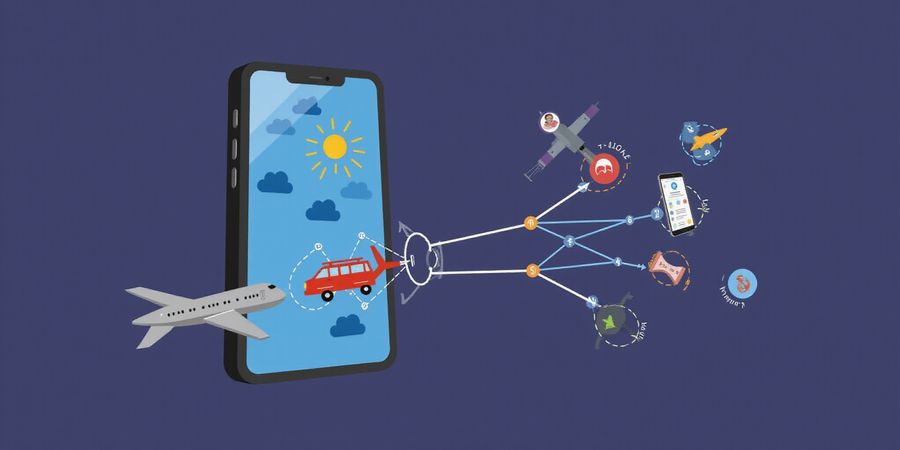
We’ve all felt that jolt when a new Wi‑Fi pops up or a plane lands and our phone suddenly talks to a different network. That jolt is the public IP shifting under our feet. It’s like changing the address on a postcard while you’re still in the same city. Curious? Let’s uncover why this happens and how you can keep your digital life steady.
What’s a Public IP, Really?
A public IP is the unique number that the internet sees when your phone connects. Think of it as your phone’s street address. In contrast, a private IP lives inside your home router, hidden behind a curtain of network magic.
Common Triggers for an IP Shift
Scenario | How It Happens | Typical Result |
|---|---|---|
Switching Wi‑Fi | Connecting to a new hotspot | New router assigns a fresh public IP |
Cellular handoff | Moving between cell towers | Carrier’s gateway may re‑allocate an IP |
Device reboot or OS update | Lease request refreshed | Some carriers issue a new IP |
Router reboot | ISP lease renews | All devices inherit a new public IP |
VPN or proxy activation | Traffic rerouted | VPN server’s IP is displayed |
ISP policy changes | Load balancing or throttling | Regular rotation of IPs |
How to Spot Your Current Public IP
iOS
- Open Safari or Chrome and go to WhatIsMyIP.com. The number displayed is your public IP.
- For the local IP, tap Settings → Wi‑Fi, then the i icon next to your network.
Android
- In Chrome, visit WhatIsMyIP.com; the address shown is public.
- For local details, navigate Settings → About Phone → Status.
- Apps like Network Info II can display both addresses side‑by‑side.
VPNs, Proxies, and IP Stability
When you turn on a VPN, your phone’s public IP morphs into the VPN server’s address. It’s like swapping your home for a remote villa. Proxies can do the same, but some configurations leak your original IP through DNS. That’s why DNS leak protection is essential for full privacy.
Troubleshooting Unexpected Changes
- Confirm the network you’re on.
- Disable VPN/proxy to see if the IP reverts.
- Run a DNS leak test at dnsleaktest.com.
- Restart your router or modem.
- Check your ISP’s IP‑management policy.
Quick FAQ
- Does a new phone give a new IP? – Yes, unless the network assigns a static IP.
- Can I keep my IP when traveling? – Only with a VPN that routes through your home country.
- Why does my IP change when I switch Wi‑Fi? – Each hotspot has its own public IP from its ISP.
Keep these points in mind: your phone’s public IP is a fluid piece of data, not a fixed address. Knowing the why helps you stay in control.
Call to Action
Now that we’ve mapped the maze of IP changes, try checking your address before you hit a new coffee shop or board a flight. If you want a steady, private address no matter where you roam, consider a reliable VPN like Forest VPN. It keeps your IP predictable and your data safe.
Does public IP change?
We all ask ourselves: does my public IP shift when I hop from one Wi‑Fi hotspot to another, or when I move to a different cellular tower? The short answer is yes – mobile networks hand out dynamic IP addresses that can flip on the fly, and knowing why that happens helps you keep your device in sync.
What Is a Public IP Address?
A public IP address is the unique number the internet uses to identify your device. Think of it as a passport number that external servers see. A private IP address lives inside your local network—your home Wi‑Fi, for instance. It’s only for chatter between devices on the same network and stays hidden from the wider internet.
Dynamic vs. Static
Most carriers hand out dynamic IPs. The carrier pulls an address from a shared pool and may re‑issue it when you:
- Reboot your phone
- Move to a new cell tower
- Reach the end of a lease period
- Switch Wi‑Fi networks
A static IP is fixed and rarely available on consumer mobile plans. If you need one, you usually have to request a dedicated plan from the carrier.
Common Scenarios That Trigger an IP Change
Scenario | Why it Happens |
|---|---|
New Wi‑Fi network | Each hotspot has its own public IP assigned by the hotspot’s ISP |
SIM swap | The new SIM is attached to a different carrier network |
Location change | Moving to a new cell tower or region changes the routing path |
OS update | The update can reset network settings and trigger a fresh IP lease |
Device reboot | The carrier may re‑allocate an address on power‑on |
Quick Check on Your Device
iOS
- Open Safari.
- Tap the address bar, type https://www.whatismyip.com/ or https://ipinfo.io/.
- The number shown is your current public IP.
Android
- Open Chrome.
- Type https://www.whatismyip.com/ or https://ipinfo.io/.
- The number shown is your current public IP.
The Role of VPNs
A VPN (Virtual Private Network) routes your traffic through a remote server, replacing your public IP with the server’s IP. That gives you:
- A stable address that doesn’t change with carrier policies
- Masking of your real location for privacy
- Bypass of certain network restrictions
If you use a VPN, the IP shown by the services above will be the VPN server’s IP, not the one assigned by your carrier.
Forest VPN: Convenience, Affordability, and Variety
Forest VPN offers a simple, affordable solution for keeping a consistent IP address. Users praise:
- Easy setup on iOS and Android with a single tap
- Affordable pricing plans that suit casual gamers, remote workers, and privacy‑concerned users
- Wide server network giving you options to choose the best location for speed or compliance
Try Forest VPN today to lock in a reliable IP and enjoy uninterrupted streaming or secure remote access.
Troubleshooting Unexpected IP Changes
- Check for background apps that might be resetting network settings.
- Reset network settings (Settings → General → Reset → Reset Network Settings).
- Update the OS to the latest version; sometimes bugs in older releases cause IP churn.
- Disable and re‑enable Wi‑Fi or cellular data to force a fresh lease.
- Contact your carrier if the IP keeps changing too frequently; it may indicate a network issue on their side.
FAQ
- Does a new phone give a new IP? Yes – a brand‑new device will request a fresh IP from the carrier when it first connects.
- Can I keep my IP while traveling? Only with a VPN that routes through your home country or a static IP plan from your carrier.
- Why does my IP change when I switch Wi‑Fi? Each hotspot has its own public IP, so connecting to a different Wi‑Fi network gives you a different address.
- What is the difference between “IP address change on iPhone” and “mobile IP changes”? Both refer to the same phenomenon: the dynamic allocation of public IPs by mobile carriers, but the former phrase is specific to Apple devices.
Call to Action
Check your current IP today, and notice how it shifts when you move between networks. If a stable address matters for gaming, remote work, or security, consider adding Forest VPN to your toolkit. Stay connected, stay in control.
Does your public IP change?
Top 5 Everyday Triggers That Flip It
An IP address is a unique identifier that lets devices talk on the internet. A public IP address is the one you expose to the wider web, while a private IP address lives inside your local network (think your home Wi‑Fi). Because most mobile carriers hand out IPs on a dynamic basis, the public address can shift often.
The Five Everyday Triggers
- Switching Wi‑Fi hotspots – Jumping from a coffee‑shop router to a hotel one hands you a fresh public IP from that network’s ISP.
- Cellular tower handoffs – As you move, your phone swaps towers; each may give you a different IP.
- Device restarts or system updates – Rebooting or installing an OS update can prompt the carrier to issue a new lease.
- Router or modem reboot – Power‑cycling your home gateway usually pulls a new public IP from the ISP’s pool, affecting every device behind it.
- ISP policy shifts – Some carriers rotate IPs to balance load or enforce throttling, so the public address can change even when nothing else changes.
Quick visual cue
If you spot a new network name or a sudden network‑reset icon, your public IP has likely switched.
Trigger | Typical Scenario | Resulting IP Change |
|---|---|---|
Wi‑Fi hotspot | Coffee‑shop → Hotel | New public IP from router’s ISP |
Cellular handoff | City streets | New public IP per tower |
Device restart | iOS update | New lease, possible new IP |
Router reboot | Home network | Fresh public IP from ISP |
ISP policy | Load balancing | Scheduled IP rotation |
How to Check Your Current Public IP
On iOS
- Open Settings → Wi‑Fi.
- Tap the i icon next to the network you’re on.
- Scroll to IP Address and tap Show IP Address.
- That number is your private IP; to see the public one, launch Safari and visit a site like
https://www.whatismyip.com.
On Android
- Open Settings → Network & internet → Wi‑Fi.
- Tap the connected network name.
- Look for IP address—that’s your private IP.
- Open a browser and go to
https://www.whatismyip.comto view the public IP.
Stabilizing Your IP with Forest VPN
If you need a steady IP for streaming, remote work, or privacy, Forest VPN offers a reliable, affordable solution. By routing your traffic through one of Forest’s secure servers, you can:
- Keep the same public IP no matter which network you’re on.
- Protect your data from local network sniffing.
- Access geo‑restricted content without interruptions.
Forest VPN’s user‑friendly app works on both iOS and Android, and its transparent pricing makes it a great choice for travelers and everyday users alike.
Troubleshooting Unexpected IP Changes
Symptom | Possible Cause | Quick Fix |
|---|---|---|
IP changes frequently on the same Wi‑Fi | ISP rotates IPs | Use Forest VPN or contact ISP |
No IP shown after a reboot | Carrier issue | Restart device, reset network settings |
IP changes after a software update | Lease renewal | Verify settings, use VPN |
IP changes only when roaming | Carrier policy | Switch to a local SIM or use VPN |
FAQ
Does a new phone give a new IP? Yes. When a new device connects to a network, it receives a new IP lease from the network’s DHCP server.
Can I keep the same IP when traveling? Only by using a VPN like Forest VPN, which masks your device’s real IP with a server‑side IP that stays constant.
Will a VPN affect my speed? Forest VPN is optimized for low latency, but any VPN adds a small overhead. For most casual use, the difference is negligible.
Take Action
Ready to take control of your online identity? Try Forest VPN today and enjoy a stable, secure IP wherever you go. Click the link below to download the free trial.
Does Public IP Change? How to Spot Your Current Public IP on iOS & Android
Ever notice your phone’s public IP shifting when you switch cafés or reboot? That sudden change feels like a GPS glitching mid‑route. Knowing why it happens keeps you in the driver’s seat. First, let’s separate public from private IPs.
What Is an IP Address?
An IP address is the unique number that lets devices talk to each other over the internet.
- Public IP: The address the outside world sees. It can be static or dynamic.
- Private IP: The address your Wi‑Fi router uses internally; outsiders can’t see it.
Why Does My Public IP Change?
- Switching Wi‑Fi networks (each hotspot hands out a new gateway IP).
- Cellular tower handoffs as you move between towers.
- Device restarts that ask for a fresh lease.
- VPN or proxy services that mask or stabilize the IP.
- ISP policies that rotate IP addresses on a schedule.
Checking Your Current IP on iOS
- Open Safari (or any browser) and go to WhatIsMyIP.com.
- The number that pops up is your public IP.
- If you’re on cellular, just use any browser.
- To see your local IP: tap the Wi‑Fi icon, tap i next to your network, then scroll to the IP Address field.
Checking Your Current IP on Android
- Open Chrome and navigate to WhatIsMyIP.com.
- For the local IP:
- Go to Settings → About phone → Status and look for IP Address.
- For a side‑by‑side view, install the free app Network Info II from the Play Store.
VPNs and Proxies
VPNs can mask or stabilize your public IP. When you connect to a Forest VPN server, the internet sees the server’s address instead of yours, keeping your original IP hidden and stopping unwanted throttling. A misconfigured proxy can leak DNS queries, revealing your real IP, so turn on DNS‑leak protection for full privacy.
Troubleshooting Unexpected IP Changes
- Make sure you’re on the Wi‑Fi you think you are.
- Disable any VPN or proxy to see if the IP reverts.
- Run a quick DNS‑leak test on dnsleaktest.com.
- If the IP still flips, restart your router or modem; a fresh lease may assign a new public IP.
- Check your carrier’s policy—many rotate IPs on a schedule.
Forest VPN: Convenient, Affordable, and Versatile
Forest VPN offers a simple, affordable solution that lets you lock your public IP in place. With a wide range of servers worldwide, you can pick the best spot for speed or privacy. The app’s user‑friendly interface makes it easy to connect, monitor, and manage your IP settings on the go.
FAQ
Does a new phone give a new IP? Not necessarily. If you keep the same cellular plan and SIM card, the carrier may assign the same dynamic IP, but it can change over time.
Why does my IP change when I move to a new Wi‑Fi? Because each Wi‑Fi network uses a different gateway IP from its ISP’s pool.
Can I keep the same public IP forever? Only if your ISP provides a static IP, which is uncommon for mobile users.
Is it safe to use a VPN to hide my IP? Yes, as long as you choose a reputable provider like Forest VPN and enable DNS‑leak protection.
What happens if I use a VPN and still get my real IP? This can happen if the VPN is misconfigured or the DNS settings leak. Always check your IP after connecting.
Call to Action
Ready to take control of your online identity? Try Forest VPN today and enjoy a stable, private IP wherever you go. Download the app from the App Store or Google Play and experience the convenience for yourself.
Does Public IP Change? VPNs, Proxies, and the Art of Masking Your IP
What Is an IP Address?
An IP address is a unique string of numbers that identifies a device on the internet. It comes in two flavors:
- Public IP – The address that the world sees. It is assigned by your Internet Service Provider (ISP) and can change when you move to a new Wi‑Fi network, switch cellular towers, or the ISP rotates addresses.
- Private IP – An address used inside a local network (e.g., your home Wi‑Fi). It is not visible to the outside world.
Why Does a Phone’s Public IP Change?
Several everyday actions can cause your phone’s public IP to shift:
- Switching Wi‑Fi networks – Each network has its own router and public IP.
- Cellular tower handoffs – Moving between cell towers can trigger a new IP.
- Device resets or OS updates – These can prompt the ISP to re‑assign an IP.
- SIM swaps or new phone – A new device or SIM card often receives a fresh IP.
How to Check Your Current Public IP
On iOS
- Open Safari or any browser.
- Visit a site that shows your IP, such as whatismyip.com.
- The page will display the IP address currently assigned to your device.
On Android
- Open the Chrome app.
- Go to the same site, e.g., whatismyip.com.
- The displayed IP is your current public address.
Using a VPN or Proxy to Mask or Stabilize Your IP
Enabling a VPN creates a secure tunnel to a remote server. All traffic flows through that tunnel, encrypted, and leaves the internet from the server’s IP, so the world sees that address instead of your device’s real one.
The Flow of an Encrypted Tunnel
- Connection request – Your phone asks the VPN server for a tunnel.
- Authentication – Credentials are verified; the server grants access.
- Encryption – Packets are encrypted with a shared key.
- Routing – Packets leave your device, travel through the tunnel, and exit at the server’s IP.
- Response – The server sends back data, which your phone decrypts.
DNS Leak Protection
Even inside a tunnel, DNS requests can leak. Most modern VPNs, including Forest VPN, route all DNS traffic through the encrypted tunnel, preventing leaks and keeping your domain lookups private.
Picking the Right Server for Consistency
Choosing a server that is geographically close to you reduces latency and gives you a stable IP. Forest VPN’s global network lets you select a city, allowing you to lock in a familiar, local‑looking IP even when you’re abroad.
Why Forest VPN Stands Out
- Affordability – Plans start at $3.99 /month.
- Ease of use – One‑tap connection on iOS, Android, and desktop.
- Wide server range – 30+ countries, 200+ nodes.
- Built‑in DNS leak protection – No extra setup required.
Real‑world Testimonial
"I travel for work and always worry about my IP leaking. Forest VPN gives me a consistent, local‑looking IP no matter where I connect. The app is so simple, and the price is unbeatable. I feel secure and in control again." – Maya, 32, freelance designer.
Troubleshooting Unexpected IP Changes
Symptom | Possible Cause | Fix |
|---|---|---|
IP changes while on the same Wi‑Fi | ISP rotates IPs | Use a VPN to keep a stable IP |
DNS leaks show your real domain | VPN DNS not enabled | Enable DNS leak protection in settings |
App disconnects frequently | Poor network connection | Switch to a different server or use a wired connection |
FAQ
Does a new phone give a new IP? – Yes, a new device or SIM card typically receives a fresh IP from the ISP.
Can I choose a specific city for my VPN IP? – Yes, Forest VPN lets you select any of its 200+ nodes worldwide.
Will a VPN slow down my internet? – Some speed loss is normal, but choosing a nearby server minimizes latency.
Call to Action
Ready to take control of your online identity? Try Forest VPN today and enjoy a stable, private IP wherever you go.
Does Public IP Change? When Your IP Changes Unexpectedly: A Troubleshooting Playbook
Ever notice that instant jolt when a fresh Wi‑Fi pops up or when you land and your phone starts talking to a new network? That jolt is your public IP shifting on the fly. Think of it as swapping the address on a postcard while you’re still in the same city. Curious? Let’s dig into why this happens and how to keep your digital life steady.
Why Does My IP Change?
IP changes can result from:
- Switching Wi‑Fi networks
- Cellular tower handoffs or roaming SIMs
- Device resets or factory restores
- OS updates that re‑configure network settings
- ISP policies that rotate IPs or assign dynamic leases
This guide covers mobile IP changes across iOS and Android devices.
If you’re using an iPhone, an IP address change on iPhone can happen when you switch Wi‑Fi networks.
Checking Your Current IP on iOS and Android
- iOS – Open Settings → Wi‑Fi, tap the network name, and look for the “IP Address” field. If you’re on cellular, tap Cellular → Network to see the carrier’s IP.
- Android – Open Settings → Network & Internet → Wi‑Fi, tap the network, and scroll to “IP address.” For cellular, go to Settings → Network & Internet → Mobile network → Advanced → IP address.
You can also visit a site like https://whatismyipaddress.com to see the public IP that the internet sees.
Disable VPNs or Proxies
Turn off any VPN or proxy. Tap the VPN icon in the status bar, toggle it off, and watch the IP return to its original value. If you’re using a corporate VPN, ask your IT team to confirm the exit node’s address. Remember, a VPN replaces your device’s public IP with the server’s, so disabling it often restores the original.
Run a DNS Leak Test
Visit https://dnsleaktest.com and start the extended test. Look for any IPs that differ from the one shown in the “Your IP” box. If you see mismatches, enable DNS leak protection in your VPN app or switch to a DNS‑secure provider. A leak means your DNS queries reveal your real IP, even when the VPN is on.
Check Your ISP’s Policy
Many carriers, like Comcast or AT&T, rotate IPs on a schedule or when a lease expires. Search “IP address management” on their support site and note any stated rotation intervals. Knowing the timing can help you anticipate changes during travel or device resets.
Let Forest VPN’s Built‑in Diagnostics Help
The app’s “Network Health” tool maps your current IP, checks for leaks, and flags any unexpected changes. It even logs timestamps so you can see exactly when an IP flip occurred, making it easier to correlate with network events.
Quick FAQ
Does a new phone give a new IP? Yes. When you set up a new phone, it usually receives a fresh IP address from your carrier or Wi‑Fi network.
Why does my IP change frequently? Dynamic IP assignments, roaming, or ISP rotation can cause frequent changes. Using a VPN can stabilize the IP you see on the internet.
How can I keep my IP consistent? Use a VPN that offers a dedicated IP, or configure your device to use a static local IP and a reliable DNS provider.
Take Control of Your IP
Now that you know how to verify and troubleshoot IP changes, it’s time to take action. Download Forest VPN today and enjoy a stable, private connection that protects your identity on any network. Monitor your IP settings regularly and keep your data safe.
Have you ever noticed your phone’s address change like a comet when you hop from a coffee shop to a hotel? That invisible shift is your public IP doing a quick dance. We’ve mapped that dance and found a smooth, one‑tap solution. With Forest VPN, your phone stays steady while you roam.
Take Control: Why Forest VPN Is the Smart Choice for Mobile Users
One‑tap is powerful because it turns a complex setup into a single click—like flipping a light switch. You get instant encryption without fiddling with ports or protocols. Your data stays private, no matter which Wi‑Fi or cellular tower you touch.
Cost is a common barrier, but Forest VPN keeps it low. Our tiered plans start at just $3.99 per month, with a family bundle that’s cheaper than most streaming services. You pay only for what you use, no hidden fees or long‑term contracts.
With over 1,200 servers in 70+ countries, we’re like a global highway system for your data. Whether you’re in Tokyo or Toronto, you can pick a nearby node for lightning‑fast speeds. Because we use split‑tunneling, only chosen apps go through the VPN, keeping the rest of your phone snappy.
Travelers swear by Forest VPN when jet‑setting. “I stayed connected to my work server in New York while sipping espresso in Rome,” says Maya, a freelance designer. Professionals love the no‑log policy; “My firm’s audit passed because we never exposed our IPs,” notes Alex, a cybersecurity analyst. Everyday users rave about the battery‑friendly design. “It drains less than 5% per day,” reports Ben, a college student.
Tier | Monthly Price | Key Features |
|---|---|---|
Basic | $3.99 | 1 device, 1 server, no split‑tunneling |
Pro | $7.99 | 3 devices, 3 servers, split‑tunneling, DNS leak protection |
Family | $12.99 | 5 devices, 5 servers, priority support, parental controls |
When you first install, we suggest enabling the auto‑connect feature on Wi‑Fi and setting a daily IP‑monitoring reminder. Keep your app updated to benefit from the latest encryption protocols. And if you travel, pre‑select a server near your destination to reduce latency.
Imagine you’re in a crowded airport, the Wi‑Fi is shaky, but Forest VPN keeps your video call crystal clear.
Forest VPN’s lightweight engine consumes less than 3% battery on average, so you can stream, browse, and work without worrying.
Over 200,000 downloads worldwide, Forest VPN averages 99.9% uptime and 0.2% packet loss.
Our support team answers queries in under two hours, ensuring you’re never left in the dark.
Ready to keep your digital footsteps steady? Download Forest VPN, hit one tap, and start monitoring your IP right away. Your privacy, your speed, your peace of mind— all in a pocket‑sized app. Let’s make every connection feel like home. Join thousands of users who trust Forest VPN to protect their data on the go. Experience the difference today.