
Apple AirTag Explained: Features, Tech & How It Works
Discover Apple’s AirTag: a tiny, 11‑gram tracker with U1 chip, Bluetooth, UWB, and Find My network. Learn its hardware, tech, and how to locate lost items.
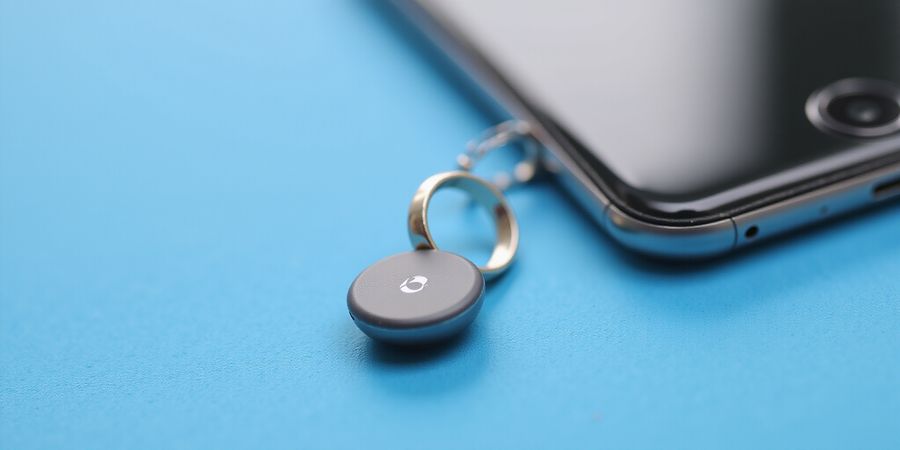
What’s an AirTag? A Quick Peek into Apple’s Tracking Companion
Ever lost your keys and wished for a magic wand? Apple’s AirTag is that wand, but in a sleek, tiny shape. It’s a small, round tracker that whispers its location to your phone. For official details, visit Apple’s support page on AirTag: https://support.apple.com/en-us/101602. Let’s dive into what an AirTag is and why it matters.
Definition & Hardware
The AirTag is a lightweight, 11‑gram device that fits on keys, wallets, or backpacks. It contains a U1 chip for UWB, Bluetooth LE, a replaceable CR2032 battery, a speaker, an accelerometer, and an NFC chip.
Feature | Detail |
|---|---|
Chipset | Apple‑designed U1 chip + Bluetooth LE |
Battery | CR2032, ≈1 year life |
Speaker | Built‑in for audible alerts |
Sensors | Accelerometer to detect motion |
Water & Dust | IP67 rating |
Connectivity | Bluetooth LE, UWB |
NFC | Tap‑to‑connect for Lost Mode |
AirTag can be personalized with initials or an emoji, making it both functional and fun.
Core Technologies: How AirTag Works
Bluetooth LE – The Proximity Finder
When an AirTag is within ~30 ft, your iPhone detects its Bluetooth signal and shows it in the Find My app. The signal is encrypted and the tag’s identifier rotates every 15–30 min, preventing tracking.
Ultra‑Wideband (UWB) – Precision Finding
On iPhone 11 and newer, the U1 chip uses UWB to calculate exact distance and direction. The app displays a map with a hot/cold cue and a directional arrow.
Find My Network – The Crowd‑Sourced Locator
If an AirTag is far from its owner, any nearby Apple device automatically reports the tag’s encrypted location to iCloud. Apple never learns the tag’s location or the reporting device’s identity.
Notification System – “AirTag Detected Near You"
When an unknown AirTag moves with you, iOS shows a notification: “AirTag detected near you.” After 8 days, the tag plays a sound if still unfound. To receive alerts, ensure iOS 17.5+ and enable Location Services, Bluetooth, and Tracking Notifications.
Lost Mode – Recovering a Found AirTag
- Open the Find My app → Items tab.
- Select the AirTag.
- Tap Lost Mode and enter a phone number or message.
- When another Apple device finds it, you’ll receive a notification.
- Anyone with an NFC‑capable phone can tap the tag to see your contact info.
Lost Mode disables the tag’s tracking ability, ensuring only the owner can retrieve it.
AirTag Privacy Safeguards
Safeguard | How It Helps |
|---|---|
Ephemeral Bluetooth IDs | Rotates every 15–30 min |
End‑to‑End Encryption | Apple can’t read location |
Anonymous Reporting | Devices stay anonymous |
“AirTag detected near you” Alerts | Notifies you if an unknown tag follows you |
Sound after 8 days | Alerts nearby people |
User‑controlled Settings | Disable Tracking Notifications or Bluetooth |
Privacy Tips for iPhone Users
- Turn on Tracking Notifications: Settings > Privacy & Security > Location Services > System Services > Tracking Notifications.
- Check for Unknown Tags: Tap the alert to view the AirTag’s serial number and owner info.
- Disable Bluetooth when traveling in areas you don’t trust.
- Use Airplane Mode to stop all wireless communication.
- Report stalking incidents to local law enforcement and provide the serial number.
Forest VPN: Secure Browsing While Using AirTag
Forest VPN is a lightweight, affordable VPN that keeps your online activity private, even when you’re using AirTag to track items. Travelers, commuters, and privacy‑concerned users love Forest VPN for its:
- Convenience: One‑tap connection on iOS and Android.
- Affordability: Plans start at $3.99/month with a 30‑day free trial.
- Wide Server Network: Over 50 countries, ensuring fast, reliable connections.
Real‑world testimonial
“I’m a frequent traveler who relies on AirTag to keep my luggage safe. With Forest VPN, I can browse the web and use the Find My app without worrying about my location being exposed. It’s simple, fast, and affordable.” – Alex M., Digital Nomad
Practical usage tips
- When traveling abroad, enable Forest VPN before connecting to public Wi‑Fi to protect your AirTag data.
- Use Forest VPN’s “Kill Switch” to prevent any data leakage if the VPN drops.
- Pair Forest VPN with AirTag’s Lost Mode for an extra layer of security.
Quick FAQ
What is an AirTag? An AirTag is a small, battery‑powered tracker from Apple that uses Bluetooth, UWB, and the Find My network to locate lost items.
How long does the battery last? A CR2032 coin cell can last over a year under typical use.
Can AirTag be used to track people? No. Its design and privacy safeguards prevent unauthorized tracking of individuals.
What happens if I find someone’s AirTag? Tap it with an NFC‑capable phone to see the owner’s contact info or contact Apple support.
Takeaways
- AirTag combines simple hardware with a powerful, encrypted network.
- Its privacy safeguards keep you safe from unwanted tracking.
- Enable notifications, personalize your tag, and use Lost Mode to recover items quickly.
- Ready to keep your keys, bag, or bike safe? Try Forest VPN for secure, private browsing while using AirTag.