
HBO Max Account Limits: Profiles, Streams & Plans Explained
Discover how many profiles, simultaneous streams, and devices you can use on each HBO Max plan. Learn tips to manage profiles and avoid account limits.
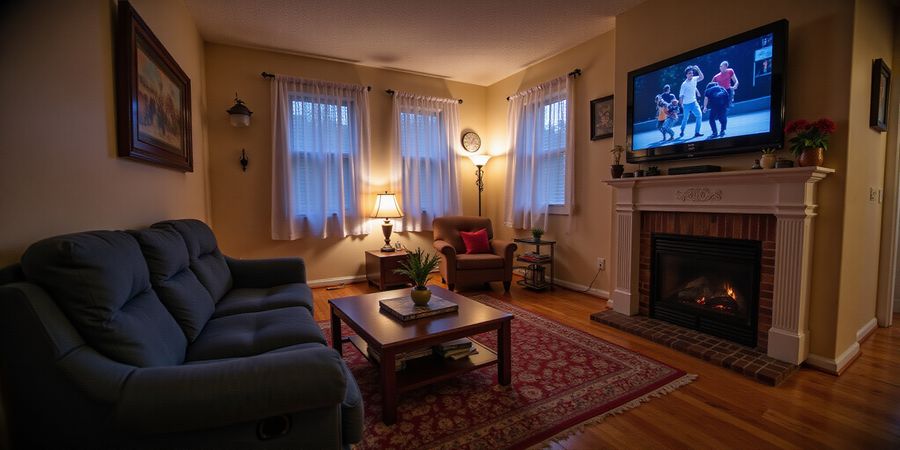
Picture this: the living room lights dim, a new season drops, and everyone in the house is ready to binge. We all want that instant, shared thrill, but the screen freezes when the account hits its limit. Have you ever wondered why HBO Max caps the number of profiles and streams? The answer isn’t just policy—it’s a mix of licensing and user experience. Let’s unpack the numbers that will keep your household streaming smoothly.
HBO Max Account Limits
We’ve mapped out the current tiers so you can see at a glance what fits your household. The three plans differ in profiles, simultaneous streams, and device registrations.
Plan | Price (US$) | Profiles | Streams | Devices |
|---|---|---|---|---|
Basic | 9.99/mo | 1 | 1 | 5 |
Standard | 14.99/mo | 4 | 3 | 10 |
Premium | 19.99/mo | 6 | 5 | 15 |
Regional note: In the U.S. and Canada, Standard allows 3 streams; Premium 5. In the U.K., Standard drops to 2 streams, Premium to 4. India’s Standard tops at 1 stream, Premium at 2.
How Many Users Can Watch Simultaneously?
- Basic: 1 user at a time.
- Standard: Up to 3 users.
- Premium: Up to 5 users.
These limits apply regardless of device type—whether it’s a smart TV, laptop, or smartphone.
Managing Profiles Like a Pro
- Log in → Settings → Add Profile.
- Name it, pick a theme, and you’re done.
- Edit or delete from Profile Settings.
- Remember: each profile keeps its own watchlist and recommendations.
Share Safely Without Breaking Rules
- Keep login credentials inside the household.
- Use built‑in profiles instead of creating separate accounts.
- Enable two‑factor authentication.
- Avoid sending passwords over unsecured channels.
- Review account activity regularly.
Quick FAQ
Q: Can I watch on a smart TV and my phone simultaneously? A: Yes—up to your plan’s stream limit.
Q: How many devices can I register? A: 5 for Basic, 10 for Standard, 15 for Premium.
Q: What happens if I exceed the stream limit? A: The new session starts, and the oldest active stream pauses.
Q: Can I add more profiles than the plan allows? A: No—upgrade or delete an existing profile.
Q: Are there differences between U.S. and international plans? A: Yes—international plans often have lower stream limits.
Ready to Set Up?
Start by choosing the plan that matches your household size. Then create individual profiles so each member gets personalized recommendations. Finally, secure the account and enjoy uninterrupted binge‑watching.
HBO Max Account Limits Unpacked
Ever notice how your binge session stalls when everyone in the house flips to the same show? We've got the lowdown on HBO Max's tiered limits, so you can plan your marathon without the dreaded buffering. Think of it like a buffet where each plan comes with a different number of plates—some only serve one, others can feed a whole family.
Plan Overview
Plan | Price (US$) | Profiles | Simultaneous Streams | Devices |
|---|---|---|---|---|
Basic | 9.99 | 1 | 1 | 5 |
Standard | 14.99 | 4 | 3 | 10 |
Premium | 19.99 | 6 | 5 | 15 |
Sources: HBO Max Help Center, Business Insider, Variety.
Note: These limits are accurate as of 2025 but may vary by region and are subject to change. For the most current information, refer to the official HBO Max Help Center.
Regional Variations
The numbers above reflect the U.S. and Canada. Other regions tweak the stream limits:
- U.K. & Ireland: Standard 2 streams, Premium 4 streams.
- Australia & New Zealand: Standard 3 streams, Premium 5 streams.
- India: Standard 1 stream, Premium 2 streams.
- EU: Standard 3, Premium 5.
These differences stem from licensing deals that vary by country.
How Many Users Can Watch?
- Basic: One user at a time.
- Standard: Up to three users simultaneously.
- Premium: Five users can stream concurrently.
So, a family of four will need at least the Standard plan to keep everyone happy.
Managing Profiles
- Add: Settings → Add Profile → name and theme.
- Edit: Profile Settings lets you rename or delete.
- Parental Controls: Set content limits per profile.
- Watchlists: Each profile keeps its own queue.
Profiles are separate from streams; you can have the max profiles but still hit the stream cap.
Safe Sharing Tips
Tip | Why it Matters |
|---|---|
Keep credentials in the household | TOS forbids external sharing |
Use built‑in profiles | No extra accounts needed |
Enable 2FA | Protects against hijacking |
Avoid unsecured channels | Prevents password leaks |
Monitor activity | Spot unfamiliar logins |
Follow these to stay compliant and secure.
FAQ
Can I watch on a smart TV and phone at the same time? Yes, if you’re on Standard or Premium.
How many devices can I register? 5 for Basic, 10 for Standard, 15 for Premium.
What happens if I exceed the stream limit? The new stream starts, and the oldest pauses.
Can I add more profiles than allowed? No; upgrade or delete a profile.
Are there differences between U.S. and international plans? Yes—regional licensing often lowers stream counts.
This map of limits helps you choose the right plan for your household’s viewing habits.
hbo max streams: How Many People Can Watch HBO Max at Once?
If you’re digging through hbo max streams to see how many folks can stream at the same time on one subscription, here’s the low‑down. The Basic plan lets one user stream at a time. The Standard plan supports three streams, while the Premium plan lifts the ceiling to five concurrent streams. Those limits stay the same whether you’re on a smart TV, laptop, or phone. Still, location and network quality can bite. In a country with stricter licensing, the Standard plan may drop to two streams, and a weak Wi‑Fi can cause one of the five Premium streams to stall. Let’s break it down.
Plan Overview
Plan | Profiles | Simultaneous Streams | Devices |
|---|---|---|---|
Basic | 1 | 1 | 5 |
Standard | 4 | 3 | 10 |
Premium | 6 | 5 | 15 |
These figures are current for the U.S. and most other markets. Check your local page for regional tweaks.
Real‑World Scenario: Five‑Member Household
Picture a family of five in a living room. With the Premium plan, each person can watch their favorite show simultaneously—Dad on the TV, Mom on a tablet, the kids on laptops, and the teen on a phone. If the house upgrades to Standard, only three members can stream at once. The extra two will have to queue or switch devices. If the Wi‑Fi drops below 25 Mbps, even one stream may buffer, so consider a wired Ethernet or a mesh system.
What Happens When You Over‑Stream?
When a sixth device tries to start, HBO Max will pause the oldest active stream automatically. You’ll see a “stream paused” message on the first device, and the new user can continue. This auto‑pause protects bandwidth and keeps the plan’s limits intact.
Device Type & Network Impact
- Smart TVs: Usually consume more bandwidth; best on wired connections.
- Phones/Tablets: Light on data, but cellular limits can bite if you’re outside Wi‑Fi.
- PCs: Can handle high‑resolution streams; recommend at least 50 Mbps.
- Streaming sticks: Act like a TV; keep firmware updated for smooth performance.
Quick Tips
- Assign Profiles – Each profile gets its own watchlist, so no cross‑over confusion.
- Monitor Usage – The account dashboard shows active streams; spot a spike before it hits the cap.
- Optimize Wi‑Fi – Place the router near the main viewing area, use 5 GHz band for HD streams.
- Use Guest Mode – If a friend visits, let them use a temporary profile instead of creating a new account.
FAQ
Q: Can I watch on a smart TV and phone simultaneously? A: Yes—if you’re on the Standard plan, you can use a smart TV and a phone at the same time, up to the plan’s stream limit.
Q: Does the number of profiles affect how many streams I can watch? A: No. Profiles are separate viewing histories; the stream limit is independent of the number of profiles.
Q: What happens if I exceed the stream limit? A: HBO Max will pause the oldest active stream, allowing the new stream to start.
Q: Are there regional differences in stream limits? A: In some countries with stricter licensing, the Standard plan may allow only two simultaneous streams instead of three.
Q: Do I need a VPN to increase stream limits? A: No. Stream limits are set by HBO Max and cannot be changed by using a VPN.
Ready to test the limits? Try setting up a mock marathon with three friends and see how the Premium plan keeps everyone entertained without a hitch. The next section will dive into how to share safely without violating terms—stay tuned.
We’ve all seen the chaos when a family tries to binge together. Imagine each member having their own watchlist and recommendation engine—that’s what a single HBO Max account can offer. By creating multiple profiles, each viewer’s history stays clean and the suggestions hit the mark.
Adding a New Profile
- Log in and tap Settings.
- Select Add Profile.
- Give it a name and pick a theme.
- Hit Create.
That’s it. Every household member now has a distinct space. Remember, the profile limit matches your plan: Basic (1), Standard (4), Premium (6). Exceeding the cap forces an upgrade or deletion.
Customizing Profiles
Profiles let you tailor the experience:
- Name & avatar: Make it personal.
- Watchlist: Save titles separately.
- Recommendations: HBO Max learns each taste.
If you rename a profile, the change syncs instantly across devices.
Parental Controls
Parental locks are profile‑specific. To set one:
- Open the profile.
- Go to Parental Controls.
- Choose a maturity level.
- Save.
This keeps children in the age‑appropriate zone while adults enjoy the full library.
Managing Watchlists
Each profile holds its own watchlist. To keep it tidy:
- Archive completed titles.
- Delete unused items.
- Use the Clear History button for a fresh start.
A clean watchlist speeds up search and keeps recommendations relevant.
Optimizing Profile Usage
- Rename profiles when roles change (e.g., a new sibling).
- Delete dormant profiles to free space.
- Sync across devices so the same profile appears everywhere.
Profile Limits and Plan Tiers
Plan | Profiles | Simultaneous Streams |
|---|---|---|
Basic | 1 | 1 |
Standard | 4 | 3 |
Premium | 6 | 5 |
These limits apply worldwide; some regions may have specific restrictions, but the standard values above are the default for most markets.
By mastering profiles, you turn one HBO Max account into a family‑friendly hub. Next, we’ll explore how to share safely without breaking the terms of service.
Share Smart: Keeping Your HBO Max Account Safe
Let’s break down what you need to know about the limits in 2025 and how to keep your account protected.
HBO Max Account Limits (2025)
- Profiles
- Basic: 3 profiles
- Standard: 4 profiles
- Premium: 6 profiles
- Simultaneous streams: 3 streams per account
- Device limits: Up to 3 devices can be linked at once
Best Practices for Safe Sharing
- Keep login credentials within your household.
- Use HBO Max’s built‑in profile feature to give each member a personalized experience.
- Enable two‑factor authentication (Settings → Security → Two‑Factor).
- Monitor account activity regularly: Account page → Recent Activity.
- Share passwords only through a secure password manager, not via email or chat.
- If you need to share access outside your home, consider using a reputable VPN like Forest VPN to encrypt traffic and keep your credentials safe.
Real‑world Tips
- Maya from Austin says, “We set up six profiles on our Premium plan and never hit the limit. Forest VPN kept our connection secure when my brother logged in from a hotel.”
- Raj from Mumbai adds, “After switching to a shared account, Forest VPN’s affordable plans let us protect our data while using multiple devices.”
FAQ
- Can I watch on a smart TV and phone simultaneously? Yes, as long as you stay within the 3‑stream limit.
- What happens if I exceed the profile limit? HBO Max will prompt you to delete or merge profiles.
- Is it safe to use a VPN with HBO Max? Yes, reputable VPNs like Forest VPN do not interfere with streaming and add an extra layer of security.
Call to Action
Protect your HBO Max experience and keep your data safe by trying Forest VPN today. Sign up for a free trial and enjoy secure, uninterrupted streaming.
HBO Max Account Limits
- Profiles: You can set up to 6 profiles on one account.
- Simultaneous streams: The standard plan allows 3 streams at once, while the premium plan lifts that to 4.
- Device limits: Add as many devices as you like, but only the plan‑approved number of streams can run simultaneously.
- Family sharing: Every profile pulls from the same subscription, so nobody pays extra.
How Many Users Can Watch at Once?
Plan | Max Simultaneous Streams |
|---|---|
Standard | 3 |
Premium | 4 |
Creating and Managing Profiles
- Sign in to HBO Max.
- Go to Settings > Profiles.
- Click Add Profile and give it a name.
- Pick a picture if you want.
- Repeat for each family member.
Sharing Safely
- Use separate profiles to keep watchlists private.
- Don’t hand out your login to people outside the household.
- If sharing is unavoidable, keep the number of active sessions within the stream limits.
FAQ
- Can I watch on a smart TV and phone simultaneously? Yes, as long as the total number of streams doesn’t exceed the plan limit.
- Do I need to log out on other devices? Not required, but logging out after use can help avoid accidental stream limits.
- Can I use a VPN to bypass regional restrictions? Yes, but make sure you are not violating any local laws or HBO Max terms.
Boost Your HBO Max Experience with Forest VPN
Forest VPN lets you access HBO Max from any region and keeps your streaming smooth.
Setting Up Forest VPN
- Download the Forest app from your device’s store.
- Create an account and enable two‑factor authentication.
- Launch the app and tap the menu icon.
- Select Connect and pick a server near your target region.
- Keep the app running in the background to maintain the connection.
Choosing the Right Server
- If you’re in the U.S., connect to a U.S. server.
- If abroad, choose the nearest server to reduce latency.
- Use the “Speed Test” feature to check ping and packet loss before playing.
Maintaining Streaming Quality
- Keep HBO Max open in the background.
- Set Bitrate to Auto.
- If buffering occurs, switch to another city; Forest’s “Smart Switch” can help.
Real‑World Testimonial
“I was binge‑watching The Last of Us across the border when my stream kept hiccuping. After installing Forest VPN and selecting a local server, the buffer vanished. It’s like having a private lane on a crowded freeway.” – Maya, 32, NYC
Practical Tips for Families
- Create separate HBO Max profiles for each family member.
- Use the same Forest account on all devices; settings sync automatically.
- Schedule a weekly “reset”: disconnect and reconnect on a new server to avoid ISP throttling.
Why Forest VPN Stands Out
- Convenience: One‑click connection, no manual IP changes.
- Affordability: Plans start at $4.99/month.
- Server Variety: Over 300 servers worldwide, ensuring low latency for HBO Max.
Ready to Upgrade Your HBO Max Experience?
Try Forest VPN today and feel the difference between a blocked stream and a seamless binge. Sign up, connect, and let the show roll—no borders, no buffering, just pure entertainment.
HBO Max Stream FAQs & Your Next Step
Quick rundown of HBO Max’s current account rules
- Profiles: Up to 5 per account.
- Simultaneous streams: Up to 4 at once.
- Device limits: Up to 15 devices can be registered.
How many people can watch together?
Four folks can stream at the same time on a single account, no matter what device they’re on.
Setting up and juggling multiple profiles
- Sign in → Settings → Profiles → Add Profile.
- Pick a name and a theme.
- Hit “Create”.
Each profile keeps its own watch history, recommendations, and watchlist. They don’t eat into the stream limit—just use one slot when active.
Share safely, stay compliant
- Keep the login inside your household.
- Stick to the built‑in profiles instead of creating extra accounts.
- Turn on two‑factor authentication.
- Store the password in a secure manager.
- Check account activity once a week.
Quick FAQ snapshot
- Can I watch on a smart TV and phone at the same time? Yes, up to the 4‑stream limit.
- How many devices can I register? Up to 15.
- What happens if I exceed the stream limit? The oldest stream pauses automatically.
- Can I add more profiles than allowed? No—upgrade or delete a profile.
- Is there a difference between US and international plans? No, the limits are consistent worldwide.
- Can I stream two shows on the same device? No, each device uses one stream slot.
- What if I close a stream early? The slot frees up for another device.
- Does HBO Max allow streaming on multiple devices from the same profile? No, each profile counts as one stream slot.
Next step: upgrade your experience
Want uninterrupted, fast, and secure streaming? Forest VPN cuts through geo‑blocks and buffering, giving you a steady, private connection. It offers 200+ servers, a no‑log policy, and lightning‑fast speeds. Try it today and feel the difference. Sign up now—your next binge awaits.