
How AirTags Work: Find Lost Items with Apple’s Smart Tracker
Discover how AirTags turn items into smart anchors, using Bluetooth, Ultra‑Wideband, and Apple’s Find My network to locate lost keys, bags, and pets instantly.
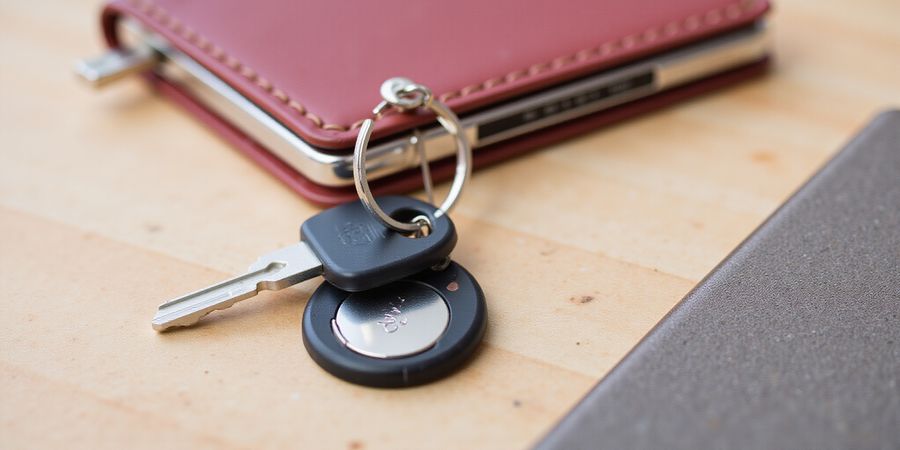
Ever misplaced your keys and felt that familiar panic? We’ve all stared at the desk, wondering where that little metal disc went. AirTags feel like a breath of fresh air in those moments. These tiny Bluetooth trackers attach to keys, bags, or even pet collars, and they answer the question: how.does airtag work. By turning everyday items into smart anchors, they let you find them with a tap.
At its core, an AirTag is a coin‑sized chip that houses a battery, NFC, Bluetooth Low Energy, and—if you have a newer iPhone—an ultra‑wideband chip for precision finding. It broadcasts a rotating ID every few seconds, keeping the tag itself untrackable. When you’re close, your iPhone picks up the signal and updates the location instantly. If you’re out of range, the Find My network steps in: every nearby Apple device captures the signal, encrypts it, and forwards it anonymously to iCloud. That’s how we get a location even when the tag is offline.
Picture the Find My network as a global relay race. Your AirTag is the baton, handing its position to the next runner—any nearby Apple device—which then passes it on. Every handoff is encrypted and anonymous, so your privacy remains intact. The tag only needs an internet connection when a relay device sends the data to Apple’s servers; the tag itself never connects to Wi‑Fi or cellular.
AirTags depend on Apple’s network, but you can also layer secure connections for your devices. Forest VPN delivers a privacy‑first approach with low latency and a no‑logs policy, making it a solid complement to AirTag use. Whether you’re traveling or staying home, a VPN safeguards your data while you track your belongings.
We’ll walk through the nuts and bolts of how this magic works, and we’ll hand you a cheat sheet of troubleshooting tricks. From Bluetooth quirks to battery swaps, we’ll cover every hiccup you might face. Stay tuned—the next section turns this mystery into a practical guide you can use right now.
Offline mode saves the day when you’re in a remote cabin or a crowded train. As long as an Apple device passes within a few meters, the AirTag’s last known coordinates are sent to your iCloud. If no devices are nearby, the tag stays silent until someone else’s phone comes along. Online mode activates when your iPhone returns to range; it pulls the latest location from the cloud and shows you the exact spot on a map.
With that knowledge, you’ll be ready when a lost tag refuses to ping or its sound won’t play. We’ll share real‑world examples of each scenario so you can troubleshoot like a pro.
Key points
- AirTag offline functionality: Works via the Find My network even when the tag is offline.
- Does AirTag need internet?: Only the relay device needs to send data to Apple’s servers; the tag itself does not use Wi‑Fi or cellular.
- AirTag connectivity: Relies on Bluetooth Low Energy and the Apple device network for location updates.
FAQ
Q: Does AirTag need an internet connection? A: No, the tag itself does not need Wi‑Fi or cellular. It uses Bluetooth to communicate with nearby Apple devices, which then relay the location to iCloud.
Q: Can I use AirTag offline? A: Yes. The Find My network allows the tag to be located even if no internet is available at the moment, as long as a nearby Apple device can pick up the signal.
Q: Is my privacy safe with AirTags? A: Absolutely. All transmissions are encrypted and anonymous; no one can track the tag’s location without owning the paired iPhone.
Q: What if the AirTag battery dies? A: The battery lasts about a year. When the low‑battery icon appears, replace it with a new CR2032 battery.
Q: How can I improve AirTag performance? A: Keep the tag’s firmware updated, ensure the iPhone’s Bluetooth is on, and avoid placing the tag inside metal cases that can block signals.
!AirTag on a keychain
We’re about to pull back the curtain on the tiny heart of the AirTag – the hardware that turns a coin‑sized shell into a silent guardian. How.does airtag work hinges on a handful of parts that dance together in perfect harmony.
The first mover is the CR2032 battery, a tiny coin that powers the device for roughly a year with normal use. Think of it as a marathon runner that never needs a pit stop – it keeps the AirTag alive until the last beep.
Next up is the NFC chip, the quick‑tap handshake that lets you pair the AirTag with your iPhone in a heartbeat. When you bring the two together, the NFC whispers “hello” and the AirTag unlocks its full functionality, just like a secret door that opens with a wave.
Bluetooth Low Energy (BLE) is the AirTag’s primary voice. It broadcasts a rotating identifier every few seconds, keeping its location private while letting nearby Apple devices hear it. Imagine a friendly messenger shouting a name that changes every minute, so no one can track the exact identity of the messenger.
The U1 chip is the ultra‑wideband whisperer that turns the AirTag into a precision finder. On an iPhone 12 or newer, it measures distance in centimeters, giving you a “Precision Finding” experience that feels like a GPS on steroids.
A tiny speaker is the AirTag’s alarm bell. When you tap "Play Sound" in the Find My app, a 1 kHz tone rings out for ten seconds, alerting anyone nearby. It’s the device’s way of saying, “I’m here, look for me!”
The AirTag relies on the Find My network, which uses nearby Apple devices to relay its location when you’re out of range. This peer‑to‑peer communication means your AirTag can still be located even if your phone has no internet. When your phone is offline, the AirTag continues to broadcast BLE, but it cannot send its location to iCloud until a device with internet comes nearby.
All these parts work together like a well‑orchestrated band: the battery supplies power, NFC opens the door, BLE sings the tune, U1 fine‑tunes the pitch, and the speaker rings the final note. Understanding each component demystifies why does AirTag need internet is a myth – the AirTag itself never needs a Wi‑Fi or cellular connection.
While the AirTag keeps your physical items safe, Forest VPN protects your online privacy. With its affordable plans and easy setup, Forest VPN offers a reliable way to keep your data secure. One user said, “Forest VPN gave me peace of mind while traveling abroad.”
So next time you wonder how the AirTag stays connected, remember it’s the collaboration of a battery, NFC, BLE, U1, and speaker that keeps the treasure hunt alive, even when you’re offline.
How.does airtag work: The Find My Network Explained
How.does airtag work?
Apple AirTags rely on the Find My network to track lost items even though they don’t have a GPS chip. They use Bluetooth Low Energy (BLE) to broadcast a rotating identifier. Nearby Apple devices pick it up and forward it to Apple’s servers. The whole chain stays end‑to‑end encrypted and anonymous, so only the owner’s Apple ID can read the coordinates.
The network is massive – more than 500 million Apple devices worldwide. That breadth means an AirTag can be found in a crowded mall or a quiet park, as the signal hops from device to device until it reaches Apple’s infrastructure. It works whether you’re online or offline: if no Apple device is nearby, the AirTag stays silent until a relay device appears.
Connectivity and Offline Functionality
- Bluetooth only – AirTags use BLE to talk to nearby devices.
- Peer‑to‑peer relay – Nearby Apple devices forward the encrypted beacon to Apple’s cloud.
- No dedicated internet – The AirTag doesn’t need an active internet connection; it relies on the Find My network.
- Offline mode – If no relay device is present, the AirTag waits. Once a device scans it, the location updates in the Find My app.
Troubleshooting Guide
- Check the battery – Replace the coin cell if the AirTag is unresponsive.
- Ensure Bluetooth is on – Open Settings → Bluetooth and confirm it’s enabled.
- Restart your iPhone – A quick reboot can resolve connectivity glitches.
- Update iOS – Install the latest software update to keep the Find My app compatible.
- Move closer to a known Apple device – If the AirTag is far from any iPhone, iPad, or Mac, the signal may not reach a relay.
- Check for interference – Remove nearby wireless devices that could block BLE signals.
FAQ
Q: Does AirTag need internet to work? A: No. It only requires nearby Apple devices to relay its location.
Q: Can I use an AirTag with a non‑Apple phone? A: The AirTag itself works on any Bluetooth device, but you need an Apple device to view the location.
Q: What happens if I lose my AirTag in a remote area? A: It will remain silent until a device in the Find My network comes within range.
Q: Is my location data private? A: Yes. The relay chain is end‑to‑end encrypted, and Apple never sees raw coordinates.
Protect Your Privacy with Forest VPN
If you’re concerned about the privacy of all your data—including AirTag usage—consider Forest VPN. It offers affordable plans, reliable connections, and a privacy‑first approach that complements Apple’s ecosystem. With Forest VPN, your internet traffic is encrypted, ensuring that even the devices relaying your AirTag’s beacon stay secure.
All information is accurate as of the latest Apple iOS release.
how.does airtag work?
Apple AirTags use Bluetooth Low Energy (BLE) to broadcast short packets that contain a rotating 128‑bit identifier. The tag’s advertising interval is typically 10–30 seconds, and each packet carries a cryptographic nonce that changes with every interval, making it impossible to link two pings. The BLE beacon also contains a small battery that can keep broadcasting for months.
Think of it as a walkie‑talkie that never stays on one channel. The tag hops to a new channel every 10–30 seconds, making it hard for anyone to track the device itself. This rapid channel hopping is like a radio that keeps changing its channel, confusing eavesdroppers.
Our iPhone listens for the signal and reads the RSSI, or Received Signal Strength Indicator. A stronger signal means the tag is closer, just like hearing a shout louder when you’re near the speaker. We can estimate distance to a few meters, but it’s noisy in a maze of walls.
Parameter | Typical Value | Notes |
|---|---|---|
Advertising Interval | 10–30 s | Controls rotation speed |
Power Output | –20 dBm | Balances range & battery |
Channel | 2.4 GHz | 79 channels for BLE |
Identifier | 128‑bit nonce | Rotates each interval |
When an iPhone 12 or newer is nearby, the UWB chip steps in. UWB uses wideband pulses that bounce back, giving precision—think of it as a laser pointer that can tell you how far the tag is, even in a crowded mall. It measures time‑of‑flight, signal strength. The UWB timing resolution is about 1 cm, better than Wi‑Fi triangulation. UWB corrects for multipath, ensuring the arrow points accurately. The system also filters out stray signals, so the arrow doesn’t jump erratically. It’s especially useful in complex spaces.
Picture a lost wallet at the mall: BLE tags in the wallet ping nearby shoppers. Each shopper’s phone relays the ping to the Find My network, and the UWB on the owner’s iPhone homes in, guiding them with a bright arrow that shrinks as they approach. It’s like a GPS that shrinks to a pin. The system even adjusts for multipath reflections, so the arrow stays accurate.
These layers of anonymity, proximity sensing, and precision give us a privacy‑first, user‑friendly way to find things. The rotating IDs keep the tag untraceable, while UWB turns the distance estimate into a pinpoint. Ready to see how the network stitches these signals together?
Ever wondered if an AirTag needs a Wi‑Fi signal to find your keys? We’re about to untangle that inconvenience.
Think of the AirTag as a tiny whisper that travels through a sea of Apple devices. When it’s close to you, it talks directly; when it’s far, it relies on the Find My network. Let’s see how each scenario plays out.
Scenario | Data Relay | Owner Experience | Everyday Example |
|---|---|---|---|
AirTag near owner’s iPhone | Direct BLE link, instant update | Real‑time location | Keys on kitchen counter |
AirTag out of range but within Apple network | Nearby Apple device forwards via iCloud | Update after a few minutes | Lost wallet in city park |
No nearby Apple devices | No relay, stays offline | “No recent location” | Remote trail, no phones nearby |
Owner’s device offline | AirTag keeps broadcasting, no impact | No change until device reconnects | You’re at a café with no Wi‑Fi |
In the city park, a lost wallet near a café is found because a passerby’s iPhone picks up the signal. On a remote trail, the AirTag stays silent until a hiker’s phone bridges the gap. If no Apple device is nearby, the AirTag’s message sits in limbo like a dropped postcard. When your own phone is offline, the AirTag keeps humming; you just miss the update until you reconnect.
Now that we’ve mapped the relay map, let’s explore how to keep the chain flowing.
How.does airtag work: Troubleshooting Your AirTag: Step‑by‑Step Fixes for Common Pitfalls
Ever wondered why your AirTag disappears from Find My? That sudden silence can be jarring. The mystery of how.does airtag work usually comes down to simple connectivity hiccups. Let’s cut through the noise with a clear, hands‑on checklist.
Quick‑Start Checklist
Symptom | What to Check | Immediate Fix |
|---|---|---|
AirTag missing from Find My | Confirm pairing completed | Re‑tap iPhone against AirTag to re‑pair |
“Not Connected” status | Battery low? | Replace CR2032 battery |
No location updates | iPhone offline? | Turn on cellular/Wi‑Fi |
No sound on Play Sound | Volume muted | Raise iPhone volume |
AirTag not detected | BLE glitch? | Restart iPhone, reset AirTag |
Do you feel stuck? Try the steps in order; most issues resolve within minutes.
Step 1: Restart Your iPhone
Restarting clears temporary BLE caches. Press and hold the side button, slide to power off, then turn on again. It’s like giving your phone a fresh start.
Step 2: Reset the AirTag
Press and hold the button for 15 seconds until the LED flashes amber. This puts the AirTag in pairing mode. Think of it as hitting the reset button on a stubborn router.
Step 3: Update iOS
Go to Settings → General → Software Update. An iOS upgrade often fixes Bluetooth bugs. It’s the same as installing a patch for a game.
Step 4: Replace the Battery
Unscrew the back cover clockwise, pop out the old CR2032, insert a new one, and screw back counter‑clockwise. A fresh battery is the lifeline of the AirTag.
Step 5: Verify Find My Network
Open Find My → Items, tap the AirTag, and ensure “Location” shows a recent coordinate. If it says “No recent location,” wait for a nearby Apple device to relay the signal.
Step 6: Check Sound Settings
If Play Sound is silent, make sure your iPhone isn’t on Do Not Disturb. Adjust the volume slider; a louder tone will echo like a lighthouse in fog.
Real‑World Example
Last month, a friend’s AirTag stopped pinging after a heavy rainstorm. We restarted the phone, reset the tag, and replaced the battery. Within 10 minutes, the location popped up. The lesson? Weather can dampen BLE, but a quick reset often restores the signal.
Next, we’ll explore how the Find My network keeps your AirTag safe even when you’re offline. Stay tuned.
FAQs About Forest VPN
Ever wondered how Forest VPN keeps your data safe while you surf? Forest VPN is like a personal digital cloak that hides your online activity from prying eyes. It uses a network of secure servers worldwide to route your traffic, encrypting it so that anyone who intercepts it sees nothing but scrambled bytes.
At its core, Forest VPN works by creating an encrypted tunnel between your device and a Forest server. Your device’s data is wrapped in a strong encryption layer—think of it as a secret envelope—before it leaves your phone or computer. The server then forwards the data to its final destination. Because the data is encrypted, even your internet service provider or anyone on the same Wi‑Fi network cannot read it.
Key points:
- Privacy: All traffic is encrypted; no logs are kept.
- Convenience: One‑click connection on the Forest app, available on iOS, Android, Windows, macOS, and Linux.
- Affordability: Starter plans start at just $3.99/month with a 30‑day money‑back guarantee.
- Variety: Choose from over 30 server locations, including dedicated servers for streaming, gaming, or torrenting.
Common Myths
- Myth 1: VPNs slow down the internet. Truth: Forest uses optimized routing and low‑latency servers, so you’ll see minimal impact on speed.
- Myth 2: VPNs are illegal. Truth: Forest VPN is fully legal and complies with all privacy laws.
- Myth 3: Free VPNs are safe. Truth: Free VPNs often log data. Forest VPN is a paid service that guarantees no data logging.
Troubleshooting
- Connection drops: Ensure the app is updated to the latest version.
- Speed issues: Switch to a closer server or one labeled “Fast.”
- App crashes: Re‑install the app or clear the cache.
FAQ
Question | Answer |
|---|---|
What makes Forest VPN different from other VPNs? | Forest offers a no‑logs policy, a wide range of servers, and a user‑friendly interface across all major platforms. |
Can I use Forest VPN on multiple devices? | Yes, a single subscription covers up to 5 devices simultaneously. |
Does Forest VPN work on public Wi‑Fi? | Absolutely. It protects your traffic on any network, public or private. |
Is there a mobile app? | Yes, available for iOS and Android. |
What if I want a free trial? | Forest offers a 7‑day free trial with full features. |
Takeaway
Try Forest VPN today and experience a safer, faster, and more private internet. Whether you’re streaming, gaming, or just browsing, Forest VPN gives you peace of mind without breaking the bank.