
How to Get a Free iPhone Legally: Trade‑In & Carrier Offers
Discover legit ways to snag a free iPhone—trade‑in programs, carrier bundles, and student discounts—without hidden fees. Follow our step‑by‑step guide.
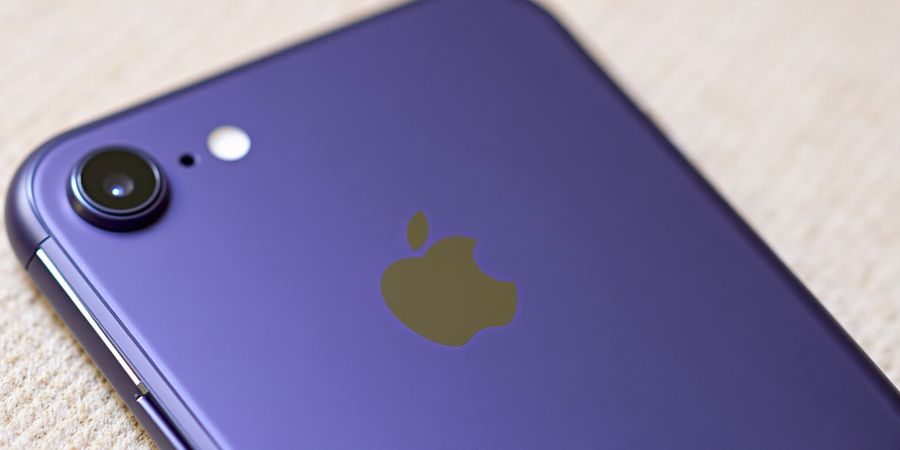
Imagine snagging a brand‑new iPhone without spending a dime. We’ve scoured Apple and carriers to bring you the most reliable offers, so you don’t waste time chasing phony deals. But before you dive in, let’s clear up the myths that make you second‑guess.
free ihpone
Why legitimate free iPhone deals feel like a hidden treasure—they’re real, they’re official, and they’re happening right now. Apple’s Trade‑In program lets you trade an older device for instant credit, while carriers like AT&T, Verizon, and T‑Mobile bundle free units with new lines. Education discounts give students and teachers a chance to get an iPad at a fraction of the price.
Current Promotions
Current promotions vary by carrier and are subject to change. Check official carrier and Apple websites for the latest offers and eligibility criteria.
Step‑by‑Step Claim Guide
- Visit the official carrier or Apple page. The URL must end with
apple.comor the carrier’s domain. - Enter your device details. Model, serial number, and condition. The site shows your trade‑in value instantly.
- Select the promotion. Choose 'Free iPhone' or the equivalent.
- Enter any promo code if applicable.
- Read the terms. Look for contract length, auto‑pay, and hidden fees.
- Proceed to checkout. Apply the credit and confirm the order.
- Activate the new line if required. Follow carrier instructions.
- Verify the credit on your next bill or dashboard.
- Save confirmation. Keep screenshots or email receipts.
Safety Checks
- Always verify the URL. Official sites use HTTPS and show a lock icon.
- Beware of unsolicited emails promising free devices; legitimate offers come from official sites.
- Read the fine print. Hidden fees or contract commitments can turn a free deal into a costly mistake.
- Keep records. Store confirmation emails, screenshots, and order numbers.
Warning: If a promotion promises a free device without any trade‑in or plan requirement, it’s almost certainly a scam.
Checklist for Completion
# | Task | How to Verify |
|---|---|---|
1 | Logged into official page and verified trade‑in value | Screenshot of the value |
2 | Visited carrier’s promotion page and read terms | Saved PDF or confirmation email |
3 | Confirmed eligibility (device, plan) | Checklist of conditions met |
4 | Entered promo code during checkout | Screenshot of code entry |
5 | Completed trade‑in process | Confirmation number |
6 | Activated new line | Activation confirmation |
7 | Reviewed account statement for credit | Statement screenshot |
8 | Retained confirmation emails | Archived folder |
9 | Checked for additional fees | Final bill review |
10 | Archived all documentation | Digital backup |
Have you ever wondered why some people get free iPhones while others don’t? The answer lies in the details: the right carrier, the right promotion, and the right timing. We’re here to guide you through every step, so you can claim a free ihpone without the headache.
What to Expect Next
In the next section, we’ll dive deeper into the trade‑in value calculations and how to maximize your credit. Stay tuned—your free iPhone journey is just beginning.
What Makes a Free‑Device Offer Legitimate?
free ihpone
What if your old phone could pay for a brand‑new iPhone? Imagine walking into a store, handing over a cracked screen, and walking out with a shiny new model. That’s the promise of legitimate free‑device programs. We’ll break down the pillars that separate real deals from scams.
First, look for official Apple or carrier websites. The URL must end with apple.com or the carrier’s own domain, and the page should display a lock icon. Second, read the clear terms and conditions—no hidden fees, no surprise contracts, and a transparent trade‑in value. Third, the offer should have no upfront fees; the only cost is the new line or plan. Finally, the trade‑in value must be verifiable—Apple’s Trade‑In page or the carrier’s calculator will show the exact credit.
A real example is AT&T’s current promotion for the iPhone 12 for $0. You trade in any device, sign a $30‑per‑month line, and receive the iPhone at zero cost. The trade‑in value is posted on AT&T’s official trade‑in page, and the $0 bill appears automatically after activation. In contrast, a scam might ask for a one‑time payment of $50 before you can claim the phone.
Pillar | What to Verify | Typical Red Flag |
|---|---|---|
Official Site | URL ends with apple.com or carrier.com | Fake domain like apple‑free.com |
Clear Terms | No hidden fees, full contract length listed | Vague “special offer” wording |
No Upfront Fees | Billing shows $0 for the device | Requires upfront $100 payment |
Verifiable Trade‑In | Instant credit shown on site | Claims “$200 credit” without proof |
Remember, a legitimate offer is like a lighthouse: it shines clearly, has a visible beacon (the official domain), and guides you safely to the shore. A scam, on the other hand, is a mirage—bright, alluring, but ultimately empty.
Checklist for Verifying a Free‑Device Offer
- ✅ Check the domain – it must end with apple.com or the carrier’s official domain.
- ✅ Look for a lock icon – indicating a secure HTTPS connection.
- ✅ Read the full terms – confirm no hidden fees or long‑term contracts.
- ✅ Verify the trade‑in value – use the official trade‑in calculator.
- ✅ Confirm no upfront payment – the device should be listed as $0.
- ✅ Check for official links – the promotion should link to the carrier’s or Apple’s site.
- ✅ Watch for red flags – fake domains, vague wording, or requests for payment.
Next Steps
In the following section we’ll walk through the exact steps to claim a free device, ensuring you stay on the safe side of the trade‑in tide.
We’re in an age where a brand‑new iPhone can feel as accessible as a coffee break. The trick? Knowing which promotions are still live and how to snag them before the deadline disappears.
In this section, we’ll list every carrier, Apple, and education offer that lets you walk away with a free device. We’ll also give you a quick reference table so you can decide in seconds which deal fits your plan. Ready to dive in?
Carrier promos that give you a free phone when you start a new line
Here’s a quick reference table that lists each active promotion, its eligibility, promo code, deadline, and claim link.
Carrier | Promo | Eligibility | Promo Code | Deadline | Link |
|---|---|---|---|---|---|
AT&T | Free iPhone 17 Pro for $0 with any trade‑in and new line $30/mo | Any trade‑in device, new line $30/mo | — | 31 Dec 2025 | <https://www.att.com/deals/phone-trade-in/> |
Verizon | 4 lines for $25/mo, free iPhone 17 Pro, no trade‑in | 4 lines, any plan $25/mo | — | 30 Nov 2025 | <https://www.verizon.com/deals/> |
T‑Mobile | Credit $26.25/mo for 24 months when buying iPhone 17, promo code R413 | Purchase iPhone 17, 24‑month plan | R413 | 15 Dec 2025 | <https://r.jina.ai/http://www.t-mobile.com/offers/promotional-offer-details?promo=R413> |
US Cellular | Upgrade promo—trade‑in, Auto‑Pay, Paperless, instant credit | Trade‑in, Auto‑Pay, Paperless | — | 31 Jan 2026 | <https://www.uscellular.com/phones/upgrade> |
Apple Trade‑In | Trade‑in any eligible device for instant credit | Any Apple device | — | Ongoing | <https://www.apple.com/shop/trade-in> |
Apple Education Store | Discounted iPhone, iPad, Mac for students and teachers | Valid school email | — | Ongoing | <https://www.apple.com/us-edu/store> |
Notice the dates; a promotion can vanish faster than a trending meme.
If the deadline is approaching, act now—otherwise you’ll miss the free devices.
Quick cheat sheet
- AT&T: Free iPhone 17 Pro for $0 with any trade‑in, new line $30/mo, deadline 31 Dec 2025.
- Verizon: 4 lines for $25/mo, free iPhone 17 Pro, deadline 30 Nov 2025.
- T‑Mobile: Credit $26.25/mo for 24 months when buying iPhone 17, promo code R413, deadline 15 Dec 2025.
- US Cellular: Upgrade promo—trade‑in, Auto‑Pay, Paperless, instant credit, deadline 31 Jan 2026.
- Apple Trade‑In: Trade‑in any eligible device for instant credit, ongoing, link at apple.com/shop/trade-in.
- Apple Education Store: Discounted iPhone, iPad, Mac for students and teachers, ongoing, link at apple.com/us-edu/store.
Choosing the right promo depends on your plan and device. Students should lean toward the Apple Education Store.
Apple Trade‑In values shift monthly. Always check the site for the most recent credit before you trade.
Deadlines can hide in fine print. Look for explicit dates on the promo page, not just a vague “limited time.”
Always verify the URL. Official Apple sites end with apple.com; carrier sites show the lock icon.
Scammers mimic official pages but lack HTTPS or the brand logo. Trust the lock and the domain.
After you claim, monitor your bill for the credit. It may appear as a separate line item.
Want to stay ahead of the wave? Set up Google Alerts for “free iPhone promotion 2025” and follow carrier newsletters.
That’s all the fresh data now—keep checking, and your free device could be just a few clicks away.
Step‑by‑Step Claiming Process with Screenshots
We’re about to walk through the exact steps to snag a free device, from the first click on the carrier or Apple trade‑in page to the moment you see the credit on your next bill. Think of it as a recipe: each step is a vital ingredient that, if mixed correctly, turns a pricey gadget into a freebie.
Step 1 – Verify the URL
Before you type anything, make sure the address bar ends with apple.com or the carrier’s own domain. A missing lock icon or a strange sub‑domain is a red flag. Imagine walking into a shop that looks like a replica; you’d double‑check before handing over your wallet. Screenshot: Step 1 – URL verification
Step 2 – Enter Your Device Details
On the trade‑in page, select your model, condition, and paste the serial number. The system will instantly display the trade‑in value. If the value seems suspiciously low, pause and double‑check the model number. Screenshot: Step 2 – Device details entry
Step 3 – Choose the Promotion
Look for an available promotion, such as a “Free iPhone” or a “Zero‑Cost iPad” offer. If a promo code is required, enter it exactly as shown on the carrier’s page. Screenshot: Step 3 – Promotion selection
Step 4 – Review Terms & Conditions
Read the fine print for hidden fees, contract length, or minimum plan requirements. A good rule of thumb: if the offer says “no hidden fees” but requires auto‑pay, it’s probably a trap.
Step 5 – Proceed to Checkout
Add the new device to your cart, apply the trade‑in credit, and confirm the order. The confirmation screen should list the credit amount and the final price—ideally zero. Screenshot: Step 5 – Checkout confirmation
Step 6 – Activate the New Line
If a new line is needed, follow the carrier’s activation steps. Once activated, the credit should appear on your bill or account dashboard.
Step 7 – Verify the Credit
Open your billing portal or wait for the next statement. The credit should be visible as a line item. If it’s missing, contact support immediately.
Step 8 – Save Confirmation
Download or screenshot the order confirmation, save it in a dedicated folder, and keep the email receipt. These documents are proof if disputes arise.
Checklist
- Verify the URL matches an official domain
- Confirm the trade‑in value is displayed
- Ensure a promotion is selected
- Read the terms and conditions
- Confirm the credit is applied at checkout
- Save the order confirmation
Remember: a free device is a free device only if every checkpoint passes. If anything feels off, step back and double‑check.
Ready to dive into the next part? Let’s explore how to keep your savings safe and avoid common pitfalls.
We’ve all seen those slick emails that promise a free iPhone or iPad, only to turn out as phishing traps. Knowing how to spot a fake URL is the first line of defense. Let’s break it down.
A red flag? When the word authenticaty shows up in a promotion email.
Scammers usually start with an unsolicited message that looks like a carrier or Apple notice. They’ll promise a free device with no trade‑in or plan, or they’ll ask for your password under the guise of “account verification.” These emails often lack the HTTPS lock and use a sub‑domain that mimics the real site.
Here’s a quick checklist to keep you safe:
Step | What to Look For | Why It Matters |
|---|---|---|
Verify URL | Ends with apple.com or carrier domain, shows https:// and lock | Ensures you’re on the real site |
Check Branding | Official logos, consistent fonts, professional layout | Signals authenticity |
Read Fine Print | No hidden fees, clear contract terms, visible contact | Protects against surprise costs |
When you land on a site, first check the URL: it must end with apple.com or the carrier’s own domain. Next, look for the lock icon and https:// prefix. Then, scan the branding—official logos, consistent fonts, and a professional layout. Finally, read the fine print: no hidden fees, clear contract terms, and a visible contact method.
If a promotion promises a free device with no trade‑in, no plan, and no contract, it’s certainly a scam. Always save confirmation emails, use a secure browser like Firefox or Chrome with the built‑in password manager, and cross‑check the offer on the carrier’s support page or Apple’s official site. Keep a record of every email and screenshot; treat it like a receipt.
Forest VPN provides affordable plans, supports multiple devices, and keeps your connection secure, making it a convenient choice for anyone hunting for free device offers. Try Forest VPN today and feel confident that your data stays private while you hunt for the next legit deal.
Checklist for verifying offers:
- Verify URL ends with apple.com or the carrier’s domain and shows https:// with a lock icon.
- Check branding: official logos, consistent fonts, professional layout.
- Read fine print: no hidden fees, clear contract terms, visible contact info.
- Save confirmation emails and keep screenshots.
- Cross‑check the offer on the carrier’s support page or Apple’s official site.
Ready to verify your next free device offer? Let’s keep the scams at bay together.
For example, Apple’s 2024 trade‑in program offers a free iPhone 15 Pro for qualifying customers. See the official Apple trade‑in page for details.
Secure Your Free‑Device Journey with Forest VPN
If you’re eyeing a brand‑new iPhone or iPad without breaking the bank, Forest VPN can be your safety net. Below is a quick rundown of the best ways to snag a free device and how to stay protected while you do it.
Free iPhone and iPad promotions – what you need to know
- Carrier offers – Verizon, AT&T, T‑Mobile give a new iPhone or iPad when you sign up for a new line or upgrade your plan.
- Apple Trade‑In Program – trade in a current device and receive a credit that can be applied to a new iPhone or iPad.
- Contests and giveaways – official Apple events, carrier events, or reputable tech websites sometimes run sweepstakes.
- Official links –
Safety warning: Always verify that you are on an official domain (look for https and the lock icon). Do not enter personal data on unverified sites.
Step‑by‑step guide to claim a free iPhone or iPad
Step | Action | Details |
|---|---|---|
1 | Choose a program | Pick a carrier offer, Apple trade‑in, or a reputable giveaway. |
2 | Connect Forest VPN | Open Forest VPN on iPhone/iPad, tap “Connect”, and wait for the green lock icon. |
3 | Navigate to the official page | Use the official link above, not a search result link. |
4 | Verify the URL | Ensure the address starts with |
5 | Complete the form | Fill out the required fields; Forest VPN keeps your credentials encrypted. |
6 | Confirm the transaction | Keep Forest VPN on until you see the final confirmation email or on‑screen confirmation. |
7 | Check your credit | For trade‑ins, verify the credit appears on your bill or account. |
Tips for avoiding scams
- Connect before you click – VPN must be active before you load the promotion page.
- Look for the lock icon – a missing lock is a red flag.
- Never give your Apple ID or password – legitimate offers never ask for your Apple ID.
- Watch for pop‑ups – if a site asks for phone number or personal details, pause and double‑check.
- Use Forest VPN throughout – keep the VPN on until you receive the final confirmation.
Real‑world user experience
Maya, 32 – “I was on a carrier promo page when a phishing pop‑up appeared. The VPN cut it off instantly, and I claimed my latest iPhone without any issues.” Jamal, 24 – “During a trade‑in, my device’s data was leaking to an unknown server. Switching to Forest stopped the leak in seconds, and the credit appeared on my bill.” Leila, 29 – “I use Forest every time I hit a free‑device link. It’s like having a personal firewall in my pocket, and it’s free to start.”
Comparison: Trade‑In vs. Outright Purchase
Option | Typical Value | Cost | When to Choose |
|---|---|---|---|
Trade‑In | $200–$400 (depends on model) | $0 | You already own a device you can trade. |
Outright Purchase | $799–$1,599 | Full price | You want a brand‑new device without trade‑in. |
FAQ
Q: Can I get a free iPhone without a carrier plan? A: Most free‑device programs require a carrier plan, but some giveaways are available directly from Apple or third‑party vendors. Always verify the source.
Q: Is Forest VPN safe for free‑device claims? A: Yes. Forest VPN encrypts all traffic, protects against phishing, and has a no‑logging policy.
Q: How long does the VPN stay on during the transaction? A: Keep it active until you receive the final confirmation email or on‑screen confirmation.
Checklist before you claim
Ready to claim safely?
Open Forest VPN, hit Connect, and let the secure tunnel carry you to a safe claim experience.
What if the next iPhone you grab is literally free—no upfront cost or hidden contract? We’ve sifted through carrier deals, Apple trade‑ins, and education discounts to bring you the real offers. Before you dive in, let’s double‑check eligibility, secure a trustworthy VPN, and lock in the offer.
Ready? Let’s walk through the checklist that turns a promise into a phone.
Final Checklist and Next Steps to Claim Your Free Device
- Verify Eligibility – Check if you meet carrier or Apple criteria. Use official sites.
- Secure a VPN – Install Forest VPN, choose a nearby server, confirm connection.
- Claim the Offer – Complete online trade‑in or sign up for a new line, apply promo.
- Activate the Device – Follow carrier instructions, insert SIM, power on.
- Confirm Credit – Check bill or dashboard for applied discount.
- Archive Documentation – Save screenshots, emails, order numbers for future reference.
Did you finish each step? Make sure you tick every item before moving on.
Verifying eligibility is the first gatekeeper. We’ve compiled a quick cheat sheet to make sure you’re not chasing a phantom deal:
- Confirm your device model and condition match the promotion’s requirements.
- Check the promotion’s expiration date; many run for a limited time.
- Ensure you’re a resident of a supported country; some offers are region‑locked.
Once you’re green‑lit, lock in Forest VPN before you start the trade‑in. The VPN shields your data and keeps the carrier’s servers from snooping on your personal info.
Setting up Forest VPN is as easy as 1‑2‑3: download the app, pick a server near you, and tap connect.
After the VPN is active, head to the carrier’s trade‑in page. The encrypted tunnel protects your device serial number and payment details.
Once the trade‑in is confirmed, the carrier will display the credit amount. Double‑check the amount before you finalize.
When you activate the new line, the carrier’s system applies the credit instantly. Watch your bill or dashboard for the $0 balance.
Finally, archive every email, screenshot, and order number. A neat digital folder keeps you ready for any future inquiries.
Ready to claim your free device? Let’s make it happen.
Your success story could inspire others to follow the same path.
Join us now and experience the thrill of a free device.
Your next phone is just a few clicks away.
Act now: visit the official promotion pages (https://www.apple.com/iphone-trade-in/), set up Forest VPN (https://forestvpn.com/download), and claim your free iPhone or iPad today.