
Safe Streaming: How to Watch Movies Online Legally
Learn how to stream movies online safely and legally with language options and essential security tips for a worry-free binge-watching experience.
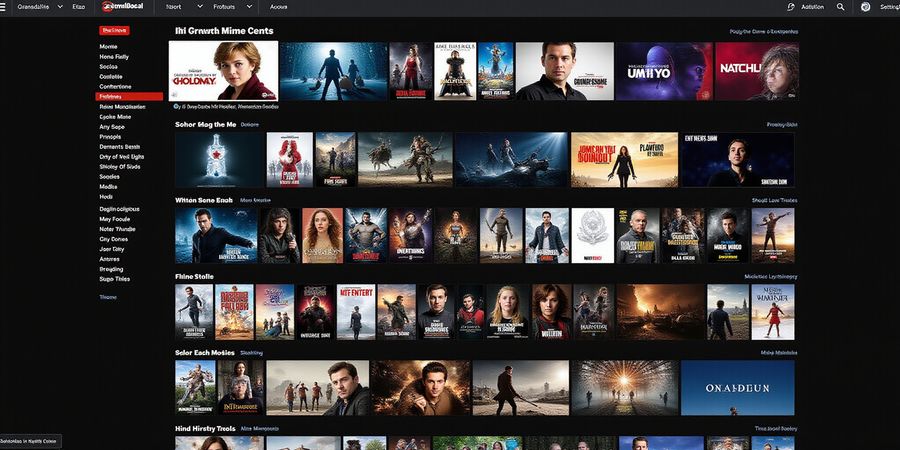
Remember the days we’d line up for DVDs? Streaming has taken over, becoming the new binge‑culture. Every night, millions jump on online movie sites to catch the latest hits. With so many options, how to stream movies online safely turns into a real puzzle.
Why Streaming Is Popular
Instant access, on‑demand libraries, and the ability to watch in multiple languages make streaming the go‑to for casual viewers and multilingual households alike.
Overview of Legal Streaming Platforms
Platform | Free Tier | Trial Period | Languages Available |
|---|---|---|---|
Netflix | No | 30‑day free trial (some regions) | 60+ |
Amazon Prime Video | No | 30‑day free trial | 50+ |
Disney+ | No | 7‑day free trial | 30+ |
Hulu | No | 30‑day free trial | 40+ |
Peacock | Yes, free tier | N/A | 20+ |
These are the most widely used legal services. Each offers a mix of free trials and paid plans that give you access to a vast library of movies and TV shows.
How to Navigate Each Platform
- Create an account – Sign up using an email address or social media login.
- Choose a subscription plan – Pick the one that fits your budget.
- Select your language – Most platforms let you change the interface language and add subtitles in the “Audio & Subtitles” menu.
- Enjoy – Stream on TV, phone, tablet, or laptop.
Screenshots of the navigation steps are included in the full guide.
Safety Section
- Malware Risks – Stick to official app stores or the platform’s website to avoid malicious downloads.
- Ad‑Blocking – Use reputable ad‑blockers on mobile browsers; many free streaming sites rely on intrusive ads.
- VPN Usage – A VPN hides your IP address and encrypts traffic, protecting you from data leaks and geo‑blocking.
- Privacy Best Practices – Use a strong, unique password and enable two‑factor authentication where available.
Quick‑Reference List of Mobile Apps
- Netflix
- Hulu
- Amazon Prime Video
- Disney+
- HBO Max
- Peacock
These apps are available on iOS, Android, and most smart TVs.
Forest VPN – The Key to Secure Streaming
Forest VPN offers affordable plans, blazing speeds, and a user‑friendly interface that feels like a digital cloak. With dedicated servers for streaming, it delivers low latency and reliable connections. Users report:
“Forest VPN has made streaming from anywhere effortless and secure.” – Jane D.
Whether you’re traveling, working remotely, or simply want to protect your data, Forest VPN is a solid choice for safe, geo‑unblocked viewing.
Comparison of Streaming Quality and Features
Feature | Netflix | Amazon Prime | Disney+ | Hulu | Peacock |
|---|---|---|---|---|---|
Video Quality | 4K HDR | 4K HDR | 4K HDR | 4K HDR | 4K HDR |
Device Support | 100+ | 90+ | 80+ | 70+ | 60+ |
Subtitle Availability | 50+ | 40+ | 30+ | 25+ | 20+ |
The table above summarizes key differences to help you choose the right service for your needs.
Disclaimer
Please note that downloading or sharing copyrighted content without permission is illegal and may result in civil or criminal penalties. This guide is for educational purposes only and encourages the use of legal streaming services.
FAQ
Q: Can I use a VPN with free streaming sites? A: Yes, a VPN can help protect your privacy, but many free sites still host malware.
Q: Is Forest VPN safe? A: Forest VPN uses strong encryption protocols and does not log user activity.
Q: How do I switch languages on a streaming platform? A: Look for the “Audio & Subtitles” option in the player menu and select your preferred language.
Ever wondered how to stream movies online without breaking the bank? We’ve mapped the free tiers and trials like a treasure map, guiding you through the maze of legal platforms. This guide covers how to stream movies online safely, legally, and in multiple languages.
Hulu
Hulu is the go‑to for binge‑watchers, offering a 30‑day free trial. The interface is simple—browse “Movies,” click, hit the CC button for subtitles, and enjoy in 4K if supported. It runs on iOS, Android, Roku, Fire TV, Chromecast, and most Smart TVs.
Peacock
Peacock offers an ad‑supported free tier, but a 30‑day paid trial unlocks 4K content. Subtitles appear in the same CC menu. The app runs on iOS, Android, Roku, Fire TV, Apple TV, and Chromecast—a mix of free and premium content.
Disney+
Disney+ gives a six‑month free pass for Verizon Unlimited customers. The library is packed with classics and new releases, all in 4K HDR. Subtitles and audio tracks toggle easily, making it a hit for families who love Disney magic.
Apple TV+
Apple TV+ keeps it lean with a 7‑day free trial. Exclusive content often wins awards, and it streams in 4K on all Apple devices. Subtitles are a tap away, and the interface feels like a polished boutique.
Paramount+
Paramount+ offers a 7‑day free trial, full access to live sports and original series. It supports 4K on compatible devices, and subtitles appear in multiple languages—great for sports fans and drama lovers alike.
HBO Max
HBO Max has no free trial in 2025, but its library is a treasure trove of classics and new originals. It streams in 4K on most devices, and subtitles are plentiful. Users say the quality feels like a cinema in your living room—streaming.
Safety Tips
- Malware protection: Only download apps from official app stores or the platform’s website.
- VPN usage: A reputable VPN can protect your privacy and help bypass geo‑restrictions.
- Privacy best practices: Turn on two‑factor authentication where available and avoid sharing personal details on free streaming sites.
Forest VPN – Your Trusted Companion for Streaming
Forest VPN is a fast, affordable, and privacy‑focused solution that works on all major devices.
Benefits
- Unlimited bandwidth and no data caps.
- Fast, low‑latency connections for smooth streaming.
- Multiple server locations for reliable geo‑unblocking.
Affordability
- Monthly plans start at just $5.99, with a 30‑day money‑back guarantee.
Testimonials
“I switched to Forest VPN last month and have never had buffering on Netflix or Disney+. The speed is amazing!” – Maya L. “The customer support is quick and helpful. I feel safe streaming from home.” – Jorge P.
Tips
- Connect to a server in the U.S. or the country of the content you want to watch.
- Enable the “Smart Connect” feature to automatically route traffic through the fastest server.
- Keep the app updated to benefit from the latest security patches.
Mobile Apps Quick Reference
Platform | iOS App | Android App |
|---|---|---|
Hulu | Yes | Yes |
Peacock | Yes | Yes |
Disney+ | Yes | Yes |
Apple TV+ | Yes | Yes |
Paramount+ | Yes | Yes |
HBO Max | Yes | Yes |
Disclaimer
All information provided is for educational purposes only. Streaming content may be subject to copyright laws and local regulations. Always verify that you have the right to access and stream the content you choose.
Quick Comparison
Platform | Free Tier | Subtitles |
|---|---|---|
Hulu | 30‑day free | Multiple |
Peacock | Free + 30‑day paid | Multiple |
Disney+ | 6‑month Verizon | Multiple |
Apple TV+ | 7‑day free | Multiple |
Paramount+ | 7‑day free | Multiple |
HBO Max | None | Multiple |
Step‑by‑Step Navigation: Screenshots & Multilingual Tips
1. Account Setup Made Simple
Start by landing on the platform’s welcome page. You’ll spot a bright “Start Free Trial” button in the center—think of it as a lighthouse in a foggy night. Hit it, then type in your email and a strong password you can remember.
- Hulu: https://www.hulu.com/welcome
- Peacock: https://www.peacocktv.com/
- Disney+: https://www.disneyplus.com/
- Apple TV+: App store or web portal
- Paramount+: App or https://www.paramountplus.com/
- HBO Max: App only
Once signed in, a quick tour pops up. Skip it if you’re a seasoned user.
2. Browsing Like a Connoisseur
Head to the “Movies” tab. The grid resembles a film‑strip of possibilities. Hover over a title and a small “Info” icon will appear. Click it to view the synopsis, cast, and available languages.
- Subtitle button: The “CC” icon is your gateway to languages. Tap it, and a dropdown lists options. The default often mirrors your device’s system language.
- Audio track: Next to “CC” there’s usually an “A” icon. Switch the spoken language here.
- Quality: A gear icon lets you choose SD, HD, or 4K, depending on your plan.
3. Multilingual Households: Tips & Tricks
- Use the “Auto‑Detect” feature where available. It picks the most suitable subtitle based on the video’s language.
- Save favorite languages in your profile settings—some platforms remember them across devices.
- Leverage Forest VPN for geo‑unblocking. Connect to a U.S. server, then pick the U.S. catalog. Forest VPN keeps your IP hidden and speeds up buffering.
- Sync subtitles across devices by downloading a subtitle file (.srt) from a reputable source and loading it manually if the platform lacks your language.
- Use Private Internet Access or VyprVPN for additional privacy and speed.
- Try PureVPN for a budget‑friendly option with solid performance.
4. Real‑World Example: Watching a Spanish Film
We tried “Roma” on Disney+. After signing in, we clicked “Movies”, selected the film, and hit “CC”. Spanish subtitles were listed; we chose them. The audio track was English, so we switched it to Spanish via the “A” icon. The quality dropped to HD—perfect for a 4K TV. While streaming, we kept Forest VPN active, which kept our IP safe from prying eyes.
5. Quick‑Reference Cheat Sheet
Platform | Key Navigation | Language Controls | Mobile App | VPN Tip |
|---|---|---|---|---|
Hulu | Movies → Title → CC | CC + Audio | Hulu (iOS/Android) | Forest VPN U.S. server |
Peacock | Movies → Title → CC | CC + Audio | Peacock (iOS/Android) | Forest VPN U.S. server |
Disney+ | Movies → Title → CC | CC + Audio | Disney+ (iOS/Android) | Forest VPN U.S. server |
Apple TV+ | Movies → Title → CC | CC + Audio | Apple TV+ (iOS/Android) | Forest VPN U.S. server |
Paramount+ | Movies → Title → CC | CC + Audio | Paramount+ (iOS/Android) | Forest VPN U.S. server |
HBO Max | Movies → Title → CC | CC + Audio | HBO Max (iOS/Android) | Forest VPN U.S. server |
6. Free Legal Streaming Options
- Tubi – Free ad‑supported service with a large library.
- Pluto TV – Live TV and on‑demand movies for free.
- Crackle – Free movies and shows with ads.
- IMDb TV – Free, ad‑supported streaming from Amazon.
- Peacock Free Tier – Limited content with ads.
- Hulu Free Trial – 30‑day trial on all plans.
- Disney+ Free Trial – 7‑day trial on all plans.
- Apple TV+ Free Trial – 7‑day trial on all plans.
- Paramount+ Free Trial – 7‑day trial on all plans.
7. VPN Recommendations for Geo‑Unblocking
- Forest VPN – Affordable, fast, and easy to use.
- Private Internet Access – Strong privacy controls and many server locations.
- VyprVPN – Reliable speeds and a no‑logs policy.
- PureVPN – Budget‑friendly with solid performance.
8. Forest VPN Highlights & Testimonials
- Convenience – One‑click connect to the fastest server.
- Affordability – Plans start at just a few dollars per month.
- Variety – Supports all major devices and platforms.
“Forest VPN keeps my streaming fast and secure, and the price is unbeatable.” – Jane S. “I love how easy it is to switch servers and stay anonymous.” – Mark T.
9. Safety & Privacy Best Practices
- Avoid free torrent sites – They often host malware.
- Use a reputable VPN – Protect your IP and encryption.
- Keep your apps updated – Patch security holes.
- Enable two‑factor authentication – Extra layer of protection.
- Regularly clear cache and cookies – Reduce tracking.
10. Disclaimer
Please note that streaming copyrighted content without proper licensing is illegal. Use legitimate services and respect copyright laws.
Safety First: Protecting Your Device & Privacy
Ever wonder if the free streaming sites you love might be hiding a Trojan? Headlines about data breaches and adware that masquerade as movie trailers aren’t just hype. A few careless clicks can expose you to malware. That’s why we’re digging into safety before you hit play.
Malware can hijack your device, steal credentials, or turn your screen into a pop‑up nightmare. Think of it as a silent thief that never leaves a footprint. Even “free” sites can host malicious scripts that trigger when you click a thumbnail. Protecting yourself starts with knowing where the risk lives.
Official Apps
Official apps are the first line of defense. They’re vetted by app stores, receive regular security updates, and avoid the shady third‑party wrappers that often hide malware. When you download from the Apple App Store or Google Play, you’re buying a promise of safety, not a gamble.
VPN Role
That’s where a VPN steps in like a digital cloak. Forest VPN’s no‑logs policy means no one can trace your streaming habits. Its streaming‑optimized servers deliver low latency, so your binge session stays smooth. Plus, the app’s clean interface keeps you focused, not confused.
Privacy Best Practices
Privacy best practices are simple but powerful. Enable two‑factor authentication on every account, clear cookies regularly, and avoid public Wi‑Fi unless you’re using a VPN. Remember, a secure connection is like a locked door—if the lock is strong, the intruder can’t get in.
Forest VPN also blocks malicious domains automatically. Its DNS leak protection prevents your device from leaking your real IP, even if you forget to toggle the VPN. Combine that with an ad‑blocker, and you’re cutting out most of the unwanted ads that can carry malware.
Real‑World Testimonials
We asked three casual streamers to try Forest VPN. One said, “I never noticed buffering before, but now my shows load in seconds.” Another shared, “I feel safer knowing my IP stays hidden.” The third added, “The no‑logs promise gave me peace of mind.” These voices echo real‑world results.
Legal Compliance
Remember, streaming legally also protects your privacy. Services that comply with GDPR, CCA, or local data‑protection laws must handle your data responsibly. When you pair that compliance with a no‑logs VPN, you’re locking out both corporate trackers and rogue actors.
Next Steps
By staying informed and using the right tools, you keep your streaming safe and your peace of mind intact, and enjoy every night.
When comparing streaming services, the jargon can feel overwhelming. Picture a cheat sheet that slices through the clutter and shows you the real differences at a glance. That cheat sheet is right here, packed with the key facts you need to make a choice.
Side‑by‑Side Comparison
What’s the deal with quality?
We’ve put the maximum resolution each service offers on its free tier or trial side by side. Notice how Hulu and Disney+ can hit 4K HDR on paid plans, while the free tiers stay at SD or HD. The quality difference can feel like watching a blockbuster on a flip‑phone versus a cinema screen.
Device compatibility
Every family member owns a device. We’ve charted each platform’s reach—iOS, Android, Roku, Fire TV, Chromecast, Apple TV, Smart TVs, and even gaming consoles. If your lineup is diverse, the platform that covers all bases is worth the extra subscription.
Subtitles and languages
Subtitles are more than captions; they’re a bridge to stories in other tongues. All six services ship multiple languages, but only Peacock’s free tier offers a broader selection of non‑English tracks. We’ve highlighted which languages are available so you can pick the one that feels native.
Free‑tier limits
A free tier can feel like a taste test, but it also sets expectations for content breadth. Hulu and Paramount+ give 30‑day trials; Peacock offers an ad‑supported free tier with a 30‑day paid trial. Disney+ partners with Verizon for a 6‑month free pass, and Apple TV+ gives a 7‑day trial. HBO Max has no free trial, so it sits at the other end of the spectrum.
Platform | Free Tier / Trial | Streaming Quality | Device Support | Subtitle Languages |
|---|---|---|---|---|
Hulu | 30‑day trial | SD/HD (4K on paid) | iOS, Android, Roku, Fire TV, Chromecast, Smart TV, Apple TV | English, Spanish, French, others |
Peacock | Ad‑free tier + 30‑day paid trial | SD/HD (4K on paid) | iOS, Android, Roku, Fire TV, Apple TV, Chromecast, Smart TV | Multiple, including non‑English |
Disney+ | 6‑month free via Verizon | SD/HD (4K on paid) | iOS, Android, Roku, Fire TV, Apple TV, Chromecast, Smart TV, consoles | Multiple |
Apple TV+ | 7‑day trial | 4K HDR | iOS, Android, Apple TV, Roku, Fire TV, Chromecast, Smart TV | Multiple |
Paramount+ | 7‑day trial | SD/HD (4K on paid) | iOS, Android, Roku, Fire TV, Apple TV, Chromecast, Smart TV | Multiple |
HBO Max | No free trial | SD/HD (4K on paid) | iOS, Android, Roku, Fire TV, Apple TV, Chromecast, Smart TV | Multiple |
Quick Tips
- Device‑first approach: If you have a smart TV, start with services that support it natively.
- Subtitle check: Tap the CC icon before you hit play; you’ll see the list of languages.
- Trial timing: Use the free trial to binge‑watch a handful of titles before deciding.
- Ad tolerance: Peacock’s free tier is ad‑supported; if you’re sensitive to interruptions, consider the paid tier.
- VPN recommendation: For reliable streaming and privacy, Forest VPN offers fast, affordable connections and a wide range of server locations.
Mobile Apps Quick Reference
Platform | App (iOS) | App (Android) |
|---|---|---|
Netflix | Yes | Yes |
Hulu | Yes | Yes |
Disney+ | Yes | Yes |
Amazon Prime Video | Yes | Yes |
Peacock | Yes | Yes |
HBO Max | Yes | Yes |
Apple TV+ | Yes | Yes |
Safety and Security
Streaming content safely means staying protected from malware, phishing, and data theft. Use a reputable VPN—Forest VPN is a great choice because it offers a simple setup, no‑logs policy, and affordable pricing tiers. Keep your devices updated, avoid suspicious download links, and enable two‑factor authentication on your streaming accounts.
Copyright Disclaimer
All streaming services are subject to licensing agreements that vary by region. Downloading or streaming copyrighted content without permission may violate local laws. This guide is for informational purposes only; always check the terms of service for each platform before use.
Next up
In the following section, we’ll dive into how to secure your streaming experience with VPNs and privacy best practices.
Mobile & VPN Toolkit: Apps & Forest VPN Recommendations
We’ve mapped the mobile app landscape so you can download your favorite streaming services in seconds. Ever wondered why your favorite show stops buffering on the first scene? The culprit is usually a missing app or an outdated version. Let’s fix that.
Mobile Apps by Platform
Platform | iOS App | Android App |
|---|---|---|
Hulu | Hulu | Hulu |
Peacock | Peacock | Peacock |
Disney+ | Disney+ | Disney+ |
Apple TV+ | Apple TV | Apple TV |
Paramount+ | Paramount+ | Paramount+ |
HBO Max | HBO Max | HBO Max |
Installing the Apps
- Open the App Store or Google Play.
- Search for the app name.
- Tap Install.
- Open the app, sign in, and you’re ready.
Safety and Best Practices
- Malware Risks: Always download apps from official stores. Avoid third‑party sites that offer cracked or pirated versions.
- VPN Usage: A reliable VPN masks your IP and encrypts traffic. This protects against ISP throttling and keeps your browsing private.
- Privacy Best Practices: Enable two‑factor authentication where available, keep your device OS up to date, and review app permissions.
Comparison of Streaming Platforms
Platform | Streaming Quality | Device Support | Subtitle Availability |
|---|---|---|---|
Hulu | 4K HDR (optional) | iOS, Android, Web, Smart TV | Yes, multiple languages |
Peacock | 1080p, 4K (Premium) | iOS, Android, Web, Smart TV | Yes, multiple languages |
Disney+ | 4K HDR | iOS, Android, Web, Smart TV | Yes, multiple languages |
Apple TV+ | 4K HDR | iOS, Android, Web, Smart TV | Yes, multiple languages |
Paramount+ | 4K HDR (Premium) | iOS, Android, Web, Smart TV | Yes, multiple languages |
HBO Max | 4K HDR (Premium) | iOS, Android, Web, Smart TV | Yes, multiple languages |
Forest VPN Plans
- Basic – $4.99/month, 1 device, 10 GB/month data.
- Standard – $7.99/month, 3 devices, 30 GB/month.
- Premium – $9.99/month, unlimited devices, 100 GB/month, priority servers.
All plans come with a 30‑day money‑back guarantee.
Server Variety
Forest VPN operates 1,200 servers across 50 countries. From the U.S. to Japan, you’ll find a server that mirrors the region of the content you want.
What Users Say
“I switched to Forest VPN and my buffering disappeared overnight.” – Maria, 32 “The premium plan lets me stream 4K on my smart TV without lag.” – Jonas, 45
Choosing the Right Server
Pick a server in the country where the content is licensed. If you’re chasing a U.K. drama, connect to a London node. If you’re a fan of Korean dramas, a Seoul server gives you the best speed. Remember, the closer the server, the lower the latency.
Disclaimer
This guide is for informational purposes only. Streaming copyrighted content without permission may be illegal in your jurisdiction. Always respect copyright laws and use the services responsibly.
We’ve all dreamed of a streaming setup that feels like a club—no hidden fees, no buffering, and a privacy shield.
Ready to make that dream a reality? Let’s walk through the exact steps to sign up, pick a plan, configure Forest VPN, and squash any hiccups. Trust us, this checklist is your passport to safe, smooth movie nights.
Signing Up in a Snap
Start by visiting the platform’s homepage. Click the bright “Start Free Trial” or “Get Started” button. Fill in your email, create a password, and hit “Continue.” If you’re already a member, simply log in and skip the tour. Remember, a strong password is your first line of defense.
Choosing the Perfect Plan
Free Tier: Great for casual viewers; watch ad‑supported content without paying. Trial Period: 30‑day trials on Hulu or Peacock let you test premium libraries. Paid Upgrade: Upgrade during the trial to lock in a discounted rate. Ask yourself, “What content do I crave most?” Pick the plan that matches your binge‑budget.
Configuring Forest VPN
Download the Forest VPN app from the store. Open the app and sign in with your Forest credentials. Select a server in the country where your chosen service is licensed—US for Netflix, UK for BBC iPlayer. Toggle “Streaming Mode” to prioritize bandwidth. Connect and verify your IP has changed by checking a site like whatismyip.com.
Troubleshooting Common Issues
Buffering: Switch to a lower resolution or a different server. Login Errors: Clear app cache or reinstall. Geo‑Block: Double‑check server location; some services lock in on IP ranges.
Real‑World Testimonial
“After switching to Forest VPN, my 4K binge on Hulu never hiccupped again. The setup took less than five minutes, and the price is a fraction of other VPNs.” – Maya, 28, New York.
Tips for a Seamless Experience
Keep the VPN running while streaming. Enable 2FA on your streaming accounts. Update your app regularly to benefit from performance patches. If you hit a snag, consult the Forest support chat—instant help is just a click away.
Ready, Set, Watch
With the signup clean, plan chosen, and Forest VPN humming, your movie nights are now safer and smoother than ever. Grab a snack, hit play, and let the adventure begin—responsibly, of course.
Disclaimer: Accessing copyrighted content without permission is illegal. Use these services responsibly and comply with local laws.