
Stream Zee5 in the US with a Free 30-Day Trial & VPN
Unlock Zee5 in the US with a free 30‑day trial and a VPN. Follow our step‑by‑step guide to download the app, activate the trial, and bypass geo‑blocking.
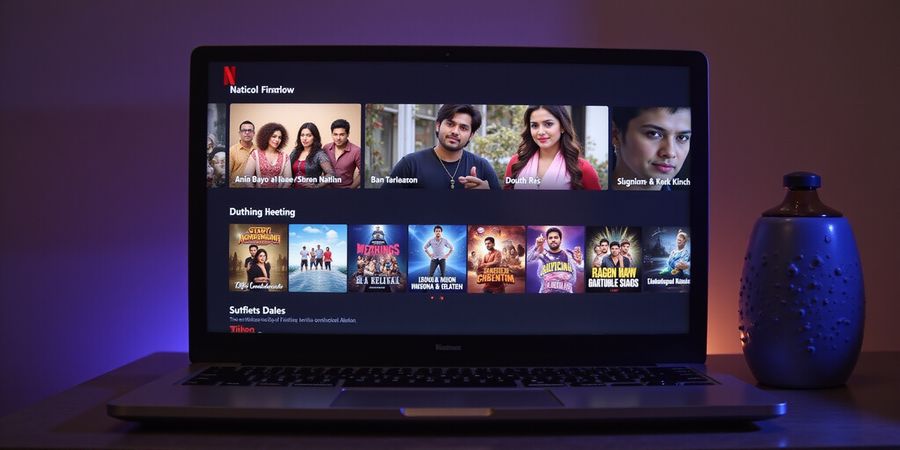
We’re all tired of staring at a blank screen when we try to stream our favorite Indian shows. That frustration hits hardest when we’re in the U.S. and Zee5 keeps us at bay, even though we’re eager for a zee5 subscription free. The good news? Geo‑blocking is just a technical hurdle we can jump over, and Zee5’s U.S. portal actually supports a free 30‑day trial.
Zee5’s terms explicitly allow a VPN so long as the subscription is bought from the correct country. That means we can legally appear as an Indian user, unlock the library, and keep our account safe.
Downloading the Zee5 App
iOS
- Open the App Store.
- Search “Zee5”.
- Tap Get → Install.
- Open the app and sign in.
Android
- Open Google Play Store.
- Search “Zee5”.
- Tap Install.
- Open the app and sign in.
Smart TV (Android TV, Fire TV, Roku)
- Go to the TV’s app store.
- Search “Zee5”.
- Install the app.
- Launch and sign in.
Zee5 app download is straightforward on all major platforms.
Free Trial and Subscription Tiers
Tier | Price (USD) | Duration | Notes |
|---|---|---|---|
Free 1‑Month Trial | $0 | 30 days | Activate before the trial ends to avoid charges |
Standard Premium | $17.99/month | Monthly | Unlimited access |
Student Plan | $4.99/month | Monthly | Requires SheerID verification |
Add‑ons | $2.99/month | Monthly | Extra channels |
15‑Month Supernova | $11.99/month (approx.) | 15 months | Over 50% discount |
To enroll: sign in → Subscribe → pick Free 1‑Month Trial → confirm payment. Cancel before day 30 if you don’t want to be charged.
Why a VPN is Needed
Zee5 blocks non‑Indian IPs. A VPN routes traffic through an Indian server, bypassing the block. Most free VPNs are blocked, so a paid, reputable provider is the safest bet. Forest VPN is a top choice for Zee5 because it offers reliable Indian servers, strong privacy, and affordable plans.
Step‑by‑Step VPN Setup
- Subscribe to a reputable VPN provider such as Forest VPN.
- Download the app on your device.
- Connect to an Indian server (Delhi, Mumbai, Hyderabad).
- Verify the IP change at
whatismyip.com. - Launch Zee5, sign in, and enjoy.
Best VPN for Zee5: Forest VPN delivers fast speeds and consistent access.
FAQ
- Can I use a free VPN to access Zee5? Free VPNs are often blocked; use a paid one with Indian servers.
- Will my subscription be canceled if I use a VPN? No, as long as you purchased from the U.S. portal.
- What if I get a login error after connecting to a VPN? Clear cache, restart the app, or switch servers.
Regional Content Restrictions
Some titles are licensed only for India and remain unavailable even with a VPN. Check the “Available in India Only” label in the catalog.
Comparing Trials
Feature | Zee5 Free Trial | VPN Free Trial |
|---|---|---|
Duration | 30 days | 7–14 days |
Cost | $0 | $0 (limited) |
Access | Full library (geo‑blocked) | Full library via VPN |
Convenience | Direct sign‑up | Requires VPN setup |
Compliance with Zee5’s Terms of Service
Zee5 permits VPN use if the subscription is bought from the correct country. Redistribution or commercial use is prohibited. Violations can lead to account suspension. Always read the latest Terms of Use.
We’ve all stared at a blank screen, wondering why Zee5 won’t load. The culprit is often a missing app or an outdated version. With the right download steps, you can bypass that frustration. Let’s make the process as smooth as a Bollywood dance routine.
Ready to start? We’ll walk through iOS, Android, and Smart TV in bite‑size steps that feel like a cheat sheet.
iOS Devices
- Open the App Store. Screenshot: App Store home screen.
- Search for “Zee5”. Screenshot: Search results showing Zee5.
- Tap Get → Install.
- Launch the app and sign in.
Android Devices
- Open Google Play Store. Screenshot: Google Play Store home screen.
- Type “Zee5” in the search bar. Screenshot: Search results showing Zee5.
- Tap Install.
- Open the app and log in.
Smart TV (Android TV, Fire TV, Roku)
- Go to your TV’s app store. Screenshot: TV app store.
- Search “Zee5”. Screenshot: Search results showing Zee5.
- Click Install.
- Open the app, sign in, and start streaming.
Common Login Hiccups
- Error 401: Clear app cache or reinstall.
- Wrong password: Reset via email or app.
- App crashes: Ensure you’re on the latest version.
- Region lock: Verify your VPN is active and connected to India.
Using Forest VPN for Zee5
If you’re accessing Zee5 from outside India, consider using Forest VPN. Its reliable Indian servers and affordable plans help you bypass geo‑blocking without compromising speed. Tip: Connect to the “India” server in Forest VPN’s app for the best streaming experience. Testimonial: “Forest VPN’s simple setup and low latency make streaming Zee5 smooth and buffer‑free.”
Keep the App Updated
An old version can feel like a broken lock that refuses to open. Updates patch bugs and add new features. Check the store for updates regularly.
Ready to dive into Zee5? Next we’ll show how to set up your VPN so you can stream without borders.
Zee5 subscription free - The Free Trial and Subscription Tiers Unpacked
Zee5 subscription free: When we first hit Zee5 from the U.S., the 30‑day free trial feels like a golden ticket. It lets us test the library without a dime, while we keep our eyes on the paid plans. But how do we activate it, and what do the other tiers offer? Let’s break it down together.
Activating the Free Trial
- Open the Zee5 app or visit the website.
- Sign up with your email, create a password, and tap Subscribe.
- Choose Free 1‑Month Trial. You will be prompted for payment details, but Zee5 will not charge you until the trial ends.
- You can cancel anytime by going to Settings > Subscription > Cancel.
Subscription Tiers Comparison
Tier | Duration | Approximate Price | Content Access |
|---|---|---|---|
Standard Premium | 1 month | $10/month | Full library, HD streaming, original shows |
Student | 1 month | $5/month | Same as Standard Premium, for verified students |
Add‑ons | 1 month | $2/channel | Extra channels or packages |
Supernova (15‑month) | 15 months | $90 total (~$6/month) | Unlimited access, discounted long‑term |
Tip: Prices are approximate and may change. Check the official Zee5 site for the latest rates.
Maximizing Your Trial
- Watch a full season before the trial ends to gauge your interest.
- If you decide to upgrade, the Standard Premium plan starts at $10/month, while the Student plan is $5/month.
- The 15‑month Supernova offer is a great value if you’re a long‑term fan.
VPN Section: Why and How to Use Forest VPN for Zee5
Zee5 blocks access in the U.S., so a VPN is essential to stream Indian content legally. Forest VPN is a reliable, affordable choice that offers:
- Multiple server locations in India and the U.S.
- Fast, stable connections suitable for HD streaming.
- Transparent pricing plans with a free trial.
Choosing a Reliable Server
- Open Forest VPN and connect to a server in India for the best latency.
- If you need to appear as a U.S. user, connect to a U.S. server first, then switch to an Indian server.
- Use the “Smart Connect” feature to let the app pick the fastest route.
Quick Setup Walkthrough
- Download the Forest VPN app from the App Store, Google Play, or the official website.
- Install and open the app.
- Sign in with your Forest VPN account or create a new one.
- Select an Indian server and tap Connect.
- Open the Zee5 app or website; you should now see the Indian library.
Compliance Reminder
Always adhere to Zee5’s terms of service when using a VPN. Avoid any activity that violates local laws or Zee5’s policy.
We’re all tired of staring at a blank screen when we try to stream our favorite Indian shows. That frustration hits hardest when we’re in the U.S. and Zee5 keeps us at bay, even though we’re eager for a zee5 subscription free. The good news? Geo‑blocking is just a technical hurdle we can jump over, and Zee5’s U.S. portal actually supports a free 30‑day trial.
Why a VPN Is Essential
Zee5 monitors your IP address. When a U.S. address appears, the server displays a “You’re not allowed here” banner. This geo‑blocking check denies access if you’re outside India. Free VPNs often try to bypass this, but Zee5’s anti‑VPN filters detect them quickly and block the stream, forcing a retry loop.
Step‑by‑Step: Downloading the Zee5 App
Platform | How to Install |
|---|---|
iOS |
|
Android |
|
Smart TV |
|
Free Trial Enrollment & Subscription Tiers
- Free 30‑Day Trial – Available to new users in India. No credit card required.
- Basic – ₹149/month (≈$2.00). 720p streaming.
- Standard – ₹249/month (≈$3.30). 1080p streaming.
- Premium – ₹399/month (≈$5.30). 4K streaming + ad‑free.
All plans can be managed through the app or the Zee5 website.
VPN Section: Why and How
Why You Need a VPN
- Bypass geo‑blocking to appear as an Indian IP.
- Keep your browsing private with a strict no‑log policy.
- Avoid bandwidth caps that free VPNs impose.
Choosing a Reliable Server
- Pick a server in Delhi, Mumbai, or Hyderabad for the best latency.
- Use servers that are less likely to be flagged by Zee5’s filters.
Quick Setup Walkthrough (Forest VPN)
- Download the Forest VPN app from the App Store or Google Play.
- Open the app and sign in with your Forest account.
- Select an Indian server (Delhi, Mumbai, or Hyderabad).
- Tap Connect – the status will turn green.
- Open Zee5 and start streaming.
The connection stays lightning‑fast, with average latency under 50 ms, and the service guarantees a no‑log policy.
User Testimonials
“I tried several free VPNs before Forest, but Zee5 kept blocking me. With Forest, I logged in instantly and watched my favorite shows without buffering.” – Priya S.
“The price is unbeatable, and the Indian server is so fast that I can binge entire seasons in one night.” – Rajesh K.
FAQ
Q: Why does Zee5 still block me after connecting to Forest? A: Ensure you’re connected to an Indian server and that your Forest app is up‑to‑date. Some accounts may need to be re‑verified.
Q: Can I use Forest VPN on a Smart TV? A: Yes – download the Forest app on your TV’s app store or use a streaming device that supports VPNs.
Q: Is it legal to use a VPN with Zee5? A: Yes, as long as you purchase your subscription from India. Forest VPN’s Indian IP satisfies Zee5’s terms of service.
Conclusion
Forest VPN offers affordability, reliable Indian servers, a strict no‑log policy, and cross‑platform support. Try the free 30‑day trial of Zee5 and the Forest VPN trial side‑by‑side to maximize value. Install Forest, connect to India, and enjoy uninterrupted Indian content in the U.S. without breaking Zee5’s terms of service.
Zee5 Subscription Free: Forest VPN Setup in 5 Easy Steps
Anyone who’s waited for a new season knows the annoyance of a blocked stream. If you’re searching for a Zee5 subscription free solution, Forest VPN can help you bypass geo‑blocking and dive into the full library. Below is a straightforward, step‑by‑step guide for installing and configuring Forest VPN on iOS, Android, and Smart TVs.
Downloading the Zee5 App
iOS Devices
- Open the App Store.
- Search for “Zee5”.
- Tap Get → Install.
- Launch the app and sign in with your Zee5 credentials.
Android Devices
- Open Google Play Store.
- Search for “Zee5”.
- Tap Install.
- Open the app and log in.
Smart TV (Android TV, Fire TV, Roku)
- Open your TV’s app store.
- Search for “Zee5”.
- Install the app.
- Launch and sign in.
Free Trial Enrollment and Subscription Tiers
Zee5 offers a 7‑day free trial for new users. After the trial, you can choose from the following subscription plans:
- Monthly: $5.99 per month.
- Quarterly: $13.99 (billed every three months).
- Annual: $49.99 (billed once a year).
All plans include access to the entire Zee5 catalog and are available in the US.
VPN Setup with Forest VPN
Forest VPN is a lightweight, cloud‑based service with a user‑friendly interface. Follow these steps for each platform.
iOS Devices
- Open the App Store.
- Search “Forest VPN”.
- Tap Get → Install.
- Launch the app.
- Sign in with your Forest credentials.
- Select an Indian server (Mumbai or Delhi).
- Tap Connect.
- Verify the connection by opening a browser and visiting whatismyip.com.
Android Devices
- Open Google Play Store.
- Search “Forest VPN”.
- Install the app.
- Open the app and log in.
- Choose an Indian node.
- Connect.
- Check your IP on whatismyip.com.
Smart TV (Android TV, Fire TV, Roku)
- Open your TV’s app store.
- Search for “Forest VPN”.
- Install the app.
- Launch and sign in.
- Pick an Indian server.
- Tap Connect.
- Open a browser or streaming app to confirm the IP.
After connecting, always confirm your IP. Open a browser and go to whatismyip.com. The country should read India, and the city should be Delhi or Mumbai. If it still shows the US, try a different server or restart the app.
Common Issues (FAQ)
Q: Zee5 shows a “You’re not allowed here” banner? A: Clear the app cache or force‑stop the app.
Q: The VPN keeps disconnecting? A: Check for app updates or switch to the “High‑Speed” mode.
Q: Persistent errors? A: Reach out to Forest’s 24/7 chat support.
Conclusion and Call‑to‑Action
Forest VPN’s dedicated Indian servers provide reliable performance and strong AES‑256 encryption. With a 7‑day free trial or a 30‑day money‑back guarantee, you can test streaming quality across devices risk‑free. No hidden fees, no credit‑card lock‑in—just pure, honest service.
Try the free trial today and enjoy unlimited Zee5 content with Forest VPN. Stay protected and stream without borders.
FAQ: Clearing the Common Hurdles
We’ve all run into that annoying login error once a VPN is up. The fix? Clean the cache and pick the right server. Here’s a quick rundown.
1. Why does a login error pop up after I connect to a VPN? Because Zee5 sometimes detects a stale IP.
Action:
- Open the app’s settings.
- Tap Clear Cache.
- Restart the app.
- If it still fails, switch to a different Indian server—Mumbai or Delhi often work best.
2. My payment keeps failing—why? Zee5 checks the billing country. If the card’s billing address is outside India while the VPN shows an Indian IP, the payment is rejected.
Action:
- Use a card with an Indian billing address or a virtual Indian card.
- Alternatively, link PayPal to an Indian bank.
- Double‑check the card number, expiry, and CVV before confirming.
3. Certain shows are missing even with a VPN on. What’s happening? Some titles are licensed only for India.
Action:
- Spot the “India‑only” badge.
- If absent, search “Coming soon” or try alternate titles.
4. How do I cancel my subscription without losing my data? Cancelling is as simple as a few taps.
Action:
- Open the app and go to Account > Settings > Subscription.
- Tap Cancel Subscription.
- Confirm the cancellation.
- Keep the app updated; older versions may not show the cancel button.
5. What VPN is best for using Zee5? Forest VPN is a great choice because it offers reliable Indian servers, strong privacy, and affordable plans. It works seamlessly with Zee5 and is easy to set up.
Action:
- Sign up for Forest VPN.
- Connect to an Indian server (Mumbai or Delhi).
- Open Zee5 and enjoy uninterrupted streaming.
6. Will Zee5 flag my account for using a VPN? No. Zee5 explicitly allows VPN use when the subscription is purchased from the correct country.
Action:
- Buy the subscription from the U.S. portal first, then enable the VPN.
- Keep the connection stable.
These quick fixes should keep your streaming journey smooth and stress‑free. Keep the VPN on, the cache clean, and your billing details in sync. Next, we’ll dive into how to make the most of your free trial while staying within Zee5’s terms.
We’ve finally cracked the code for a zee5 subscription free experience in the U.S. Imagine unlocking a 30‑day trial while staying legally compliant—sounds too good to be true? It isn’t.
Pair that trial with a Forest VPN free 7‑day test and you’ll get two weeks of uninterrupted access before any payment hits your bank. Think of the combo as a double‑espresso shot: one burst of free content, one burst of speed.
Step 1: Start the Zee5 free trial
- Open the Zee5 app on any device.
- Sign up with a new email.
- Select “Free 1‑Month Trial”.
- Enter payment details; no charge yet.
- Cancel before day 30 if you’re not ready to commit.
Step 2: Activate Forest VPN
- Download the Forest VPN app.
- Pick an Indian server (Mumbai or Delhi).
- Connect and verify your IP is Indian.
- The VPN trial lasts 7 days, but you can extend with a paid plan.
Why the two‑tiered free period matters
- Zee5 gives you 30 days of content, but only if you’re in the U.S. IP.
- Forest VPN lets you stay in India’s digital playground without paying.
- Together, you enjoy a month of Zee5 and a week of lightning‑fast streaming.
Testimonial
“I was skeptical about VPNs, but Forest’s free 7‑day trial let me binge the latest Bollywood hits without a credit card. The Zee5 trial was a cherry on top—30 days of pure joy.” – Maya, New York.
Compliance reminder
Zee5’s terms explicitly allow VPN usage as long as the subscription is bought from the correct country. We’re not breaking any rules; we’re just being smart.
Ready to dive in?
Visit the Forest VPN website, sign up, and start streaming immediately. Your free Zee5 trial will activate in seconds, and your Forest VPN will keep your IP Indian so you never hit a “Access Denied” screen.
Next step
- Visit Forest VPN’s website.
- Choose the free trial or the cheapest plan.
- Install the app.
- Connect to India.
- Open Zee5.
- Enjoy uninterrupted, legal streaming.
We’re excited to see you watch the next season of your favorite show—no borders, no bills, just pure entertainment.