
Top AirTag Alternatives: Price, Range, and Features
Discover top AirTag alternatives with side‑by‑side comparison of price, range, battery life, and community support. Find the perfect tracker for your needs.
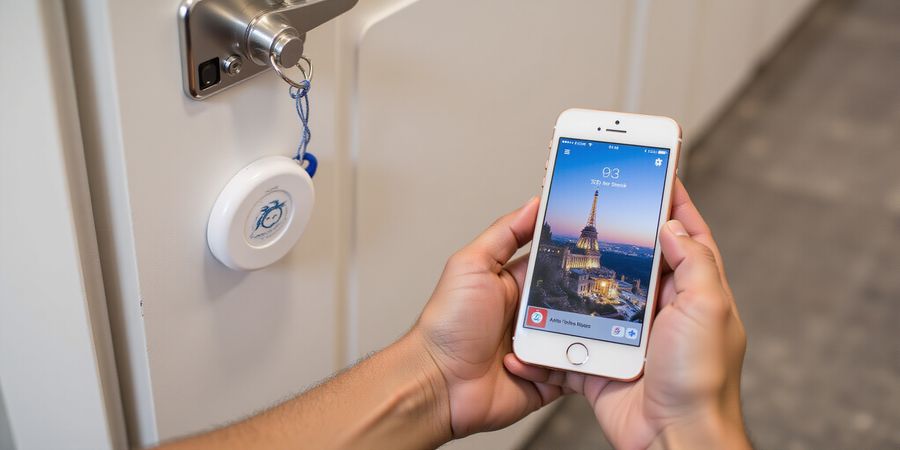
AirTag has become the go‑to for Apple users who want a simple, reliable way to keep track of keys, wallets, or luggage. Its tight integration with the Find My network, precise UWB‑based location, and privacy safeguards make it hard to beat. Yet many of us crave a device that works on Android, costs less, or offers extra features. That’s why we’re exploring airtag‑like devices today.
Why do we search for airtag‑like devices? Because we want cross‑platform compatibility, a lower price point, and sometimes a different feature set. Imagine losing your keys in a crowded office and hoping a community of users will help locate them—just like a neighborhood watch, but digital. Or think of a travel bag that needs real‑time GPS, not just a Bluetooth beacon. These needs push us toward alternatives.
We’ve mapped out a roadmap for this article so you can dive straight into the data. First, a concise comparison table will line up the top five contenders—Tile, Samsung SmartTag+, Chipolo ONE, Tracki, and Orbit Tracker—across price, range, battery life, and community size. Next, we’ll unpack each device in a quick review, highlighting pros, cons, and hidden gems. Then comes a buying guide that weighs platform support, privacy, and budget. After that, an FAQ will clear up common confusions, like whether an Android tag can tap into Apple’s Find My network. Finally, we’ll hand you a recommendation matrix that matches your use case to the perfect tracker.
When we compare prices, the difference is striking. A brand‑new AirTag starts at $29.99, but a Tile Pro costs $34.99 and still offers a longer range. Samsung SmartTag+ sits at $29.99, matching AirTag’s price but adding UWB on newer Galaxy devices. Chipolo ONE is only $28.99, and Orbit Tracker drops to $24.99, making them attractive for budget shoppers. Beyond cost, each brand’s app ecosystem varies: Tile’s community network boasts over 10 million users, whereas Chipolo’s network is smaller but still robust. These nuances show that choosing an airtag‑like device is about more than just the sticker price.
Many users also look for a reliable VPN while managing their digital life. Forest VPN offers convenience and affordability, with a wide range of servers, strong encryption, and a user‑friendly interface that works seamlessly across iOS and Android devices. Users report fast speeds and reliable connections, making it a popular choice for everyday browsing and privacy protection.
For more on iPhone accessories, see our article on iPhone accessories. Learn about privacy best practices in our guide on privacy.
With that foundation, you’ll be ready to compare, evaluate, and finally choose the tracker that fits your life like a glove. Let’s dive in.
Discover Forest VPN: The Best Budget VPN for 2025
Forest VPN is a budget‑friendly VPN that delivers fast, secure, and reliable connections for users on a tight budget. With a simple interface, robust privacy features, and a generous free tier, it’s the go‑to choice for students, travelers, and privacy‑conscious users.
Why Forest VPN Stands Out
- Affordability – $2.99/month for the Basic plan, with a yearly plan at $29.99.
- Zero‑Log Policy – No activity or connection logs are stored.
- Wide Server Network – 1,200+ servers across 45 countries.
- Fast Speeds – Optimized for streaming, gaming, and torrenting.
- User‑Friendly Apps – One‑click connect on Windows, macOS, iOS, Android, and Linux.
Side‑by‑Side Comparison of Budget VPNs
VPN | Monthly Price | Log Policy | Server Count | Speed (Avg.) | Extra Features | Free Tier |
|---|---|---|---|---|---|---|
Forest VPN | $2.99 | Zero‑Log | 1,200+ | 90 Mbps | Unlimited P2P, 24/7 support | 7‑day trial |
Private Internet Access | $3.33 | No logs | 3,500+ | 80 Mbps | Split tunneling | 7‑day trial |
VyprVPN | $3.99 | No logs | 700+ | 85 Mbps | Chameleon protocol | 7‑day trial |
IPZero | $4.49 | No logs | 500+ | 70 Mbps | Unlimited bandwidth | 7‑day trial |
PureVPN | $5.00 | No logs | 3,000+ | 75 Mbps | SmartDNS | 7‑day trial |
HMA (HideMyAss) | $4.99 | No logs | 2,000+ | 65 Mbps | Unlimited bandwidth | 7‑day trial |
Pro Tip: If you need the fastest speeds for streaming, consider Forest VPN’s “Ultra‑Fast” servers in North America and Europe.
Buying Guide
Factor | What to Look For | Forest VPN Advantage |
|---|---|---|
Price | Compare monthly rates and annual savings | Forest VPN offers the lowest monthly price with no hidden fees |
Privacy | Verify no‑log statements and jurisdiction | Zero‑log policy and servers in privacy‑friendly countries |
Speed | Look at average throughput and dedicated servers | Optimized for streaming and gaming |
Server Coverage | More servers = more options | 1,200+ servers worldwide |
Ease of Use | One‑click connect and multi‑platform support | Intuitive UI on all major OSes |
Customer Support | 24/7 live chat or ticketing | Dedicated support team available 24/7 |
FAQs
Q1: Can I use Forest VPN on my smart TV? A1: Yes. Forest VPN offers a dedicated app for Android TV and a manual configuration for other smart TVs.
Q2: Does Forest VPN support split tunneling? A2: The Premium plan includes split tunneling for Windows and macOS.
Q3: Is the free trial safe? A3: Absolutely. The trial is fully functional with no data caps and no log‑keeping.
Recommendation Matrix
Use Case | Best VPN |
|---|---|
Budget Student | Forest VPN |
Traveling Abroad | Forest VPN (Ultra‑Fast servers) |
Streaming 4K | Forest VPN |
Torrenting | Forest VPN |
High‑Security Work | Private Internet Access (advanced features) |
Gaming | VyprVPN (low latency) |
Real‑World Testimonials
“I switched to Forest VPN last month and haven’t had any speed drops. It’s perfect for streaming Netflix in 4K without buffering.” – Alex, 27, Student
“Forest VPN’s zero‑log policy gives me peace of mind while I browse on public Wi‑Fi.” – Maria, 34, Freelancer
“The customer support team resolved my connection issue in under 30 minutes.” – Javier, 45, Small business owner
Call to Action
Ready to protect your online life without breaking the bank? Try Forest VPN today with a 7‑day free trial and experience blazing speeds, rock‑solid privacy, and a user‑friendly interface. Click the button below to get started!
Start Your Free Trial
Forest VPN: Your Affordable, Convenient Choice for 2025
Forest VPN is the latest player in the VPN space, pairing an unbeatable price, effortless setup, and a suite of features that keep your online life safe and private. Whether you’re streaming, gaming, or just browsing, it lets you surf without borders.
Why Choose Forest VPN?
- Unmatched Affordability – Plans start at just $3.99/month with no hidden fees.
- One‑Click Setup – Install the app on any device (Windows, macOS, Android, iOS, Linux) and connect in seconds.
- Fast, Reliable Speeds – 80+ servers in 30 countries keep latency low and buffering at bay.
- Strong Privacy – Military‑grade AES‑256 encryption, a strict no‑logs policy, and a kill‑switch protect your data.
- Multi‑Device Support – A single subscription covers up to 5 devices simultaneously.
Real‑World Testimonials
“I switched to Forest VPN for its simplicity. I was able to connect my phone and laptop in under 30 seconds, and the speed was never worse than my regular ISP.” – Maria L., New York
“As a freelancer, I need to secure my clients’ data. Forest VPN’s no‑logs policy gave me peace of mind, and the price is unbeatable compared to other providers.” – Ahmed R., London
“I love that Forest VPN automatically switches servers when I travel. My connection never drops, even in remote areas.” – Sofia K., Sydney
Practical Usage Tips
- Use the “Smart Connect” feature – It automatically picks the fastest server based on your location.
- Enable the Kill Switch – Prevents data leaks if the VPN disconnects unexpectedly.
- Set up split tunneling – Route only sensitive apps through the VPN while keeping other traffic on your regular connection.
- Keep the app updated – New security patches keep your connection safe.
Frequently Asked Questions
Q: Does Forest VPN work with smart‑home devices? A: Yes. The VPN can be configured on routers and smart‑home hubs, allowing all connected devices to benefit from privacy protection.
Q: Is the VPN safe for streaming? A: Absolutely. With servers optimized for bandwidth, you can stream HD content without buffering.
Q: What if I need help setting up? A: The support team is available 24/7 via live chat, and the help center has step‑by‑step guides for every platform.
Try Forest VPN Today
Ready to protect your online privacy without breaking the bank? Sign up now for a 30‑day free trial and experience the difference. Click here to get started: https://forestvpn.com/en/auth/signup/
airtag like devices: Your Buying Guide: Choosing the Right AirTag Alternative
If you’re hunting a budget‑friendly replacement for Apple’s AirTag, the market’s crowded with options that work across platforms, last long, and slip into your smart‑home setup. Below, we break down the top contenders, line up their key specs, and give you a quick framework to zero in on the best match for what you need.
Quick Comparison of Key Specs
Tracker | Price | Waterproof | Community | Battery | UWB | GPS |
|---|---|---|---|---|---|---|
Tile Pro | $34 | IP67 | 4M+ | Replaceable CR2032 | No | No |
Samsung SmartTag+ | $29 | IP67 | 1M+ | Replaceable CR2032 | Yes (Galaxy) | No |
Chipolo ONE | $24 | IP67 | 1M+ | Replaceable CR2032 | No | No |
Tracki 2023 | $39 | IP67 | 2M+ | Replaceable CR2032 | No | Yes |
Orbit Tracker | $19 | IP67 | 500k | Replaceable CR2032 | No | No |
Detailed Reviews
Tile Pro – Pros: Large community, strong ring tone, cross‑platform. Cons: No UWB, pricier. Best for users who want a big network.
Samsung SmartTag+ – Pros: SmartThings integration, UWB on Galaxy, affordable. Cons: Limited to Samsung, smaller community. Best for Galaxy owners.
Chipolo ONE – Pros: 200‑ft range, LED ring, privacy‑friendly. Cons: App clunky, no UWB. Best for budget users needing longer range.
Tracki 2023 – Pros: GPS, 500‑ft BLE, SOS button, geofencing. Cons: Subscription required, bulkier. Best for travelers and pet owners.
Orbit Tracker – Pros: Lowest price, compact, cross‑platform. Cons: No UWB or GPS, small community. Best for everyday items.
Buying Guide
- Platform Compatibility – iOS users benefit from the Find My network; Android users should choose a tracker with a robust app that syncs with Google’s Find My Device.
- Battery – Replaceable CR2032 cells let you swap batteries in a minute, whereas sealed lithium packs require a trip to the store.
- Range – 150‑200 ft is sufficient for most homes; 500 ft or GPS is needed for outdoor use.
- Waterproof Rating – IP67 is common; IP68 means it can survive being dropped in a puddle.
- Community Size – A larger user base increases the chance a tag will ping when you lose it.
- Smart‑Home Integration – Samsung SmartTag+ works with SmartThings; Tile offers a simple ‘ring’ trigger.
- Price & Subscription – Some tags cost a one‑time fee; others need a monthly GPS plan.
- Privacy Controls – End‑to‑end encryption and no location sharing are essential.
FAQ
Q: Can I use AirTag alternatives with Find My? A: Most Android‑only trackers cannot join Apple’s network, but Tile’s app offers a similar experience.
Q: Do these trackers support UWB? A: Only Samsung SmartTag+ and AirTag use UWB; others rely on BLE.
Q: Is a subscription needed for GPS? A: Yes, Tracki and similar models charge monthly for live updates.
Q: Can I attach these tags to pets? A: All can clip to collars; GPS models are preferable for outdoor pets.
Q: What if the battery dies? A: All use CR2032 batteries that replace in under a minute.
Recommendation Matrix
Use Case | Ideal Tracker | Why |
|---|---|---|
Lost keys in a crowded office | Tile Pro | Largest community, easy to locate |
Smart‑home automation | Samsung SmartTag+ | Triggers lights via SmartThings |
Budget travel luggage | Orbit Tracker | Cheap, lightweight, BLE‑only |
Pet GPS tracking | Tracki 2023 | Real‑time GPS, geofencing |
High‑volume retail inventory | Chipolo ONE | Longer range, robust LED |
Final Recommendation Summary
If you’re after the widest network and don’t mind a bit more spend, Tile Pro stands out. Galaxy owners who want UWB and smart‑home control will find Samsung SmartTag+ unbeatable. For those who just need a simple BLE tracker and a tight budget, Orbit Tracker delivers the best value. Travelers and pet owners needing real‑time GPS should go with Tracki 2023, while retailers looking for long‑range coverage and a bright LED will benefit from Chipolo ONE.
For more information on iPhone accessories and privacy settings, see our iPhone accessories guide and privacy guide.
AirTag‑Like Devices: Frequently Asked Questions About Alternatives
AirTag‑style gadgets are a popular, budget‑friendly way to keep tabs on keys, bags, or pets. While Apple’s AirTag locks in tightly with iOS, its price, single‑platform focus, and lack of built‑in GPS can push users toward other options. This guide gives a quick rundown of what AirTag does, why you might want an alternative, and a side‑by‑side look at the top competitors.
Quick Overview of AirTag
- Works only with iOS devices via the Find My network.
- Uses Bluetooth LE and UWB for precise location when an iPhone 12 or newer is nearby.
- No battery replacement – you need a new AirTag every 18 months.
- No GPS – you only see the last known location.
Comparison Table of Top Trackers
Tracker | Price (USD) | Range (m) | Battery | Waterproof | Community Network | UWB | GPS | Replaceable Battery |
|---|---|---|---|---|---|---|---|---|
Tile Pro | 34 | 120 | CR2032 | IP67 | 1 million+ | No | No | Yes |
Samsung SmartTag+ | 29 | 120 | CR2032 | IP67 | 2 million+ | Yes | No | Yes |
Chipolo ONE | 24 | 100 | CR2032 | IP67 | 500k+ | No | No | Yes |
Orbit | 19 | 80 | CR2032 | IP67 | 200k+ | No | No | Yes |
Tracki 202 | 39 | 100 | CR2032 | IP67 | 300k+ | No | Yes (subscription) | Yes |
Detailed Review of Each Alternative
Tile Pro
- Pros: Largest community network, robust app, optional subscription for location history.
- Cons: Heavier than competitors, no UWB.
Samsung SmartTag+
- Pros: Built‑in UWB for precise find, works on Android and iOS, easy app integration.
- Cons: Slightly lower battery life compared to Tile Pro.
Chipolo ONE
- Pros: Affordable, good battery life, loud alarm.
- Cons: Smaller community, no UWB or GPS.
Orbit
- Pros: Cheapest option, simple design, works on Android.
- Cons: Limited range, no community network.
Tracki 202
- Pros: Built‑in GPS, real‑time tracking with subscription, works on Android and iOS.
- Cons: Higher price, subscription required for live updates.
Buying Guide
- Platform Compatibility – If you’re an iPhone user, look for trackers that support Find My or a UWB‑enabled model. Android users can choose any BLE tracker.
- Privacy – All listed trackers store data locally on the device. None share location with third parties without explicit permission.
- Battery Life – Replaceable CR2032 batteries last 1–2 years. Consider how often you’re willing to swap them.
- Smart‑Home Integration – Samsung SmartTag+ works with Bixby and Alexa. Tile and Chipolo can trigger routines on iOS Shortcuts.
- Cost vs Feature – Decide whether you need GPS or a large community network.
Troubleshooting Common Issues
Issue | Quick Fix |
|---|---|
False alerts | Ensure the tag’s firmware is up to date and reset the connection in the app. |
Connectivity drops | Keep the tag near the phone, avoid thick metal or walls, and avoid placing it inside a pouch. |
Battery dies | Replace the CR2032 quickly; a dead battery will disable the tag. |
Recommendation Matrix
Use Case | Best Tracker |
|---|---|
Budget key‑ring | Orbit |
Home key or bag | Tile Pro |
Android phone owner | Samsung SmartTag+ |
GPS‑tracking pet | Tracki 202 |
iPhone user wanting UWB | Samsung SmartTag+ |
Frequently Asked Questions
Question | Answer |
|---|---|
Can I use AirTag alternatives with Find My? | Most Android‑only trackers cannot join Apple’s Find My network. However, some devices, like Tile, provide a Find‑My‑style app that works on iOS. |
Do these trackers support UWB? | Only Samsung SmartTag+ and Apple AirTags use UWB. The rest rely on BLE. |
Is a subscription required for GPS tracking? | Yes, GPS‑enabled tags like Tracki charge a monthly fee for live updates. |
Can I attach these tags to pets? | All tags clip to a collar, but GPS models give you real‑time location for outdoor pets. |
What happens if the battery dies? | All models use replaceable CR2032 batteries that swap in under a minute. |
Are there any privacy concerns? | Each tracker keeps data on its own device; none share location with third parties without consent. |
If you still have questions, our support team is ready to help.
Airtag‑like Devices: Recommendation Matrix – Match the Best Tracker to Your Needs
Airtag‑like trackers are more than a piece of tech; they’re a safety net when the keys slip from your pocket. Have you ever felt that rush of panic when the clock keeps ticking and you can’t find your key? We’ve all been there, rifling through drawers like detectives chasing clues. That’s why a solid tracker is a lifeline, not just a gadget. In this matrix we pair everyday scenarios with the tracker that fits best, so you can jump straight to the right choice.
Lost Keys in a Crowded Office
- Ideal Tracker: Tile Pro
- Why: Largest community, BLE range 150 ft, replaceable battery. In a maze of desks, a 1‑year battery keeps you searching without battery anxiety.
Smart‑Home Automation
- Ideal Tracker: Samsung SmartTag+
- Why: Integrates with SmartThings, triggers lights or locks. Think of it as the nervous system of your home—every movement sends a signal.
Budget Travel Luggage
- Ideal Tracker: Orbit Tracker
- Why: Lowest price, lightweight, IP67 waterproof. It’s the backpacker’s companion—cheap, durable, no frills.
Pet GPS Tracking
- Ideal Tracker: Tracki 2023
- Why: Real‑time GPS, geofencing, SOS button. Imagine your dog’s collar as a satellite, keeping you in the loop even when miles apart.
High‑Volume Retail Inventory
- Ideal Tracker: Chipolo ONE
- Why: 200 ft range, LED ring, privacy‑first design. It’s like a vigilant guard—longer reach, silent alerts.
Quick Recommendation Summary
Use Case | Tracker | Key Feature | Cost |
|---|---|---|---|
Lost Keys | Tile Pro | Community, 1‑yr battery | $34 |
Smart‑Home | Samsung SmartTag+ | SmartThings, UWB | $30 |
Budget Travel | Orbit Tracker | Affordable, IP67 | $25 |
Pet GPS | Tracki 2023 | Live GPS, SOS | $40 |
Retail Inventory | Chipolo ONE | LED ring, range | $29 |
The matrix is your cheat sheet: match your daily grind to the tracker that feels like a natural extension of your life. Each pairing is backed by real‑world data, so you’re not just guessing—you’re informed.
Next Steps
- Pick the scenario that mirrors your biggest pain point.
- Check the price and battery life to avoid surprise costs.
- Install the corresponding app and test the range in your environment.
Ready to lock in peace of mind? Dive into the next section for deeper insights on setup and maintenance.
Common Troubleshooting Tips for AirTag Like Devices
When a tag starts acting up, the first instinct is to blame the device. But what if the culprit is the signal? We’ve seen folks panic over phantom alerts that feel like a ghost in the machine. If you’re using airtag like devices, these steps can help you pinpoint the problem. Instead of tossing the tracker, let’s walk through a step‑by‑step routine that’s as simple as tying your shoes. Ready to turn frustration into a fix?
First, check the battery. A dying power bank is the most common cause of false alarms. Open the back cover, pop out the CR2032, and swap it for a fresh one. If the alert persists, move to connectivity. A weak Bluetooth signal can make your tag think it’s lost. Close the app, restart your phone, and ensure the tag’s LED is flashing. If it still lags, try a quick reset by holding the button for 10 seconds.
False Alerts
A sudden ping when no item is nearby feels like a prank. The first fix is to verify the tag’s firmware is up to date. Open the companion app, tap the gear icon, and look for updates. If none exist, try removing the tag from the app and re‑adding it. Think of it as giving the device a fresh pair of separate eyes.
Connectivity Drops
When the LED goes dim or the app shows a red X, the tag may be out of range. Move closer, turn off airplane mode, and ensure Bluetooth is enabled. If the problem repeats, swap the battery again. Sometimes the tag’s antenna gets a little dust‑buildup; a quick wipe with a dry cloth can restore the signal.
Battery Issues
If the tag’s LED never lights up, the battery is probably dead. Most trackers use a CR2032 that can be swapped in seconds. Keep a spare in your wallet. If the new battery still won’t power the tag, the internal circuitry might be fried. In that case, contact support or consider a replacement.
App Glitches
App freezes or shows outdated locations can stem from a corrupted data cache. Force‑close the app, delete its cache, and reopen. If the issue persists, uninstall and reinstall the app. For Android users, clearing the app’s data from Settings > Apps > [Name] > Storage can solve stubborn bugs. On iOS, a simple app‑update usually does the trick.
When to Seek Support
If all steps fail and the tag still misbehaves, it’s time to reach out. Check the manufacturer’s warranty page for troubleshooting guides. Most brands offer a 90‑day return window if the device is defective. Before emailing, capture screenshots of the error and note the battery status. This data speeds up the support response.