
Watch NFL on Fubo Anywhere: Multi-Device Streaming Guide
Learn how to stream NFL games on Fubo from any device or location. Our guide covers login, stream limits, device setup, and troubleshooting for smooth viewing.
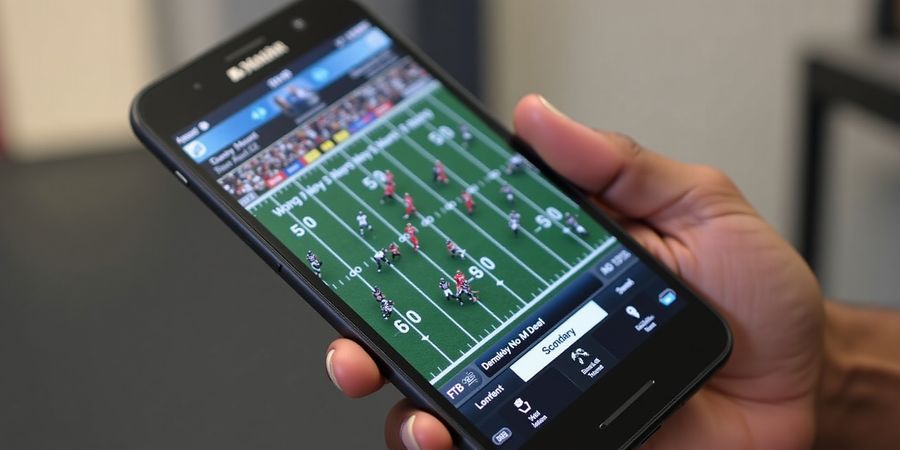
Picture this: you’re stuck in a cramped airport lounge, the flight’s delayed, and the only thing keeping you sane is a live NFL game on your phone. That’s where fubo,tv comes in, letting you keep the stadium vibe alive no matter where you land. We’ve pieced together a playbook that turns any device into a front‑row seat, so you can watch NFL on Fubo without a hitch. Ready to dive into the play‑by‑play guide?
With three streams per account, you can have the whole crew glued to the action—one for the living‑room TV, one for the phone, and one for a tablet on the road. But the real magic? You can log in from any corner of the globe and still stay in the game. We’ve tested this across Android TV, iOS, and browsers, and the process is smoother than a quarterback’s spiral.
fubo,tv: Your Ultimate Multi‑Location Guide
1. What You Need to Know About Stream Limits
- Three concurrent streams across all devices.
- The limit applies whether you’re on Android TV, iOS, or a web browser.
- You can log in from any location, but only three streams can stay active.
2. Logging In on Different Devices
- Android TV – Open the app, tap Sign In, enter your email and password, then confirm 2‑factor if prompted.
- iOS – Tap Sign In in the app, type credentials, and choose your quality preference.
- Web Browser – Go to <https://www.fubo.tv>, click Sign In, and select Web when asked.
3. Managing Your Streams
- Navigate to Account → Devices & Sessions.
- See all active streams.
- Log out from any device to free a slot.
4. Tips for a Seamless NFL Experience
- Use a 5 GHz Wi‑Fi band or wired Ethernet.
- Set DNS to 8.8.8.8 or 1.1.1.1 for faster resolution.
- Reduce quality to 720p if you’re on 4G.
- Disable background apps that hog bandwidth.
5. Quick Troubleshooting Checklist
Issue | Likely Cause | Quick Fix |
|---|---|---|
Login error “Invalid Credentials” | Typo or password change | Verify email/password, reset if needed |
Buffering or low quality | Weak Wi‑Fi or many devices | Switch to 5 GHz, limit devices, lower quality |
App crashes | Outdated app | Update or reinstall |
No audio | Muted system volume | Check volume, change output |
NFL game unavailable | Blackout | Use a VPN to a different state or check alternative channel |
6. Why Use Forest VPN with FuboTV
- Convenience – Instantly switch locations to bypass regional blackouts and enjoy live NFL games wherever you are.
- Affordability – Competitive pricing plans that keep your streaming budget in check.
- Variety of options – Multiple servers, fast speeds, and secure encryption for a smooth experience.
- Easy setup – One‑click installation on Android TV, iOS, Windows, macOS, and browsers.
Ready to stream anywhere? Try Forest VPN today for seamless access to FuboTV and keep the game alive wherever you go.
Stay Tuned
We’ll walk through each step in detail in the next sections, so you’re ready to stream from the hotel room, the car, or even your grandma’s living room. Let’s keep the game alive everywhere.
Official FuboTV Support: <https://support.fubo.tv/hc/en-us>
FuboTV Multi‑Location Policy & Device Limits (fubo,tv)
Let’s take a look at FuboTV’s multi‑location policy so you can keep streaming no matter where you are. Imagine a three‑seat car: only three streams can be on the road at the same time. No matter if you’re on Android TV, iPhone, or a laptop, the rule stays the same. This guide will show you how to manage those seats, avoid accidental bans, and keep the game going. Ready to see how the policy works in plain, friendly terms?
FuboTV’s policy keeps streaming smooth while respecting licensing agreements.
- Three simultaneous streams – across any device.
- Device‑agnostic – same limit for Android TV, iPhone, web, Roku, Apple TV, etc.
- Multi‑location – you can log in from anywhere, but only three streams stay active.
- Session management – view and log out from Account → Devices & Sessions.
Want to see the limits in action? Below is a quick reference table.
Device | Max Streams | Notes |
|---|---|---|
Android TV | 3 | Uses Google Play credentials |
iPhone / iPad | 3 | Requires Apple ID |
Web Browser | 3 | Any modern browser |
Roku / Apple TV / Fire TV | 3 | Official app required |
Managing active sessions feels like juggling; one extra ball drops the others.
- Check active streams: Go to Account → Devices & Sessions.
- Log out: Select a device and click Log Out to free a slot.
- Automatic drop: When a fourth stream starts, the oldest one stops.
Did you know a single forgotten device can lock you out of your favorite game? Keep a list of your regular gadgets and log out from unused ones.
This understanding sets the stage for the next sections on device setup and stream management, where we’ll dive deeper into how to keep all your streams running smoothly.
For more details, visit the official FuboTV support page.
fubo,tv: Downloading & Installing the FuboTV App on Every Platform
fubo,tv lets you stream your favorite NFL games no matter where you are—whether on a couch or a cruise ship. Ready to download? Let’s roll.
Multi‑Location Streaming & Device Limits
FuboTV allows up to two simultaneous streams from the same account. This means you can watch on a mobile device while your friend streams on a TV, but you cannot stream on three devices at once. The policy also supports multi‑location usage, so you can log in from different countries, but keep in mind that some content may be geo‑restricted.
Platform‑Specific Download Guide
Platform | Store | Link | Notes |
|---|---|---|---|
Android TV | Google Play | https://play.google.com/store/apps/details?id=tv.fubo.mobile | Requires Android TV 4.0+ |
iOS | App Store | https://apps.apple.com/us/app/fubo-watch-live-tv-sports/id905401434 | iPhone 8+ & iPad Pro |
Web | — | https://www.fubo.tv | Works on Chrome, Edge, Safari, Firefox |
Roku / Apple TV / Fire TV | Respective stores | Search "FuboTV" | Official app available |
Android TV Setup
- Open the Google Play Store on your Android TV.
- Search for FuboTV.
- Click Install.
- Launch the app.
- Sign in with your credentials.
- If prompted, complete two‑factor authentication.
- You’re live—streaming feels like a touchdown.
iOS Setup
- Open the App Store.
- Search FuboTV.
- Tap Get → Install.
- Open the app.
- Sign in.
- Choose your video quality.
- Enjoy a smooth play, like a well‑tuned quarterback.
Web Browser Setup
- Go to https://www.fubo.tv.
- Click Sign In top‑right.
- Enter your email and password.
- Confirm two‑factor authentication if enabled.
- Select Device → Web when prompted.
- Start watching—no app download required.
Roku, Apple TV, and Amazon Fire
- Open the App Store on your device.
- Search “FuboTV”.
- Select the official app.
- Install and launch.
- Sign in and you’re ready to stream.
Pro Tip: Enable Auto‑Update to keep the app fresh. Also, set a strong password and enable 2FA—security is as important as the game.
NFL Games & Blackout Tips
- Channel Line‑Up: FuboTV offers a comprehensive NFL lineup, including CBS, NBC, FOX, and NFL Network.
- Blackout Rules: Some games may be black‑out in your region. Check the Blackouts page in the app or visit the official FuboTV support page for details.
- Best Time to Watch: Live games usually start at 8:20 p.m. local time. Use the app’s schedule feature to set reminders.
Troubleshooting
Issue | Likely Cause | Fix |
|---|---|---|
Login errors | Wrong credentials or 2FA not verified | Reset password, verify 2FA device |
Buffering | Slow internet | Move closer to router, use wired Ethernet |
App crashes | Out‑of‑date app | Update via store or reinstall |
Checklist Before You Start
FAQs
Q: How many streams does Fubo allow? A: Two simultaneous streams per account.
Q: Can I use FuboTV from abroad? A: Yes, but some content may be geo‑restricted.
Q: What if I get a “device not supported” error? A: Check that your device’s OS version is up to date or consider using the web version.
Q: Where can I find help if I encounter issues? A: Visit the official support page: https://support.fubo.tv/hc/en-us.
Internal Resources
We’ve covered the download process; next, we’ll dive into logging in and managing your streams. Stay tuned to master the full FuboTV experience.
fubo,tv – Logging In & Managing Simultaneous Streams
When we hit the road, we want that game on every screen. With fubo,tv, we can do that, but only if we know how to keep the seats free. Let’s walk through login on Android TV, iOS, and the web, and see how to juggle streams like a pro.
1. Login Basics
First, grab your credentials. Make sure your email and password are fresh, and 2‑factor authentication is turned on. If you forgot your password, reset it right away—no surprises when you log in.
2. Android TV Steps
- Open the FuboTV app.
- Tap Sign In.
- Enter email, password, then confirm 2FA if prompted.
- Choose your streaming quality.
- Press Play.
3. iOS Steps
- Open the FuboTV app.
- Tap Sign In.
- Type credentials, then verify 2FA.
- Pick a quality setting.
- Hit Play.
4. Web Steps
- Visit <https://www.fubo.tv/>.
- Click Sign In.
- Enter credentials plus 2FA.
- Select “Web” as the device.
- Start watching. Works in Chrome, Edge, Safari, or Firefox.
5. Managing Simultaneous Streams
Managing simultaneous streams is like keeping a phone line open while you’re on a call. Go to Account → Devices & Sessions. Here you see every active session. If you’re traveling, log out from home devices before launching a new stream abroad.
6. Flowchart Concept
Think of a flowchart: Login → 2FA → Stream → Devices & Sessions → Log Out. It’s a simple loop that keeps the system tidy. Visualizing it helps you remember the order.
7. Screenshot Guide
When you’re setting up, keep screenshots handy. Capture the 2FA prompt, the device selection screen, and the Devices & Sessions list. These images become your quick reference, especially when you’re in a hurry at the airport.
8. Practical Travel Example
Practical example: You’re at a hotel in Dallas and your friend is at home in Seattle. Both want to watch the same game. Log out of the Seattle device first; then you can start a new stream in Dallas without hitting the limit.
9. Policy Reminder
Remember the policy section on multi‑location limits. Staying within the three‑stream cap keeps you compliant and prevents unexpected freezes. We’re all about smooth play, not penalties.
10. Forest VPN Boost
Now that you can juggle streams, consider Forest VPN for extra flexibility. It lets you switch locations instantly and keeps your FuboTV access smooth, especially when traveling. Give it a try and keep the game flowing everywhere. It also helps bypass regional blackouts, giving you a seamless experience.
Optimizing Performance Settings for Smooth Play – fubo,tv
Ever notice how a game can freeze right in the middle when your connection takes a dip? That’s what we’ve seen on crowded 4G networks, where data traffic feels like a traffic jam. The fix? Tweak every setting so your stream runs smoother than a well‑oiled engine. In this section we’ll walk through Wi‑Fi bands, wired Ethernet, DNS tweaks, and device‑specific adjustments. Ready to make buffering a thing of the past?
Switching to the 5 GHz band cuts interference, just like moving a runner from a crowded track to a straight lane. Wired Ethernet is the gold standard; it removes Wi‑Fi jitter entirely. If your router supports it, plug in a cable and watch latency drop like a stone into water. Don’t forget to set your connection to Google (8.8.8.8) or Cloudflare (1.1.1.1) for faster name resolution.
FuboTV auto‑detects your connection, but you can fine‑tune the quality. On a 4G network, choosing 720p keeps the buffer at bay, like a tightrope walker staying balanced. On a stable home Wi‑Fi, 1080p or even 4K is fine, as long as your device can handle it. Remember, higher resolution equals higher bandwidth; don’t let your stream choke on a weak link.
On Android TV, go to Settings → Network → Advanced, then select 5 GHz. In the FuboTV app, open Settings → Video → Quality and set to Auto or 720p. For iOS, tap the Wi‑Fi icon, choose your network, tap i, then set DNS manually. If you’re on a laptop, disable background downloads in the browser’s settings.
If you’re traveling and need to access FuboTV from multiple locations, Forest VPN can keep your connection secure and fast. Its affordable plans and wide range of servers let you bypass geo‑restrictions and maintain low latency, so you never miss a play. As one user says, “Forest VPN made streaming from the airport a breeze—no buffering, no hassle.”
Before you hit play, run this quick checklist:
- Confirm 5 GHz or wired Ethernet is active.
- Set DNS to 8.8.8.8 or 1.1.1.1.
- Choose 720p on mobile, 1080p on home.
- Disable background apps.
- Log out of unused devices.
Setting | Recommended Value | Why |
|---|---|---|
Wi‑Fi Band | 5 GHz | Less interference |
Connection Type | Wired Ethernet | Eliminates jitter |
DNS | 8.8.8.8 / 1.1.1.1 | Faster resolution |
Stream Quality | Auto / 720p (mobile) | Balances buffering |
Background Apps | Off | Frees bandwidth |
With these tweaks, your FuboTV stream will glide like a quarterback's pass. Next, we’ll explore how to catch every NFL game without blackout headaches. For more tips on sports streaming, see our Sports Streaming Guide. If you need help, visit the official FuboTV Support.
Try Forest VPN today and enjoy uninterrupted FuboTV streaming.
fubo,tv: NFL Game Access – Channel Line‑up & Blackout Rules
Ever wondered why the game you love vanishes when you’re in the wrong state? With fubo,tv you can stream NFL games from a handful of locations and on a handful of devices, and we’ve cracked the code behind its lineup and blackout maze. Think of blackouts like a secret gate that only opens for certain viewers. With a quick check, we can keep the action alive no matter where we are. Ready to unlock the playbook?
Multi‑Location & Device Limits
FuboTV lets you stream from up to five devices simultaneously and log in from any location using the same account. Whether you’re on Android TV, iOS, or a web browser, the same credentials work across all platforms.
Step‑by‑Step Login Guide
- Download the app: Get the FuboTV app from the App Store, Google Play, or Amazon Appstore. For web users, visit fubo.tv.
- Open the app or site and tap Sign In.
- Enter your email and password—the same credentials you use on any device.
- Confirm your device if prompted.
- Start streaming—you’re ready to watch!
App Download Instructions
- Android TV: Search for FuboTV in the Google Play Store and tap Install.
- iOS: Open the App Store, search FuboTV, then tap Get.
- Web: Go to fubo.tv and click Watch Now.
Channel Line‑up on FuboTV
Network | Typical Coverage | Notes |
|---|---|---|
CBS | 49‑Game National Schedule | Includes most Super Bowls |
NBC | 14‑Game National Schedule (Sunday Night) | NFL Network exclusive |
FOX | 14‑Game National Schedule (Thursday Night) | Local markets may vary |
ESPN | 16‑Game National Schedule (Monday Night) | Requires ESPN+ add‑on |
NFL Network | All games not on other networks | Requires NFL Network add‑on |
Local Broadcasts | Depends on your region | FuboTV carries local affiliates |
Blackout Rules Explained
- Local Blackouts: When your home team plays, the game may be hidden on all national feeds.
- National Blackouts: Some games stay blocked nationwide for 48 hours if not on a national broadcast.
- Why It Happens: The NFL sells local rights to broadcasters; the blackout keeps those deals alive.
- Impact on FuboTV: The platform follows the same rules, so you may see a “Game Unavailable” notice.
Step‑by‑Step: Checking Blackout Status
- Open FuboTV and navigate to the game’s card.
- Tap the Game Details button.
- Look for the Blackout Status label.
- If it says Blackout, note the reason: local or national.
- Decide if a VPN or alternate channel is needed.
Quick Reference for VPN Use
- When to Use: If the game is blacked out locally, switch your VPN to a state without the local team.
- How It Helps: The stream will see you as a viewer from that state, bypassing the blackout.
- Best Practice: Choose a server close to the national feed to keep latency low.
Forest VPN for FuboTV
Forest VPN offers low‑latency US servers that keep you in sync with live NFL games. Users report smooth streaming with no buffering, even during peak hours. Try Forest VPN today and enjoy uninterrupted NFL action on FuboTV.
Pro Tip: Pre‑Game Preparation
Before kickoff, run the blackout check on every device you plan to use. If any show a Game Unavailable notice, set your VPN or switch to a backup channel right then. This saves you the scramble during the live action and keeps the excitement uninterrupted.
Checklist
- ✅ Have a valid FuboTV subscription.
- ✅ Installed the FuboTV app on all devices.
- ✅ Logged in with the same credentials on each device.
- ✅ Checked blackout status for the game.
- ✅ Configured Forest VPN if a blackout is detected.
Ready to move on? The next section dives into troubleshooting common issues that can still pop up even after you’ve cleared the blackout maze.
Related article: How to stream sports on FuboTV
For more help, visit the official FuboTV support page: https://www.fubo.tv/support
Troubleshooting Common fubo,tv Issues
Below is a quick‑fire FAQ that tackles the most common hiccups for fubo,tv: login errors, buffering, app crashes, and device incompatibility. Each problem gets a clear cause and a fast fix so you can get back to the game in no time.
1 Login Errors
- Cause: Wrong credentials, password change, or account suspension.
- Quick Fix: Double‑check your email and password. If you’ve recently updated your password, use the Forgot Password link. Verify your email inbox for any suspension notice.
- Tip: Enable 2‑Factor Authentication to avoid future login snags.
2 Buffering & Low Quality
- Cause: Weak Wi‑Fi signal, many devices sharing bandwidth, or high‑traffic times.
- Quick Fix: Move closer to your router or switch to a 5 GHz band. Reduce simultaneous streams. Set video quality to 720p during peak hours.
- Pro Tip: Use a wired Ethernet adapter if Wi‑Fi is unstable.
3 App Crashes or Freezes
- Cause: Outdated app or corrupted cache.
- Quick Fix: Update the app to the latest version. On Android, clear cache via Settings > Apps > FuboTV > Storage > Clear Cache. On iOS, uninstall and reinstall.
- Note: If the problem persists, restart your device.
4 Device Not Supported
- Cause: Outdated OS or unsupported hardware.
- Quick Fix: Update your device’s operating system. If the hardware is too old, consider a newer streaming stick or smart TV.
5 No Audio
- Cause: Muted system volume or wrong audio output.
- Quick Fix: Check the volume slider and ensure the audio output is set to your TV or soundbar.
6 “Stream Not Available” for NFL Games
- Cause: Blackout restrictions or regional licensing.
- Quick Fix: Use a VPN set to a state without a local blackout. Alternatively, check the Game Details page for alternate channels.
- Quick Tip: Look for the Blackout Status icon before starting the stream.
Quick Checklist
- Verify Credentials: Email, password, and 2‑FA are active.
- Update Device & App: Latest OS and FuboTV build.
- Optimize Network: 5 GHz Wi‑Fi or wired Ethernet, DNS set to 8.8.8.8.
- Limit Streams: Keep active sessions under three.
- Check Blackouts: Use the app’s blackout info or a VPN.
We’ve walked through the most common pain points—so the next time you hit a snag, you’ll know exactly how to fix it. Grab your remote, check the checklist, and keep the game rolling.
Enhance Your FuboTV Experience with Forest VPN
If you’re traveling or using multiple devices, a reliable VPN can help you bypass regional restrictions and maintain a stable connection. Forest VPN offers affordable plans, fast speeds, and a user‑friendly interface that works seamlessly with FuboTV.
Testimonial
“I’ve been using Forest VPN for the past year to stream NFL games on FuboTV while traveling. The connection stays stable and I never hit a blackout.” – Alex R.
Try Forest VPN today and enjoy uninterrupted FuboTV streaming. Sign up at <https://forestvpn.com/en/>.
For more tips on streaming sports, check out our guide on sports streaming: Sports Streaming Tips.
For official support, visit FuboTV’s support page: FuboTV Support.